HP 12CP Financial Calculator Review: Conditional Buy 8.3/10
“Whenever numeric keys are depressed, intermittently the depressed number appears twice causing an erroneous result.” That single complaint captures the tension around the HP 12CP Financial Calculator: beloved enough to be called “the standard,” but occasionally blamed for errors that could matter in an exam or on the job. Verdict: Conditional buy, 8.3/10.
A recurring pattern emerged across platforms: people who already speak RPN praise its speed, layout, and nostalgia, while newcomers describe a “learning curve” and sometimes compare it unfavorably to simpler alternatives. Digging deeper into user reports, the strongest praise is about long-term continuity—many buyers are replacing units that lasted decades—while the sharpest criticism is about keys, manuals, and occasional failures to power on.
Quick Verdict
Conditional
| What users agree on | Evidence from users | Who it benefits / hurts |
|---|---|---|
| Industry-standard familiarity | “it is the standard in his industry…” (Reddit community analysis via TheReviewIndex) | Finance pros, legacy HP users |
| Learning curve but fast workflow | “you may have a leaning curve but once you used to it, it’s very easy to use.” (TheReviewIndex) | Students, anyone switching to RPN |
| Strong tactile key feel (for many) | “the tactile feedback on this keyboard is good.” (TheReviewIndex) | Heavy daily use, quick entry |
| Some key/input defects reported | “number appears twice causing an erroneous result.” (TheReviewIndex) | Exam takers, precision work |
| Manual/language frustrations | “the only problem is… instruction manual are not in english!!!!” (TheReviewIndex) | First-time users needing guidance |
| Battery/power inconsistencies in reports | “no longer turns on… replacing the batteries” (TheReviewIndex) vs. “virtually never runs out of batteries.” (BestViewsReviews) | Reliability-sensitive users |
Claims vs Reality
HP’s marketing leans hard on continuity and professional-grade capability: the Amazon listing frames the HP 12CP Financial Calculator as “world-renowned,” with “both RPN and algebraic entry,” “over 130 built-in functions,” and keystroke programming “up to 400 steps” (Amazon specs). On paper, that’s the dream device for a finance student or working analyst who wants a pocket tool for TVM, NPV, IRR, bonds, and cash flows.
Digging deeper into user reports, the “easy” part depends heavily on background. One widely echoed experience is that RPN is initially awkward but becomes efficient: Reddit community analysis (TheReviewIndex) includes the quote, “you may have a leaning curve but once you used to it, it’s very easy to use.” Another user framed RPN adaptation as surprisingly manageable: “the rpn is easy to get used to if you haven't used it before - plus you can easily change it to the typical algebra mode if needed.” (TheReviewIndex)
The durability story also splits. On one side, long-term owners describe decades of service and treat replacement as a once-in-a-career event: “it performed wonderfully for 36 years… after 37 years needing to replace it.” (TheReviewIndex) On the other side, a smaller but serious set of complaints focuses on input reliability: “my 0 button broke and the 1 button occasionally sticks,” and more alarmingly, “intermittently the depressed number appears twice causing an erroneous result.” (TheReviewIndex) While marketing emphasizes reliability, the data suggests some buyers worry about key behavior under real-world pressure.
Cross-Platform Consensus
Universally Praised
“Best calculator, hands down.” That kind of sweeping statement shows up repeatedly in the aggregated feedback (TheReviewIndex), and it’s not just nostalgia—it’s workflow. For finance professionals who already know the layout, the calculator is described as fast, direct, and built for repetitive TVM work. One user story captures the value proposition in plain terms: “works quick and easy for any tvm calculations.” (TheReviewIndex) For someone doing loan payments and amortization day after day, that’s the difference between hunting through menus and staying in flow.
A second theme is portability paired with “old school” credibility. The device’s size is frequently framed as practical rather than cute: “small enough to get into a shirt pocket so you can take it everywhere.” (TheReviewIndex) For students moving between lectures and study sessions—or professionals carrying it in a briefcase—the form factor is part of the appeal. That same thread shows up in comments about the case: “the big surprise was the sturdy, protective leather case that was included.” (TheReviewIndex) Even the case becomes a user story about tossing it into a bag and not worrying.
The display and labeling also get strong marks from many. BestViewsReviews attributes “clear and readable display” appreciation to a large majority (BestViewsReviews), and TheReviewIndex includes the more specific sentiment: “the lettering on the face is bright and easy to read.” For exam conditions or quick desk checks, readability isn’t a luxury—it’s speed and error prevention.
Finally, the identity of the device matters. Buyers describe it as foundational and standard-setting: “this is the foundational financial calculator,” and “this is the classic calculator.” (TheReviewIndex) For some, it’s not merely a tool but the familiar interface they trust under pressure—especially if they’ve been using HP 12C-style calculators “since they first came out.” (TheReviewIndex)
After those narratives, the praise clusters into:
- Speed and efficiency for TVM-style tasks: “works quick and easy for any tvm calculations.” (TheReviewIndex)
- Portability: “fits easily in my pocket.” (BestViewsReviews)
- Readability: “nice and clear with a good viewing angle.” (BestViewsReviews)
- Familiarity/legacy: “the standard in his industry.” (TheReviewIndex)
Common Complaints
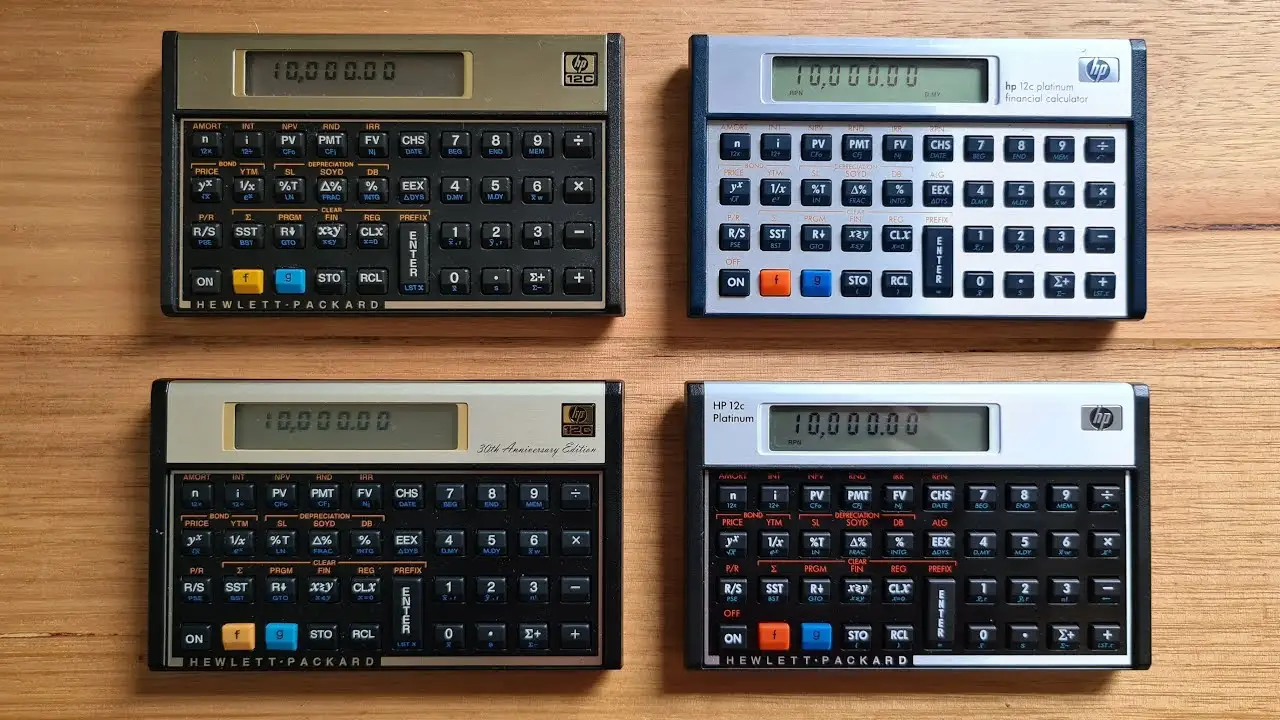
The most serious complaint pattern is about input reliability—because the consequence is wrong answers, not inconvenience. One user describes a keystroke issue that directly creates incorrect results: “whenever numeric keys are depressed, intermittently the depressed number appears twice causing an erroneous result.” (TheReviewIndex) For exam takers, that reads like a nightmare scenario: you can know the method and still lose points if the entry duplicates. Another complaint focuses on physical degradation: “my 0 button broke and the 1 button occasionally sticks.” (TheReviewIndex)
A second recurring frustration is documentation and onboarding, especially for new owners. Multiple quotes in the same cluster complain about non-English materials: “the two user manuals are only in spanish,” and “the only problem is the packaging and instruction manual are not in english!!!!” (TheReviewIndex) This lands hardest on first-time financial-calculator users who need the manual as a learning tool—precisely the group most likely to experience the “learning curve.”
Power/battery experiences are contradictory across sources. BestViewsReviews claims “71% appreciated the long battery life” and even includes the sweeping statement: “The calculator never breaks and virtually never runs out of batteries.” (BestViewsReviews) But TheReviewIndex surfaces the opposite experience from frustrated owners: “the calculator no longer turns on and i have tried replacing the batteries,” and “i put new batteries, but it did not help.” (TheReviewIndex) While officially described as having “long battery life” (Amazon specs) and powered by coin/button cells in some listings (Amazon specs), multiple users report non-start behavior even after battery changes.
After the narratives, the complaints concentrate into:
- Key/input defects: “appears twice,” “button broke,” “occasionally sticks.” (TheReviewIndex)
- Manual language/access: “manual… not in english.” (TheReviewIndex)
- Power-on failures despite battery swaps: “replacing the batteries… did not help.” (TheReviewIndex)
Divisive Features
RPN itself is the defining divider. Some buyers treat it as the core advantage: “the rpn is easy to get used to… you will learn to love it.” (TheReviewIndex) For those users—often returning owners—the layout becomes muscle memory, and they describe it as efficient for “chain arithmetic” and financial sequences (TheReviewIndex).
Others either prefer a simpler interface or actively compare it to alternatives. One pointed comparison appears in the display/clarity cluster: “'texas ba ii plus' had better screen and is more simple and intuitive to use.” (TheReviewIndex) That kind of remark isn’t just about the screen; it’s about cognitive load. For a student under time pressure, “simple and intuitive” can beat tradition.
Even the controls and power behavior can feel divisive: one person complains that “even to clear the display you have to click 3 different buttons,” contrasting it with calculators where you “simply press on/off.” (TheReviewIndex) For users accustomed to modern UX shortcuts, the classic HP logic can feel like friction; for long-time fans, it’s just “how it works.”
Trust & Reliability
The trust story here isn’t mainly about scams; it’s about whether a “standard” tool remains consistently dependable in newer purchases. Long-time durability anecdotes are striking: “it performed wonderfully for 36 years… after 37 years needing to replace it.” (TheReviewIndex) Another pattern describes replacements after “30+ years” (TheReviewIndex). For buyers who see the calculator as a multi-decade investment, those stories reinforce confidence.
But digging deeper into complaint clusters, reliability risk shows up in ways that feel high-stakes: duplicated keystrokes and dead keys. Fakespot’s excerpted negatives include: “the + key is dead and the enter key no longer works making the calculator worthless.” (Fakespot) That aligns with TheReviewIndex’s key-sticking and double-entry reports. The contradiction is stark: while some sources summarize overwhelmingly positive sentiment (BestViewsReviews), multiple quoted users describe failures that would immediately end trust in the device.
Alternatives
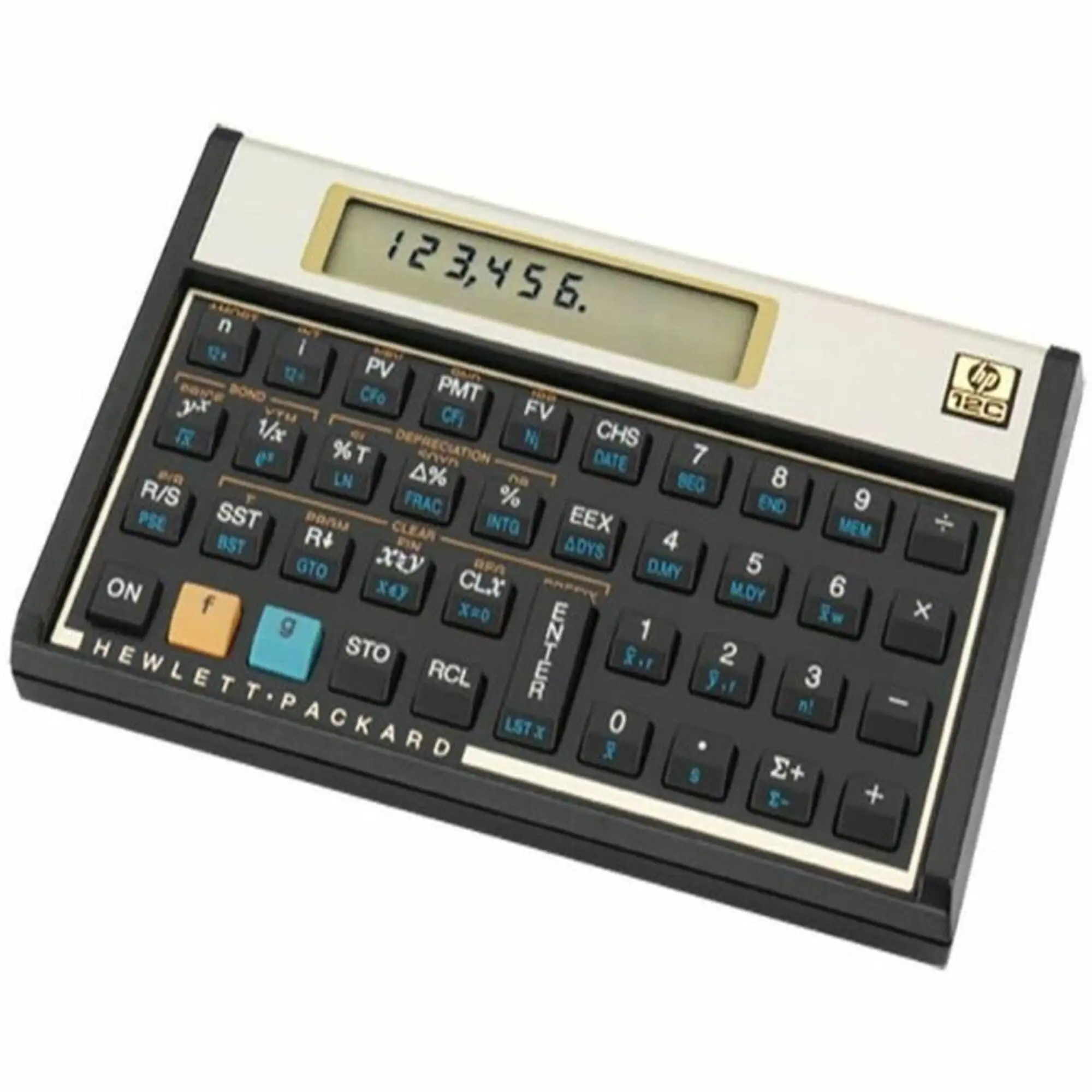
The only clearly named competitor in the user data is the Texas BA II Plus. The comparison is not subtle: a user specifically claims the “'texas ba ii plus' had better screen and is more simple and intuitive to use.” (TheReviewIndex) That suggests the BA II Plus may better serve first-time learners who prioritize straightforward entry and screen clarity over RPN tradition.
On the flip side, buyers who choose the HP 12CP Financial Calculator often do so for the RPN workflow and legacy feel. One user frames competing TI models as “much more user-friendly,” yet still implies the HP choice is about nostalgia and eventually “learn[ing] to love it.” (TheReviewIndex) So the alternative isn’t just a feature swap; it’s a mindset swap: intuitive-first vs. RPN-first.
Price & Value
Across listings, the purchase price varies widely: Amazon shows the HP 12C Platinum around $41 (Amazon specs), while eBay results show used units and collector/anniversary variants spanning from under $20 to much higher, with many listings clustered in the $30–$70 range plus shipping (eBay market data). That spread creates two distinct value plays: buy new for predictable condition and warranty context, or buy used to get the classic tool cheaper—accepting unknown wear on keys.
Community sentiment often frames the purchase as “worth the price” when it directly impacts coursework or work outcomes. One story makes that painfully practical: “i got a b on my finance final so it was worth the investment !” (TheReviewIndex) Another angle is replacement economics: people who used an older unit for decades see a new purchase as reasonable even if not cheap—“i guess 40 years is enough to ask” (Fakespot excerpt).
Buying tips implied by user experiences:
- If you’re buying for exams, key reliability matters most; reports of double-entry and dead keys suggest testing every numeric key immediately (TheReviewIndex; Fakespot).
- If you’re new to financial calculators, pay attention to manual language/access; multiple users complained about non-English materials and needing a PDF (TheReviewIndex).
- If you value resale flexibility, eBay shows steady supply and pricing tiers by condition/edition (eBay).
FAQ
Q: Is the HP 12CP hard to learn for beginners?
A: It depends on whether you’re willing to climb the RPN learning curve. One reviewer said, “you may have a leaning curve but once you used to it, it’s very easy to use.” (TheReviewIndex) Others note you can “change it to the typical algebra mode if needed.” (TheReviewIndex)
Q: Are there reliability issues with the keys?
A: Some buyers report serious input problems. One user warned that a pressed number can appear “twice causing an erroneous result,” and another said, “my 0 button broke and the 1 button occasionally sticks.” (TheReviewIndex) Fakespot also excerpts: “the + key is dead and the enter key no longer works.” (Fakespot)
Q: Does the battery last a long time?
A: Reports conflict across sources. BestViewsReviews summarizes that many appreciate “long battery life,” even claiming it “virtually never runs out of batteries.” (BestViewsReviews) But multiple users report the unit “no longer turns on” even after “replacing the batteries.” (TheReviewIndex)
Q: Is it actually portable enough for daily carry?
A: Many users describe it as pocketable and easy to bring to work or school. One quote says it’s “small enough to get into a shirt pocket so you can take it everywhere.” (TheReviewIndex) BestViewsReviews similarly notes it “fits easily in my pocket.” (BestViewsReviews)
Q: What’s the most common complaint besides the keys?
A: Documentation and language. Multiple users complained that the included manuals weren’t in English, including: “the two user manuals are only in spanish,” and “instruction manual are not in english!!!!” (TheReviewIndex) Some mention using an online PDF instead (TheReviewIndex).
Final Verdict
Buy if you’re a finance professional or student who wants the classic RPN workflow and expects to keep the same interface for years—“this is the foundational financial calculator,” and for some, “best calculator, hands down.” (TheReviewIndex)
Avoid if you’re buying for a high-stakes exam and can’t tolerate any chance of key/input glitches; users reported duplicated digits “causing an erroneous result,” plus broken or sticking keys. (TheReviewIndex)
Pro tip from the community: if the included manual isn’t usable, one buyer solved it by saying, “i downloaded the english pdf online !” (TheReviewIndex)





