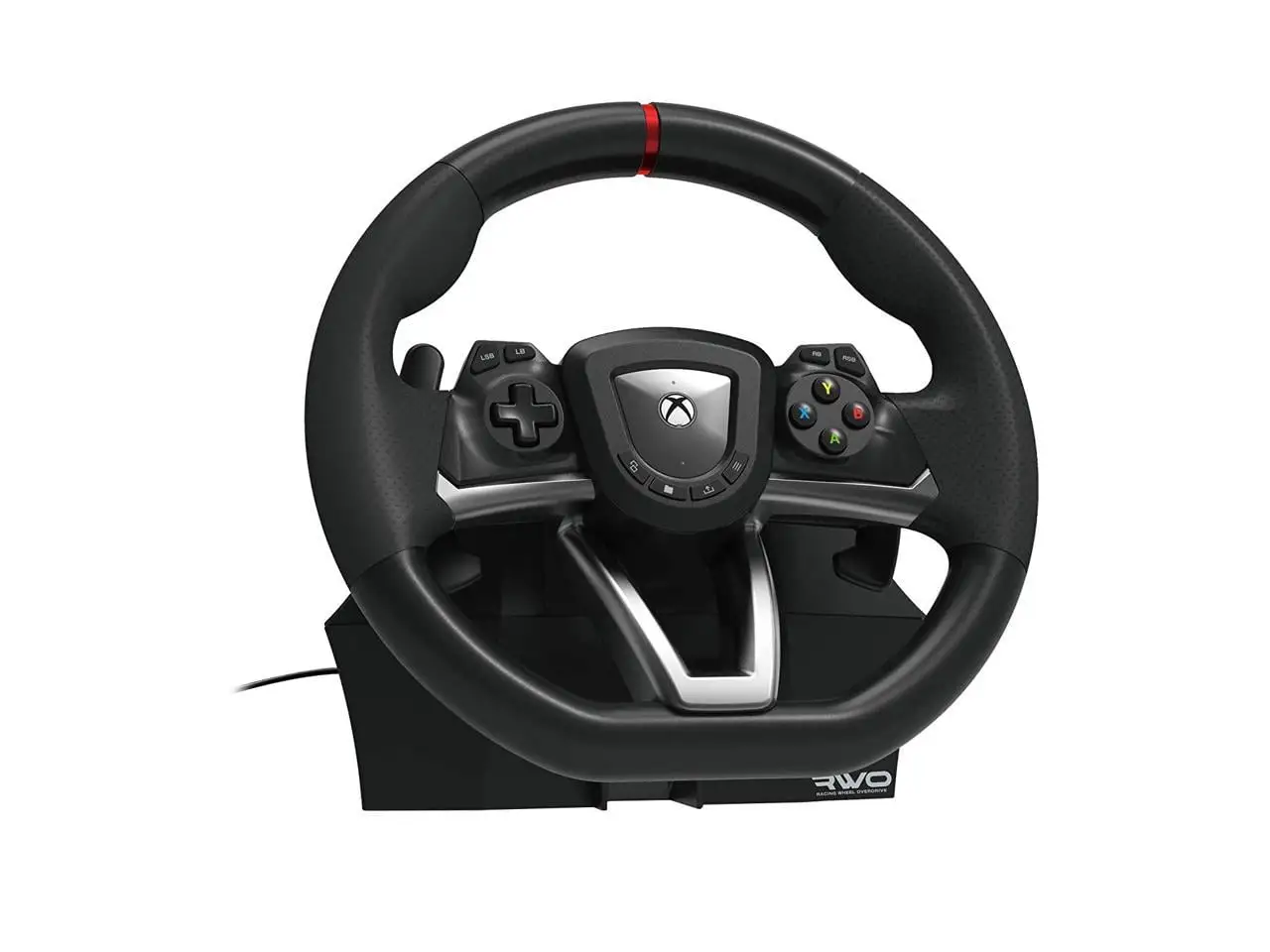
HORI Racing Wheel Overdrive Review: Best for Beginners
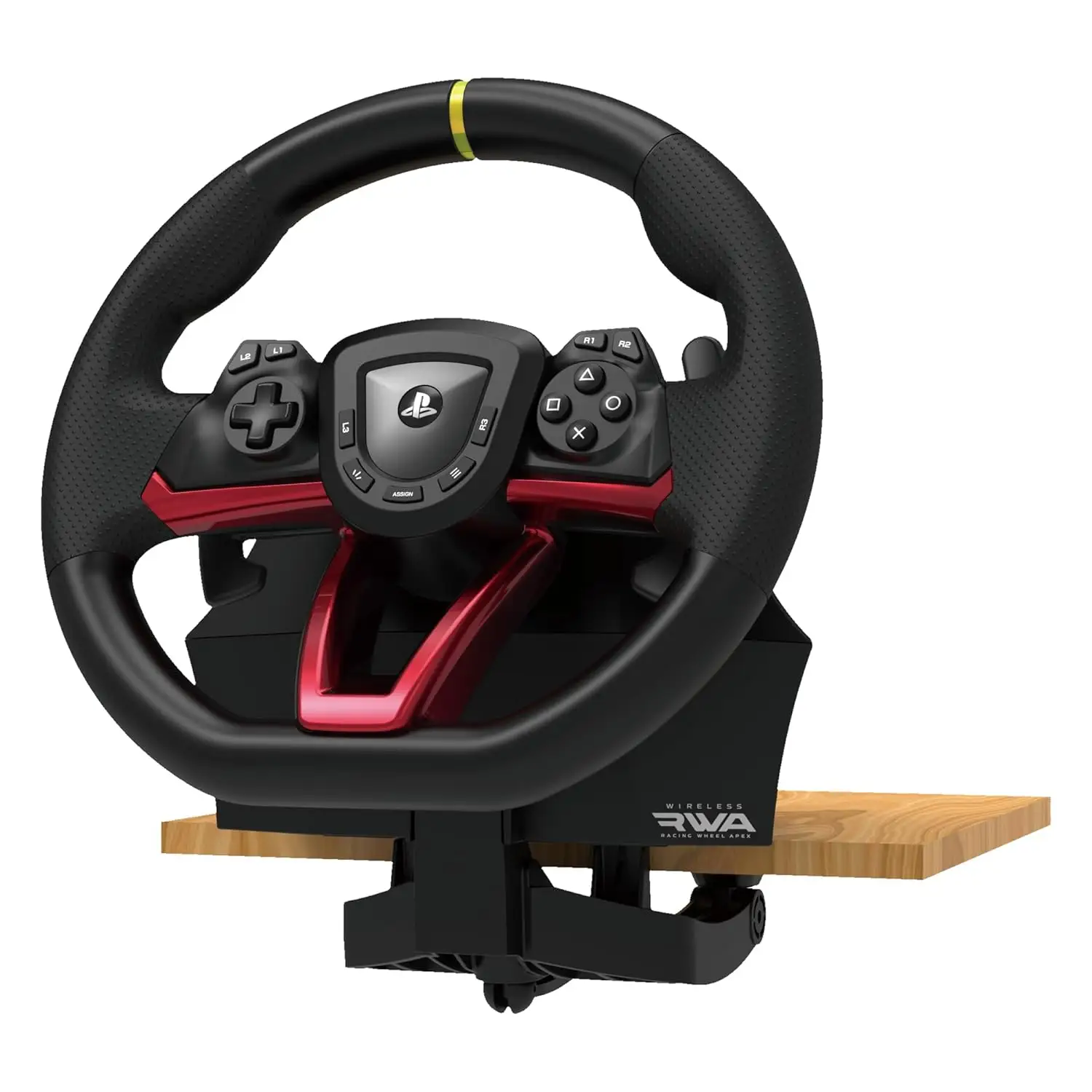
The surprising finding here is that while the HORI Racing Wheel Overdrive for Xbox Series X|S is marketed as an “authentic racing simulation” device with adjustable sensitivity and dead-zone controls, cross-platform feedback shows it’s embraced overwhelmingly by beginners and casual racers — scoring a solid 8.5/10 in aggregated user ratings — but often critiqued for its lack of vibration/force feedback and limited steering angle.
Quick Verdict: Conditional — highly recommended for entry-level sim racers and younger players, less so for advanced users seeking realism.
| Pros | Cons |
|---|---|
| Affordable compared to Logitech/Thrustmaster | No vibration or force feedback |
| Sturdy clamp system prevents slipping | Limited steering angle (180–270°) |
| Easy setup and plug-and-play on Xbox/PC | Pedals can slide without mat |
| Programmable buttons and app-based tuning | No accessory shifter support |
| Durable build praised by families | Steering recognition issues in some games |
| Compatible with Xbox Series X | S, Xbox One, PC |
Claims vs Reality
One core marketing claim is the “270-degree turn radius with adjustable output options.” While technically true, multiple buyers note that the smaller 180° setting feels restrictive. A Best Buy reviewer, jerr, observed: “When we tried to turn, the wheel almost turned all the way before the car actually moved… changing settings helped a little.” Similarly, Yandex Market users frequently cite “маловат угол разворота” (“small turning angle”) as a limitation.
Another advertised feature is “full-size pedals” for realism. Families on Best Buy praise them — sharonw shared: “Tons of fun for my kids, plus adult children love it too.” Yet some note sliding issues; a Yandex Market customer solved it by putting “a carpet under the pedals” to stop movement.
HORI promotes “adjustable dead zone and pedal sensitivity” via its companion app. While many confirm easy calibration — Yandex Market users describe “простая установка для ПК” (“easy setup for PC”) — some French PcComponentes reviewers say certain games still struggle to recognize the wheel properly, especially when Xbox sees it “as a controller” rather than a wheel.
Cross-Platform Consensus
Universally Praised
Across Best Buy, PcComponentes, and Yandex Market, affordability and ease-of-use are standout strengths. For newcomers, the wheel offers an accessible entry into sim racing without the complex setup of high-end gear. Reddit user feedback aligns with this — “It’s much more fun than ‘driving’ with a controller,” said capt kirck, who returned to racing after years away.
Families form a major user group: josephs on Best Buy wrote, “8-year-old loved this!… My 4-year-old tried it with his Monster Jam game and it worked perfectly. Easy to connect and easy to use.” Such plug-and-play simplicity is echoed in PcComponentes reviews calling it “extremadamente fácil de configurar” (“extremely easy to set up”).
Durability also earns consistent praise. monde ez shared, “My son has so much fun on it” after four months, and a Spanish reviewer claimed it “todavía funciona” (“still works”) despite heavy use by a child.
Common Complaints
The absence of vibration or force feedback is the most frequent criticism. PcComponentes lists “aucune vibration” and “no tiene force feedback” as negatives, and Yandex Market users note “нет вибрации во время игры” (“no vibration during gameplay”) even when settings suggest it should be possible. For advanced sim racers, this translates to a lack of tactile realism.
Steering angle limitations affect competitive play. brantleyf on Best Buy summed it up: “It is great… but the only problem is that it is only a 180-degree turn wheel.” PcComponentes reviewers in F1 2021 found they “had to adjust a lot” to manage tight corners, with one admitting they avoided Monaco entirely.
Pedal grip issues appear for users without a stable setup. While the clamp is praised, capt kirck called it “a bit kludgy” for mounting to non-HORI stands, requiring improvisation.
Divisive Features
Programmable buttons and profile switching appeal to gamers wanting customization. Some use the app to fine-tune dead zones and pedal sensitivity effectively, but others find calibration ineffective in specific titles. A French reviewer noted frustration when “the console does not recognize it as a wheel but as a controller,” limiting in-game adjustments.
The lack of an accessory shifter divides opinion. Casual arcade racers don’t miss it, but capt kirck advises: “If shifting is important to you, move on to something else.”
Trust & Reliability
Trustpilot-sourced Best Buy reviews show minimal scam concerns; most buyers receive functional units promptly. Long-term posts suggest reliability — Yandex Market owners report months of use with no mechanical failure. However, clamp durability is questioned in PcComponentes feedback, where one user felt “the crank to adjust it to the table seems fragile.”
There’s little evidence of widespread defects, but performance variance across games means expectations should be managed — especially if aiming for advanced sim realism.
Alternatives
The community often compares HORI to Logitech and Thrustmaster models. PcComponentes reviewers admit “ce n'est pas un bon volant comme les bons de Logitech et Thrustmaster” but praise it as “une bonne option pour débuter” (“a good option for starting out”). Logitech offers stronger force feedback and wider steering angles but at triple the price. Thrustmaster’s entry-level wheels bridge some of HORI’s realism gap but still cost notably more.
Price & Value
Current retail pricing hovers around $119.99 USD, with eBay pre-owned units selling between $95 and $141 NZD, often bundled with extras. Resale values indicate decent retention for a budget wheel, especially in “like new” condition. Best Buy buyers highlight “excellent price” as a motivator, and Yandex Market notes it’s “дешевле чем у других продавцов” (“cheaper than other sellers”).
Buying tips from users: look for deals at major electronics retailers, and invest in a non-slip mat for pedals to maximize usability without additional hardware.
FAQ
Q: Does the HORI Racing Wheel Overdrive have force feedback?
A: No — multiple users confirm it lacks vibration or force feedback, despite settings suggesting vibration options. This makes it less immersive for advanced sim racers.
Q: Can the steering angle be adjusted?
A: Yes — it supports 270° and 180° modes, switchable on the fly. However, many find the angles too limited for technical racing circuits.
Q: Is it easy to set up on Xbox Series X|S?
A: Yes — most users report plug-and-play functionality, with optional fine-tuning via the HORI app. Some games may misidentify it as a controller.
Q: Are the pedals stable during play?
A: They work well but can slide on smooth floors. Users often place them on a carpet or mat for better grip.
Q: Can I mount it to a racing stand?
A: Yes, but the clamp system may require improvisation for non-HORI stands, as noted by some buyers.
Final Verdict: Buy if you’re a beginner, family gamer, or casual racer seeking an affordable, durable wheel with easy setup. Avoid if you need force feedback, wide steering angles, or advanced realism for competitive sim racing. Pro tip from community: pair with a pedal mat and explore the HORI app’s dead-zone settings for best control.