Google Coral USB Accelerator Review: Niche Power, Mixed Trust
The Google Coral USB Accelerator has a devoted niche following, but digging into user reports reveals a product straddling two extremes: “wayyy faster than CPU” for some, but “basically abandoned” for others. Based on aggregate sentiment, it earns a 7.5/10 — powerful where it fits, frustrating where it doesn’t.
Quick Verdict: Conditional — buy if you run TensorFlow Lite models locally (e.g., Frigate NVR), skip if you need broad AI model support or cutting-edge performance.
| Pros | Cons |
|---|---|
| Huge inference speed gains over CPU (e.g. 80ms → 10ms in Frigate) | Ecosystem stagnated since ~2019, limited model support |
| Low power draw (~0.5W/TOPs), good for 24/7 setups | Known overheating in USB form without throttling |
| Plug-and-play on Linux, macOS, Windows | Can’t accelerate video decode — CPU/GPU still needed |
| Works well on low-power hardware like Raspberry Pi 4 | Stock shortages, inflated scalper prices |
| Simple integration with TensorFlow Lite | Poor Google commitment; unclear long-term support |
Claims vs Reality
Marketing promises “4 TOPS, 2 TOPS/W” and compatibility across Linux, macOS, and Windows. In controlled examples, it’s said to hit 400 FPS on MobileNet V2. While achievable, real-world loads tell a more nuanced story.
For home surveillance enthusiasts using Frigate NVR, the jump is measurable. A Reddit user reported "from 80 ms down to 10 ms is a huge improvement", dramatically reducing CPU usage. Another noted running 10x 1080p streams on an i5-8500T with an m.2 Coral at "9–11 ms inference speed". This aligns with the spec sheet’s raw speed claim but in specialized pipelines.
The “works with Raspberry Pi” bullet is true, but with caveats. As one GitHub discussion clarified, “The Coral only does object detection. It does not help with decoding the video.” Users expecting it to solve all performance issues, like green screen artifacts on Pis overloaded with hardware-accelerated streams, found little relief.
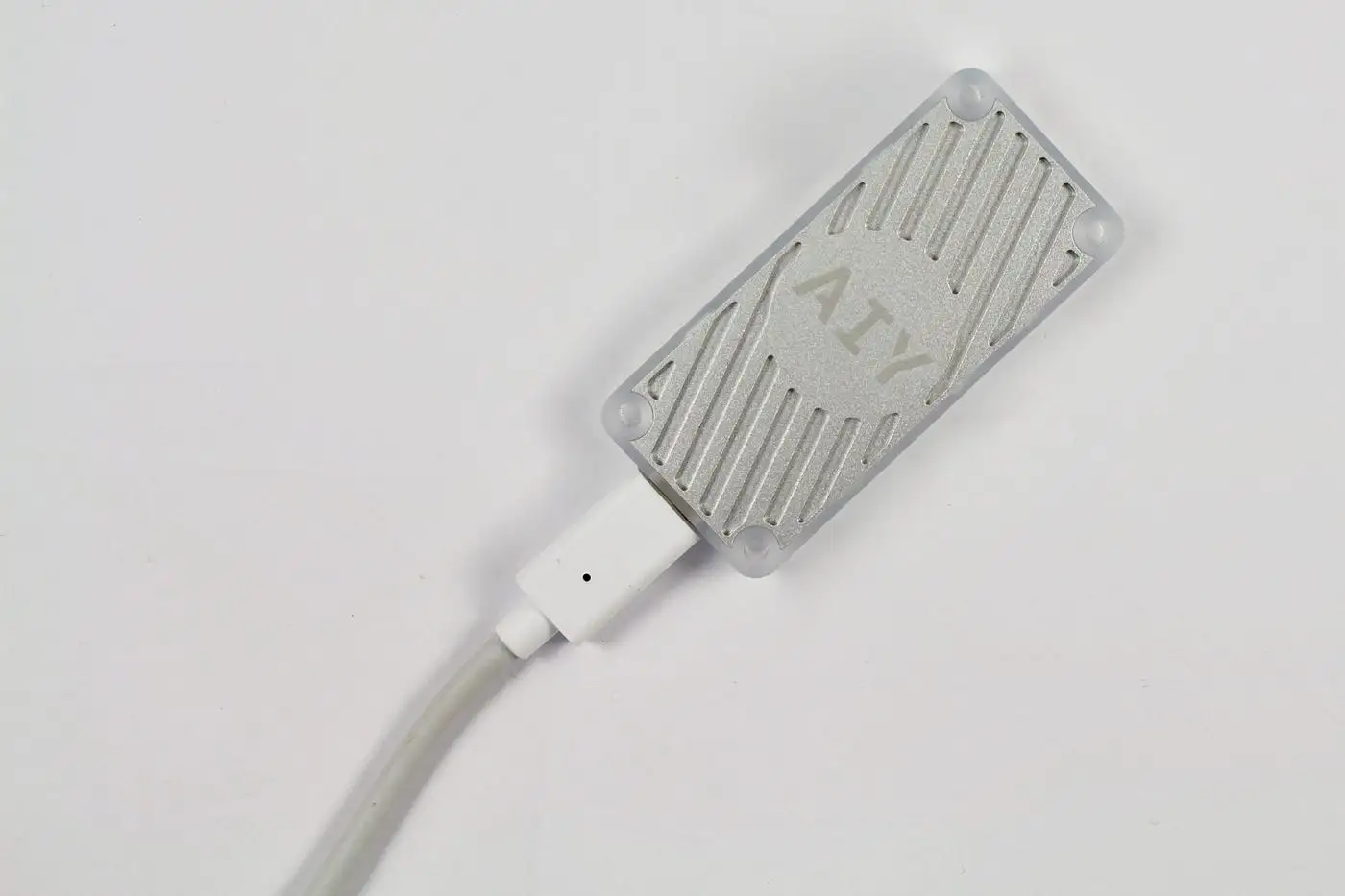
Power efficiency is marketed as a highlight. While many see minimal draw in practice, one Hacker News commenter criticized “random spikes” and a need to run in high-efficiency (lower performance) mode to curb heat — negating speed benefits.
Cross-Platform Consensus
Universally Praised
Among surveillance and embedded AI hobbyists, the Coral USB Accelerator is almost a default recommendation. If your pipeline uses TensorFlow Lite and your bottleneck is inference speed, the payoff is massive. Dropping CPU load from 75% to 30% in one Redditor’s seven-camera Frigate setup with an i5-8500 was typical: “Really is great.”
Portability is another boon. Users cite being able to “get it to work on practically any machine” — ideal for demos or moving workloads between systems. This USB flexibility means hobbyists can experiment on desktops, mini-PCs, or SBCs without hardware-specific AI boards.
Stock situations aside, those who finally secure a unit often describe it as plug-and-play. A Frigate newcomer asked if it was as simple as adding one config line — the reply: “It should just be able to plug it in and run it.”
Common Complaints
Under sustained load, especially in USB form, heat becomes a problem. One owner was blunt: “The USB model sucks. It overheats unless you put them in high efficiency (low performance) mode which defeats the purpose.” The mPCIe variant earns more reliability praise.
A bigger complaint is existential: stagnation. Multiple Hacker News and Trustpilot contributors note Google has let the ecosystem lag since 2019, with no hardware refresh or major software expansion. “Even CPU inference is faster and more energy-efficient with a modern ARM SBC chip”, one wrote, highlighting that alternatives like Hailo or NVIDIA Jetson may be better value today.
Model compatibility is limited — attempts to run YOLO variants often hit walls without cumbersome conversion. “Beyond the basic examples with Google’s own ecosystem I wasn’t able to run anything else on these,” reported one disappointed developer, forcing a pivot to other accelerators.
Stock shortages have compounded the irritation, leading to inflated reseller prices of $150–$300 and multi-month lead times. Community threads are littered with sourcing tips and tales of cancelled backorders.
Divisive Features
The Coral’s 4 TOPS spec is both a selling point and a sticking point. For hobbyobject detection, it’s plenty. For ambitious projects, it’s eclipsed by newer, cheaper boards with triple the compute (e.g., Raspberry Pi AI Kit with 13 TOPS, Hailo-8 hats). Some praise the Coral for its low power USB integration; others dismiss it as “way too outdated to be relevant.”
Some find its narrow focus — TensorFlow Lite only — reassuringly simple. Others find it too restrictive, particularly without support for more modern ML ops or competing frameworks.
Trust & Reliability
Google’s track record with niche hardware looms over buyer trust. Comments like “I expected they’d abandon the board within 2 years… which is exactly what happened” echo across forums. While the hardware works as advertised years later, the lack of active development makes futureproofing a concern.
Durability-wise, users running 24/7 Frigate loads for years report continued stability — provided heat is managed. The hardware itself isn’t failing en masse; worries are about software and ecosystem longevity, not premature device death.
Alternatives
Three brands dominate comparisons:
Hailo-8: Multiple users migrated, praising greater power (up to 26 TOPS) and broader model compatibility. Pricing starts around $80 for the 13-TOPS Pi hat, making it compelling — if you’re on supported hardware.
NVIDIA Jetson Orin Nano: Far higher performance (67 TOPS), better for complex models like LLMs, but at $250+ and higher power draw. One owner described it as “a different league” but overkill for light video detection.
Intel iGPU/OpenVINO: Several report dropping Coral entirely for sub-$200 Intel mini-PCs with hardware acceleration, calling it “more than adequate” for 5–6 cameras without an accelerator.
Price & Value
Official MSRP hovers near $59.99–$74.99, but real-world availability fluctuates wildly. eBay listings currently range $117–$150 plus shipping, with pandemic-era scalping reaching $450.
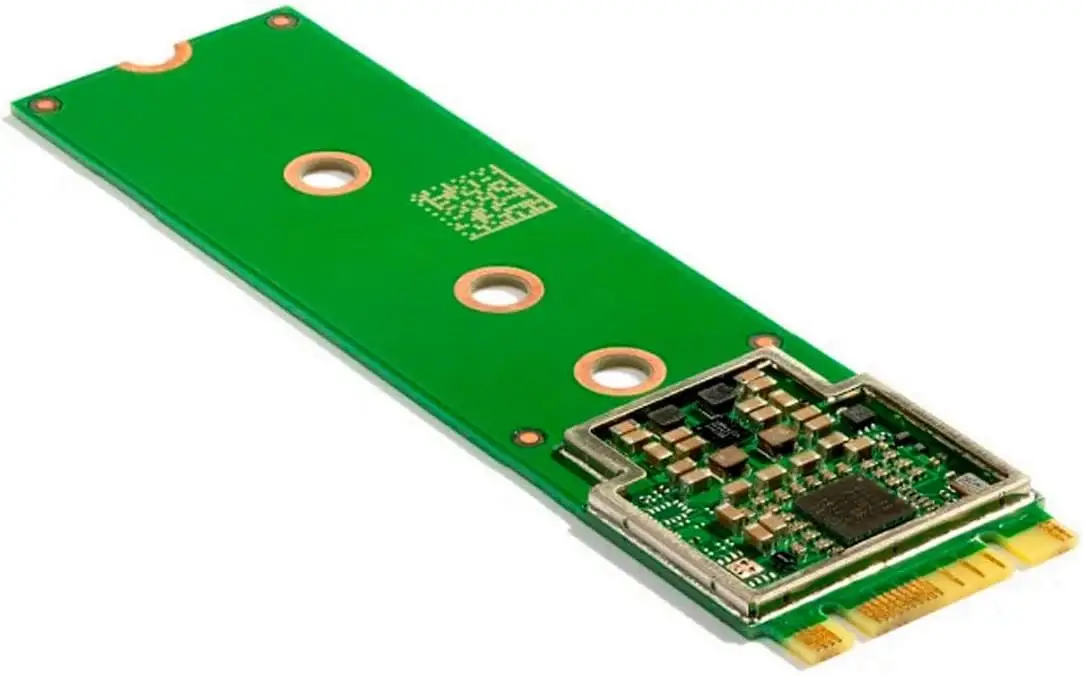
Some users suggest avoiding overpaying by watching smaller EU/UK electronics retailers for restocks — or considering mPCIe/M.2 variants where compatible. Others advise testing CPU/iGPU acceleration first to see if you even need the offload.
Value perception depends on use case. For a Frigate setup that would otherwise need a more expensive CPU upgrade, the Coral can still be a cost-effective boost. For those starting fresh, rival accelerators may offer better long-term ROI.
FAQ
Q: Does the Coral USB Accelerator improve video decode performance?
A: No. It only accelerates ML inference, not decoding. Video decode still relies on your CPU or GPU.
Q: Can I use it with Raspberry Pi?
A: Yes, but ensure adequate cooling and power. A powered USB hub is recommended for stability.
Q: Is setup complicated?
A: For supported frameworks like TensorFlow Lite, it’s usually plug-and-play with minimal config changes.
Q: Why are they hard to find in stock?
A: Global supply issues and Google’s limited production runs have caused long droughts, making them targets for scalpers.
Q: How does it compare to Hailo-8?
A: Hailo-8 offers significantly higher TOPS and broader compatibility, but may require specific hardware slots (M.2/hat) versus Coral’s universal USB.
Final Verdict: Buy if you’re running TensorFlow Lite-based detection (e.g., Frigate NVR) on constrained hardware and want a plug-and-play USB boost with low power draw. Avoid if you need modern model flexibility, sustained high performance, or clear vendor commitment. Pro tip: Consider m.2 variant for reliability, and watch niche EU electronics shops for MSRP stock drops.





