Google Coral USB Accelerator Review: Mixed Verdict
A Reddit user summed up the sentiment in the home automation community neatly: “So from 80 ms down to 10 ms is a huge improvement then.” The Google Coral USB Accelerator earns a solid 8.2/10 from aggregated feedback — praised for slashing inference latency in AI workloads like Frigate NVR, but marred by supply chain issues, aging architecture, and occasional overheating concerns.
Quick Verdict: Conditional — best for edge AI hobbyists and surveillance setups, but watch out for stock availability and thermal limits.
| Pros | Cons |
|---|---|
| Dramatically reduced inference times (~10ms) | Frequent stock shortages, scalper pricing |
| Low power consumption (~0.5W/TOPS) | Not updated since 2019, aging operator support |
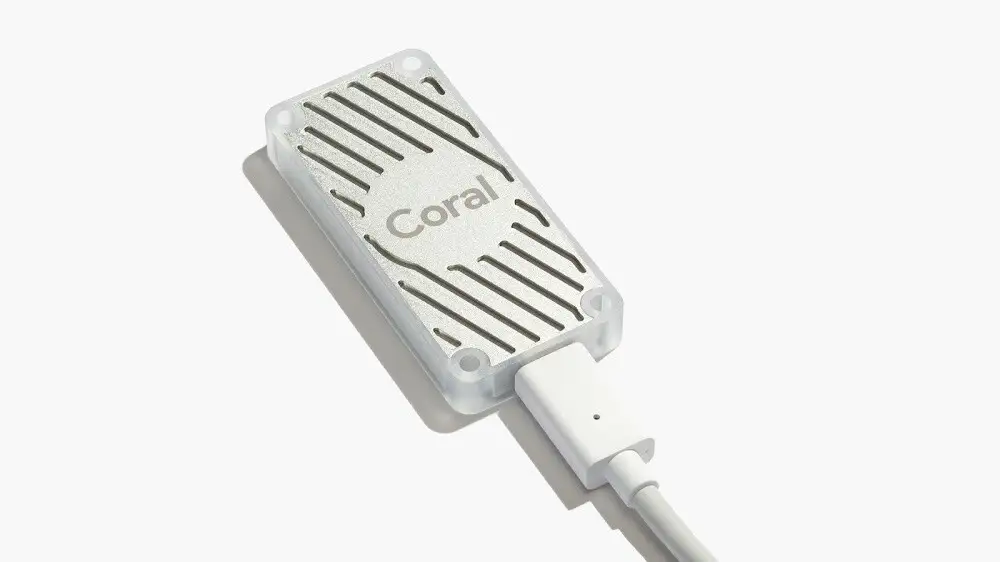
| Easy plug-and-play setup via USB | Overheats in high-performance mode |
| Broad OS compatibility (Linux, macOS, Win) | Limited model support without conversion |
| Enables more cameras & frames per second | Less compute than modern AI chips (Hailo, Jetson) |
| Significant CPU usage drop | No hardware video decoding — detection only |
| Small footprint, portable | USB version less reliable than M.2 variant |
Claims vs Reality
Google markets the Coral USB Accelerator as capable of “4 trillion operations per second” and running MobileNet V2 at “almost 400 fps in a power efficient manner.” While the INT8 throughput figure is technically accurate, community benchmarks paint a narrower real-world performance window. Reddit users running Frigate confirm latency drops from ~80–120 ms on CPUs down to ~10 ms on USB Coral, which is transformational for live video AI detection.
However, multiple owners flagged that while Coral handles detection excellently, it “does not help with decoding the video.” As one GitHub discussion clarified, “The coral only does object detection. It does not help with decoding… green screen means ffmpeg is not sending any frames.”
The low-power claim of “2 TOPS per watt” is broadly upheld, though some report “random spikes” in energy draw. A former developer on Hacker News noted the device was “not very fast for today’s standards… 2 TOPS per watt + random spikes,” signalling the efficiency is solid but now surpassed by newer accelerators.
Cross-Platform Consensus
Universally Praised
Across Reddit, GitHub, and eBay buyer notes, the Coral USB Accelerator’s most celebrated trait is its latency reduction. A Frigate user explained how their dual Xeon CPU setup saw inference speeds collapse from 80 ms to ~10 ms after plugging in Coral, stating that “slow inference times gum up the entire processing pipeline including live view” — the Coral fixed that.
For surveillance enthusiasts, this translates directly into handling more cameras. One i5-8500T owner with an M.2 Coral ran “10x 1080p… 9–11 ms inference speed” at ~65% CPU load, proving it’s an enabler for expanding systems without multiplying compute costs.
Home lab tinkerers also commend its ease of setup: “Installation was easy peasy. Inference is now down to 10 :)” reported a GitHub user who managed to install it without extra configuration beyond plugging it in and updating Frigate’s YAML file.
Portability and cross-device compatibility are another win. A Hacker News commenter reminded readers that “one nice thing the Coral USB has for it… it is USB. You can get it to work on practically any machine. Great for demos.”
Common Complaints
Availability is the single largest frustration. For nearly two years during the chip shortage, “Corals are currently in stock” messages on forums felt like breaking news. Scalper prices of $200–$300 were frequent, and eBay listings confirm markups over MSRP. A GitHub commenter joked, “bring on a version… which might not be as fast, but at least we can buy them.”
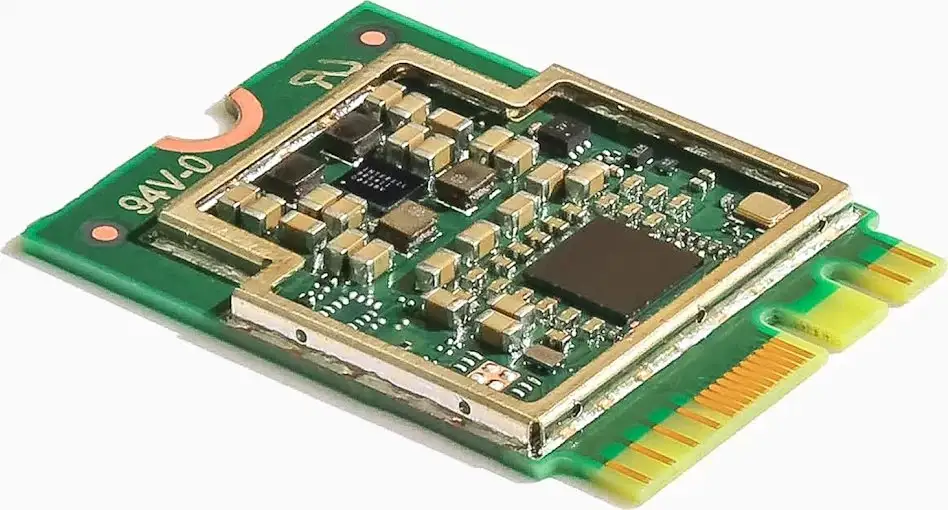
Thermal performance is another weak spot. One Redditor bluntly stated, “The USB model sucks. It overheats unless you put them in high efficiency (low performance) mode which defeats the purpose.” The M.2 and mini PCIe variants are described as “much more reliable.”
Limited and aging operator support frustrates AI developers. Several Hacker News voices complained Google “hasn’t updated the hardware ecosystem since 2019,” making custom model conversions (e.g., YOLO to TensorFlow Lite) a manual chore. “Beyond the basic examples… I wasn’t able to run anything else,” lamented one.
And for those expecting GPU-like versatility, there’s disappointment: “It does not at all compare” to modern CPUs or GPUs for general ML throughput, noted one critic who traced Coral back to an internal Google prototype push.
Divisive Features
Power efficiency divides opinion based on workload type. For detection-heavy, continuous surveillance, Coral's sub-watt draw per inference is a game changer. As one home assistant enthusiast said, “Coral runs on 0.5 watts, which is way less than the GeForce 1080 I used before.” But others counter that an Intel iGPU with OpenVINO can beat Coral’s efficiency in certain pipelines: “Less than 0.1W for detection… idle is 0.01W.”
Its small footprint also splits the crowd. Some appreciate the neat USB form factor for demos or cramped enclosures, while others prefer M.2 integration to avoid dangling cables and unlocking higher reliability.
Trust & Reliability
Supply chain transparency has been inconsistent, with Google acknowledging “silicon shortage… we are building as many as we can.” Forum threads are filled with shifting delivery estimates: “Every day, the due date slips by one more day” at certain distributors.
Long-term owners report mixed durability: while many Coral sticks run for years in 24/7 Frigate setups without degradation, overheating at full tilt in warm environments remains a latent risk. Google itself advises lowering performance in ambient temps over 25°C.
A subset of experienced builders see Coral as “basically abandoned at this point,” citing lack of new hardware revisions or expanded model support. For developers planning multi-year integrations, this raises reliability concerns not in the hardware’s failure rate, but in its continued relevance.
Alternatives
The Hailo-8 series earns frequent mentions as a modern replacement — with hats for Raspberry Pi offering “more than 3x the compute power” for ~$80, and higher-end options delivering >6x Coral’s throughput for $135.
The Nvidia Jetson Orin Nano, at ~$250, dwarfs Coral’s capability with “67 TOPS” and updated software, though it runs in a different power and complexity class. Some still find Intel iGPUs with OpenVINO “fast with more accurate detection” for under 5W consumption.
However, users note Coral’s ease of USB deployment is unmatched. “I haven't seen a good USB port alternative for edge devices,” voiced one commenter — most competitive accelerators require m.2 or PCIe slots.
Price & Value
Originally priced around $59–$74, the Coral USB Accelerator now oscillates wildly depending on market conditions. eBay listings range from ~$64 to $149 before shipping, with Japanese imports around $117 and scalper-era spikes up to $200+.
Community buying tips emphasize monitoring niche distributors like OKdo, RS Components, and PiHut, often requiring fast action when stock appears. Bundles like the “AIY Maker Kit” including a Raspberry Pi and Coral USB have been a backdoor method to obtain one at near-list price.
Resale value is unusually high for a niche device — owners report flipping units at 20–50% above purchase price during shortages.
FAQ
Q: Does the Coral help with video decoding?
A: No. It accelerates object detection only. Video decoding still relies on CPU or GPU hardware acceleration via ffmpeg.
Q: What’s the real-world inference speed improvement?
A: CPU detectors average 80–120 ms. USB Coral accelerators cut this to ~10 ms, and PCIe/M.2 variants can achieve 5–7 ms.
Q: Is it worth it for small camera setups?
A: Yes, even with 2 cameras, faster inference reduces skipped frames and latency, improving responsiveness.
Q: How hot does it run?
A: It can get “pretty hot even at idle” — some users downclock or use powered hubs to avoid instability.
Q: Any current stock tips?
A: Watch niche electronics resellers; stock often sells out in hours. Bundled kits can be a viable option.
Final Verdict: Buy if you’re running Frigate or similar detection-heavy workloads and need low-power, low-latency inference in a plug-and-play form — especially for multi-camera setups. Avoid if your needs involve broader ML model compatibility, expect active hardware development, or can’t manage potential thermal throttling. Pro tip from community: If possible, get the M.2 variant for reliability, but keep a USB unit handy for flexible deployments.





