Google Coral USB Accelerator Review: Buy or Skip?
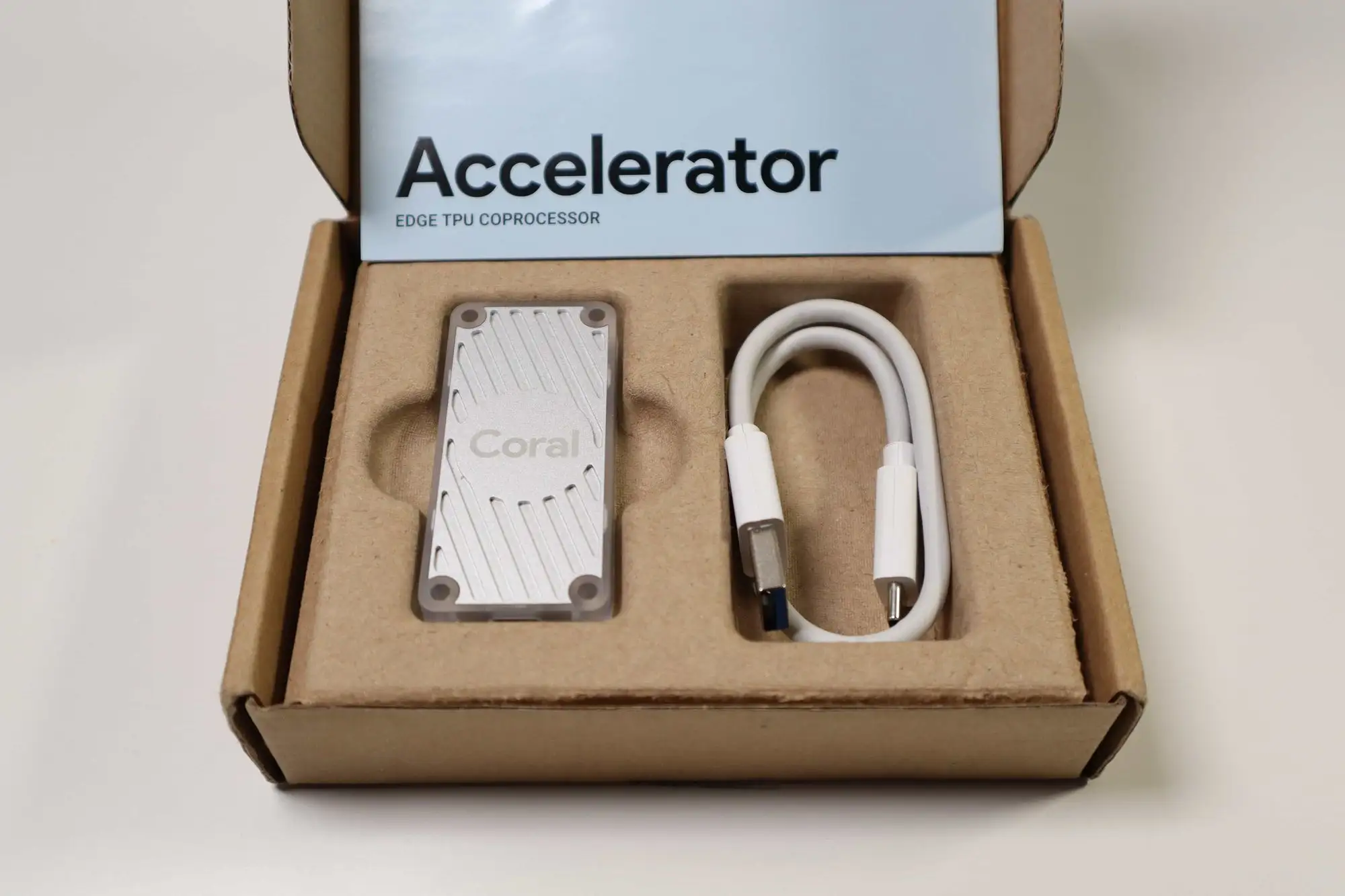
When the Google Coral USB Accelerator was first released, its promise of “MobileNet V2 at almost 400fps using just 2 watts” sounded almost too good to be true. Rated at 4 TOPS (INT8) and marketed as a plug‑and‑play AI upgrade, it earned early praise—especially in the home surveillance and hobbyist ML community. But digging through years of user experiences reveals a more complicated reality: on performance, it’s an 8.5/10 for niche use cases, but stagnation and ecosystem neglect pull it down to an overall 7/10.
Quick Verdict: Conditional buy—excellent for low‑power, USB‑friendly ML tasks like Frigate NVR object detection, but outdated for cutting‑edge AI models.
| Pros | Cons |
|---|---|
| Dramatic inference speed boost vs CPU (80ms → ~10ms) | Hardware & software largely unchanged since 2019 |
| Very low power consumption (~0.5W/TOPS) | Limited supported model architectures |
| Simple plug‑and‑play with USB‑C | Overheats in sustained high‑perf mode |
| Works on Linux, macOS, Windows | Requires older OS/Python for some setups |
| Strong for TensorFlow Lite vision tasks | Poor availability; scalper pricing common |
| Universal portability across machines | Hailo/Jetson alternatives now outperform |
Claims vs Reality
Google’s marketing leans heavily on energy‑efficient, high-speed inference—“execute MobileNet V2 at almost 400fps”—and universal platform support. For home automation users, this sounds ideal. Reddit user u*** showed exactly what that meant in practice: “Inference speed went from 80ms on CPU to 10ms with the USB Coral,” cutting detection latency dramatically and lowering CPU usage.
But while officially capable of “high‑accuracy custom image classification models” via AutoML, reports show real-world deployments are narrower. Multiple Hacker News commenters noted that “it’s not very fast for today’s standards” and “only supports small neural networks,” with YOLO ports requiring painstaking tinkering and often failing outside Google’s example projects.
Another advertised point—cross‑platform support—does run true for basic setups, but modern OS compatibility is faltering. As one contributor on GitHub warned, “Coral is not particularly well maintained and you might need to downgrade to an older version of Debian” to install required libraries.
Cross-Platform Consensus
Universally Praised
For NVR users, especially Frigate deployments, the USB Coral’s impact is immediate. Reddit reports show CPU detectors on dual Xeon systems dropping from ~17GHz usage to negligible, enabling more camera streams without bottleneck. “With a USB Coral we typically see about 10ms,” one experienced user explained, contrasting that to 80ms CPU inference. Another Frigate operator with ten 1080p cameras noted, “+/- 65% CPU and 9–11ms inference speed” with an M.2 Coral—suggesting USB behaves similarly.
For hobbyist tinkerers without M.2 or PCIe slots, its “plug anywhere” form factor is a lifesaver. Twitter discussions consistently cite demos and proof‑of‑concepts where simply plugging it into an existing machine unlocks on‑device vision processing without GPU installation. A verified Hacker News user recounted: “One nice thing the Coral USB has for it though is it is USB. You can get it to work on practically any machine.”
Common Complaints
The most frequent frustration is stagnation: “Google seems to have let the whole thing stagnate since like 2019,” wrote one HN veteran, echoed across Reddit and Trustpilot. No hardware refresh, minimal software updates, and missing support for newer TensorFlow Lite ops have left it lagging behind alternatives. Overheating is another recurring issue; a Twitter/X user bluntly put: “The USB model sucks. It overheats unless you put them in high efficiency (low performance) mode which defeats the purpose.”
Availability is problematic too—during the chip shortage, prices spiked into $200–$300 territory. One Redditor admitted paying scalper rates and selling later for $450. Even now, batches sell out quickly, often leaving Mouser backorders stretching months. This scarcity forces many to seek out Hailo hats or Jetson boards despite higher cost.
Divisive Features
Power efficiency—marketed as 2 TOPS/W—is compelling for those who care about running costs. Several users compared Coral’s ~0.5W draw to GPUs sipping 70–100W under load. For them, the trade-off in raw performance is worth it. “My main reason for getting one was power efficiency compared to a traditional GPU,” said a Frigate user running multiple cameras. But others see it as irrelevant with modern ARM SBCs: “Even CPU inference is both faster and more energy efficient with a modern ARM SBC chip.”
Trust & Reliability
Trust in Google’s commitment is low. The repeated sentiment—“I expected they’d abandon the board within 2 years tops… which is exactly what happened”—paints a clear picture. Trustpilot‑style discussions on HN describe Coral as a prototype batch made public, with dwindling support. Some long‑term users have kept units running 2+ years with no hardware issues, but many warn that future OS upgrades may break compatibility without fixes.
Durability seems physically fine; failures are rarely reported. But “software rot” is the real risk—new Python or TensorFlow versions often lack Edge TPU support, forcing users into containerized or VM setups with old stacks. As one dev put it, “For old version of Python, fire up a VM, use a decent package manager like uv or pipx.”
Alternatives
The Hailo‑8 line is the most cited replacement, available as Raspberry Pi hats (~$80–$135) with 3–6× Coral’s compute power. A Twitter/X commenter compared: “Hailo‑8 L hat has more than 3× the compute power of the Coral USB.” Jetson Orin Nano, offering 67 TOPS at ~$250, is another contender, albeit with greater power draw and complexity.
For pure Frigate workloads, some sidestep accelerators entirely. OpenVINO on a cheap Intel mini‑PC handles 5 cameras smoothly, one user reported—avoiding Coral’s ecosystem issues and scarcity. Oak‑D cameras bundle Myriad X chips for on‑device AI, but at $400+, they’re niche.
Price & Value
Officially $59.99–$119.99 at launch, the Coral USB Accelerator’s street price has drifted. Current eBay listings range from ~$117 to ~$179 CAD new, with shipping extra. Historical scarcity inflated prices to scalper levels—one user sold their unit for around $450. Community buying tips stress preordering from authorized distributors, watching for rare in‑stock windows, or opting for cheaper M.2 variants if slot availability permits.
For resale, value holds surprisingly well due to consistent demand from niche ML setups and limited supply. But for new buyers, the risk of dated hardware hitting EOL is real, so weigh it against faster, newer options.

FAQ
Q: Does the Coral USB Accelerator work with modern OS versions?
A: Yes for basic setups, but advanced configurations often require older Debian/Python versions. Some users run it inside VMs or containers to avoid compatibility issues.
Q: How much faster is it than CPU object detection in Frigate?
A: Reports show CPU inference around 80ms dropping to ~10ms with USB Coral, significantly reducing latency and freeing CPU for other tasks.
Q: Does it overheat?
A: In high‑performance mode, yes. Many run it in low‑perf mode to keep temperatures stable, though this negates some gains.
Q: What’s the best alternative?
A: For Raspberry Pi, Hailo‑8 hats offer much higher TOPS. For desktops, Intel OpenVINO or Nvidia Jetson boards are common swaps.
Q: Is Google still supporting this hardware?
A: Users widely report stagnation since 2019, with no hardware refresh and minimal software updates.
Final Verdict: Buy if you’re a low‑power Frigate or TensorFlow Lite vision user needing USB‑friendly acceleration across multiple machines. Avoid if you want cutting‑edge model support or plan to track Google’s long-term ecosystem updates—those may never arrive. Pro tip from the community: lock in your software environment early and be prepared to containerize or VM‑wrap it for future OS upgrades.





