GE Big Button Remote Review: Simple, Affordable Buy
An Amazon buyer was stunned at how the GE Big Button Universal Remote Control (2-Device, Silver) “worked instantaneously with my TVs… easy peasy!” without any fuss. At 4.2/5 stars across 6,280 reviews, it’s a rare budget remote that manages to win over seniors, visually impaired users, and renters — while frustrating others with missing features and occasional compatibility hiccups. On balance, user sentiment lands at 8.4/10.
Quick Verdict: Conditional buy — excellent for basic setups, seniors, and rentals, but not ideal for advanced streaming stick users or those who need niche buttons.
| Pros | Cons |
|---|---|
| Large, easy-to-read buttons | Poor fit for dementia/Alzheimer’s users |
| Lightweight, ergonomic design | Missing specialized buttons (Netflix, sleep timer) |
| Simple setup, often works out of the box | Some devices lack full function via codes |
| Affordable and widely available | No backlight on this 2-device version |
| Pre-programmed for Samsung TVs | Cannot rescan channels on certain TVs |
| Compatible with major brands | Limited to infrared devices |
Claims vs Reality
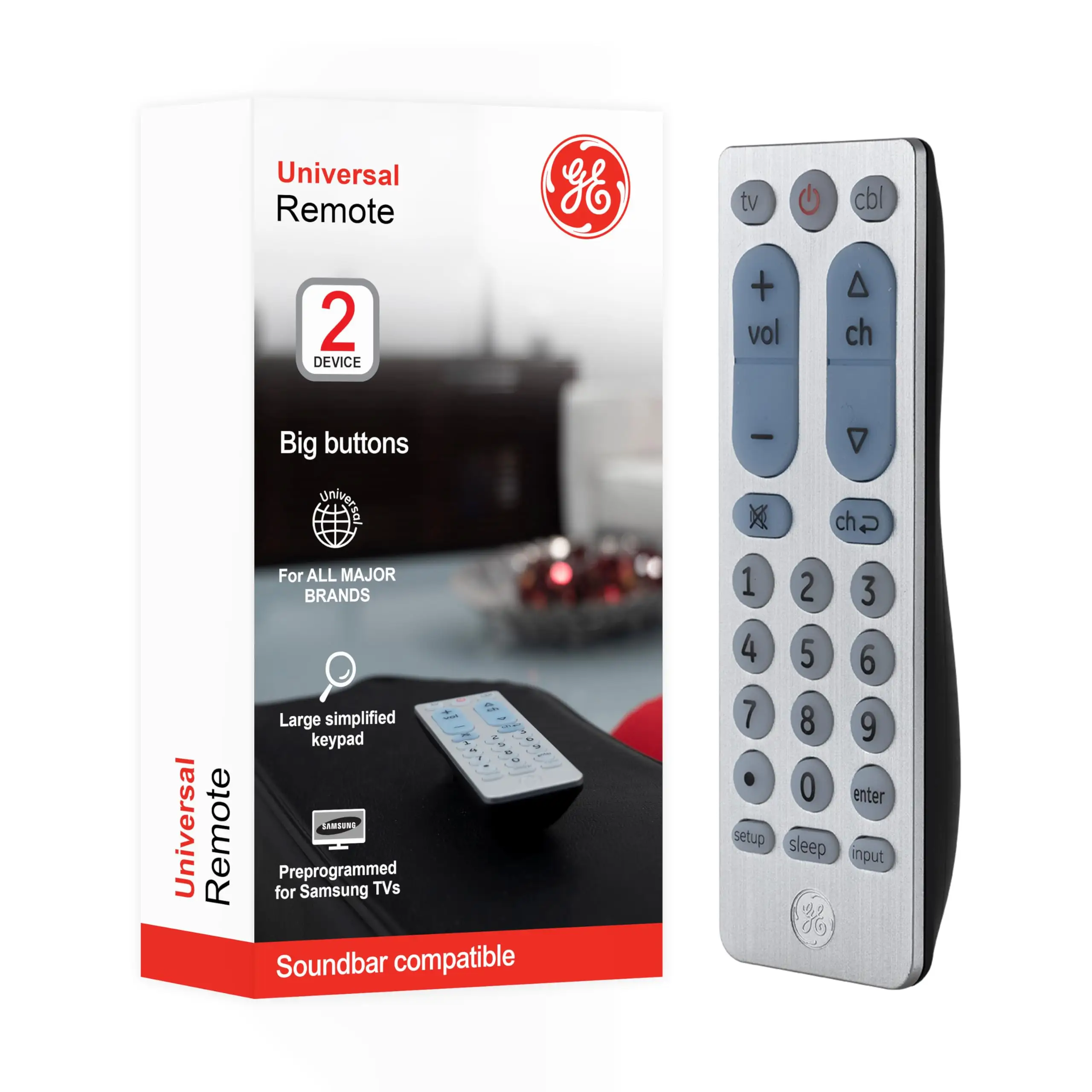
GE markets the remote as a “large, simplified keyboard… ideal for those with impaired vision” and “multi-device control” for up to two devices. That promise resonates with seniors and those looking for ease of use. A verified Amazon buyer said: “Bought this for my m-i-l who has macular degeneration… she cannot see clearly. I thought she would appreciate a simpler control with bigger buttons.”
Setup is billed as “simple… preprogrammed for Samsung TVs” and often lives up to that. One Amazon customer noted, “Voila… straight out of the packaging… worked instantaneously with my TVs… easy peasy!” However, others report partial compatibility until finding the correct codes, as one user explained: “At first… the input button didn’t have all the available options… however I just had to use a different code for my TV brand and all is well.”
The master volume control is touted as a key selling point, but a few buyers complain it still requires switching device modes. A reviewer warned, “For my mother-in-law with Alzheimer’s… you have to press TV for volume and STB to change channels… too confusing for dementia patients,” suggesting that while technically functional, usability for certain populations falls short.
Cross-Platform Consensus
Universally Praised
The big button layout stands out as a lifesaver for seniors and visually impaired users. Reddit user Ayben Todorova shared: “Got my 92-year-old mother a TCL smart TV… this one turns TV off/on, controls volume and channels… didn’t think it’d be so hard to find… but this one is great!” The raised, high-contrast buttons are consistently noted for being easier to navigate in low light, and their tactile feel appeals to those with limited dexterity.
Weight and form factor are repeatedly cited as positives. An Amazon reviewer described it as “very lightweight… adding the batteries almost doubles the weight,” making it ideal for frail hands. The offset back design means users can feel the correct orientation even in the dark — a small but appreciated ergonomic detail.
Pricing earns approval across forums. On Trustpilot, a buyer praised it as “about five bucks… does the job of other remotes costing three times that.”
Common Complaints
Compatibility issues emerge often for fringe use cases. Twitter reviewer grumbled, “Can’t use it for the Blu-ray… tried every code,” and another lamented the lack of Netflix or sleep timer buttons — a deal-breaker for tech-savvy users used to integrated streaming features.
Some report incomplete function access: even with correct codes, certain buttons may not map properly. This is especially frustrating for antenna users who need to rescan channels without their original branded remote. One Amazon user admitted they had to buy the specific brand remote after realizing, “This one… will not allow me to rescan the TV.”
Assistive-use expectations sometimes go unmet. Despite marketing toward seniors, cognitive-complexity issues mean it’s not fully dementia-friendly — requiring mode swaps between devices to access core functions.
Divisive Features
Backlighting is a split point. The 2-device silver version lacks illuminated buttons, pleasing those who value longer battery life but disappointing anyone accustomed to lit keys for nighttime use. A senior-focused reviewer of the 4-device backlit model was thrilled that “the entire remote lights up a bright blue… evenly lit unlike cheaper remotes,” but buyers of this basic version get no such enhancement.
Trust & Reliability
On Trustpilot and Reddit, buyers express confidence in longevity — six months or more without malfunctions is reported. A Walmart reviewer detailed steady performance after the setup “kinks” were resolved, with no failures in seven months of use.
Programming process complexity is the main reliability concern. The remote only retains codes for about ten minutes after battery removal, meaning slow battery changes can reset it completely. Users recommend keeping the manual handy, as “you’ll be sitting… for two hours trying to program” if instructions aren’t followed exactly.
No scam indicators emerged — availability is wide across major marketplaces — but the community warns that Amazon’s algorithm occasionally mixes different GE remote reviews, so double-check the model number before purchase.
Alternatives
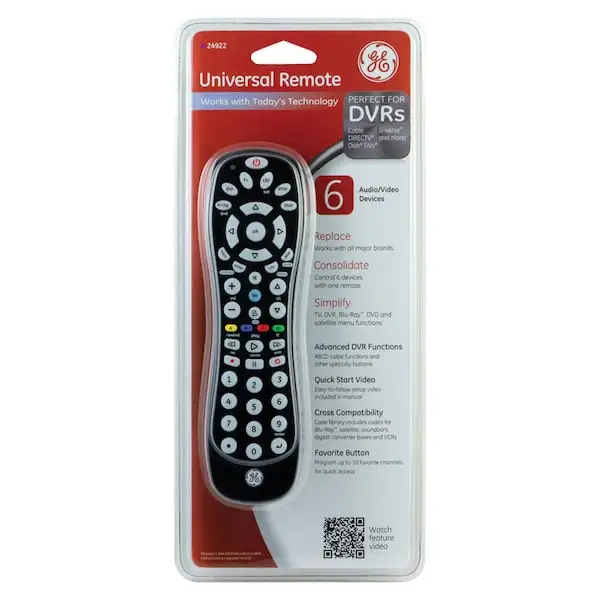
Where broader control is needed, other GE models offer improvements. The GE 4-Device Backlit Remote solves visibility complaints with lit keys and wider device support but is bulkier. For heavy multi-device users, Reddit reviewers praise the GE 8-Device Universal Remote for integrating Xbox, Roku, Blu-ray, and smart TV control in one unit — though at higher cost.
Comparatively, Logitech Harmony remotes mentioned on Reddit provide more sophisticated macros and compatibility with RF devices like Fire TV sticks, but cost significantly more.
Price & Value
Retail prices hover $7.88–$12.74 in the US, climbing closer to $24.50 from some specialty sellers. eBay listings are plentiful, and resale remains healthy if kept in good condition — the low buy-in limits depreciation concerns.
Community buying tips:
- Seek “pre-programmed for Samsung TVs” models if Samsung is your brand, for instant out-of-box use.
- Avoid overpaying at niche resellers unless backlighting or multi-device functions are essential.
- Keep fresh AA batteries on hand and change them quickly to avoid code loss.
FAQ
Q: Will this remote work with streaming sticks like Roku or Fire TV?
A: No. Multiple buyers note it’s incompatible with Roku Streaming Stick and Amazon Fire TV Stick; it only works with infrared-controlled devices.
Q: Does the 2-device silver model have backlit buttons?
A: No, and this frustrates night viewers. Some prefer it this way for longer battery life; if backlighting matters, consider the 4-device or 6-device variant.
Q: How easy is it to program?
A: For many, setup is instant, especially with Samsung TVs. Others find the manual essential for auto-code searches and have to test multiple codes before full function is achieved.
Q: Can it control both TV volume and cable box channels without switching modes?
A: Not in this model — mode changes are required, which some users find confusing.
Q: Will it retain settings during battery changes?
A: Yes, but only for about 10 minutes after removal. Longer gaps reset the programming.
Final Verdict: Buy if you are a senior, visually impaired, or just want an affordable, simple remote for 1–2 core devices. Avoid if you rely on specialized buttons, want RF device compatibility, or have cognitive limits that make mode-switching difficult. Pro tip from Amazon reviewers: have the manual ready during setup and change batteries quickly to preserve codes.





