Garmin Edge Explore 2 Review: Conditional Buy (7.3/10)
“Battery is completely gone after around 3/4 hours”—that single complaint collides head-on with the promise of all-day navigation. Garmin Edge Explore 2 GPS Cycling Navigator lands as a Conditional buy for riders who prioritize mapping and a big, readable screen, but only if you’re willing to tolerate occasional software weirdness. Score: 7.3/10
Quick Verdict
Conditional (best for navigation-first riders; riskier if you demand rock-solid software)
| What buyers liked / disliked | Evidence from user feedback | Platform |
|---|---|---|
| Big, readable screen for maps | “easy to read screen” / “screen is large and bright” | WesternBikeworks, TriSports |
| Navigation-focused value | “useful…for navigation” / “pretty great” for navigation and basic tracking | TriSports, Reddit |
| Strong safety pairing with Varia | “works well and adds a level of security” / “connects to the radar tail light” | WesternBikeworks, TriSports |
| UI can be frustrating | “the user interface makes me want to pull my hair out” / “clunky” | Reddit, TriSports |
| Rerouting and crashes reported | “device crashes when you stray…press recalculate” | Garmin Forums |
| Battery life is inconsistent in the wild | “very good battery life” vs “completely gone after around 3/4 hours” | TriSports/WesternBikeworks vs Reddit |
Claims vs Reality
Garmin’s marketing leans heavily on worry-free navigation and endurance—“Edge has up to 16 hours of battery life in demanding use and up to 24 hours in battery saver mode”—plus “off-course recalculation” and bike-specific routing. Digging deeper into user reports, the lived experience is more conditional: some riders describe a stable, navigation-first companion, while others describe rerouting crashes and unpredictable behavior that undermines the “it just works” premise.
On navigation reliability, a recurring flashpoint is what happens when you deviate from a planned route. While Garmin positions “off-course recalculation” as a confidence feature, a Garmin Forums participant warned: “Device crashes when you stray from the track and press recalculate.” Another forum voice escalated the contradiction further, writing: “Simply, it does not work as advertised!!! … Garmin support is not fixing it!” (Garmin Forums). That gap matters most for touring riders and explorers who intentionally go off-route—exactly the audience the device is marketed to serve.
Battery is another headline claim that doesn’t land consistently in community talk. While officially rated at “up to 16 hours,” Reddit user reports include stark counterexamples. One commenter wrote: “Am i the only one completely dissatisfied with the battery duration? … my battery is completely gone after around 3/4 hours, even without navigation.” (Reddit). Yet retailer reviews tell a different story: a verified buyer on TriSports noted “worked flawlessly and with very good battery life,” and another rider reported only “drained 40% on a 12hr bike ride” (TriSports). While officially rated as up to 16 hours, multiple users report anything from true all-day performance to unexpectedly rapid drain.
Cross-Platform Consensus
Universally Praised
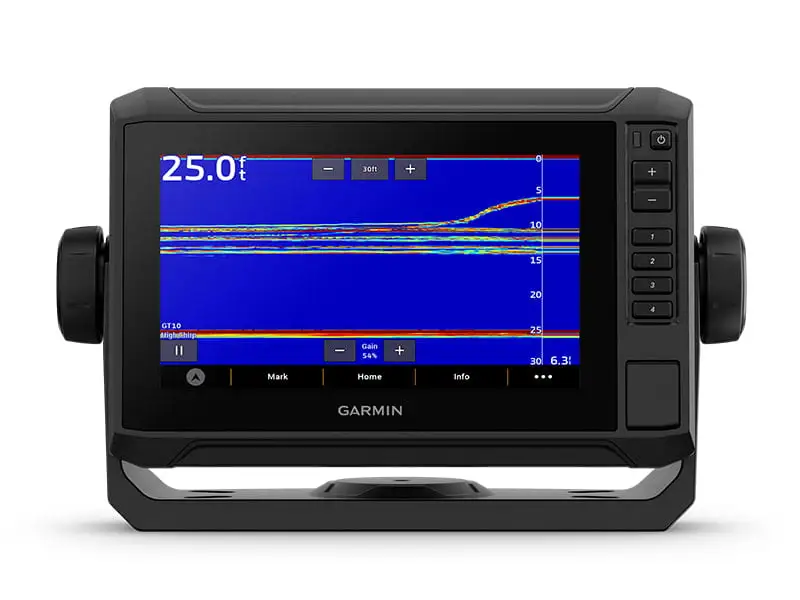
For navigation-first cyclists, the loudest praise centers on the screen and map usability. A recurring pattern emerged across retailer reviews: riders replacing older Garmins call the display a practical upgrade for seeing routes at a glance. A verified buyer on WesternBikeworks wrote that it has an “easy to read screen,” and another said “the screen is large and bright.” (WesternBikeworks; TriSports). For touring riders who want fewer squints and fewer phone-checks, that bigger touchscreen is repeatedly described as the difference between “navigation works” and “navigation is enjoyable.”
The value proposition is also widely echoed—especially among riders who don’t want race-focused training features. A verified buyer on WesternBikeworks framed it as not “empty one’s savings,” saying: “I was very surprised for the price point and all the features…very similar…kudos to Garmin.” (WesternBikeworks). On Reddit, one user similarly positioned it as a near-flagship experience for less money: “It’s about 90% of a 1040 for the price of an 830…For navigation and basic tracking, it’s pretty great.” (Reddit). For casual cyclists and recreational road riders, that “enough features, not too much” theme comes up repeatedly.
Safety ecosystem compatibility—especially Varia radar/light—shows up as a practical win rather than a marketing bullet. A verified buyer on WesternBikeworks said they use the rear light radar and it “works well and adds a level of security during rides.” (WesternBikeworks). Another rider noted simply: “It connects to the radar tail light.” (TriSports). For commuters and road riders in traffic, the recurring story is pairing the Explore 2 with radar as a confidence upgrade, not just a gadget stack.
- Most repeated strengths: “large and bright” screen, strong navigation-first value, Varia radar pairing that “adds a level of security”
- Common user profile match: touring, bikepacking, recreational riding, and riders upgrading from older Edge units (520/800/1000/1030-era)
Common Complaints
The interface is the most consistent friction point, and users often describe it emotionally rather than clinically—suggesting it’s not a minor quirk. Reddit user feedback includes blunt reactions like: “The user interface makes me want to pull my hair out. It is beyond terrible.” (Reddit). A verified buyer on TriSports similarly said the experience is “a little clunky…like cheap android smartphones from 15 years ago.” (TriSports). For riders who want to set it up once and never think about it again, these comments imply a steeper learning curve and more menu hunting than expected.
Software stability and connectivity issues form the second major complaint cluster. One verified buyer on TriSports described a chain of update and sync problems across iPhone, Bluetooth, and PC—“elevation stopped updating,” updates failing via Bluetooth, and later the device “would no longer update the ride history in Garmin Connect via my iPhone.” Their bottom line: “the software is a bug infested mess.” (TriSports). Another verified buyer used a vivid metaphor for reliability swings: “I swear this thing is like a moody teenager…Sensors? nah…there’s an 80% chance your sensors won’t show up for the rest of the ride.” (TriSports). For riders who rely on sensors (power, cadence, radar) every ride, this kind of unpredictability is the difference between a tool and a distraction.
Navigation-specific complaints show up most when the device is asked to improvise. A verified buyer on TriSports wrote: “I do wish it was smarter at rerouting…It often wants you to go back several miles…instead of finding a new route ahead…Makes no sense.” (TriSports). On Garmin Forums, the criticism can be harsher: “Device crashes when you stray from the track and press recalculate.” (Garmin Forums). For explorers who intentionally deviate—coffee stops, detours, trail curiosity—this is the precise scenario where confidence in rerouting matters most.
- Most repeated pain points: confusing UI, flaky sensor/Bluetooth behavior for some users, rerouting that feels unintuitive (or worse, unstable)
- Who feels it most: tech-averse riders, people who stop mid-ride (autopause/lunch), anyone depending on reliable sensor reconnections
Divisive Features
Battery life is sharply split depending on user and context. Some verified buyers describe it as “very good” or all-day capable (WesternBikeworks; TriSports). Yet Reddit includes an outlier experience severe enough to redefine the product: “battery is completely gone after around 3/4 hours, even without navigation.” (Reddit). The division suggests either configuration differences, hardware variance, or firmware/sync behavior that affects some units more than others—something prospective buyers should treat as a real risk, not an isolated complaint.
Touchscreen behavior in wet conditions is also debated across sources. OutdoorGearLab’s editorial review warned it can be “tough to use in rain” and “finicky” when wet (OutdoorGearLab). Yet a verified buyer on TriSports said: “I’ve used it in the rain with no problems.” (TriSports). For riders in consistently wet climates, that contradiction is crucial: some may find it manageable, while others may want physical-button-heavy alternatives.
Trust & Reliability
Digging deeper into the harshest reliability narratives, Garmin Forums contains some of the most explicit anger around crashes and perceived lack of fixes. One participant called the Explore 2 “the biggest, most unreliable piece of garbage,” describing “device crashing randomly” and being “unable to locate my position (while displaying full gps lock-on).” (Garmin Forums). Another commenter framed the issue as systemic: “Garmin is showing here very very bad feedback ignoring this crashing problem for last few months.” (Garmin Forums). These are not subtle gripes; they’re trust-breakers for riders who need navigation to work every time.
Long-term ownership stories in the provided Reddit thread are more fragmented—questions about “battery duration,” buttons vs touchscreen, and sensor compatibility appear, but few “6 months later” retrospectives are present in the dataset. The strongest durability-style signal comes from retailer reviews where upgrades from older units imply continued use: “replacement for my Garmin 1000…nearly 8 years,” and another calling it a “big upgrade from 520 plus.” (WesternBikeworks). The reliability takeaway from the data: many owners are happy day-to-day, but the worst-case accounts describe instability severe enough to derail rides.
Alternatives
Only a few competitors are named directly in the feedback, and the comparisons tend to be about usability and training features rather than raw specs. Reddit user commentary repeatedly contrasts Garmin’s UI with Wahoo’s simplicity. One Reddit user wrote: “If you value user friendliness…consider the Wahoo Roam…more user friendly.” (Reddit). For riders who want to avoid menu complexity, that’s a direct nudge toward Roam without requiring more features.
Hammerhead Karoo 2 appears in the Garmin Forums debate as the “if I had a choice” alternative. One forum user said: “Not sure how to compare E2 with Karoo 2…but if I had a choice I’d go for Karoo any time of the day.” (Garmin Forums). That’s framed as a preference tied to frustration with Garmin’s approach—“this Explore 2 kind of sums up all the things that are wrong with Garmin”—rather than a specific feature gap.
Within Garmin’s own lineup, users repeatedly imply the Explore 2 is best when you don’t care about workouts. OutdoorGearLab described it as excellent for navigation, but “limited in workout features,” and suggested higher-end Garmins for guided workouts and better wet usability (OutdoorGearLab). If your goal is power-based structure mid-ride, multiple sources signal the Explore 2 is not targeted at you.
Price & Value
The value story is strongest when framed as “navigation without flagship pricing.” Retailers show enthusiastic reactions to paying less than top-tier Garmin units while still getting maps and compatibility with common sensors. A verified buyer on WesternBikeworks praised Garmin for offering an option that “does [not] empty one’s savings.” (WesternBikeworks). Reddit users echoed the positioning: “For navigation and basic tracking, it’s pretty great.” (Reddit).
Current market pricing in the dataset ranges from list pricing around $299.99 (Garmin official listing text) to eBay listings like “$299.99 + shipping” and a “certified-refurbished…$219.99” (eBay). For deal-hunters, that refurbished pricing shifts the risk calculus: if you’re wary of “bug infested” software reports, paying closer to the low-$200s may feel more defensible than paying full retail.
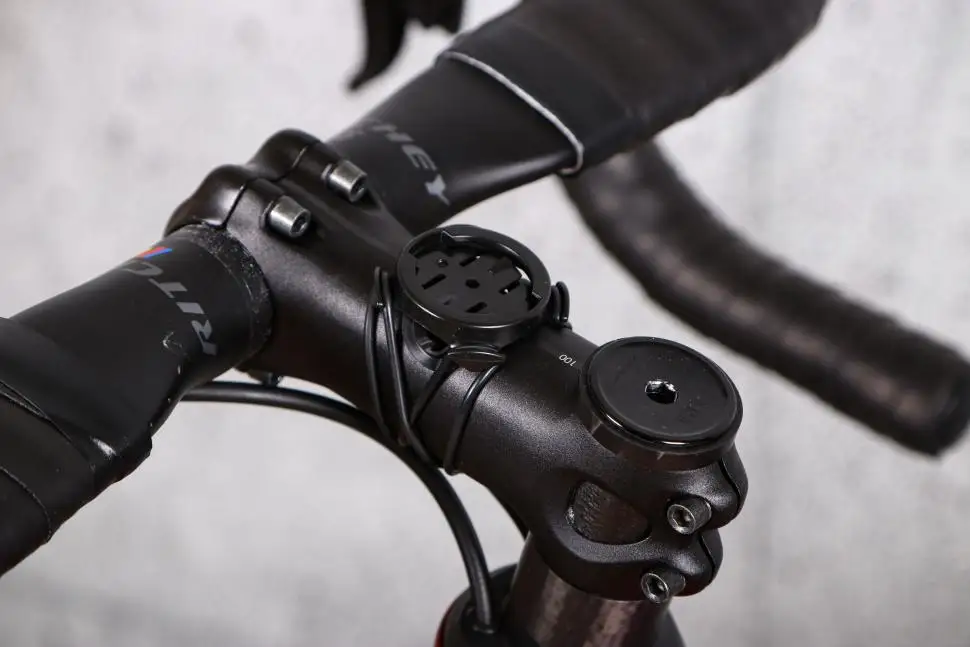
Buying tips embedded in user stories are pragmatic: one verified buyer highlighted that the included mount didn’t work for their setup and they “had to purchase a separate out-front mount,” calling the value “a little deceptive” due to accessory needs (TriSports). Another recurring theme is that some users prefer updating via PC when phone/Bluetooth updates fail—“connected to my PC and was able to update the software” (TriSports). For buyers who want a phone-only experience, that matters.
FAQ
Q: Is the Garmin Edge Explore 2 good for navigation only (no training)?
A: Yes—if your priority is turn-by-turn and maps, most owners describe it as “pretty great” for “navigation and basic tracking.” Reddit user feedback also emphasizes its big screen and value. But Garmin Forums includes warnings about rerouting crashes, so reliability may vary by unit and firmware.
Q: Does rerouting work well when you go off course?
A: Sometimes, but not consistently. A verified buyer on TriSports said it often tries to send you “back several miles” instead of finding a forward connection. On Garmin Forums, one user claimed: “Device crashes when you stray from the track and press recalculate,” which directly challenges the off-course recalculation promise.
Q: How is battery life in real use?
A: Reports vary widely. Some verified buyers call it “very good battery life” and one said it only “drained 40% on a 12hr bike ride.” Yet a Reddit commenter reported their “battery is completely gone after around 3/4 hours.” Official specs cite “up to 16 hours,” but user experiences conflict.
Q: Is the touchscreen usable in rain?
A: Feedback is split. OutdoorGearLab warned it can be “tough to use in rain” and finicky when wet. But a verified buyer on TriSports said: “I’ve used it in the rain with no problems.” If you ride in heavy rain often, this is a meaningful uncertainty.
Q: Is it easy to use compared to Wahoo or Karoo?
A: Many users say Garmin’s UI is the hard part. One Reddit user said it’s “bewilderingly hard to access” features and another said the UI is “beyond terrible.” In the same thread, a user suggested the Wahoo Roam is “more user friendly,” and a Garmin Forums user said they’d pick Karoo “any time of the day.”
Final Verdict
Buy if you’re a navigation-first rider—touring, bikepacking, or recreational road/gravel—who wants a big map screen and Varia compatibility at a more approachable price, and you can tolerate a UI that some call “clunky.”
Avoid if you need flawless rerouting and rock-solid sensor/phone syncing; Garmin Forums complaints about crashes on recalculation and retailer stories of Bluetooth/update chaos are too direct to ignore.
Pro tip from the community: if updates or syncing stall on iPhone/Bluetooth, one verified buyer reported success by updating through a PC—“connected to my PC and was able to update the software.” (TriSports)