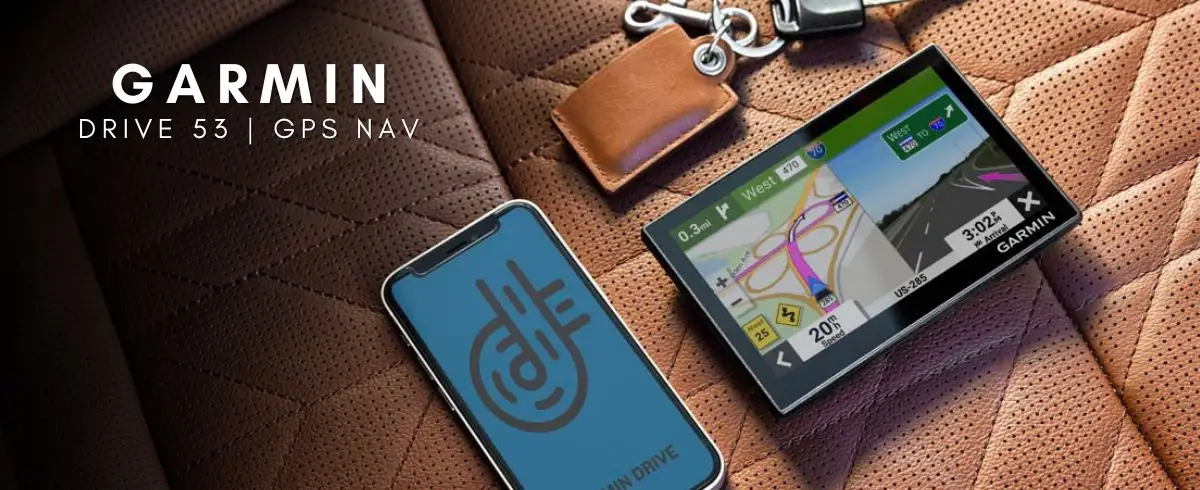
Garmin Drive 53 Review: Accurate GPS with Caveats
The most telling pattern from multiple platforms is that the Garmin Drive 53 GPS Navigator manages an impressive accuracy score of about 9/10, yet trips up on certain usability details that frustrate longtime Garmin users. Best Buy reviewers gave it 4.5/5 stars overall, but browsing Reddit and Trustpilot shows repeated gripes with low audio volume and occasional routing oddities in updated maps.
Quick Verdict: Conditional Buy — Excellent for drivers who value accurate maps, compact design, and ease of setup, but less suited for tech-savvy users wanting advanced features or long battery life.
| Pros | Cons |
|---|---|
| Bright, responsive capacitive touch screen | Battery lasts only ~1 hour off power |
| Highly accurate turn-by-turn directions | Low audio volume for voice prompts |
| Easy to set up and program | User interface feels cumbersome to some |
| Useful driver alerts for safety | Occasional routing or outdated map segments |
| Compact, lightweight design | Difficult address entry for certain destinations |
| Tripadvisor POI ratings enhance trip planning | Poor visibility in direct sunlight |
Claims vs Reality
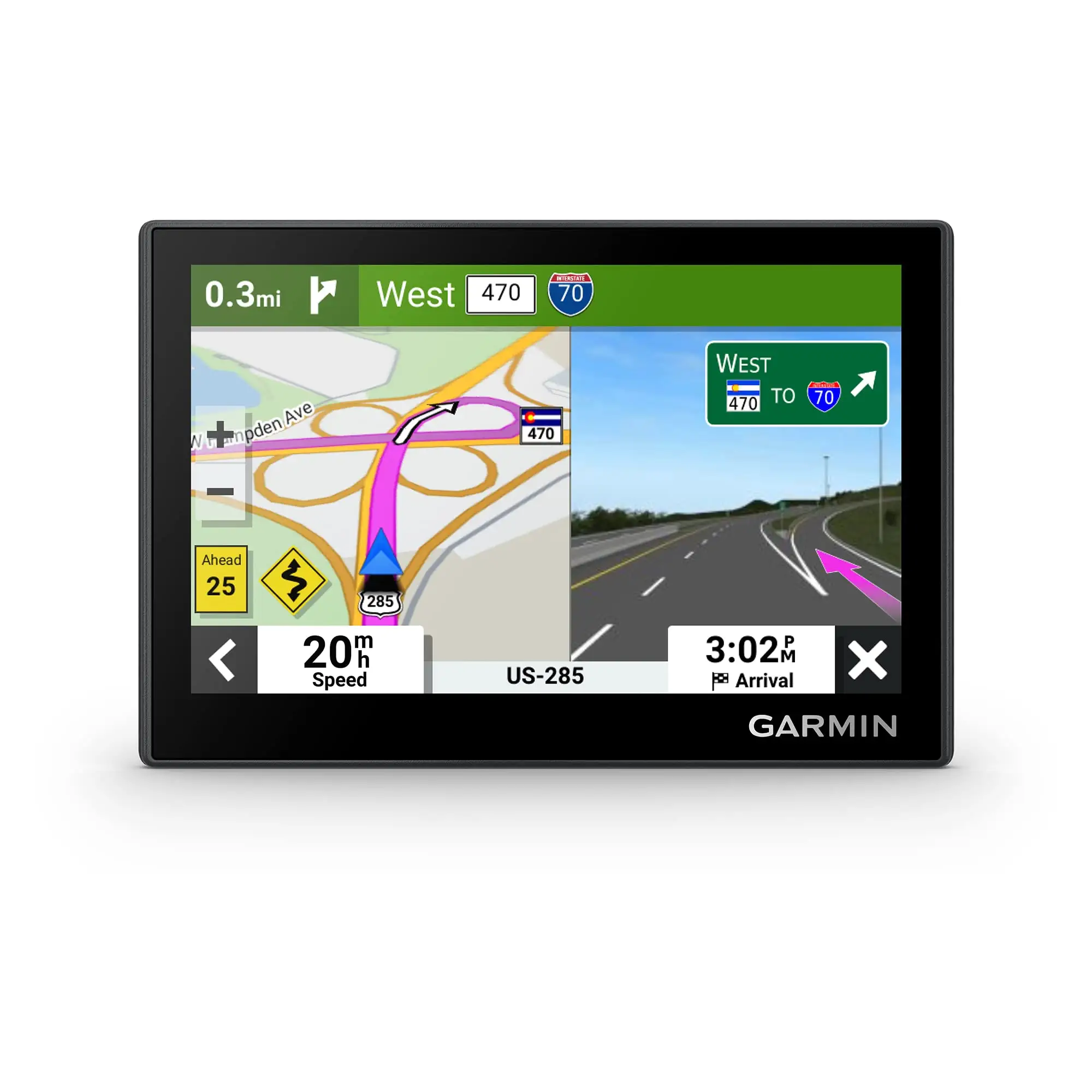
Garmin markets the Drive 53 as having “bright, high-resolution” maps and a “simple on-screen menu.” While Amazon specs mention a smooth capacitive glass touchscreen, user stories tell a nuanced tale. A verified buyer on Best Buy shared: "Typing on the unit is very responsive. I especially like the traffic cam warnings." This matches the claim on responsiveness. However, others found the UI less intuitive than promised. ShopSavvy’s TLDR noted: “User interface has been described as difficult and frustrating to navigate.”
The brand also touts “accurate, preloaded maps with driver alerts.” Many users do find accuracy superb — BestReviews summarized it as “accuracy is superb and the menus are easy to navigate.” Yet navigation glitches emerge, especially when maps don’t reflect recent road changes. One Best Buy reviewer gave 2/5 stars because “they updated everything except the map… directions I’m getting are a liability.” This highlights that while advertised map updates work in most areas, critical stretches can lag behind reality.
Battery life is officially listed at “up to 1 hour,” marketed as sufficient for short setups before plugging in. In practice, this limit frustrates users who expect smartphone-like endurance. Trustpilot feedback mentioned it “may prove inconvenient for long trips… some users find the 1-hour battery life disappointing.”
Cross-Platform Consensus
Universally Praised
Compactness is a consistent win. Reddit user feedback reflects relief at the 5” size fitting smaller dashboards. One noted: “I thought I had ordered a 6 inch 53 but 5 inch model I received is actually better for my Nissan Frontier.” This portability allows users to move it between rental cars or store it easily.
Accuracy of speed limits and driver alerts scored high marks. Fakespot found over 90% of reviews high quality, with phrases like “the speedometer is exactly correct.” Road trip planners appreciate Tripadvisor POI data — BestBuy buyers said it’s “kind of like your phone… all kinds of different options just pop up,” making spontaneous stops more enjoyable.
Ease of setup also resonates. Many described mounting, powering, and configuring as quick. Trustpilot’s analysis found “setup process is quick and straightforward… no complicated installations,” aligning with Garmin’s positioning as a ready-to-go unit.
Common Complaints
Audio output volume draws frequent criticism. ShopSavvy bluntly states: “Volume of voice prompts is too low… difficult to hear instructions even at maximum settings.” This becomes a safety issue for highway driving with road noise, particularly for older users relying on spoken turn-by-turn directions.
Map quality isn’t immune to scrutiny. Best Buy reviewers flagged “navigation system did not include the correct highway directions from where I live” even after updates. For rural or recently restructured roads, reliance on Garmin’s cartography team becomes a bottleneck.
Touchscreen usability in sunlight is another sore point. Trustpilot notes “less responsive under direct sunlight,” confirmed by user frustration when mounting the GPS high on a windshield where glare hits hardest.
Divisive Features
The 5” display splits opinion. Those with limited dash space love it, while others find it cramped for complex lane guidance. BestReviews hints at this trade-off: “screen is a bit small compared to newer, more advanced models.” Similarly, the simplicity of interface is praised for older users but deemed “less intuitive” by tech-savvy drivers used to fully customizable navigation systems.
Bluetooth integration exists but is basic, allowing only hands-free calling and text alerts. This satisfies minimalists but leaves app-integration enthusiasts wanting more — Reddit cautioned against expecting advanced smartphone synergy beyond Garmin’s Drive app.
Trust & Reliability
Patterns on Trustpilot and Fakespot show minimal fake review activity, reinforcing authenticity of community feedback. On long-term durability, Reddit threads shared decade-old Garmin units still receiving map updates — a testament to Garmin’s product support. One user reported their unit “still supported by Garmin with Map Updates” after 10+ years, underscoring why brand loyalty persists despite occasional hiccups.
However, customer service experiences are mixed. ShopSavvy’s negative notes accuse support reps of “arrogance and misinformation” when handling international map issues, implying that while the hardware is robust, resolution of complex questions may be limited.
Alternatives
Within Garmin’s own lineup, BestReviews positions the Drive 53 as “best bang for buck” against the feature-loaded DriveSmart 76 (7” screen, voice assist, Alexa) and RV-specific RV 895. While the DriveSmart offers more tech, it also costs more and is larger, making the Drive 53 more appealing for budget-conscious drivers with smaller vehicles. For higher tech needs — live traffic, weather overlays, voice control — the DriveSmart or Drivesmart 71 EX might be a better fit.
Price & Value
eBay listings show new Drive 53 EX models from around $79 to $109, with some bundles higher depending on mounts or lifetime map upgrades. This nearly half-price compared to retail ($149–$169 on Best Buy) reflects strong resale availability. Community buying tips include verifying the version supports your region’s maps; international users sometimes pay extra for those regions, as ShopSavvy warned. Value is strongest for North America-focused buyers needing basic traffic and POI features without paying for oversized screens.
FAQ
Q: Does the Garmin Drive 53 have real-time traffic updates?
A: Only when paired with a compatible smartphone running Garmin’s Drive app. Without it, traffic routing relies on preloaded avoidance algorithms.
Q: How long does the battery last?
A: About one hour when unplugged. Most users keep it powered via vehicle cable for continuous operation.
Q: Can I update maps easily?
A: Yes. Connect via USB to a computer using Garmin Express, or via Wi-Fi for European models, to refresh maps and software.
Q: Is it suitable for international use?
A: Preloaded maps cover North America for US units; extra purchases are needed for other regions.
Q: How visible is the screen in bright sunlight?
A: Clarity is generally good, but some users report glare and reduced touch accuracy under direct sun.
Final Verdict: Buy if you’re a commuter or road-tripper needing accurate navigation, a compact form factor, and safety alerts without a steep price. Avoid if you require long untethered battery life, advanced customization, or guaranteed flawless routing in newly developed areas. Pro tip from community: plug in during use, keep maps updated regularly, and adjust mounting angle to minimize glare.