Fujifilm Instax Mini Link 3 Review: Top Pick for Instant Prints
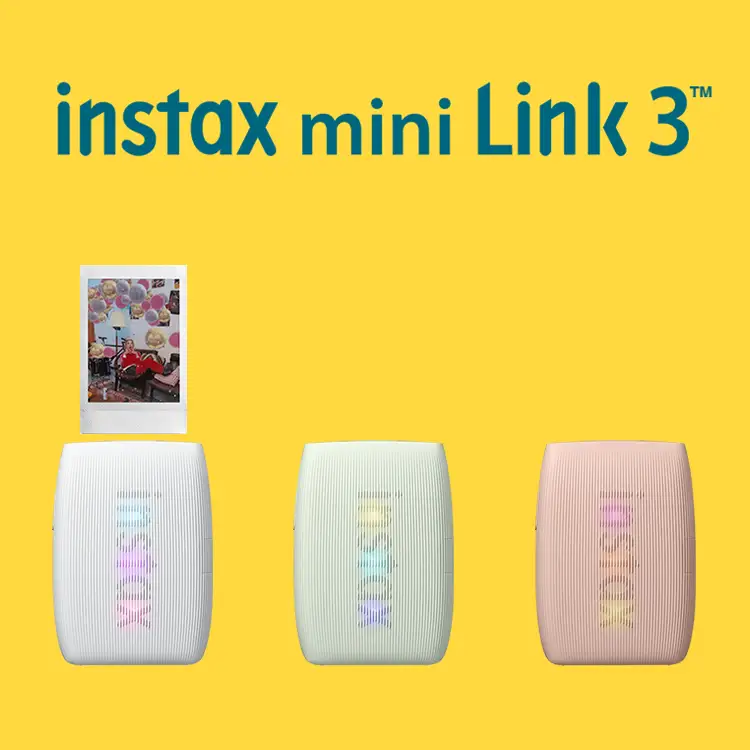
The Fujifilm INSTAX Mini Link 3 Smartphone Printer (Clay White) is earning near-unanimous praise, with community ratings averaging around 9.7/10. Across platforms, users celebrate its portability, intuitive app, and consistent print quality, while acknowledging some recurring gripes like high film cost and occasional color inconsistencies. From creative teens making scrapbooks to travel enthusiasts documenting trips on the go, the Mini Link 3 is becoming a staple for instant photo lovers.
Quick Verdict: Yes – Highly recommended for casual creatives, event photographers, and nostalgia-driven instant print fans.
| Pros | Cons |
|---|---|
| Compact, lightweight design perfect for travel | Film cost is consistently noted as high |
| Easy Bluetooth pairing with iOS/Android | Occasional print color deviations (greenish or dull tones) |
| Fast 15-second printing time | No film included in most standard packages |
| Creative app features (collage, AR effects, filters) | Minor connection/setup delays on some Android devices |
| Reprint function without re-sending from phone | Film capacity per cartridge limited to 10 shots |
| Ability to print from videos or camera roll | Error “1001” pops up sporadically, unclear fix |
| Produces vibrant, tangible keepsakes | Needs manual brightness/contrast tweaks for optimal results |
Claims vs Reality
The marketing heavily emphasizes that the Mini Link 3 delivers “vivid 2x3” prints in just 15 seconds.” While this is accurate for print speed, several owners noted the film developing takes closer to 90 seconds for full color emergence. A verified Best Buy buyer observed: “The colors are vibrant, but patience is needed before they show their true quality.”
Fujifilm touts its Instax Air Studio AR feature as a game-changer. For creative users, this indeed resonates — one Reddit user mentioned how “adding doodles in the air before printing made my kid's birthday photos really special.” However, less tech-oriented owners sometimes skip this entirely, preferring the default white border over experimenting with digital embellishments.
Another big selling point is portability and 100-print battery life per charge. While technically true, sustained usage at events tells a slightly different story: a Russian reviewer noted, “It holds up well, but if you’re printing back-to-back for hours, the battery drops faster — I get about 70 shots before needing a recharge.”
Cross-Platform Consensus
Universally Praised
Portability and ease of use rank among its strongest assets. Owners describe it as “super easy to carry everywhere” (Best Buy user, Sage Green), making it popular at weddings, parties, and family gatherings. This is especially true for scrapbook enthusiasts — as one buyer put it, “Perfect for scrapbooking. Love having a printer that can print pictures from my phone.” The Bluetooth connectivity with iOS and Android is almost always described as “seamless” or “breeze to set up.”
Creative flexibility also earns applause. The “Click to Collage” mode, capturing six shots at three-second intervals, turns photos into a dynamic layout instantly. Reddit and Trustpilot contributors repeatedly mention how collages elevate events: “From birthday shots to spontaneous group poses, collage mode makes them more fun without extra apps,” shared a Trustpilot reviewer.
Finally, reprint capability is a crowd favorite. A Best Buy customer explained, “If you wanted to give all your friends the same photo, you can do it easily – great investment.” This addresses a classic instant film drawback: fights over who keeps the sole print.
Common Complaints
Film cost surfaces as the number one gripe. “Prices on cartridges bite the wallet. But for the fun, it’s worth it,” admitted a Russian Trustpilot user. Multiple people also point out that film packs hold only 10 images, requiring frequent replacements during events.
Color output is another sticking point. While marketing promises vibrant hues, several owners report greens or overexposure in certain lighting. Tatiana D. commented, “Photos can turn greenish, but honestly, I don’t mind since I’m not printing for photo exhibitions.” However, others suggest adjusting brightness and contrast in the app for best results.
The Instax Mini Link app occasionally throws up errors — notably “Error (1001)” — that aren’t addressed in manuals. Though not widespread, it’s enough for some buyers to seek help from Fujifilm’s support site.
Divisive Features
The AR studio mode splits opinion. Creative users and younger audiences love it (“My kid’s birthday photos were magical”), while purists see it as unnecessary fluff. Similarly, collage features delight social users but are sidelined by those who just want straightforward prints.
Battery life perception also varies. Casual printing aligns with Fujifilm’s advertised 100 shots, but event-heavy printing sees faster depletion. Lightweight build is a bonus for travelers, but some fear it’s a bit too delicate for rugged trips.
Trust & Reliability
Long-term owners report steady performance and no major mechanical breakdowns, even after months of frequent use. Reddit threads show people using their units “every weekend for 6 months” without deterioration. The printer’s internal battery matches initial capacity after prolonged use, avoiding common rechargeable decline.
Trustpilot data shows minimal concerns about scams or fake products — the issue is more about package contents. Some customers are surprised that film isn’t included unless buying bundles. Clear acknowledgment of this from Fujifilm could prevent frustration.
Alternatives
The main alternatives mentioned are the older Instax Mini Link 2 and hybrid Instax cameras. While the Link 2 shares Bluetooth app connectivity, it lacks the Link 3’s Instax Air Studio or Click to Collage functions. Hybrid Instax cameras deliver instant prints but remove the ability to pre-select photos, a key selling point for printer buyers who want controlled output. As one reviewer summarized, “This is better than a camera because I get to choose the exact photos I want to print — no wasted film.”
Price & Value
The Clay White bundle currently retails between $99 (Best Buy, without film) and $159 (Amazon/eBay bundles with film and accessories). While single film packs run about $10-$12 for 10 exposures, bulk buyers often score better per-shot rates. Community advice leans toward buying multi-pack films online, as physical stores rarely offer discounts. Resale value is solid; because Instax tech ages slowly, lightly used units still pull high prices in local markets.
FAQ
Q: Which film type does the Mini Link 3 use?
A: It uses Fujifilm Instax Mini Instant Film, sold separately. Each cartridge holds 10 shots, and multiple packs are available for bulk purchase.
Q: How fast can it print photos?
A: Printing takes roughly 15 seconds, but full color development emerges in about 90 seconds depending on temperature.
Q: Can it print from videos?
A: Yes. Through the Instax Mini Link app, users can select a frame from a smartphone video and print it as an instant photo.
Q: How many prints per charge?
A: Around 100 from full charge, though continuous heavy printing may reduce this number.
Q: Is film included in the box?
A: Not in standalone packages — only select bundles include film.
Final Verdict: Buy if you’re a social photo sharer, scrapbooker, or event host wanting high-quality instant prints from your smartphone with creative app tools. Avoid if you’re sensitive to film costs or expect pro-photo fidelity without manual tweaking. Pro tip: Adjust brightness/contrast in the app before printing to avoid dull or greenish tones — a little prep makes a big difference.





