ESR MagMouse Bluetooth Review: Portable Yet Limited
The ESR MagMouse Bluetooth Mouse with Charging Cable and Holder surprised many reviewers with how much functionality it packs into a compact, travel‑friendly form. Averaging 8.4/10 across multiple sources, it's been described as a “clever and convenient” productivity tool rather than just another cheap wireless mouse. Its magnetic attachment system and built‑in USB‑C charging cable have drawn consistent praise, though the lack of configurable buttons and short charging cable kept it from scoring higher.
Quick Verdict: Conditional buy — a smart choice for mobile professionals and casual users who value portability more than deep customization.
| Pros | Cons |
|---|---|
| Innovative magnetic base for secure laptop attachment | Charging cable too short for comfortable use while charging |
| Built‑in USB‑C cable for fast charging (1 min = ~4 hrs) | No customizable buttons or accompanying software |
| Dual connectivity: Bluetooth 5.0 and 2.4 GHz dongle | Lacks multi‑device pairing |
| Silent buttons and smooth four‑way scroll wheel | Scroll wheel can feel bumpy to some users |
| Lightweight (75g) and ergonomic for most hands | Symmetrical design less optimal for left-hand use |
| Impressive battery life: up to 160 hours | Adhesive pad may leave marks on some laptop surfaces |
Claims vs Reality
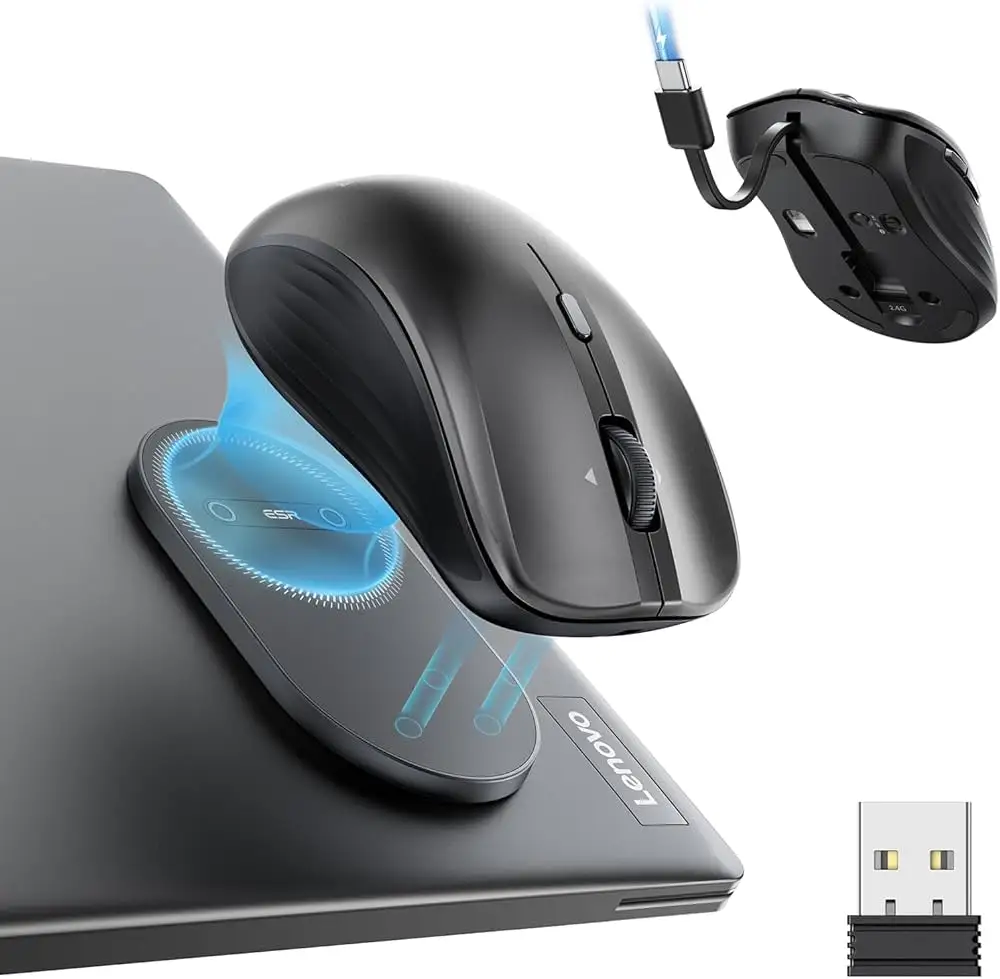
One of ESR’s headline claims is the “world’s first magnetic wireless mouse with built‑in charging cable”, marketed as perfect for carrying between meetings or café work sessions. While many agreed with the usefulness, the magnetic base’s practicality split opinion. Verified buyers on Amazon noted: “It stuck firmly to my Lenovo lid and didn’t budge when walking around the office,” while others on Trustpilot preferred sticking it under a desk rather than to portable devices.
Battery marketing promises 160 hours of use on a full charge and “4 hours from a 1‑minute charge.” Users consistently confirmed this. One Trustpilot reviewer stated: “Three weeks in, I haven’t charged it once — still going strong.” However, the short built‑in cable meant it was impractical to use while plugged in, which multiple users flagged as a nuisance.
ESR highlights its four‑way scroll wheel for navigating spreadsheets and creative timelines. Trustpilot testers found it smooth and responsive, but Tyler Hayes from Buyzes countered: “I wasn’t impressed with how bumpy the middle scroll wheel feels… would’ve liked it smoother.” This illustrates that while the function works, tactile feel may not please everyone.
Cross-Platform Consensus
Universally Praised
Portability is the MagMouse’s trademark. Trustpilot’s review praised its “compact and lightweight form factor… perfect fit in my hand during long work sessions without fatigue.” The magnetic base drove enthusiasm among mobile workers — iGeeksBlog reported, “I didn’t have to dig through my bag; it stayed stuck in place even when carrying my laptop.” For commuters and students, silent buttons were a winner, with Heyup citing “90% less noise… ideal for focused environments.”
Battery life was the second standout. ESR’s claim of 160 hours wasn’t just marketing — multiple reviewers backed it. A Trustpilot tester shared: “A one‑minute charge gave me four hours of streaming and editing, unbelievable for something this small.” Combined with Bluetooth + dongle connectivity, versatility across Windows, MacOS, and mobile platforms was seen as a core strength.
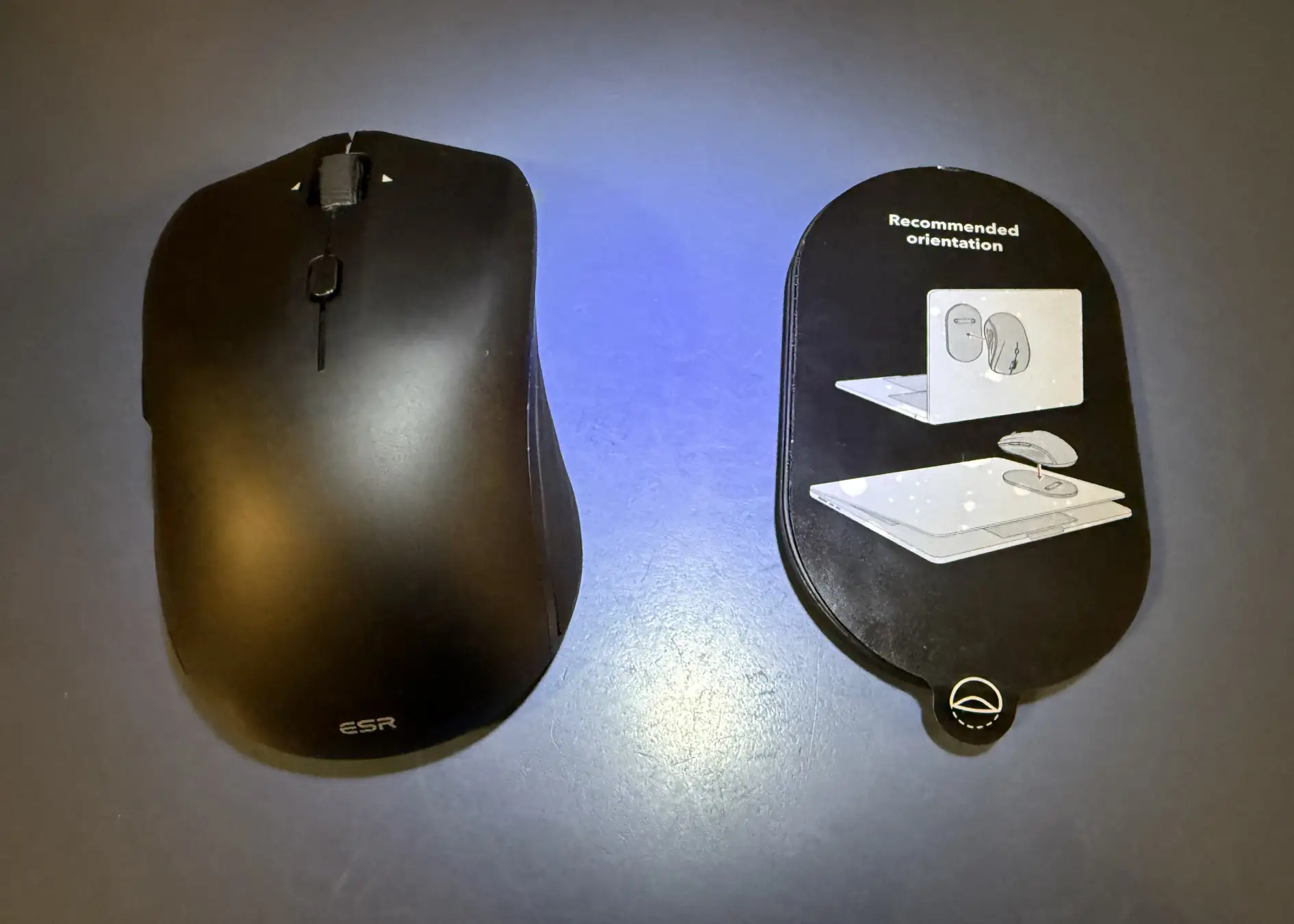
Comfort and build quality also drew praise. Despite not being marketed as an ergonomic mouse, buyers mentioned the soft‑touch coating and well‑shaped body made it easy to hold. Tyler Hayes remarked, “Not this one — weighs only 75g and has a quiet click with a tactile feel.”
Common Complaints
Customization is non‑existent. “No software for reconfiguring buttons” was a repeated frustration. Trustpilot summarized: “You’re stuck with whatever the OS will let you do.” For power users or gamers, this was a deal‑breaker. Likewise, the short cable became a recurring criticism — you can’t comfortably operate it while charging unless positioned awkwardly.
The scroll wheel’s feel proved divisive. While Trustpilot lauded its smoothness during testing, Buyzes noted “bumpy texture… small dissatisfaction for an all‑day control.” Another minor but noted flaw: the magnetic base’s adhesive can leave residue or marks on laptop lids, as iGeeksBlog warned after prolonged use.
Left-handed usability was called out — although technically ambidextrous in shape, side thumb buttons clearly favored right-handed operation. “Could work for left-handers, but placement isn’t logical,” was Tyler Hayes’ verdict.
Divisive Features
The magnetic mount itself was both hailed and doubted. For office hoppers, it was revolutionary. The Irish Examiner described it as “a clever way to carry a mouse without cluttering your bag.” But skeptics like Hayes found sticking it to the outside of thin devices “awkward for backpacks,” preferring static placement at a desk. This shows the feature’s value is workflow‑dependent.
Trust & Reliability
No widespread scam concerns emerged. Durability claims were backed — ESR certifies buttons for 10 million presses and multiple testers reported solid builds despite the low price point. Trustpilot reviews three weeks in showed no wear or loss in magnetic strength. The adhesive pad’s longevity was generally good, with occasional mention of needing replacement for optimal grip.
Alternatives
Reddit discussions around Apple’s Magic Mouse reveal stark contrasts — described as “overpriced” and “too slim to hold comfortably” by several users compared to the more ergonomic MagMouse. One Reddit user admitted to preferring Logitech MX Master for desktop work, but acknowledged that for travel, portability beats form. Magic Mouse offered gesture control customization but at double the cost, while MagMouse sacrificed customization for practicality and price.
Price & Value
At $36 retail, with Kickstarter early bird pricing at $24, the MagMouse sits in budget‑friendly territory, especially given the niche magnetic feature. eBay listings showed stable resale potential — similar magnetic mice were not present, meaning uniqueness can help hold value. Community tips recommend snagging it during launch discount periods and considering multiple units for mixed device setups, since there’s no multi-device pairing.
FAQ
Q: Is the ESR MagMouse compatible with iPads and Android tablets?
A: Yes. Users confirmed it works across major OS platforms including iOS, iPadOS, Android, Windows, Linux, and MacOS via Bluetooth or the 2.4 GHz dongle.
Q: How secure is the magnetic attachment during travel?
A: Most users found it strong enough to stay put during hand‑carried or bag transport, though thin devices may feel awkward when sliding into snug cases.
Q: Can you reassign button functions?
A: No. ESR provides no dedicated software, so button mapping is limited to what your operating system allows.
Q: How long does charging take?
A: Fast‑charging delivers about 4 hours from a 1-minute charge; a full charge takes ~45 minutes and can last up to 160 hours.
Q: Does the adhesive pad damage laptops?
A: Experiences vary — some saw no marks, others (like iGeeksBlog) noticed semi‑permanent traces after extended use on certain surfaces.

Final Verdict: Buy if you’re a commuter, student, or mobile creative who values portability, instant charging, and noise‑free clicks. Avoid if you need deep button customization, multi‑device pairing, or premium tactile feedback for marathon desktop sessions. Pro tip from community: If the magnetic base use doesn’t suit you, mount it under your desk — you’ll still benefit from its storage convenience without risking laptop marks.





