Epson Workforce Pro WF-7310 Review: Great Prints, Pricey Ink
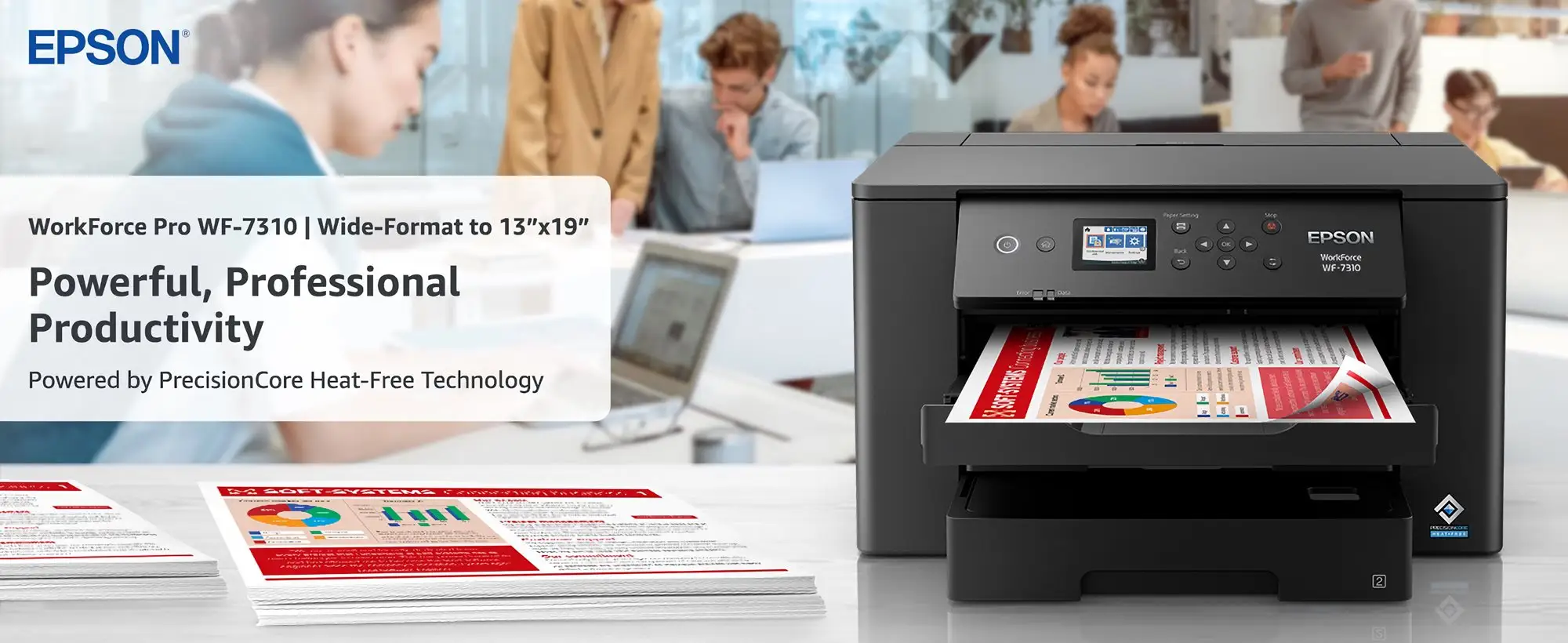
A Best Buy reviewer’s warning — “ink is way too expensive” — shows up so often across platforms that it effectively defines the Epson Workforce Pro WF-7310 Wireless Wide-Format Printer experience. Verdict: a capable wide-format workhorse with recurring-cost headaches. Score: 7.3/10.
Quick Verdict
The Epson Workforce Pro WF-7310 Wireless Wide-Format Printer is a conditional yes: it’s praised for wide-format output, sharp text, and strong color for business graphics, but frequent complaints center on ink costs, occasional streaks/smears, and being physically bulky.
| What matters | What users/ratings say | Who it impacts most |
|---|---|---|
| Wide-format printing | Best Buy reviewers repeatedly praise 13" x 19" output | Designers, small businesses, crafters |
| Print quality | “Crisp,” “vibrant,” “professional” in Best Buy reviews | Anyone selling prints/labels |
| Speed (claimed fast) | Some call it “pretty fast,” others call it “slow printing” (Best Buy) | Busy offices, batch print jobs |
| Ink cost & yield | “Ink gets expensive quickly” and “uses ink like its nothing” (Best Buy) | High-volume color users |
| Size/weight | “Heavy and cumbersome” (Best Buy); “takes up a lot of space” (Consumer Reports) | Home desks, small studios |
| No scanner | Consumer Reports notes it’s “a single-function printer… lacks a built-in scanner/copier” | People wanting an all-in-one |
Claims vs Reality
Epson marketing leans hard on speed and productivity, highlighting “25 black / 12 color ISO ppm” and positioning the Epson Workforce Pro WF-7310 Wireless Wide-Format Printer as a high-volume office solution. Digging deeper into user reports, speed is often described as strong for black text, but not consistently satisfying for everyone. A Best Buy reviewer simply titled their feedback “do not buy” and complained: “horrible printer. slow printing, no scanner, and uses ink like its nothing.” On the other hand, a Reddit post by Reddit user Smooth said: “It prints fast too - i clocked it at 25 pages per minute for black and white.”
The wide-format claim is one area where the feedback aligns closely with the promise. The printer’s ability to print up to 13" x 19" repeatedly shows up as the core reason people buy it. Best Buy reviewer Steveb said: “the standout feature is… borderless prints up to 13" x 19"… the output is consistently sharp and vibrant.” Reddit user Smooth echoed that it’s “great for creating large posters and marketing materials,” calling the print quality “sharp, with vivid colors that really pop.”
Where the “productivity” narrative gets messy is ink economics. Officially, Epson emphasizes cartridge-only usage and promotes replacement yields (Epson product pages list ISO yields like “black: 350” for standard cartridges and higher for XL/XXL). But multiple owners describe the opposite experience in day-to-day use—especially for color and wide-format jobs. A Best Buy reviewer vented: “uses ink like its nothing. had to change my ink three times for 700 pages.” Another Best Buy reviewer framed it as the deciding factor: “It really comes down to the ink… even xl ink cartridges don't last… ink gets expensive quickly.”
Cross-Platform Consensus
Universally Praised
A recurring pattern emerged: people buy the Epson Workforce Pro WF-7310 Wireless Wide-Format Printer for wide format, then stay (at least initially) because the output looks “professional.” For graphic designers and marketing-heavy small businesses, the praise often centers on color richness and detail. Best Buy reviewer Marie said: “as a graphic designer, precision and vibrant colors are non-negotiable… the print quality is outstanding. the colors are vivid, the details are crisp.” Best Buy reviewer Steveb similarly described “sharp and vibrant” results across “spreadsheets… marketing flyers… proofs for a design project.”
The dual-tray workflow also gets consistent appreciation from people juggling multiple paper sizes. Best Buy reviewer Jenniferj said: “i love that there are 2 paper trays so you can easily print different sizes without changing the paper.” That kind of feedback maps to a specific persona: home-office operators printing letters one minute and 11x17 or specialty stock the next. Reddit user Smooth praised the same “two 250-sheet trays,” noting it meant “less time refilling paper.”
Wireless and mobile printing shows up as another repeatable “this makes my life easier” theme. For iPhone/iPad households and small teams, being able to print without fuss matters as much as raw quality. A Best Buy reviewer said: “i ’m able to print from my iphone or ipad using the network.” Best Buy reviewer Caroliner emphasized set-up and connectivity: “it was easy to set up the wifi connection… a fantastic, versatile office printer.” Reddit user Smooth described the “wireless set up” as “easy” and said they could print from their phone using the Epson app, though they also flagged that the app “occasionally had minor glitches.”
After these stories, the common praise clusters into a few themes:
- Wide-format output that users actually rely on (“borderless… up to 13" x 19"”)
- Print quality described as “sharp,” “vivid,” and “professional”
- Dual trays and wireless printing that reduce day-to-day friction
Common Complaints
The most frequent frustration is recurring cost—specifically ink. For high-volume users, wide-format color printing can turn into what one Best Buy reviewer called “great but expensive ink”: “i love the quality… but ink is way too expensive.” Another Best Buy reviewer reduced the buying decision to a single line: “don’t buy anything that isn’t an ecotank… companies like to charge extreme amounts of money for their ink cartridges that barely last.” Even among people who still recommend the printer, the ink issue can limit how often they use it. Best Buy reviewer Ameh said: “the wf-7310 prints fine but i don't use it very often because the ink is so expensive.”
Print consistency and maintenance complaints also show up, especially streaking, splotches, smears, and needing cleaning cycles. A Best Buy reviewer reported: “been working great until recently i have to do multiple purges and print heads to get it to print properly.” Another said it “started leaving streaks and splotches.” Reddit user Smooth described “inconsistent print quality” at times and mentioned “ink smears,” plus “paper handling issues” like trouble with 11" x 17" paper “causing rips on the edges.”
Finally, the physical reality of the machine is a common theme: it’s big, heavy, and not subtle. Consumer Reports flatly notes: “the printer takes up a lot of space and might be more suitable for an office than a small desktop.” Best Buy reviewer feedback turns that into lived experience: “it 's heavy and cumbersome… i can't pick it up by myself.” For home users expecting a typical desktop printer, that size/weight becomes part of the ongoing relationship with the device.
After these stories, the complaint clusters look like:
- Ink cost and perceived low yield in real-world use
- Occasional streaks/smears and maintenance burden
- Large footprint and heavy chassis
Divisive Features
Speed is surprisingly polarizing. Marketing and some user experiences highlight fast black text output. Reddit user Smooth said: “i clocked it at 25 pages per minute for black and white.” RTINGS (expert testing) also frames black-only speed as strong, stating it “prints black text documents impressively quickly,” while noting color is “much slower.” But at least one Best Buy reviewer called it “slow printing,” suggesting that for certain workflows (complex color pages, large formats, duplex jobs), users may not feel the promised speed.
The “printer-only” nature is another dividing line. For offices that already have scanning covered—or for users who only need prints—this isn’t a dealbreaker. But for many shoppers, the absence of a scanner reads as missing value. Consumer Reports emphasizes it “lacks a built-in scanner/copier,” and a Best Buy reviewer combined that with speed and ink into a broader rejection: “horrible printer… slow printing, no scanner, and uses ink like its nothing.” In short: some buyers see it as a focused wide-format printer, while others see it as incomplete.
Trust & Reliability
Concerns about reliability are less about outright scams and more about ongoing performance drift: prints that start strong, then require cleaning cycles or show streaking. Best Buy reviewer feedback includes longer-term disappointment such as: “worked okay for a short while but then started leaving streaks and splotches,” and “been working great until recently i have to do multiple purges and print heads to get it to print properly.” These stories suggest that for intermittent users—or anyone who lets an inkjet sit—maintenance routines can become part of ownership.
Reddit user Smooth described the unit as “mostly reliable” but admitted: “i did have a few paper jams with very heavy use.” That aligns with an “office workhorse” framing, but still hints that pushing high volume might reveal paper-handling limits. Consumer Reports also frames it as “full-size” and “weighty,” and notes it’s more suitable for office space—implicitly reinforcing that it’s built for a certain environment, not a cramped home setup.
Alternatives
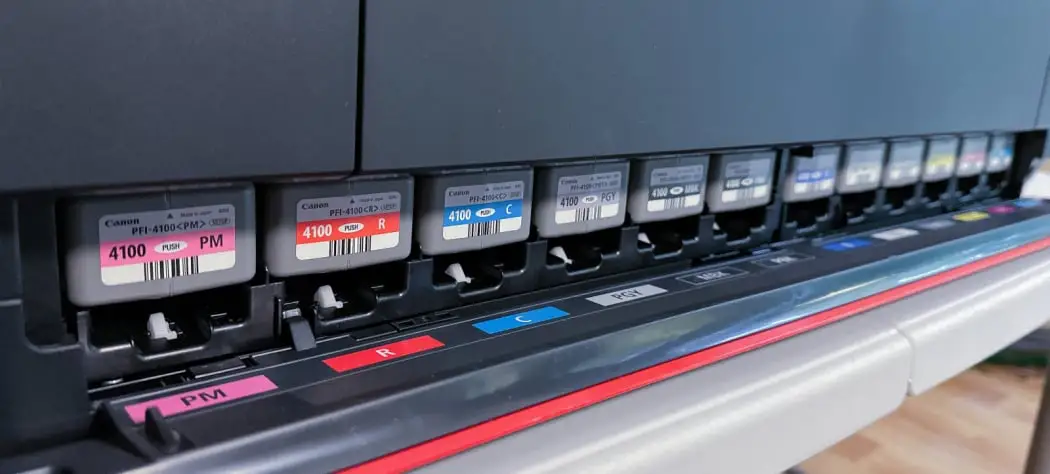
Only a few competitors are explicitly named in the provided data. RTINGS points to the Canon PIXMA TR7820/TS7720 as an alternative “with a lower cost-per-print,” which speaks directly to the WF-7310’s most repeated pain point: ink economics. For students or households primarily printing letter-size documents, RTINGS also references the HP Smart Tank 5101 as an option “with a better page yield,” again targeting ink longevity.
In the wide-format/photo-adjacent space, MincoPC mentions the Canon imagePROGRAF series as “excellent photo printing” but “pricier and bulkier,” and references Brother MFC series models as offering “robust functionality” but not matching color graphics print quality. For buyers choosing the WF-7310 specifically for 13" x 19" output at a lower upfront price, those trade-offs mirror the real-world complaints: you may spend less initially, then pay more over time in ink.
Price & Value
Pricing in the data swings widely depending on retailer and whether the unit is new or refurbished. Amazon lists the printer with a 4.1/5 rating (1,641 reviews) and highlights “Amazon’s Choice,” while Best Buy lists prices like $149.99 in one snippet and $179.99 in another, reflecting promotion cycles. Epson’s own pages show discounted pricing at times (Epson US shows “our price” and a reduced figure), and Epson Canada lists a refurbished closeout model at $233.99.
Resale and secondary-market pricing appears active on eBay, with listings ranging from used units around $189.99 to new listings around $239.00 (as shown in the provided eBay snippets). One eBay seller even claims a tested used unit has “no fading, lines, streaks, or stains,” though that’s seller description rather than broad user consensus.
Buying tips implied by community feedback revolve around total cost of ownership. Best Buy reviewers repeatedly recommend budgeting for ink immediately. One wrote: “i recommend buying extra ink,” warning that “the reservoirs are on the smaller side.” Another framed the decision as ink-first: “It really comes down to the ink… at close to $100 a set… ink gets expensive quickly.” For wide-format users printing posters, labels, or marketing materials, the machine may feel like a bargain at sale price—until the cartridge cycle starts.
FAQ
Q: Does the Epson Workforce Pro WF-7310 really print 13" x 19"?
A: Yes. Multiple sources emphasize 13" x 19" support. Best Buy reviewer Steveb praised “borderless prints up to 13" x 19",” and Reddit user Smooth said it “can handle sheets up to 13" x 19"… great for creating large posters and marketing materials.”
Q: Is ink cost a real issue or just isolated complaints?
A: Ink cost is one of the most consistent negatives. Best Buy reviewer Ameh said: “i don't use it very often because the ink is so expensive,” and another warned: “even xl ink cartridges don't last… ink gets expensive quickly.” Reddit user Smooth also noted “the ink costs can add up.”
Q: Does it have a scanner/copier?
A: No. Consumer Reports describes it as “a single-function printer” that “lacks a built-in scanner/copier.” Some Best Buy reviewers also criticized “no scanner” as a downside, especially when comparing it to all-in-one devices.
Q: How is wireless/mobile printing?
A: Many owners like it. A Best Buy reviewer said they can print “from my iphone or ipad,” and Best Buy reviewer Caroliner said it was “easy to set up the wifi connection.” Reddit user Smooth liked printing via the Epson app, though they mentioned the app “occasionally had minor glitches.”
Q: Is it too big for a home office?
A: It depends on space. Consumer Reports warns it “takes up a lot of space,” and Best Buy reviewer feedback calls it “heavy and cumbersome.” Others accept the footprint as the cost of wide-format capability, like Best Buy reviewer Bam bam: “it ’s a little big but i expected that.”
Final Verdict
Buy the Epson Workforce Pro WF-7310 Wireless Wide-Format Printer if you’re a small business, designer, or crafter who needs wide-format printing up to 13" x 19" and values “sharp and vibrant” output. Avoid it if you’re ink-cost sensitive, want an all-in-one with scanning, or expect a compact desktop printer.
Pro tip from the community: plan for ink upfront—Best Buy reviewer advice was blunt: “i recommend buying extra ink,” and another summed ownership up as: “It really comes down to the ink.”





