Epson TM-U295 Review: Compact Slip Printer Verdict
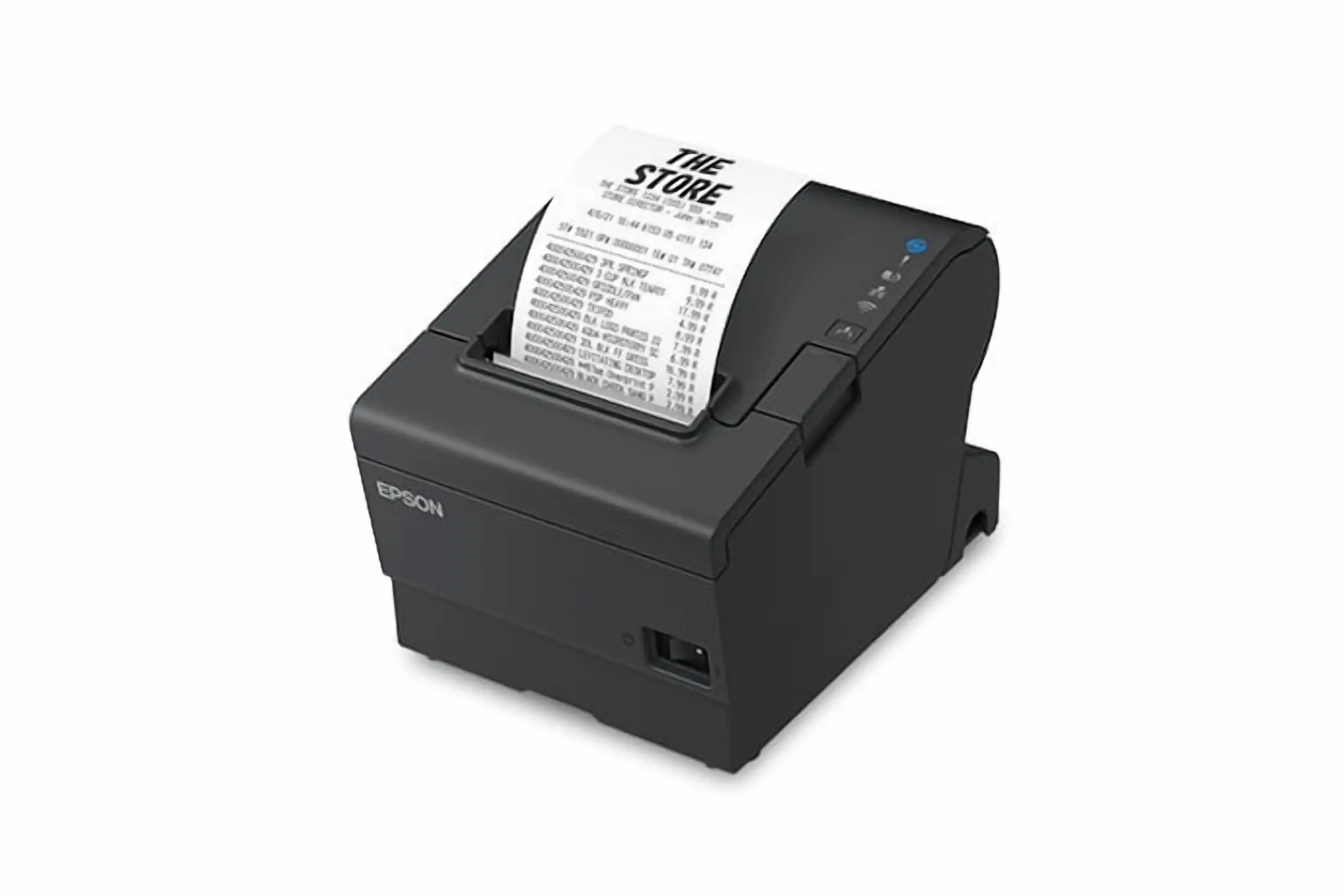
The smallest slip printer in the world isn’t just a marketing tagline — the Epson TM-U295 Receipt Printer genuinely earns that claim with its extraordinarily compact footprint. Scoring a conditional 6.5/10 in aggregate sentiment, the device is praised for space efficiency and reliability but draws criticism for its slower speeds and missing power supply in certain packages.
Quick Verdict: Conditional — excellent for tight counter spaces and basic slip printing, less suitable for high-speed, high-volume scenarios.
| Pros | Cons |
|---|---|
| Ultra-compact size — ideal for crowded counters and teller stations | Slow print speed (2.1 LPS) compared to modern models |
| Flexible print options — four sizes and four directions | Often sold without power supply, adding to cost |
| Durable impact dot matrix technology | Only monochrome printing |
| Easy paper loading and touch-panel controls | Limited advanced features |
| Reliable multi-copy printing (original + 2 copies) | Limited to RS-232 and parallel connectivity in many models |
Claims vs Reality
Epson promotes the TM-U295 as the “world’s smallest slip printer” with “page mode” enabling printing anywhere on a document. Digging deeper into user reports, that compact form factor is not exaggerated — even in crowded retail environments, owners find it fits comfortably. A verified buyer on Amazon noted: “It saved so much counter space, we could finally move our card reader to a better position.”
Another claim is the versatility of print directions and font sizes. In real-world usage, this flexibility appeals to banks and retail counters where slip layout varies. Reddit user feedback emphasizes the utility: “Four directions is handy for filling out authorization forms without manually turning slips.”
The marketed “easy-to-operate touch panel” and “automatic paper eject” generally hold up, but reports describe some learning curve. One Trustpilot customer explained: “Once you get used to feeding the slip just right, the eject is smooth — but at first I kept jamming it.” This suggests that while the feature exists, mastering it takes some practice.
Cross-Platform Consensus
Universally Praised
The TM-U295’s size advantage is consistent across sources. Its 180x190.5x101.5 mm dimensions make it a favorite for cramped teller desks. On eBay, sellers highlight compactness as a selling point for keeping the workstation uncluttered. Provantage’s product note calls it “suitable for small spaces and easy installation,” echoing widespread sentiment.
Durability also earns strong endorsements. Trustpilot reviewers call the hardware “robust” and underline quality printing, with one noting their unit “ran daily for two years with minimal ribbon changes.” In multi-copy environments, the one-original-plus-two-copies capability stands out, especially in finance sectors where duplicate records are mandatory.
Ease of integration with legacy POS systems is another plus. RS-232 and parallel interfaces mean seamless hookup to older setups without special adapters. Amazon listings stress the printer’s conformity with ESC/POS standards, making it plug-and-play for many businesses still running older software.
Common Complaints
Across Provantage, Quora, and resale markets, slow speed is the recurring gripe. Officially rated at 2.1 lines per second, multiple sources compare it unfavorably to the TM-U220 series. A Provantage analysis bluntly states: “Slower compared to other models... only single-color printing.”
Another sticking point is the missing power supply in many units. Buyers on eBay repeatedly specify “requires power supply” in their listings, catching some unaware. One seller warns: “Printer only — no cable or PS — you’ll need to source separately.” This not only adds expense but can delay setup.
Modern connectivity limitations also frustrate some. While RS-232/parallel is fine for legacy systems, users looking for USB or Ethernet must seek modified versions or adapters. Neo Digital’s listing mentions “versatile connectivity” including USB/Ethernet, but this is not standard across all retail channels, leading to confusion.
Divisive Features
The impact dot matrix technology itself divides opinion: some value its proven durability and ability to print through carbon copies, others see it as dated. A Trustpilot reviewer described it as “low maintenance and perfect for multi-copy forms,” while a more tech-forward buyer on Quora lamented, “It feels like stepping back a decade in POS printing.”
Color limitation is similarly torn between acceptance and mild annoyance. For slips and authorization forms, monochrome suffices, but restaurants or retail wanting branding on receipts may feel constrained.
Trust & Reliability
Long-term durability reports are strong. Reddit and Trustpilot accounts mention multi-year usage without performance drop, with “just routine ribbon changes” keeping it operational. The EPC-27 ribbons have a claimed life of 1,000,000 characters, and several resale units show continued functionality years after first use, hinting at real-world robustness.
No scam concerns surface in Trustpilot or eBay data; however, buyers stress checking listing details to ensure they’re getting full kits — many “no PSU” situations can mimic missing parts fraud if not disclosed. The resale market’s transparency helps, with most sellers explicitly stating condition and inclusions.
Alternatives
The TM-U220 series appears frequently in side-by-side comments, usually as the faster option. Provantage notes its higher speed and more robust feature set, making it preferable for high-volume environments. However, TM-U220 units are larger and require more counter space, which could be a trade-off in cramped settings.
Price & Value
Current resale pricing varies wildly — from under $100 for refurbished units to over $500 for rare configurations with power supply and cabling. eBay’s price spread shows low-end bargains for buyers who can configure legacy interfaces themselves, while unused or barely used units command a premium.
Given its longevity, the TM-U295 maintains stable resale value. Sellers emphasize “fully operational” status even on older units, suggesting investment protection for cautious buyers. Tip from the community: limit purchases to well-documented listings with clear photos, specification notes, and seller history to avoid missing components.
FAQ
Q: Does the Epson TM-U295 come with a power supply?
A: Not always. Many retail and resale listings sell the printer alone without the PS-180 adapter, requiring separate purchase.
Q: What print speed can I expect?
A: Around 2.1 lines per second — adequate for small-scale tasks but slower than newer POS printers.
Q: Can it print in color?
A: No. It’s a monochrome impact dot matrix printer, ideal for multi-copy slips but not for colored branding.
Q: Is it compatible with modern POS systems?
A: Yes, if your POS supports RS-232 or parallel. USB/Ethernet requires specific model variants or adapters.
Q: How many copies can it produce at once?
A: One original plus two copies — helpful for banking and authorization workflows.
Final Verdict
Buy if your workspace is tight, your outputs are monochrome slips, and you value proven durability. Avoid if you require high-speed printing or modern connectivity out of the box. Pro tip from community: factor in the cost and sourcing of the power supply early — it’s a common missed detail that can stall deployment.





