Epson TM-M30 Review: Compact, Fast, Warranty Caveats
A single Amazon reviewer’s warranty complaint cuts through the marketing polish: a verified buyer wrote that after “9 months… it stopped recognizing ethernet,” and claimed Epson “will not honor warranty” because it was “released internationally.” That kind of real-world ownership friction sits alongside plenty of praise for the Epson TM-M30 Thermal Receipt Printer as a compact, quiet, easy-to-deploy workhorse. Verdict: Conditional buy — 7.8/10.
Quick Verdict
For small businesses that want a compact, fast 3-inch thermal receipt printer with Ethernet (and other connectivity options depending on model), Epson TM-M30 Thermal Receipt Printer gets strong satisfaction from Amazon buyers—especially on setup, speed, and reliability. It turns conditional if warranty coverage and sourcing (regional model differences) matter to you.
| Decision | Evidence | Source |
|---|---|---|
| Conditional Yes | “works perfects… more compact, quieter… set was a piece of cake once drivers downloaded.” | Amazon.com reviews |
| Yes (small spaces) | “really compact and good design for small spaces.” | Amazon.com reviews |
| Yes (reliability) | “It’s a workhorse… Haven’t had a single problem with it.” | Amazon.com reviews |
| Conditional (accessories) | “no they do not come with the ethernet cable!!!!!” | Amazon.com reviews |
| Caution (support/warranty) | “stopped recognizing ethernet… will not honor warranty… released internationally.” | Amazon.com reviews |
| Yes (spec performance) | Rated up to “200 mm/sec” print speed; “drop-in” paper loading; “auto cutter 1.5 million cuts.” | Epson AU specs |
Claims vs Reality
Epson’s official materials pitch the TM-M30 as “sleek, stylish and compact,” built for “tablet POS environments,” and capable of “print speed of up to 200 mm/sec,” with “advanced connectivity” options like Ethernet, Bluetooth, and Wi‑Fi depending on the model. Digging deeper into the only actual end-user text feedback provided (Amazon reviews), the “compact” claim lands especially well for cramped counters where every inch counts. A verified buyer described it as having “a really compact and good design for small spaces,” framing it as a practical fit for environments like “a gas station.”
The setup story is where marketing and reality mostly align, but with a specific caveat: drivers. Epson’s ecosystem emphasizes “easy set up,” and one verified buyer echoed that with, “set was a piece of cake once drivers downloaded.” That “once” matters—this isn’t an appliance-like experience for everyone. Still, multiple buyers reinforced the broader idea that initial deployment is manageable: “installation was pretty straight forward,” and another simply wrote, “installation was easy.”
Where the messaging can feel rosier than ownership is around support expectations and region-specific product realities. While specs and official pages focus on reliability metrics (like “MTBF 360,000 hours” and “auto cutter 1.5 million cuts”), one verified buyer’s real-world failure report was blunt: “use for 9 months and all of a sudden it stopped recognizing ethernet.” The same buyer tied the pain not just to the failure, but the aftermath: “Epson says bought from amazon and it was released internationally so they will not honor warranty.” While that’s a single review, it’s a high-impact scenario for any business that can’t afford downtime.
Cross-Platform Consensus
Universally Praised
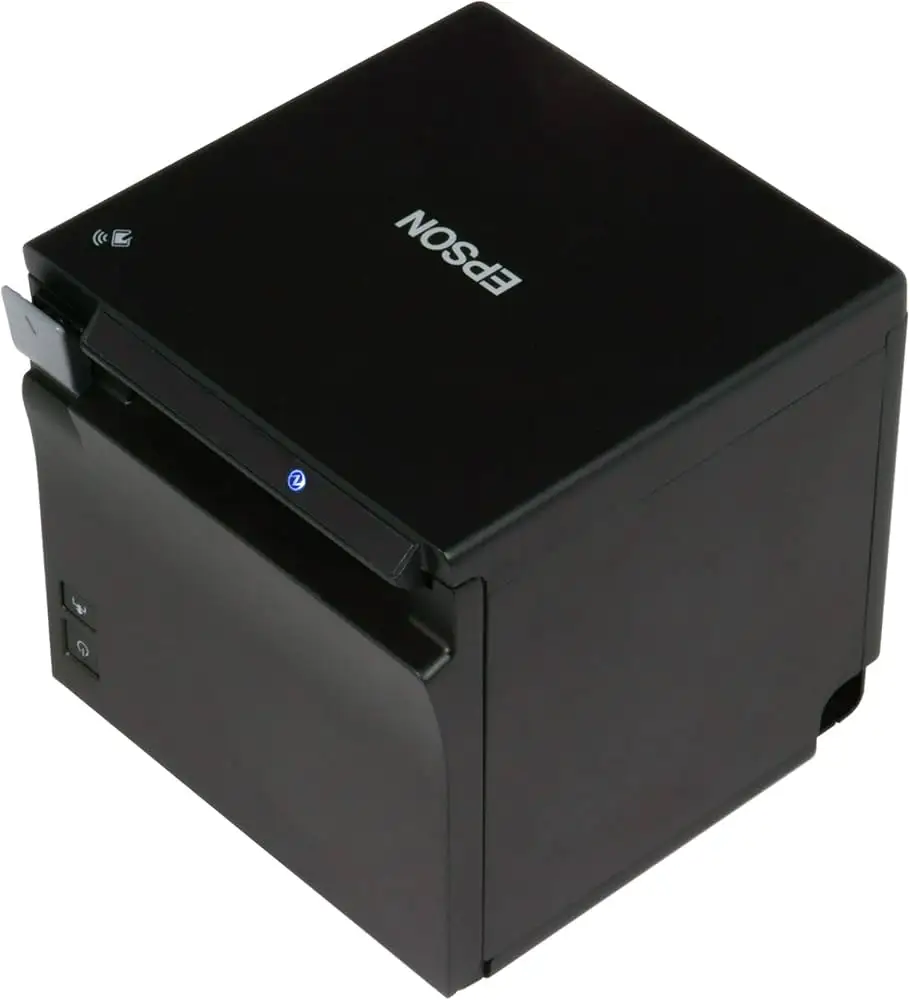
“Compact” isn’t just a brochure adjective in the feedback—it shows up as a business enabler. For shop owners working with narrow counters or tight POS footprints, the printer’s cube-like size is repeatedly framed as the point. A verified buyer on Amazon noted: “the printer has a really compact and good design for small spaces,” and that kind of comment speaks directly to the reality of crowded retail setups where the receipt printer competes with cash drawers, card terminals, and tablets.
A recurring pattern also emerged around quiet operation and day-to-day ease. For front-counter staff and customer-facing environments, noise can become a constant irritant. One Amazon reviewer compared it favorably to older Epson units, saying it was “more compact, quieter,” which suggests the improvement is noticeable in daily use. Another buyer kept it simple but telling for operational reliability: “It’s a workhorse. Haven’t had a single problem with it.” For a business user, that translates into fewer interruptions during rush periods and less time troubleshooting hardware.
Speed and output quality also get affirmed in the practical, non-technical way customers tend to describe when something “just works.” A verified buyer wrote, “The print quality is excellent. recommended,” and another said it “works perfects” after buying it specifically because they “needed a network printer.” Even without users quoting exact mm/sec numbers, these stories mirror the official positioning of a fast, clean thermal printer designed for modern POS workflows.
After those narratives, the broad “praise bucket” looks like this:
- Compact footprint praised for tight counters (“small spaces”)
- Quiet operation noted versus older receipt printers
- Strong reliability stories (“workhorse,” “haven’t had a single problem”)
- Setup often described as straightforward once drivers are in place
Common Complaints
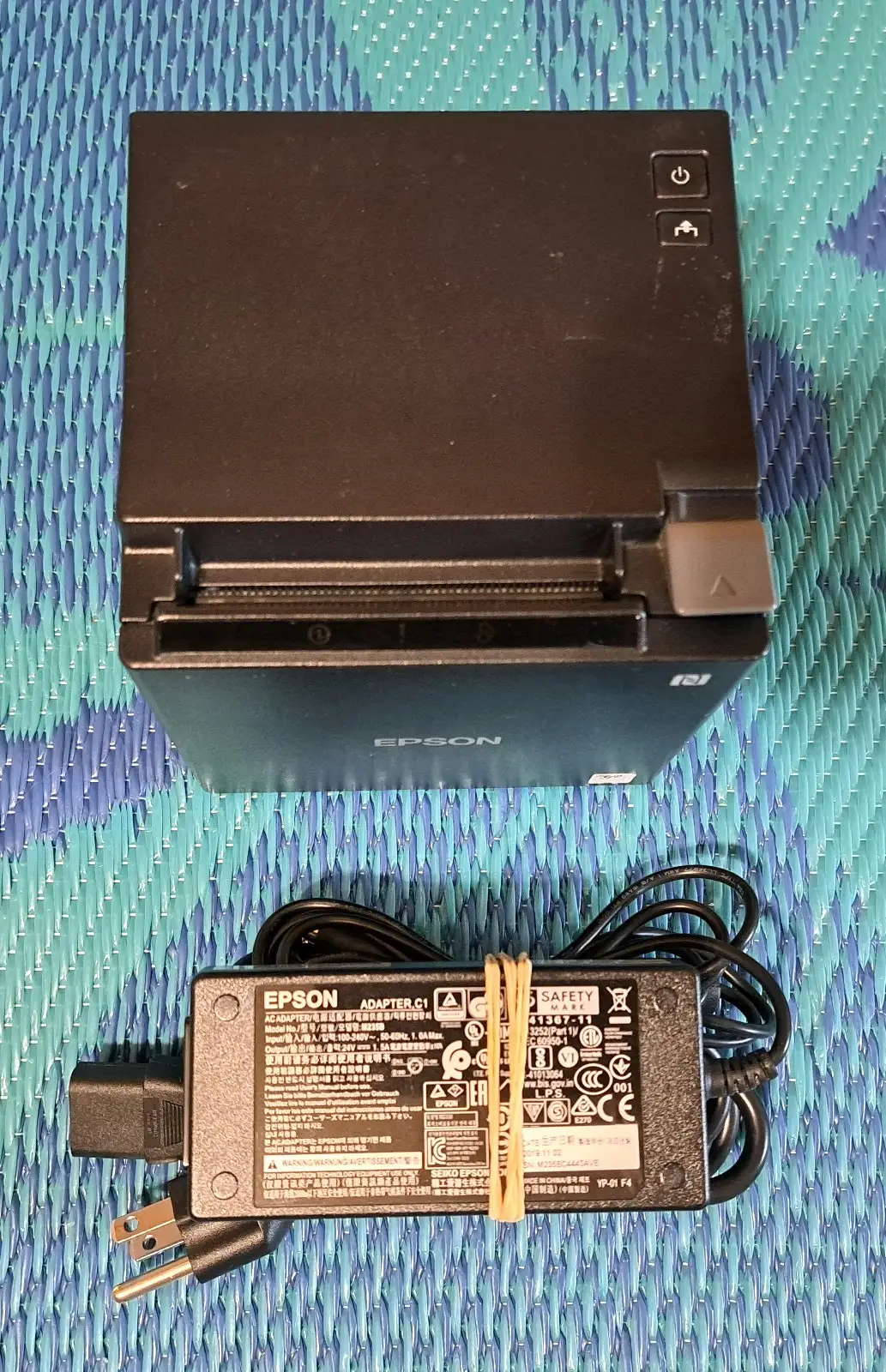
The most concrete annoyance in the user feedback isn’t about print quality or jams—it’s about what comes in the box. For a business buyer setting up a networked POS, missing accessories can mean an extra trip, delayed deployment, or scrambling during installation. One Amazon reviewer put it emphatically: “no they do not come with the ethernet cable!!!!!” That’s not a performance flaw, but it’s the kind of friction that can sour first impressions and slow rollout, especially for buyers assuming a “network printer” includes the basic network cable.
Another frequent point of friction is integration quirks—specifically peripherals like cash drawers. For retail and hospitality, opening the cash drawer after a receipt print is a basic workflow expectation. A verified buyer described the setup as mostly fine but hit a snag: “only issue was to get the cash drawer to open after printing receipt.” The same reviewer added that they “had to call epson tech line,” though the upside was that Epson “offered a solution in minutes.” The story shows both the pain (unexpected configuration work) and the potential relief (support responsiveness in that instance).
The heaviest complaint, however, centers on Ethernet recognition failing and what happens next. The same verified buyer who reported the failure wrote, “stopped recognizing ethernet,” and described trying multiple mitigations: “replaced line, did multiple resets.” For businesses that rely on wired connectivity for stability, an Ethernet dropout can be operationally devastating—suddenly the printer is present physically but absent logically. The reviewer then escalated the problem beyond the device itself: “they will not honor warranty” due to the product being “released internationally.” That’s a buyer story about procurement risk as much as hardware reliability.
Key complaint themes from the provided feedback:
- Box contents frustration (no Ethernet cable)
- Peripheral/workflow setup hiccups (cash drawer trigger behavior)
- High-impact network failure story (Ethernet not recognized) plus warranty dispute
Divisive Features
Setup experience is split mainly by expectations and environment. Some buyers describe it as effortless—“installation was easy,” and “easy to install and use.” Others frame it as easy only after a technical step: “set was a piece of cake once drivers downloaded.” For a small business with IT support, that driver step might be trivial. For a single-owner shop trying to self-install at midnight before opening, it can feel like a hidden hurdle.
Support also lands as a “depends on your case” issue. One verified buyer who called Epson got quick results: “offered a solution in minutes.” But another buyer’s narrative turned support into the problem, saying Epson “will not honor warranty” in their situation. The contrast suggests that the TM-M30 ownership experience can swing depending on region, seller channel, and whether the problem is configuration versus warranty eligibility.
Trust & Reliability
The reliability story from user feedback trends positive in day-to-day operation—one buyer said, “I have used the epson receipt printers for years and never a problem,” and another described the TM-M30 as “a workhorse.” That kind of language usually comes from people who run printers continuously, not hobbyists printing a few receipts a month.
But trust concerns appear when the purchase channel intersects with warranty rules. A verified Amazon buyer alleged that after the printer failed to recognize Ethernet, Epson said it was “released internationally” and “will not honor warranty.” That’s not a typical “scam” claim, but it is a trust-impacting ownership narrative: even if the hardware is strong, the buyer’s confidence can collapse if support and warranty coverage feel uncertain.
Alternatives
Only a few competitors are explicitly mentioned in the provided data, and they appear inside POSGuys commentary and FAQs rather than direct user review text. In a POSGuys transcript, the speaker framed Epson’s own lineup as trade-offs: “if you’re looking for just pure performance… the t88v is still your best bet,” while “if you are worried about space… take a look at the m series.” They also said they’d “probably recommend the t20ii” most often for “price and features and warranty.”
POSGuys also referenced Star Micronics models that are “often recommended,” listing the “Star Micronics TSP 100 III LAN,” “TSP 100 III WLAN,” and “TSP 100 III BI models.” The implication for shoppers is practical: if your decision is driven by compatibility with a specific online ordering system or POS app, these named Star models are part of the same shortlist ecosystem—especially if you prioritize plug-and-play expectations over Epson’s driver-and-configuration style setup.
Price & Value
The value conversation shifts sharply depending on whether you’re buying new, end-of-life stock, or used. POSGuys explicitly notes the TM-M30 “has reached end of life” and says it’s been “replaced by the Epson TM‑m30II.” For budget-focused buyers, that often signals a strong used-market opportunity—especially if you’re equipping multiple lanes and can tolerate older hardware.
On eBay, the market range shown is broad: listings include TM‑M30 units around “$85.49” pre-owned and other prices that climb much higher depending on condition, included accessories, and seller terms. That spread implies two buyer types: cost-minimizers who are comfortable sourcing power supplies and cables separately, and operations managers who pay more to reduce setup uncertainty.
The most actionable “value” tip embedded in user feedback is surprisingly basic: plan for missing cables. The Amazon reviewer who warned “no they do not come with the ethernet cable!!!!!” effectively turns into buying guidance—budget (and shop) for the right Ethernet cable up front, especially if you’re trying to deploy same day.
FAQ
Q: Does the Epson TM-M30 include an Ethernet cable in the box?
A: No—at least one Amazon buyer says it doesn’t. A verified buyer wrote: “no they do not come with the ethernet cable!!!!!” If your POS install depends on wired networking, plan to buy an Ethernet cable separately to avoid delaying setup.
Q: Is the Epson TM-M30 easy to install for a small business?
A: Often yes, but some users point out a driver step. One reviewer said setup “was a piece of cake once drivers downloaded,” while others wrote “installation was pretty straight forward” and “installation was easy.” Expect straightforward hardware setup, with software configuration depending on your POS.
Q: How reliable is the Epson TM-M30 in daily use?
A: Many owners describe it as dependable. A verified buyer wrote, “It’s a workhorse,” and another said they’ve “used the epson receipt printers for years and never a problem.” Still, at least one buyer reported an Ethernet recognition failure after months of use.
Q: Can the Epson TM-M30 have issues with opening a cash drawer after printing?
A: It can, depending on configuration. One verified buyer reported: “only issue was to get the cash drawer to open after printing receipt,” and said Epson support “offered a solution in minutes.” If your workflow depends on cash drawer triggering, factor in setup time.
Q: Are there warranty risks when buying the Epson TM-M30 online?
A: Some buyers claim there can be. One verified Amazon reviewer said Epson “will not honor warranty” because the unit was “released internationally.” That suggests confirming the exact model/region and warranty eligibility before purchase is important for businesses that need guaranteed support.
Final Verdict
Buy if you’re a space-constrained retailer or counter-service shop that wants a compact, fast thermal receipt printer and you’re comfortable handling driver installs and occasional POS configuration. A verified Amazon buyer summed up the upside as “more compact, quieter,” and another called it “a workhorse.”
Avoid if you need guaranteed manufacturer warranty support and you’re unsure about region-specific models from third-party listings—one verified buyer warned that Epson “will not honor warranty” in their case after an Ethernet failure.
Pro tip from the community: confirm what’s included before rollout—because, as one Amazon reviewer put it, “no they do not come with the ethernet cable!!!!!”





