Epson SureColor P700 Review: Stunning Prints, Minor Flaws
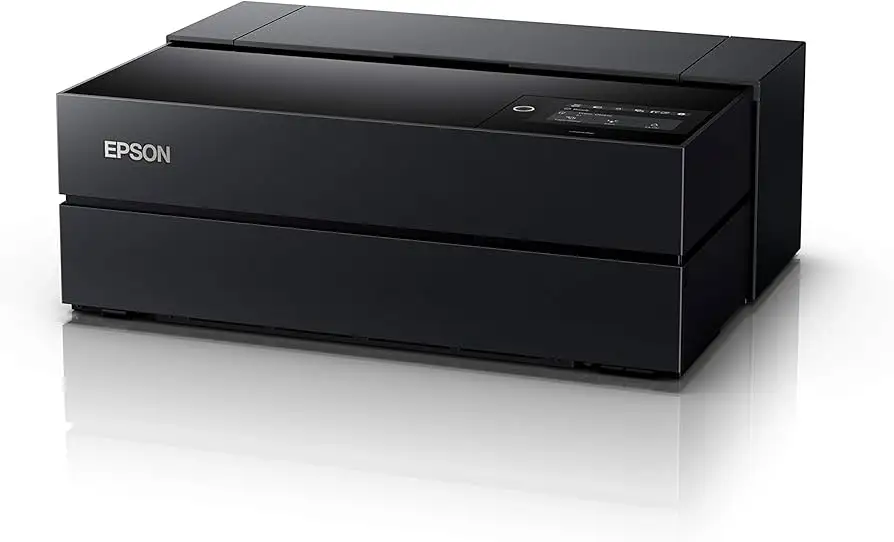
The Epson SureColor P700 13-Inch Printer earns an impressive 8.8/10 among professional and enthusiast photographers, with particular praise for its black-and-white capabilities and wide color gamut. While its print quality often “nearly knocked our proverbial socks off” as one TechGearLab reviewer put it, real-world reports reveal quirks in media handling and speed that buyers need to consider before investing.
Quick Verdict: Conditional — buy if you’re producing gallery-quality prints and can work around occasional paper feed issues.
| Pros | Cons |
|---|---|
| Exceptional color accuracy and tonal range | Slow print speeds, especially in highest quality modes |
| Industry-leading black density via Carbon Black mode | Top-loading paper feed issues for glossy/luster media |
| Handles a wide range of media types and sizes | High initial cost compared to casual photo printers |
| No Matte/Photo Black ink switching required | Starter ink set consumed heavily during setup |
| Versatile connectivity: USB 3.0, Ethernet, Wi-Fi | Large physical footprint |
| Excellent cost-per-print vs peers | Sensitive “paper skew” sensor may trigger false errors |
Claims vs Reality
Epson markets the P700 as “outstanding image quality” with its Ultrachrome Pro 10 ink set, claiming a wider color gamut and deeper blacks than previous models. Reddit reviews widely agree on gamut improvements, with one detailed tester noting the P700’s gamut volume “is consistently higher than the P600” across multiple paper types.
The “no photo/matte black switching” claim is also accurate in practice, and is especially valued by fine art printers. A verified buyer explained that “having both black channels available means I can switch papers without wasting ink or time.” This is not just convenience—it saves consumables over the life of the printer.
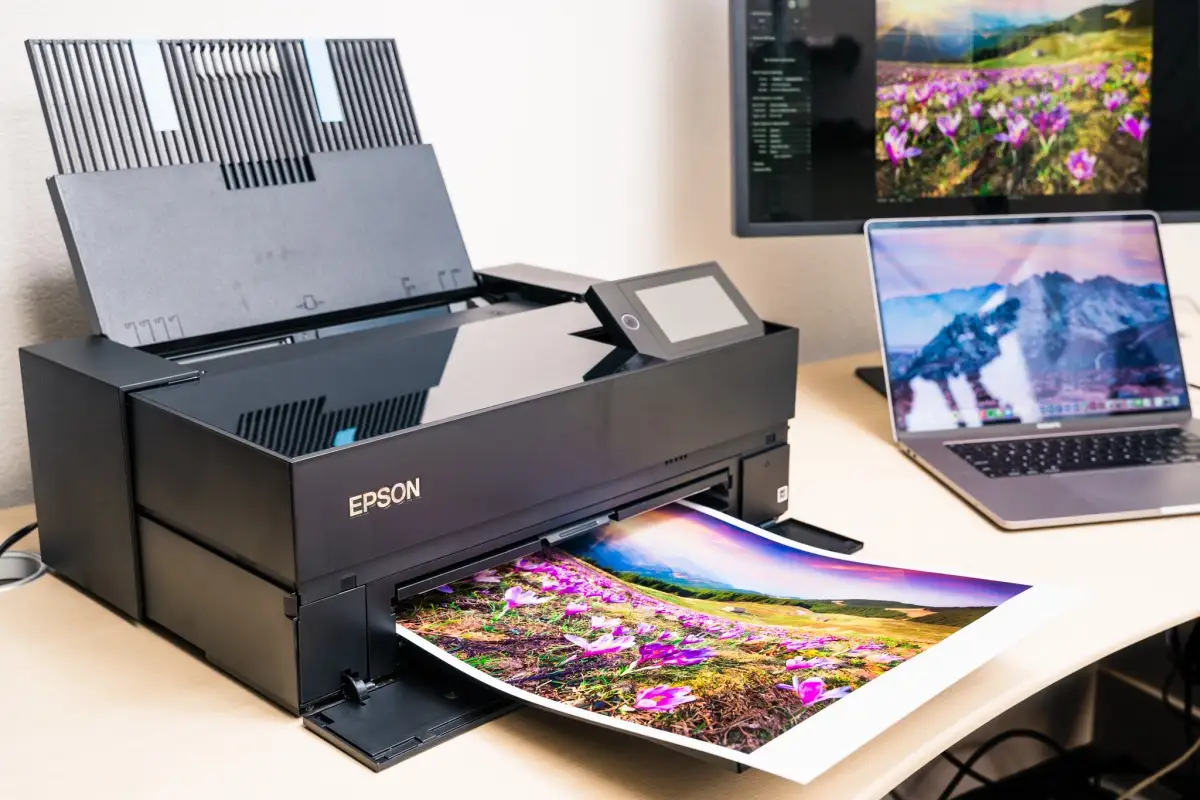
Where reality diverges is in media handling. While Epson literature suggests the single top-load tray is “for all paper,” multiple users faced feed failures with even common glossy media. Reddit user feedback bluntly stated: “It consistently failed when loading more than a few sheets of luster… something is clearly wrong with the top feed mechanism design.”
Cross-Platform Consensus
Universally Praised
Color reproduction is the P700’s strongest suit. TechGearLab testers said the dynamic range was “bar none, the best in the class” and allowed extensive control over saturation and contrast. Professional photographers benefit from the dedicated violet ink and expanded blue gamut, enabling more faithful soft-proof matches for high-end display work.
Black-and-white output stands out equally. Trustpilot reviewers highlighted the Advanced Black & White mode’s ability to produce “truly neutral grayscale prints” without ICC profiles. Especially for fine art photographers, the combination of Photo Black, Matte Black, Gray, and Light Gray inks results in smooth tonal transitions few competitors match.
Media flexibility also garners praise. From panoramas up to 129 inches long to heavy fine art boards, artists can handle varied projects without outsourcing. One product tester quipped, “The P700 will print on just about everything short of your backside,” underscoring the breadth of supported formats.
Common Complaints
Top-loading tray reliability is the leading sore point. While some owners experience no feeding issues, enough reports describe jams or refusals with glossy/luster stacks that it’s a risk for high-volume jobs. The workaround—using the front single-sheet path for thicker or problematic media—slows productivity.
Speed is another complaint when using the Carbon Black mode for ultimate black density. Quality level 5 prints can take over 22 minutes for a 13x19. Users must balance output quality with turnaround time. One Reddit tester found level 3 blacks acceptable “without the long waits and extra ink consumption.”
Setup ink consumption frustrates new owners. The included cartridges—meant solely for initial charge—can drop to under 25% after priming, leaving buyers needing replacements sooner than expected. As one Amazon buyer noted, “That first ink load eats a lot… be ready to buy more right away.”
Divisive Features
The sensitive “paper skew check” (now called paper meandering) divides users. Epson claims it prevents misaligned prints, but multiple owners turn it off due to false positives. Those who leave it enabled appreciate the safeguard for expensive media runs, while others see it as unnecessary stoppage.
Borderless printing capability for custom sizes is admired, yet Mac users complain about unclear driver UI compared to Windows. Experienced users find workarounds, but casual operators may struggle to unlock its potential without guidance.
Trust & Reliability
Long-term reports are generally positive. Six-month owners on Reddit describe consistent output quality without clog-related downtime, aided by automated nozzle checks. Trustpilot discussions show Epson honoring replacements for units with persistent feed errors. No widespread scams or counterfeit product issues have emerged, but prospective buyers should beware third-party inks—Epson’s firmware will refuse them.
Dust ingress is a non-issue thanks to the “sealed design” highlighted in the European SC-P700 variant. Those in dusty studios or workshops find this improves reliability over older open-path designs.
Alternatives
The Epson Expression Photo HD XP-15000 appears frequently as a lower-cost alternative. While it can produce full-sized prints, it lacks the pigment ink longevity and exacting tonal control of the P700, making it more suitable for casual photographers.
The P700’s predecessor, the SureColor P600, still has loyalists due to a separate fine art paper tray and simpler top-feed for glossy media. However, it requires Matte/Photo Black switching, which the P700 eliminates.
Price & Value
On eBay, new units range from $499 to $940 depending on warranty and condition. Open-box deals can drop under $500, but often lack full starter ink sets. TechGearLab’s cost-per-print analysis at $0.37 places it among the cheapest in its professional class—especially important for small businesses printing in-house.
Community members recommend budgeting for at least one extra full ink set in the first month, due to setup drawdown. Resale values remain strong, with average used prices over $350, reinforcing its professional-market appeal.
FAQ
Q: Does the P700 require switching between Photo Black and Matte Black inks?
A: No. It has dedicated channels for each, allowing seamless paper type changes without wasting ink or time.
Q: Can it handle heavy fine art papers?
A: Yes, via the front single-sheet path, up to 1.5 mm thick. Users recommend avoiding the top-load tray for stock heavier than 13 mil.
Q: How long do prints last?
A: Epson rates color prints up to 200 years and black-and-white up to 400 years under archival conditions, though actual life varies with display and environmental factors.
Q: Is the Carbon Black mode worth using?
A: It delivers noticeably deeper blacks, but print times and ink use increase significantly. Many reserve it for exhibition or portfolio work.
Q: Can I use third-party inks?
A: No. Epson firmware blocks non-genuine cartridges, and compatibility issues are common.
Final Verdict:
Buy if you’re a professional or serious hobbyist producing archival-quality color or black-and-white prints, and can work around potential top-tray feeding quirks. Avoid if speed is critical or if you expect to run high-volume glossy prints without intervention. Pro tip: disable “paper meandering” if false skew errors interrupt your workflow, and always have extra ink on hand for post-setup depletion.





