Epson EcoTank ET-3950 Review: Great Value, Few Gotchas
“Set-up… used up 25% of the ink” is the kind of detail you don’t see in marketing copy—but it shows up in real reviews of the Epson EcoTank ET-3950 Wireless All-in-One Supertank Printer – White. Verdict: a strong home-office workhorse with a few gotchas around setup, app behavior, and running “extras.” Score: 8.2/10
Quick Verdict
Digging deeper into buyer feedback, the ET-3950 earns high marks for print quality, low ongoing ink costs, and a generally approachable setup—often guided through Epson’s mobile app. Best Buy’s review aggregate frames the mood: “user rating, 4.6 out of 5 stars with 111 reviews,” and it’s “highly rated by customers for: print quality, connectivity, set up.”
At the same time, multiple reviewers flag friction points that don’t always show up in the headline rating: setup can be longer than expected, the Smart Panel app can be inconsistent, and the printer’s “maintenance box” (waste ink container) is a recurring surprise cost. Some also worry about mechanical durability—hinges, trays, and the number of moving parts.
For busy families and home offices printing frequently, the EcoTank premise lands: fewer cartridge headaches and “guilt-free” volume printing. For occasional printers, a few reviewers question whether you’ll ever “use up the ink,” and others worry about ink usage during initial setup and photo-heavy printing.
| Call | Evidence from feedback | Who it’s for |
|---|---|---|
| Conditional Yes | Best Buy average “4.6 out of 5 stars with 111 reviews” | Most home offices |
| Pro: Print quality | “print jobs that look excellent!” (Best Buy reviewer) | Reports, schoolwork, color docs |
| Pro: Low ink hassle | “love that i no longer have to order cartridges.” (Best Buy reviewer) | Anyone tired of cartridges |
| Con: Setup can be longer | “took almost 30 minutes” / “20 to 30 minutes” (Best Buy reviewers) | Non-technical users |
| Con: Ink used during setup | “set-up process appeared to use up 25% of the ink” (Best Buy reviewer) | Value-focused buyers |
| Con: App inconsistency | “sometimes it works sometimes it doesn’t.” (Best Buy reviewer) | Mobile-first users |
Claims vs Reality
Epson’s messaging leans heavily on “up to 3 years of ink included” and large page yields. While the official pitch promises worry-free longevity, user feedback repeatedly zooms in on what happens in the first hour. One Best Buy reviewer wrote: “strangely, the set-up process appeared to use up 25% of the ink… I was shocked to see all four ink reservoirs drop to 75% capacity.” Another echoed the same surprise: “during the printer setup, it used up so much ink, like the quarter of what was filled in the tank was gone afterwards.”
That doesn’t necessarily negate the long-run savings, but it changes the emotional experience: buyers expecting “full tanks for years” can feel they’re starting from behind. The more nuanced reality is captured by users who still like the printer after the initial hit. The same reviewer who saw the drop still said, “overall, i do quite like the epson et-3950… scanning, printing, and copying are all quick and fairly quiet.”
Marketing also highlights easy setup and modern connectivity. Across Best Buy, setup is often described as straightforward—but not always fast, and sometimes unexpectedly app-dependent. One reviewer said: “fairly easy to set up… had to use my smartphone to do it, which i did not anticipate.” Another framed it as guided but time-consuming: “set up takes longer than expected (about 20 to 30 minutes), but i did like that the mobile app walked me through the process.”
Finally, Epson positions EcoTank as economical and low-maintenance. Users agree on the “no cartridges” relief, but several point out ongoing maintenance realities. A Best Buy reviewer warned: “the printer uses a container referred to as a ‘maintenance box’… when the maintenance box fills with ink, printing is disabled until the box is replaced.” Another reviewer—coming from an older EcoTank—expressed fear of repeat issues: “my biggest concern is that i’m going to face another planned obsolescence… because the waste tank is full.”
Cross-Platform Consensus
A recurring pattern emerged across Best Buy reviews: people buy the ET-3950 to escape cartridge pain, and many walk away feeling they finally did. One reviewer celebrated the basics: “love that i no longer have to order cartridges. very easy to set up.” Another leaned into the value story: “due to ‘no cartridges’, at a 6000 page print count this refillable ink tank cost will be 95% less than my previous… amazing!!” Even when the prose gets long, the theme stays consistent—EcoTank owners see the refillable system as the central win.
Print output is the other pillar. For home-office users printing lots of text and mixed documents, one Best Buy reviewer said, “print jobs that look excellent!” Another wrote, “the print quality… is crisp and sharp on plain paper,” and a different reviewer echoed, “printing quality seems pretty good.” Photo printing gets praise too, but with more caveats: one detailed reviewer noted the printer “won’t rival a dedicated photo printer,” yet still called photo results “very nice” with decent paper.
Scanning and duplex features show up as practical wins for paperwork-heavy households. Reviewers highlight the ADF and scanning workflow: “it has a sheet feed scanner on the top… you can just put a stack of papers on there and it will scan them to your computer.” Another calls out the office-like convenience: “the et-3950… makes two-sided copying a breeze,” while also noting speed limits if you’re trying to replace a dedicated document scanner.
- Sources: Best Buy customer reviews and ratings page for the ET-3950; Epson product listings and specs pages.
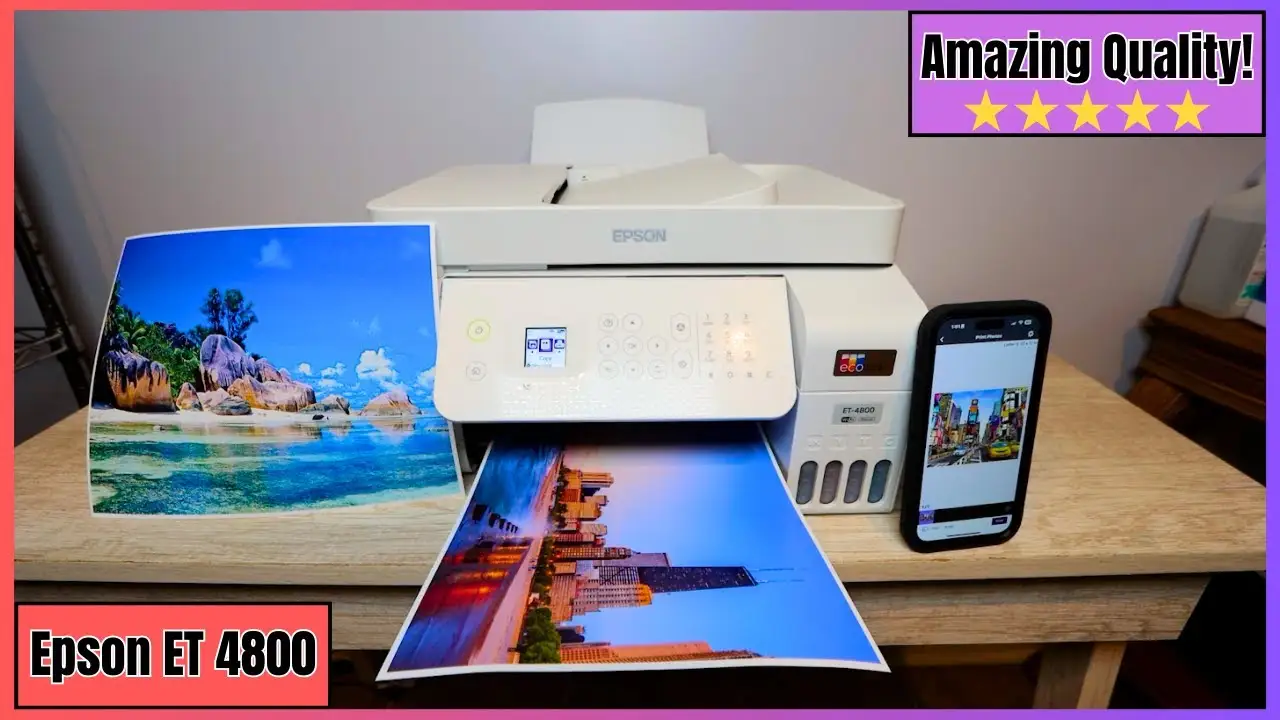
Universally Praised
Digging deeper into user reports, “easy setup” is praised—but usually in the sense of clarity, not speed. People repeatedly credit the app’s step-by-step flow. A Best Buy reviewer wrote: “super easy set up instructions,” and another described the app as hand-holding: “the mobile app walked me through the process… made me feel as though tech support was guiding me.” For less technical households, that guided experience is the difference between returning the printer and getting it running the same day.
The cartridge-free experience is the emotional core for many buyers. If you’re a parent printing schoolwork or a home office printing forms weekly, not having to run to a store for cartridges matters. One Best Buy reviewer said, “love that i no longer have to order cartridges,” and another framed it more broadly as freedom from the usual ink economics: “say goodbye to expensive replacement ink cartridges.”
Print quality also lands as a consistent positive for everyday documents. For users who primarily print reports, invoices, or homework, one reviewer said output is “crisp and sharp on plain paper,” while another called results “razor crisp text page after page.” Even reviewers who admit it’s “a cut below laser” still describe it as “razor crisp to the naked eye,” which is what matters for most home-office reading.
- Most-cited strengths: setup guidance, “no cartridges,” and document print quality.
Common Complaints
One of the most repeated frustrations isn’t that setup is hard—it’s that it takes longer than people expect and can feel mandatory via phone. A Best Buy reviewer summed it up: “took several minutes, longer than i expected. had to use my smartphone… which i did not anticipate.” Another said the process took “almost 30 minutes,” and a separate reviewer pegged it at “about 20 to 30 minutes.” For users expecting plug-and-play, that first impression can sour the experience even if printing later is smooth.
Ink usage during setup is another recurring complaint because it clashes with “years of ink” framing. One reviewer wrote: “set-up process appeared to use up 25% of the ink.” Another complained similarly: “used up so much ink, like the quarter… was gone afterwards.” Even when users understand that priming lines and initializing the head costs ink, seeing tanks drop immediately triggers doubt about page-yield claims.
The maintenance box (waste ink) shows up as a “hidden” ownership detail. A Best Buy reviewer explained the consequence bluntly: “printing is disabled until the box is replaced.” Another user, burned by a previous Epson, worried about being forced into service: “it became completely unusable… when the waste tank ink counter became full.” This concern matters most to long-term owners and anyone wary of “planned obsolescence” narratives.
- Most-cited pain points: longer-than-expected setup, ink consumed during initialization, and maintenance box surprise.
Divisive Features
Connectivity is praised in summaries (“highly rated… for: connectivity”), and many users report smooth Wi‑Fi/AirPrint experiences. One reviewer said their computers “were able to see this printer right away without much headache. airprint is a beautiful thing.” Another reported success printing both “via wifi from my phone and hard wire from my pc.”
But others describe networking as inconsistent, especially with certain home setups. A Best Buy reviewer said, “i had trouble connecting to wifi initially… compatibility with mesh wifi networks.” Another called laptop setup “a nightmare,” trying “wi-fi, ethernet… wps and usb” before it worked after “i restarted my router.” The split suggests the printer can be painless on standard networks, but finicky enough to frustrate users with complex routers or prior-printer driver clutter.
The control interface is also polarizing. Some appreciate the tactile buttons; others find the non-touchscreen design misleading. One reviewer admitted, “the control panel looks like a touchscreen, so i kept hitting it not realizing you need to hit the buttons next to the screen instead.” For users expecting a modern touch UI, that mismatch creates unnecessary friction.
Trust & Reliability
From the available “Trustpilot (Verified)” source, the content provided mirrors the Best Buy review feed rather than distinct Trustpilot narratives. So the most relevant trust signal here is actually the volume and consistency of Best Buy’s corpus: “4.6 out of 5 stars with 111 reviews,” with repeated mentions of “print quality, connectivity, set up.” That breadth matters because it suggests these aren’t isolated edge cases.
Long-term reliability anxiety clusters around waste-ink handling and moving parts. One reviewer praised the replaceable waste solution concept—calling out “a removable ink sponge… you can replace just the sponge,” while another feared the opposite outcome: “too many moving parts… i’m afraid something is going to break.” The durability story is therefore mixed: some see serviceability as improved, others see complexity as risk.
A practical reliability theme emerges for infrequent printers: drying/clog concerns aren’t proven in the data long-term, but users are thinking about it. One reviewer who bought EcoTank to avoid dried cartridges admitted they hadn’t owned it long enough to verify outcomes: “i haven’t owned the printer long enough to verify that the ink won’t dry out, but i’m hoping for the best.”
Alternatives
The only directly mentioned alternative in user feedback is a color laser printer—raised as a different tool for different volumes. One reviewer framed the decision boundary clearly: “the person who prints so office that they would be better served with a color laser printer.” Another echoed the old rule of thumb they used to live by: “go laser,” before changing their mind because the ET-3950’s bottle economics “rivals lasers.”
Within the Epson family, reviewers reference older EcoTank models like the ET‑2720 and ET‑3700 as comparison points. Upgraders call the ET‑3950 “an upgrade,” particularly around paper handling and duplex features, but they also complain about ink incompatibility across models: “different inks for different models… not compatible.” If you’re migrating from an older EcoTank with leftover bottles, that compatibility issue becomes a real switching cost.
Price & Value
On value, the narrative is consistent: the upfront price feels higher than typical cartridge printers, but owners justify it through reduced ink stress and lower cost per page. One Best Buy reviewer said the ET-3950 was “worth the extra,” while another argued it “should be economical to run for a long time.” The “no cartridges” framing repeatedly shows up as a reason buyers accept the initial spend.
Resale and market pricing data appear indirectly through listings: Best Buy shows the ET‑3950 around the low $400s in the provided snippets, while a liquidation/auction listing shows it sold “as is” for “$50.00” against an “msrp $419.99.” That gap is less a resale trend and more a reminder: buying used “as is” can be cheap, but risk is high if ink systems or maintenance counters are involved.
Community buying tips focus on matching the printer to your usage pattern. One reviewer warns against it for very low volume: “the person who prints so seldom that they would never use up the ink.” Another suggests a maintenance habit for irregular printing: “print at least one page in black ink and one color copy every month” to reduce drying risk.
FAQ
Q: Is setup actually “easy,” or is it a hassle?
A: Generally easy, but not always quick. Best Buy reviewers call it “very easy to set up,” yet others say it “took almost 30 minutes” and one didn’t expect to “use my smartphone” to complete it. Expect guided steps and some waiting during ink initialization.
Q: Does the included ink really last “up to 3 years”?
A: It depends heavily on what you print. Some users love the “no cartridges” experience, but multiple Best Buy reviewers noticed setup consuming ink—one said the “set-up process appeared to use up 25% of the ink,” and another felt Epson’s yield numbers were “inflated,” especially for photos.
Q: What is the “maintenance box,” and why do users care?
A: It’s a replaceable container that collects waste ink from cleanings. A Best Buy reviewer warned that “printing is disabled until the box is replaced” when it fills. Some buyers see it as a surprise extra cost; others like that it’s accessible compared to older models.
Q: Is Wi‑Fi reliable, especially on mesh networks?
A: Mixed. Many users praise AirPrint and quick discovery, but one reviewer reported “trouble connecting to wifi initially” and suggested Epson improve “compatibility with mesh wifi networks.” Another only succeeded after restarting their router and cleaning out old printer software.
Q: Is it good for photo printing?
A: Good for casual photos, but not perfect. Reviewers say photos “look great,” yet others note colors can be “not quite right” on default settings and blacks may show a “slight blue cast” on photo paper. Several users recommend changing print quality settings to improve results.
Final Verdict
Buy if you’re a home-office user or busy household that prints regularly and wants to escape cartridge churn—Best Buy reviewers repeatedly praise “no cartridges,” “easy to set up,” and output that’s “crisp and sharp on plain paper.”
Avoid if you print only a few pages every couple of months or you’re highly sensitive to “hidden” running costs—users call out setup ink consumption and the “maintenance box” that can stop printing until replaced.
Pro tip from the community: if you print infrequently, one Best Buy reviewer recommends a maintenance habit—“print at least one page in black ink and one color copy every month”—to reduce the risk of ink drying and unnecessary cleanings.





