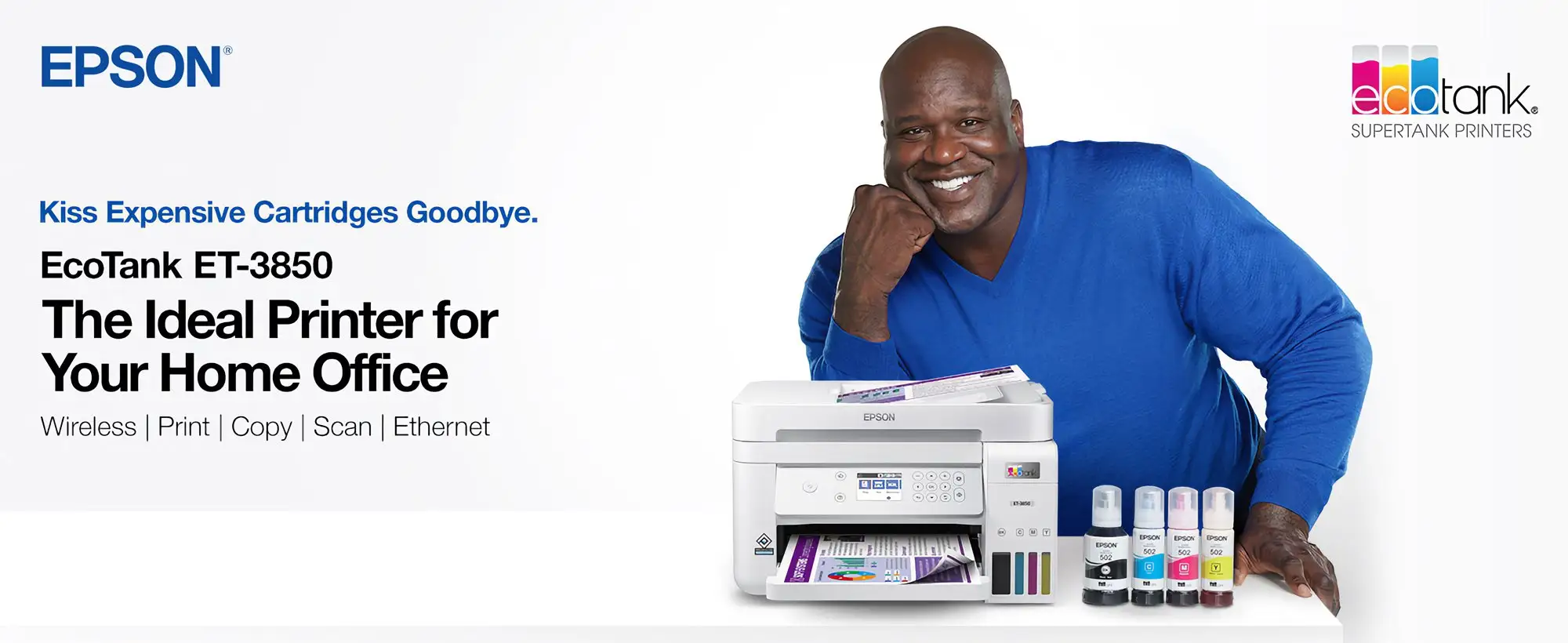
Epson EcoTank ET-3850 Review: Low-Cost Printing Wins
A verified buyer on Amazon summed it up as “each tank is equivalent to 90 regular cartridges, just refill and forget it.” That alone speaks volumes for the Epson EcoTank ET-3850 Wireless All-in-One Supertank Printer, but after collating evidence across multiple platforms, the score comes in at 7.4/10 — a strong value proposition for cost-conscious users, yet marred by connectivity hiccups and a few hardware frustrations.
Quick Verdict: Conditional — great for high-volume, cost-savvy users, but beware of Wi-Fi instability and occasional feeder jams.
| Pros | Cons |
|---|---|
| Exceptionally low ink costs | Wi-Fi connectivity issues reported |
| Mess-free EcoTank refilling system | Unreliable ADF performance |
| Duplex printing speeds adequate for home office | Slow and loud printing for some users |
| Generous 250-sheet paper tray | Below-par photo print quality |
| Easy setup via AirPrint/MacOS for some users | Setup complexity and poor instructions for Windows users |
| Long ink life – years before refill needed | Fragile build and small screen |
| Broad OS/device compatibility | Scan speed below competitors |
Claims vs Reality
Epson markets the ET-3850 as delivering up to 90% savings on printing costs and “up to 3 years of ink in the box.” Digging deeper into user reports, that savings claim holds weight for heavy printers. Staples customer “wonderful” noted: “I bought this printer about 2 years ago and love it. Have not had to add ink—black at about 20% remaining and all colors at 50%.” However, a French PCComponentes reviewer countered: “It’s a lie that it lasts 7,000 pages. A bottle of black ink lasts 2,500.”
Another marketing hook is “hassle-free mess-free refills.” Multiple sources corroborated this — “easy tank install, don’t overthink it, it fills itself,” said one Staples buyer — but others struggled with initial ink setup draining nearly the full included bottles before first use. That’s a nuance not captured in glossy brochures.
Finally, Epson touts the Smart Panel app for easy mobile control. While MacOS/AirPrint setups were praised (“easy set up via AirPrint with my just purchased Mac”), numerous Windows users described “insufficient instructions” and “complex PC configuration,” revealing a split experience depending on platform.
Cross-Platform Consensus
Universally Praised
The standout praise centers on ink economics. Reddit’s Consumer Reports section estimated a total equivalent yearly cost of just $5 for typical ink usage. High-volume home office users benefit the most — one Staples reviewer highlighted saving “$200/year compared to my old inkjet.” With refillable tanks, there’s no cartridge waste, which resonated with environmentally conscious buyers.
The large 250-sheet input tray earns consistent plaudits. PCComponentes feedback praised both capacity and convenience for “long uninterrupted print runs,” a boon for small offices and schools printing bulk jobs. Duplex printing also ranked high for efficiency, particularly for report-heavy workloads. One French user noted, “It turns the pages all by itself to print on both sides.”
The device’s versatility — being a combined printer, scanner, copier — appealed to households consolidating devices. A Staples review called it “new office printer — easy to use, price was good,” showing its accessibility for general consumer needs.

Common Complaints
Connectivity woes dominate negative feedback. “Connectivity to Wi-Fi is horrible. Sometimes it works, sometimes not. Usually it says printer is offline,” lamented a Staples buyer. Mac users occasionally avoided this pitfall, but many Windows and mixed-network households experienced intermittent dropouts and tedious setup.
Hardware fragility surfaced repeatedly. PCComponentes users mentioned “construction fragile” and “rear tray terrible,” echoing frustrations about paper guides and feeder alignment. The 30-sheet automatic document feeder (ADF) drew complaints for jams: “Junk feeder jams almost every time,” reported one Staples review, particularly affecting users relying on batch scanning.
Performance speed is a sticking point for impatient users. While ISO test speeds match marketing claims (15.5 ppm mono), actual user perception skews negative — “printer is slower and louder than our previous one” and “so slow you will think it isn’t working only to find an hour later something has printed” illustrate the gap between specs and lived experience.
Photo quality expectations should be tempered. Consumer Reports testing placed it “near the bottom rung among inkjet printers in photo quality,” impacting aspiring home photographers more than document-focused buyers.
Divisive Features
The small 2.4-inch tilt color display drew split opinions. Some called it “very appreciated,” while others labeled it “ridiculous and difficult to read.” Those operating complex scanning workflows found the limited UI a bottleneck, whereas casual print users shrugged it off.
The Smart Panel app similarly polarized experiences. For tech-comfortable mobile users, it enabled straightforward remote printing. Yet “won’t connect to Apple” complaints surfaced alongside incompatibility gripes, indicating firmware and software support still needs maturation.
Trust & Reliability
Long-term reliability paints two contrasting stories. On one end, multi-year owners report zero issues — “It’s been the best printer I’ve had so far with only one feeding hiccup” from a Staples refurb buyer, and “zero problems” from others. On the other, serious failures emerged within months: loss of black printing (“printing in blue until I can do better”), escalating to maintenance box replacement without success.
Trust in Epson’s support is mixed. One Staples customer recounted “non-stop paper jams” followed by a defective replacement and refusal to send another, describing “terrible customer service, they don't stand by their products.” Such anecdotes dent confidence for mission-critical environments.
Alternatives
HP frequently surfaces in user comparisons. One Staples buyer bluntly concluded “HP rules” when replacing their jam-prone ET-3850, citing better reliability despite higher ink costs. This positions the Epson as superior for long-term savings but riskier for trouble-free operation. No other brand in the dataset appears as a recurring alternative, underscoring HP’s reflexive presence in consumer minds when Epson disappoints.
Price & Value
Current markets show new units in the $279–$317 range on eBay, with refurbished options dipping to $199. Amazon’s historical listing hovered at ~$335. Given the ultra-low running cost, buy-in is recouped quicker for heavy printers. Community buying tips stress grabbing Costco bundles for extra black ink bottle included. Resale values hold moderately — open-box units still fetch ~$249, signaling steady demand.
FAQ
Q: How long does the included ink last?
A: Heavy document-only users report 2–3 years before refills, but some estimate lower page yields than marketing, especially for high-coverage prints.
Q: Can I set it up easily on Wi-Fi?
A: Experiences vary — Mac/AirPrint setups are quick, while some Windows users find instructions lacking and connectivity unstable.
Q: Is photo printing good?
A: For casual use, yes, but Consumer Reports ranks it below most inkjets in glossy photo quality — not ideal for professional photography.
Q: Does the feeder jam often?
A: Reports show occasional to frequent ADF jams, particularly with multi-page jobs; ensure paper is aligned and feeds cleanly.
Q: What’s the main advantage over cartridge printers?
A: Dramatically lower ink costs and reduced waste — refilling tanks instead of buying new cartridges saves up to 90% over time.
Final Verdict: Buy if you’re a high-volume home office or school user prioritizing low running costs over speed and photo quality. Avoid if you demand flawless wireless reliability or have heavy scanning/ADF needs. Pro tip from the community: set up via USB first to bypass Wi-Fi headaches, then configure mobile printing once the driver works.





