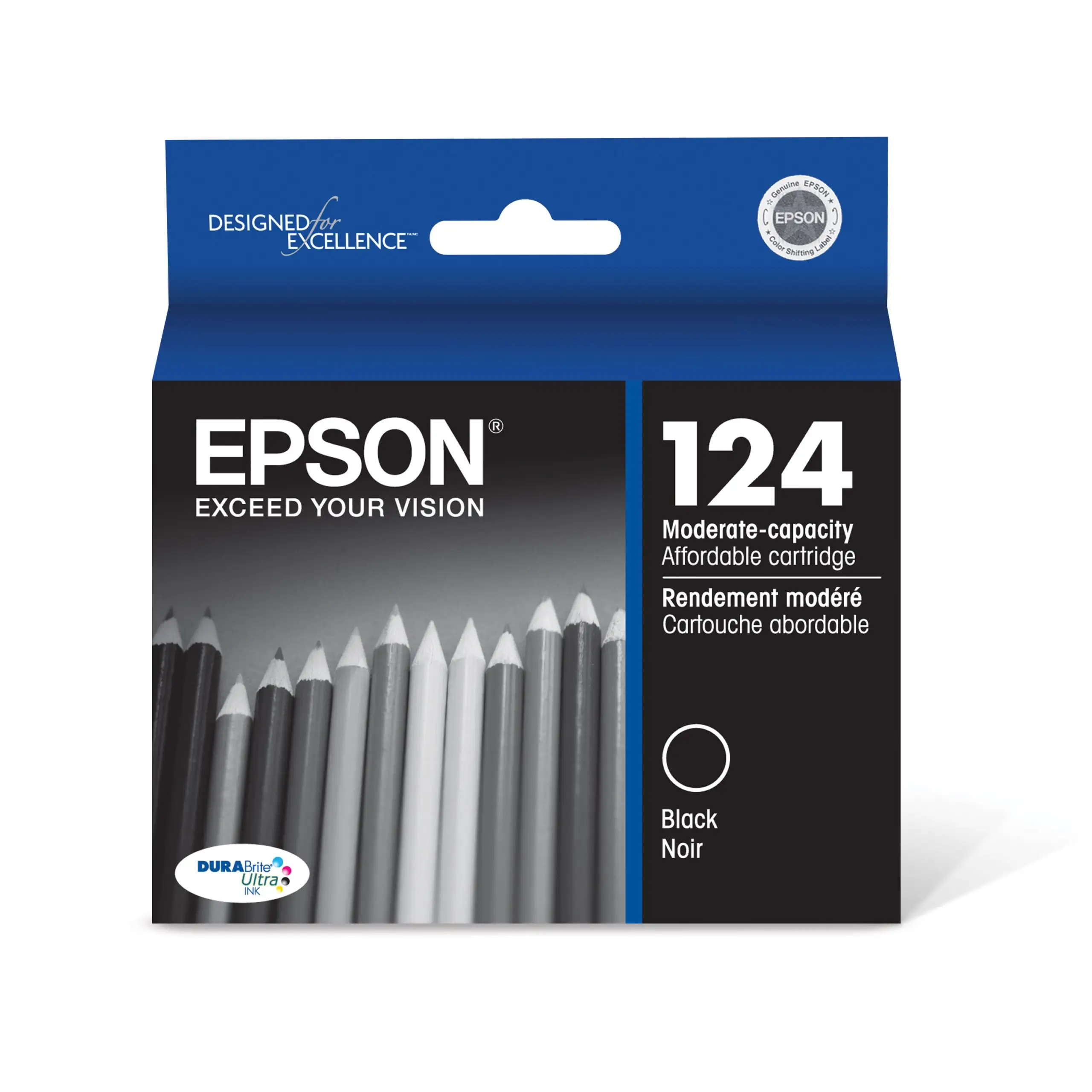
Epson DURABrite Ultra 288 Ink Review: Strong Buy Verdict
A verified Best Buy buyer summed it up simply: “Super awesome, wonderful, fantastic — does the job and does it great.” The EPSON DURABrite Ultra Ink Black Cartridge Pack (T288120-D2) consistently earns high marks, with average ratings hovering between 4.6 and 4.9 stars across multiple platforms. Based on cross-platform feedback, this ink delivers sharp, smudge-resistant prints at a reasonable price, but isolated reports reveal potential issues with yield consistency and manufacturer lock-in. Overall score: 8.8/10.
Quick Verdict: Conditional buy — excellent for regular home and office printing, but low tolerance for non-genuine ink users or infrequent printing.
| Pros | Cons |
|---|---|
| Sharp, bold black text | Occasional low-yield complaints |
| Smudge-, fade-, and water-resistant | Price higher than some third-party options |
| Long cartridge life for most users | Manufacturer lock-in frustrates some buyers |
| Easy installation | Dried ink possible with infrequent use |
| Compatible with multiple Epson Expression printers | Delivery delays reported by few customers |
| Consistent output quality | Printer stops printing if any cartridge is “empty” |
Claims vs Reality
Epson advertises DURABrite Ultra ink as producing “laser-sharp text” and “instant-dry” prints resistant to fading, smudging, and water damage. User experiences largely confirm these promises. A Best Buy reviewer shared: “Great ink and it lasts for a while and it is very clear — doesn’t smudge.” Office Depot reviews also praise its “brilliant results on plain and glossy photo paper.”
The brand claims yields “up to 175 pages” for standard capacity, but this is where expectations can clash with reality. Walmart buyer feedback includes a 1-star warning: “It needed to be replaced after 7 pages… horrible quality and expensive cost for 7 pages.” These incidents are rare but point to variability in yield outcomes, potentially tied to usage patterns or printer maintenance.
Another marketing pillar is longevity of stored prints. Users who regularly store printed documents validate this — one Walmart reviewer noted, “They last pretty well as far as color, fade, longevity… doesn’t smear on the page.” However, those who print infrequently sometimes encounter dried ink due to idle printer periods, contradicting the “instant-dry” benefit in practical terms.
Cross-Platform Consensus
Universally Praised
Whether on Best Buy, Walmart, or Trustpilot-linked reviews, the dominant narrative celebrates print quality. Strong, clean lines and consistent black density benefit home offices, schoolwork, and document-heavy workflows. A repeat Best Buy customer explained: “I print a lot in black… the black ink seems to last a good amount of time!” For those who produce archival-quality prints, the water and fade resistance offers peace of mind — art students and photographers note smudge-proof handling as key to portfolio presentation.
Ease of installation is another point of universal praise. “Works well and very easy to replace new with old,” wrote one verified Best Buy buyer. This lowers downtime in workplaces where quick cartridge changes are critical, such as admin desks or small business front offices.
Common Complaints
Page yield inconsistencies surface in multiple channels. While most customers reach or surpass expected capacities, several Walmart and Trustpilot-linked buyers report drastically reduced output, sometimes under 20 pages. For low-frequency printers, dried ink and repeated print head cleanings consume significant ink. “Shipping was delayed… 13 times cleaning the print head and now I’m low on ink again,” recounted a frustrated Walmart customer.
Manufacturer lock-in is another sore spot. One Walmart reviewer called Epson “my big brother nightmare” — describing chip-controlled cartridges that prevent printing in black if a color cartridge runs dry, an inconvenience for users focused solely on monochrome output.
Divisive Features
Price perception varies widely. Best Buy members and sale hunters often call the pricing “reasonable” or “a very good deal” during events. Conversely, some Walmart feedback considers it “higher than I like,” especially for those accustomed to cheaper third-party cartridges. The tension lies in Epson’s warranty conditions, which explicitly warn against non-genuine inks, making alternatives risky for warranty-minded owners.
Trust & Reliability
Trust sentiments lean positive, particularly among long-time Epson users. “Epson is a brand name I trust. I use only their products and have no regrets,” shared a loyal Best Buy customer. Multiple accounts describe owning the same printer for years with consistently reliable cartridge performance.
Yet skepticism appears in isolated Walmart posts questioning whether low-ink warnings are accurate or artificially triggered to boost sales. Reports of delayed shipping and possible dried ink upon arrival raise mild reliability concerns, but these are not widespread.
Alternatives
Some comments reference moving away from discount ink after printer malfunctions — suggesting that while competitors exist in the aftermarket space, reliability issues push buyers back to OEM. No direct brand competitor was named in the provided feedback, but the conversation often contrasts Epson genuine cartridges with generic replacements: genuine inks are credited with eliminating clogs and compatibility errors common in cheaper options.
Price & Value
Prices vary by retailer — Best Buy lists the 2-pack at around $24.99 for members, with Walmart offering singles near $12.99, while eBay sellers range from $19.99 to $36.24 depending on pack size and shipping. Resale trends show stable value, reflecting steady demand for genuine Epson cartridges in compatible printer models.
Tips from regular buyers include monitoring major sale events (Black Friday, clearance promos) and joining retailer memberships to lock in better rates. A Best Buy reviewer highlighted this strategy: “Genuine Epson ink at a better price when you have a membership.”
FAQ
Q: Does the Epson DURABrite Ultra 288 yield 175 pages consistently?
A: While many users meet or exceed 175 pages, some report lower output, occasionally under 20 pages. Printing habits, maintenance, and printer settings can affect yield.
Q: Will using third-party ink damage my printer?
A: Epson warns that non-genuine ink could cause damage not covered by warranty. Several users experienced malfunctions with discount inks and switched back to genuine cartridges.
Q: Is this ink good for double-sided printing?
A: Yes. Many users confirm no bleed-through, thanks to pigment-based ink that adheres to the paper surface — ideal for duplex printing in office settings.
Q: How quickly does the ink dry?
A: For active printers, users describe near-instant drying. Infrequent printers may encounter dried ink in the cartridge over time, requiring head cleaning.
Q: Does the printer refuse to print if color cartridges run empty?
A: Some buyers report that even black-only jobs halt if any color cartridge is depleted, due to Epson’s chip-controlled systems.
Final Verdict: Buy if you prioritize print quality, smudge resistance, and OEM reliability — especially for regular, high-volume document printing. Avoid if you seek rock-bottom pricing or print infrequently enough for ink to dry out. Pro tip from community: Join retailer membership programs and stock up during promotions to offset costs.