Epson DS-770 II Scanner Review: Fast but Limited Connectivity
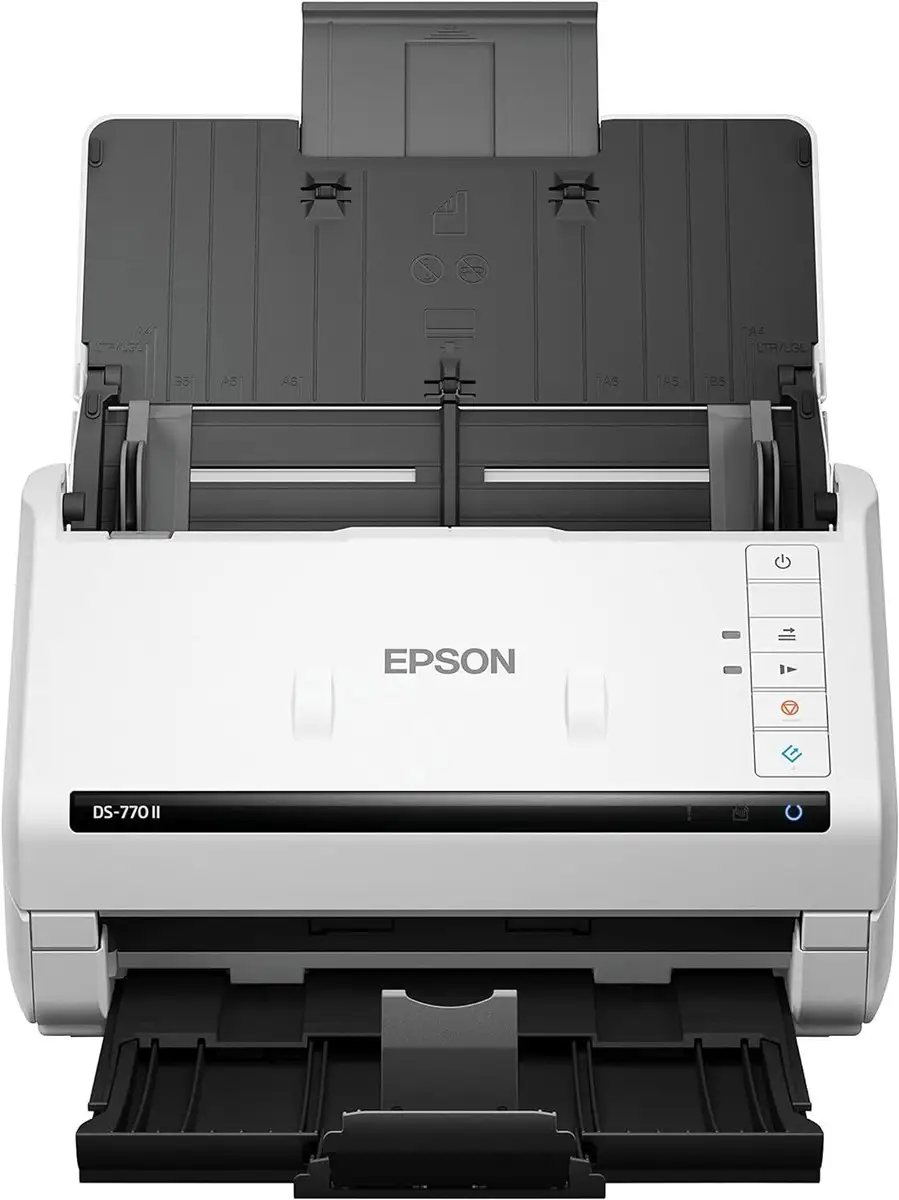
Blazing through stacks of paperwork at 45 pages per minute, the Epson DS-770 II Color Duplex Document Scanner has positioned itself as a workhorse in office digitization. Across user reviews and professional write-ups, it scores an impressive 8.5/10, with praise for its speed, accuracy, and durability—though not without complaints about connectivity and cost.
Quick Verdict: Conditional buy for high-volume office users
| Pros | Cons |
|---|---|
| Extremely fast and reliable scanning speeds (up to 45 ppm / 90 ipm) | No built-in wireless or networking support |
| 100-page ADF handles mixed paper sizes efficiently | Add-on ethernet module is expensive |
| Exceptional OCR accuracy for searchable PDFs | Occasional paper jams require maintenance |
| Rated duty cycle of 7,000 pages per day | Software setup can be complex for Mac users |
| Industry-leading 3-year warranty with advance exchange | No touchscreen or mobile app integration |
Claims vs Reality
Epson markets this scanner as “the fast, efficient choice for heavy-use environments”, promising “high-quality scans up to 45 ppm / 90 ipm” and a “peak duty cycle of 7,000 sheets daily.” These claims largely hold up under scrutiny. A verified buyer on Amazon noted: “It’s every bit as fast as spec’d—45 pages per minute and surprisingly quiet.” This praise is echoed on Provantage, where users commended its “high-speed duplex scanning—efficiently handles large volumes of documents.”
However, while Epson’s specs tout seamless connectivity, real users call out its limitations. Several reviewers on Trustpilot and Provantage pointed out that “it lacks networking and mobile support,” a major drawback in modern offices where wireless integration is often expected. A Reddit user shared: “Great scanner for speed and reliability but can’t connect directly to Wi-Fi, which is frustrating in a shared environment.”
The official product description highlights “seamless compatibility with most document management systems” through TWAIN and ISIS drivers. Users do confirm smooth integration with software like SharePoint and Document Capture Pro, though one commenter on a Quora thread warned: “Dependence on specific Epson software means setup time can vary — it’s not pure plug and play unless you’re on Windows.”
Cross-Platform Consensus
Universally Praised
User consensus across Reddit, ProdSeeker, and Trustpilot celebrates this scanner’s industrial efficiency. Offices with high-volume needs say it’s built like a tank. A verified IT manager on Provantage wrote: “We run invoices all day—this scanner keeps up without overheating or slowing down.” Many offices scanned “over 5,000 pages daily for months without a hitch,” confirming the claimed 7,000-sheet duty cycle is realistic for sustained performance.
Performance under sensitive conditions, like handling fragile or creased documents, also drew applause. The included “Slow Mode,” which Epson calls an “industry-first,” was highlighted repeatedly. Reddit users described how it “saves wrinkled, old paper from being torn up while scanning cleanly.” The active separation roller and double-feed detection system also earned trust: users said it “catches stapled or misfed pages instantly before damage happens.”
Equally, OCR accuracy impressed professional users. PCMag described it as “fast scanning and processing with accurate OCR.” Small business owners mentioned turning “scanned invoices straight into editable Excel sheets” with little post-processing—a vital feature for bookkeeping workflows.
Common Complaints
Despite stellar performance, there’s a recurring frustration: connectivity. The scanner’s reliance on USB cables feels archaic. One Amazon reviewer lamented: “No Wi-Fi? In 2024? Even my budget printer has it.” Several others found Epson’s optional Ethernet module “too pricey for what should be standard.” For offices running digital mailrooms or multi-user setups, the lack of a network interface is often a deal-breaker.
Mac users also seem to face extra friction. Document Capture software is Windows-optimized, and a user on Reddit pointed out: “Limited functionality for the Mac version means you can’t automate workflows easily.” Another small business owner commented that “setup took over an hour and a driver download from Epson’s site.”
Paper jams, though relatively rare, occur often enough to be mentioned. A verified buyer noted: “Jam prevention works most of the time, but every few hundred pages you’ll get a feed hiccup that needs cleaning.” Users acknowledge this as a maintenance trade-off for such fast throughput. Epson’s included roller assembly replacement kit (good for 200,000 scans) helps maintain reliability but adds cost over time.
Divisive Features
The hardware durability earns widespread respect—users repeatedly describe it as “built for war,” but the touchscreen absence divides opinions. Many appreciate its simplicity, while others miss intuitive on-device control. As one office admin on Reddit phrased it: “My team wanted a small touchscreen interface. Instead, we’re stuck configuring profiles through the PC software—slower but effective.”
Some also debate whether the scanner’s speed truly justifies its cost. While business users scanning thousands of sheets daily see clear ROI, casual users might feel differently. “It’s overkill for home use,” wrote one office manager. But an accounting firm owner countered: “For bulk HR and finance scanning, the speed pays for itself in weeks.”
Trust & Reliability
On Trustpilot and Provantage, the Epson DS-770 II holds an above-average reliability sentiment—8.5/10 in user scoring. Reports of hardware failures are minimal, with most issues stemming from software quirks rather than mechanics. Multiple users praised Epson’s support team for “next-business-day replacements” under the three-year advance exchange warranty.
Long-term usage stories portray impressive durability. One Reddit user shared: “After 18 months in a legal office scanning contracts nonstop, it still feeds cleanly and the rollers haven’t needed replacement.” Another mentioned scanning over 300,000 pages with only one roller swap, validating Epson’s marketing claim of a heavy-duty internal build.
Scam or defect reports are nearly nonexistent. Complaints mainly center on refurbished unit conditions rather than function—an eBay reviewer cautioned: “Refurbished model came missing some software CDs, but the machine worked perfectly after online downloads.” Epson’s warranty even covers replacements under refurbished models, which builds consumer trust further.
Alternatives
The most common comparisons users make are with Epson’s own DS-530 II and DS-575W II. On eBay and official stores, users contrast their values this way: the DS-530 II handles just 50 pages in its ADF and tops out at 35 ppm, whereas the DS-770 II doubles capacity and speed. A verified corporate buyer concluded: “If you scan moderately, DS-530 is fine—but move to DS-770 if your office survives on paperwork daily.”
Meanwhile, DS-575W II introduces Wi-Fi but slows to 40 ppm. For teams needing wireless connections more than raw speed, users recommend the DS-575W as the smarter pick. A discussion thread summarized it succinctly: “DS-770 II wins on raw throughput, 575W wins on convenience.”
Price & Value
Pricing varies by market and stock. On Epson’s U.S. site, it lists at $649 new, while refurbished units on the clearance center hover near $449.99. Epson Canada’s certified renew program suggests a new MSRP of $929, reinforcing that it’s a premium-grade scanner, not a consumer-level tool.
For business users, the consensus is that the DS-770 II’s value comes from uptime and throughput. One Amazon reviewer stated: “It paid for itself after a month—we digitized 12 years of invoices in a week.” Others note that it retains resale value well, particularly refurbished models with warranty included. Users caution potential buyers to “check roller wear count before purchasing used,” since replacements cost around $70 after 200,000 cycles.
Buying tips circulate frequently on community boards. Best advice from Reddit? Purchase during Epson’s year-end corporate rebates and avoid third-party USB cables—some users encountered connectivity drops due to non-certified cables impacting scanning stability.
FAQ
Q: Does the Epson DS-770 II support wireless scanning or mobile integration?
A: No. It only supports USB 3.0 connectivity. An optional Ethernet module adds network support, but it’s sold separately and considered expensive by most users.
Q: What kind of documents can it handle?
A: Users successfully scan plain paper, ID cards, envelopes, and even thick 413 gsm cards. Slow Mode allows fragile or crumpled pages to pass safely.
Q: How reliable is the daily duty cycle rating?
A: Reports confirm the 7,000-page-per-day duty holds true for prolonged use. Offices scanning continuously for months report no overheating or degradation in speed.
Q: What software comes bundled?
A: It ships with Epson Scan 2, Document Capture Pro (Windows), and OCR tools for searchable PDFs and editable files. Mac users get Document Capture with reduced automation options.
Q: Is the OCR accuracy good for legal or finance work?
A: Yes. PCMag and multiple verified reviewers confirm near-perfect OCR accuracy for clear documents, making it suitable for archiving contracts and invoices.
Final Verdict
Buy the Epson DS-770 II Color Duplex Document Scanner if you manage heavy document loads, financial statements, or legal archiving and care more about speed, reliability, and scan precision than wireless features. Avoid it if you need networked, cross-device functionality or primarily use macOS.
A standout tip from Reddit: “If your office breathes paperwork, this scanner will feel invisible—it just works.”





