EPSON 822 T822XL420-S Review: Conditional Buy 7.8/10
A buyer trying to refill the cartridge summed up the sticker shock in one sentence: “if they co ukd be refilled i would have done it by now as the ink is expensive.” EPSON 822 DURABrite Ultra Ink High Capacity Yellow Cartridge (T822XL420-S) earns a conditional verdict because the official “high-yield” story is clear, but real-world ownership comes with printer-behavior quirks and cost friction. Verdict: Conditional buy — 7.8/10.
Quick Verdict
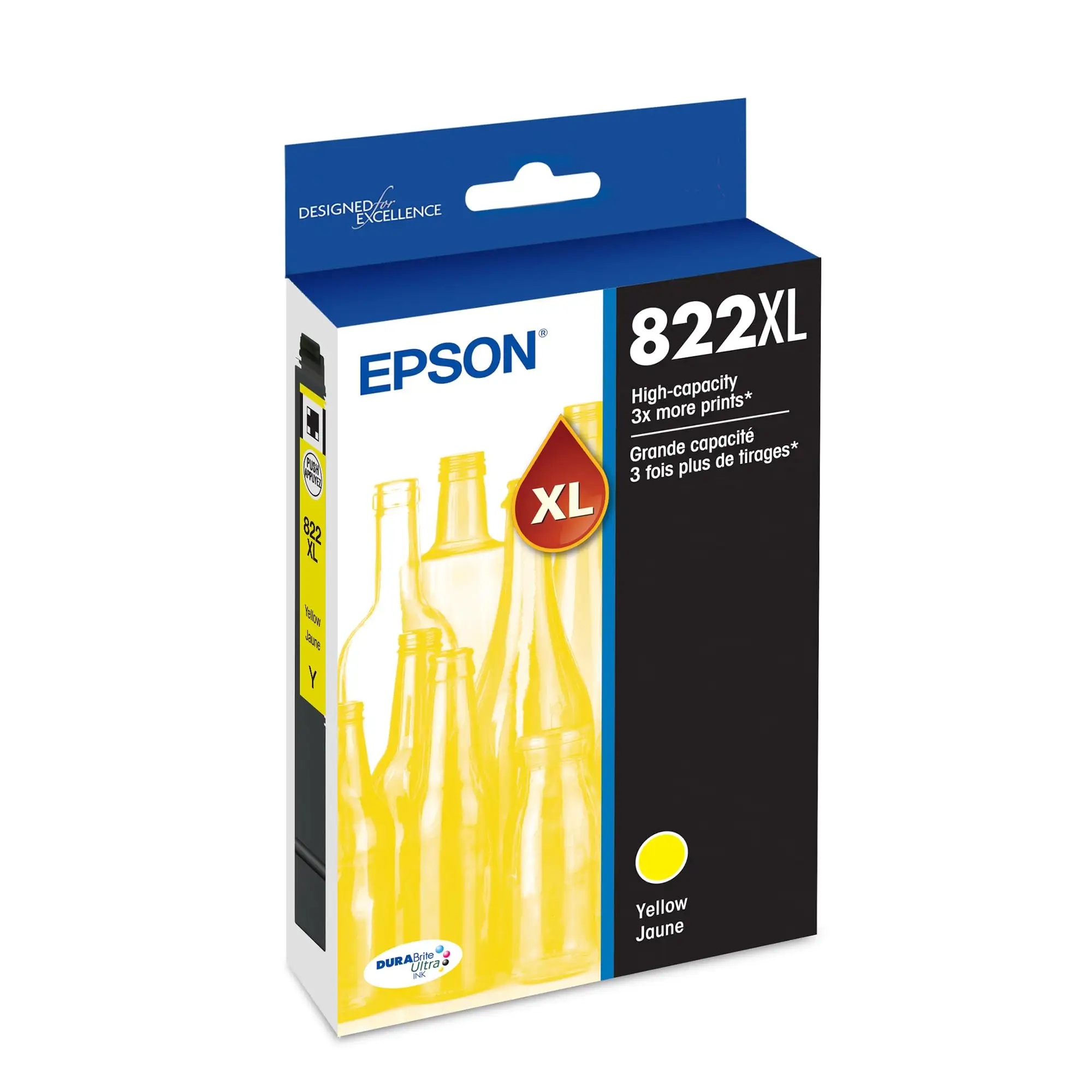
For owners of supported WorkForce Pro models, EPSON 822 DURABrite Ultra Ink High Capacity Yellow Cartridge (T822XL420-S) is a straightforward OEM option with an advertised “up to 1,100 pages” yield. The practical value hinges less on whether the cartridge prints well—and more on whether your workflow tolerates OEM pricing, limited refill expectations, and the way Epson’s ink system maintains the printhead.
A frequent thread in Q&A discussions is not print quality, but ownership mechanics: whether you can swap only what’s empty, whether ink “goes bad” if you print infrequently, and whether color gets used even on black-only jobs. Those questions shape the day-to-day experience more than any marketing line about “print-shop-quality results.”
| Verdict Area | What feedback suggests | Who it’s for |
|---|---|---|
| Compatibility clarity | Multiple sources list the same compatible printers (WF-3820/3823/4820/4830/4833/4834) | WorkForce Pro owners verifying fit |
| Yield expectation | Officially “up to 1,100 pages” (ISO/IEC basis) | High-volume office/home office printing |
| Maintenance behavior | Color ink may be used to keep printhead charged | Mostly-black printers who want zero color use |
| Replacement experience | Users report changing only the cartridge that’s low | People who dislike replacing full sets |
| Refill viability | At least one buyer believes refilling isn’t practical | Budget users hoping to refill OEM carts |
| Longevity sitting idle | One long-time buyer reports ink didn’t “go bad,” occasional cleaning needed | Low-volume printers (5 pages/month) |
Claims vs Reality
Claim 1: “High-yield… page yields up to 1,100 pages.”
The official story is consistent across retail listings: the yellow T822XL420-S is positioned as “high capacity” / “high yield,” repeatedly described as delivering “page yields up to 1,100 pages.” Best Buy’s Q&A (answered by Epson) also frames the T822XL set as producing “approximately 1,100 black and 1,100 color iso pages,” based on ISO/IEC 24711 testing.
Digging deeper into real user questions, the bigger “reality gap” isn’t whether 1,100 pages is plausible under lab conditions—it’s whether your printing patterns resemble those conditions. People printing “about 5 pages per month” worry about waste and degradation over time, asking whether a larger cartridge will “go bad” before it empties. One Best Buy shopper responded with a long-term ownership story: “i have bought these cartridges for over 6 years… i have never had the ink go bad,” but added that infrequent use sometimes causes “irregular printing,” solved by running “an ink head cleaning… once, i had to do that two times in a row.”
Claim 2: “Fast-drying pigment ink… sharp text, bright colors.”
Retail copy repeatedly emphasizes “fast-drying pigment ink” and “sharp text” / “bright colors.” While the dataset here doesn’t include detailed review narratives describing color vibrancy on finished prints, it does contain a recurring owner concern that indirectly challenges the “just buy it and forget it” pitch: maintenance cycles. The same long-term Best Buy buyer noted occasional irregular output when printing very little, implying that even if the ink formulation is designed for speed and crispness, real-world results can still depend on periodic cleaning.
Claim 3: “Designed to be used exclusively with Epson genuine cartridges.”
Epson’s own messaging is firm: “designed to be used exclusively with epson genuine cartridges,” warning non-genuine ink “could cause damage not covered under the printer’s limited warranty.” In user-facing Q&A, the practical interpretation becomes less about legal language and more about what you can actually do to lower costs. A buyer on Best Buy’s Q&A thread offered a blunt perspective on refilling: “im pretty confident they cannot be refilled… if they co ukd be refilled i would have done it by now as the ink is expensive.” For budget-focused users, that’s the lived “reality” behind the exclusivity claim: OEM ownership often means accepting OEM pricing.
Cross-Platform Consensus
Universally Praised
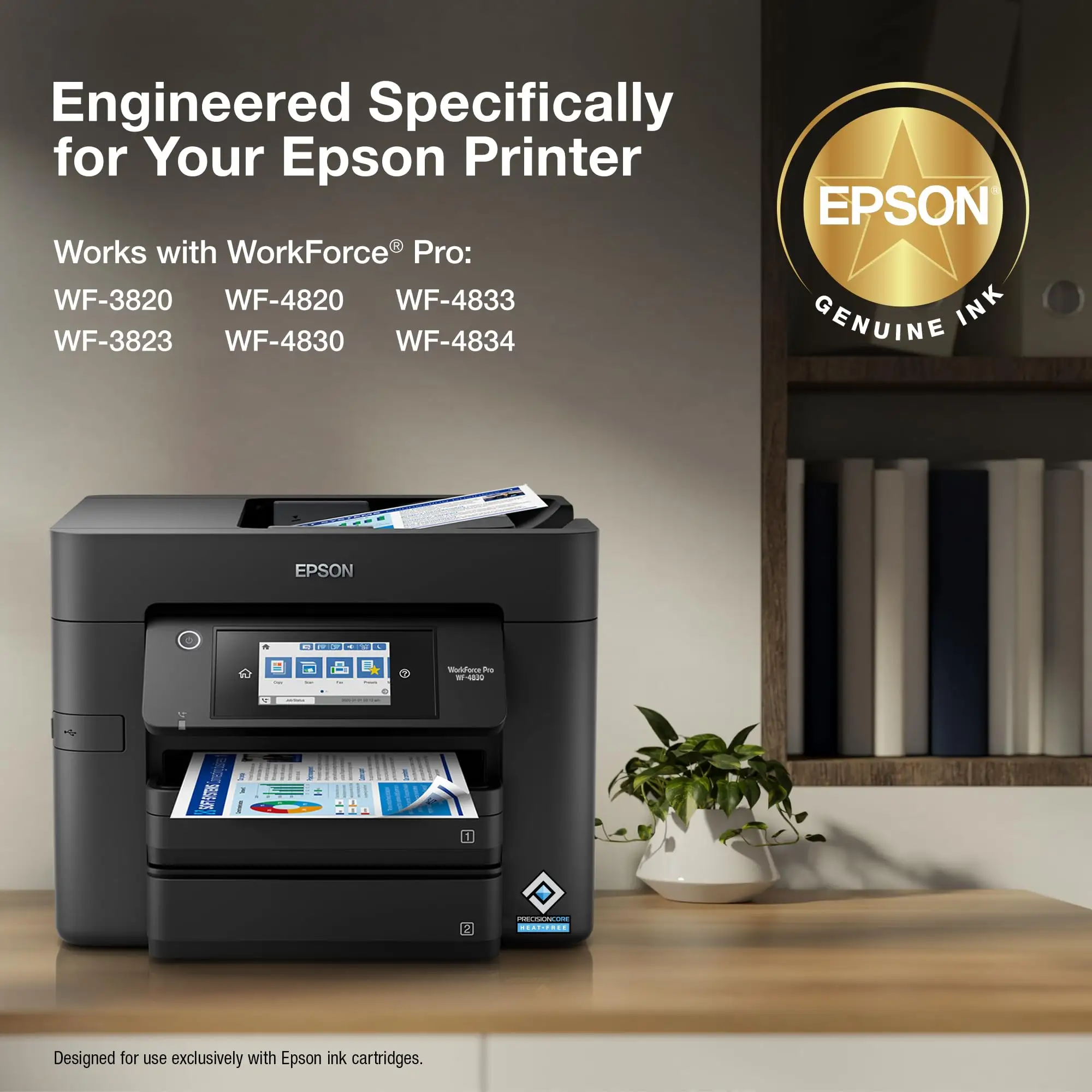
A recurring pattern emerged around EPSON 822 DURABrite Ultra Ink High Capacity Yellow Cartridge (T822XL420-S) being easy to buy with confidence if you own the right printer family. Across product listings, the compatibility set repeats: WorkForce Pro WF-3820, WF-3823, WF-4820, WF-4830, WF-4833, and WF-4834. For busy home offices that can’t afford trial-and-error, the “this is the right cartridge” clarity matters as much as print performance. In Best Buy Q&A, one shopper asked directly: “this ink cartridges compatible with wf - 4833 ?” and Epson replied: “yes, the wf-4833 is compatible with epson t822 and t822xl ink cartridges.”
Another consistent “praise” is less emotional and more operational: the system supports swapping cartridges individually rather than replacing a full set. That’s the kind of detail that becomes a relief story for anyone who prints unevenly across colors. A Best Buy respondent described the experience: “i only need to change the cartridge that the printer shows is low on ink… you only change individual cartridges that are out of ink.” For small businesses printing mostly text with occasional color charts, that can reduce the annoyance of tossing partially used supplies.
Longevity for low-volume users also shows up as a quiet win—provided you’re willing to run maintenance when needed. A shopper who prints “5 pages per month” asked whether ink would go bad over long idle periods. A long-time user answered: “i have never had the ink go bad,” and framed the workaround for occasional quality issues: “i simply have the printer run an ink head cleaning… the printer then prints clearly and the ink is just fine.” For infrequent printers, the story isn’t “perfect forever,” but “recoverable when it acts up.”
Common Complaints
The most pointed frustration in the dataset centers on cost and the perceived lack of refill options. Instead of a long rant, the sentiment arrives as a resigned admission that speaks to many inkjet owners: “if they co ukd be refilled i would have done it by now as the ink is expensive.” For families or small offices on tight budgets, “high yield” can still feel like high burn-rate spending when OEM prices stack up across four colors.
A second, more technical complaint isn’t framed as anger, but as a recurring worry: whether Epson printers consume color ink even for black-only printing. One user asked directly if the WF-4820 “need or use ink from the color cartridges when printing only b&w text,” mentioning they’d “read some complaints.” Epson’s response explains the behavior: “even when you are printing black text only, a small amount of color ink is used to keep the print head charged.” For black-heavy users—law offices, students, anyone printing forms—this can feel like a hidden tax, because it means a yellow cartridge may deplete even when you rarely print yellow-heavy documents.
There’s also a subtle reliability concern embedded in Q&A: recognition and compatibility hiccups can happen even when buyers think they bought the right series. One Best Buy shopper said: “i just replaced the ink cartridges with the t822 ink… it does not recognize the ‘t’ series cartridge. why is that? is it not compatible?” Epson’s reply was to contact support if the cartridge is genuine, signaling that failures to recognize can occur and may require troubleshooting rather than a simple swap-and-go.
Divisive Features
The most divisive “feature” is Epson’s printhead maintenance design—some accept it as smart engineering, others see it as unnecessary ink usage. Epson’s explanation is explicit: a “permanent print head… needs to be charged with all colors,” and color is used “preventing air bubbles… [that] can damage the print head.” For users who prioritize printhead longevity and fewer catastrophic failures, that rationale can sound reasonable.
But for people who bought into the idea of “printing mostly black to save money,” the same design can feel like a contradiction. The question itself—“does the… printer… use ink from the color cartridges when printing only b&w text?”—captures the distrust: owners want black-only to mean black-only. In practice, the cartridge system ties your costs to all colors, even if yellow is rarely part of your documents.
Trust & Reliability
Digging deeper into buyer behavior, the dataset shows trust being built more through long-term anecdotes than through promises. The clearest durability story comes from Best Buy Q&A, where one customer said: “i have bought these cartridges for over 6 years.” Their experience wasn’t that problems never happen; it was that issues are manageable: occasional “irregular printing” resolved by “ink head cleaning” once or twice.
At the same time, there’s a reliability anxiety around edge cases—like cartridges not being recognized. The user who reported their printer “does not recognize the ‘t’ series cartridge” received a support-directed answer from Epson. For business users, that kind of interruption matters: even if it’s rare, a single “not recognized” episode can derail a deadline, pushing people to buy only from trusted retailers or keep a spare.
Alternatives
No clear competing cartridge brands are mentioned in the provided user feedback—most of the discussion is locked onto genuine Epson cartridges and whether “other brands… are not compatible,” as Epson stated in Best Buy Q&A: “other brands of ink cartridges… are not compatible, and even if described as compatible, may not function properly.” Because the data doesn’t name specific third-party competitors, alternatives here are mostly about format choices within Epson’s ecosystem.
One practical alternative raised by users is mixing capacities: using XL for black and standard for colors (or vice versa) depending on usage. A Best Buy shopper asked: “can i use the xl for black and the basic for the color cartridges?” A user replied: “yes… i am using one now.” For households that print mostly black but occasionally need color, that hybrid approach can reduce upfront spend while still leaning on XL where it matters most.
Price & Value
Retail pricing varies widely across sources, and that volatility shapes the value conversation more than print performance does. The Epson US listing shows the yellow cartridge at $29.49 in one scrape, while another Epson page shows $35.19. A third-party seller listing shows $44.76 “+ free shipping” and “out of stock,” and a Staples listing shows $32.79 with “1100 pages” highlighted. The spread alone suggests that timing and retailer choice can meaningfully change your cost per page.
Resale and secondary-market value appears inconsistent as well. One auction-style listing showed the cartridge selling for $1.65 in a completed auction context, implying that on liquidation channels, ink can be dramatically cheaper—though condition, authenticity certainty, and return policies can be different from buying direct.
Community buying tips are mostly implied through the questions people ask: verify your printer model (WF-3820/3823/4820/4830/4833/4834), consider whether your printing habits will trigger cleanings, and recognize that even “black-only” workflows may still consume color ink. If your office prints heavily and predictably, the high-yield SKU can match the “fewer interventions” promise; if you print sporadically, the value story becomes about maintenance tolerance as much as page yield.
FAQ
Q: What type of ink is used in these cartridges?
A: Epson says the T822XL cartridges use DURABrite Ultra ink, described as “a fast-drying pigment ink designed for high-speed print jobs” (Best Buy Q&A, Epson answer). This aligns with multiple retail descriptions emphasizing pigment-based, quick-drying ink for sharp text and bright color output.
Q: Are these ink cartridges high yield, and what’s the page yield?
A: Yes—Epson and multiple retailers position T822XL as high-yield/high-capacity. Epson states ISO/IEC 24711 yields of about “1,100… pages” for T822XL (Best Buy Q&A, Epson answer). Retail listings also repeat “up to 1,100 pages,” though real results depend on print coverage and maintenance cycles.
Q: Will my Epson printer use color ink when I print black-only text?
A: Epson says yes—“a small amount of color ink is used to keep the print head charged,” even on black text (Best Buy Q&A, Epson answer). This matters for black-heavy users because yellow/cyan/magenta may still decrease over time due to maintenance needs.
Q: Can I replace just the yellow cartridge, or do I have to replace all four?
A: Owners report replacing only the cartridge that’s low. One Best Buy user explained: “i only need to change the cartridge that the printer shows is low on ink… you only change individual cartridges that are out of ink.” That can reduce waste if one color drains faster than others.
Q: Will the ink go bad if I don’t print often?
A: A long-time buyer said they “have never had the ink go bad” even with low monthly printing, but they occasionally saw “irregular printing” and fixed it by running “an ink head cleaning” once or twice (Best Buy Q&A). Infrequent printers may need maintenance to keep output clean.
Final Verdict
Buy EPSON 822 DURABrite Ultra Ink High Capacity Yellow Cartridge (T822XL420-S) if you own a compatible WorkForce Pro model and want OEM reliability with an advertised “up to 1,100 pages” yield—especially if you’re comfortable running occasional head cleanings when printing is infrequent.
Avoid it if your main goal is minimizing ink spend through refills; as one Best Buy Q&A respondent put it: “if they co ukd be refilled i would have done it by now as the ink is expensive.”
Pro tip from the community: if your printing is uneven, lean into the system’s per-color replacement—“you only change individual cartridges that are out of ink”—and plan for the reality that Epson may use “a small amount of color ink” even on black-only jobs.





