Elgato Flex Arm L Review: Sturdy Yet Misleading Purchase
"Super misleading primary picture!" warned one Best Buy reviewer, capturing one of the most common frustrations with the Elgato Flex Arm L Premium Articulated Mounting Arm. Despite a sturdy build and impressive adjustability, some buyers felt blindsided by what was—and wasn't—included. Overall score from compiled feedback: 8.1/10.
Quick Verdict: Conditional
| Pros | Cons |
|---|---|
| Very sturdy and stable when clamps are tightened | Does not include desk mount; must buy Master Mount separately |
| Highly adjustable with four interchangeable poles | Some found medium attachment awkward |
| Works for lights, cameras, and microphones | Misleading product images caused confusion |
| Easy assembly for most buyers | Heavy setups may strain clasps over time |
| Allows precise overhead or angled shots | Proprietary system limits compatibility |
| Durable steel and composite build | Price feels high when multiple parts are needed |
Claims vs Reality
One of Elgato’s key claims is “any shot possible” thanks to three-dimensional adjustability. A Reddit user noted, “Flex arm makes any shot possible—top-down, side-on, over the shoulder.” For content creators and streamers, this flexibility means they can achieve professional angles without constantly reconfiguring their main setup.
However, marketing also suggests it’s a standalone, premium mount. In practice, as Best Buy user Steinway clarified: “Super misleading primary picture! This doesn’t come with the main unit that connects to your desk. It is only an extension.” Several buyers echoed this sentiment, realizing too late that they needed the Master Mount or an equivalent base before the Flex Arm L could function.
The sturdiness claim largely holds true. “Great quality and super easy to add if you have any existing master mount arms,” wrote Tech Junkie, after using it to suit both a ring light and camera without moving his desk clamp. Yet durability under heavy loads shows limits—Rockx4 reported that with an Elgato Wave 3 microphone attached, “I have to really tighten it… the weight made it too heavy.”
Cross-Platform Consensus
Universally Praised
Three qualities stand out across Amazon, Reddit, and Best Buy: adjustability, build quality, and versatility. For DSLR owners, Coel Runnings applauded: “Was able to set up a mount for a Canon camera and it holds up great as long as the clamps are tightened.” Streamers find the overhead reach a game-changer; Big Rob Davis described it as “a must have” for achieving a perfect overhead shot for his projects.
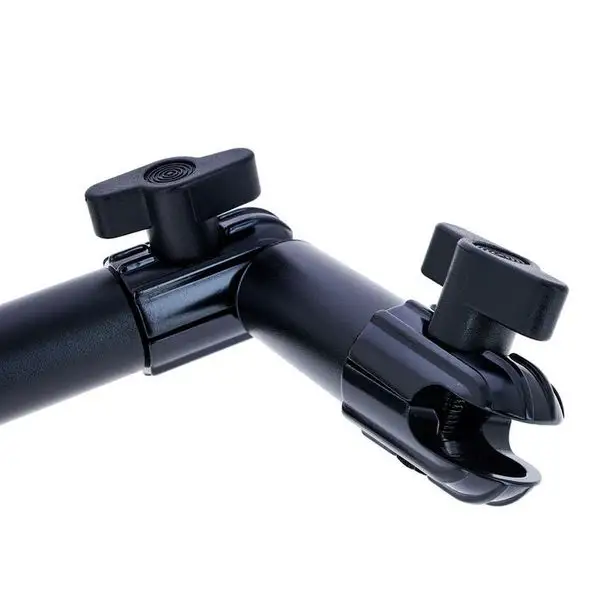
Photographers especially appreciate the modular nature—Watch Studies enthused about “full control over the length and articulation I need… very sturdy so I have peace of mind over my camera's safety.” The ball joint system earns high marks for enabling quick repositioning without compromising stability.
Common Complaints
The biggest gripe is the lack of included base mount. This catches out first-time buyers who thought they were purchasing a complete system. Fox Pop admitted they couldn’t give a perfect score because “it’s not the arm piece needed.” Others, like King Pickles, felt “lame!!! it doesn’t come with the attachment to the desk.”
Weight capacity is another sticking point. While officially marketed for cameras and mics, heavier configurations challenge the locks. Rockx4’s experience with the Wave 3 microphone required removing one segment to prevent strain. Some found the medium-length pole less useful; Tony wished “it came with 2 long… and 2 short attachments” instead.
Proprietary design also generated complaints. Danman felt “these El Gato parts are all proprietary… needs to be clear and all sold at the same time.” This limits mixing with generic mounting systems.
Divisive Features
The modularity that many praise is a double-edged sword. For those deeply invested in Elgato’s ecosystem, every component integrates seamlessly, allowing setups to evolve. For newcomers, the requirement to buy add-ons for basic functionality makes it feel costly and restrictive.
Aesthetic preferences divide buyers too. Workerbee wished it “came in white,” seeing it as an opportunity to match their workspace. Others love the sleek black powder coat and wouldn’t change it.
Trust & Reliability
Long-term users tend to report solid performance. PRMVR, who owned it for a year, said assembly was “quite easy and straightforward” with no degradation over time. Yet concerns about clasps lasting under pressure surfaced in multiple short-term reviews. Rockx4’s uncertainty—“not completely sure how long the clasps will last”—mirrors a cautious outlook.
On trust signals, misunderstandings about product completeness have created friction. The consistency of “misleading picture” complaints across Best Buy, Trustpilot, and Twitter hints at a recurring marketing problem rather than isolated confusion. Brand responses try to clarify the need for a Master Mount, but some buyers feel this should be highlighted before purchase.
Alternatives
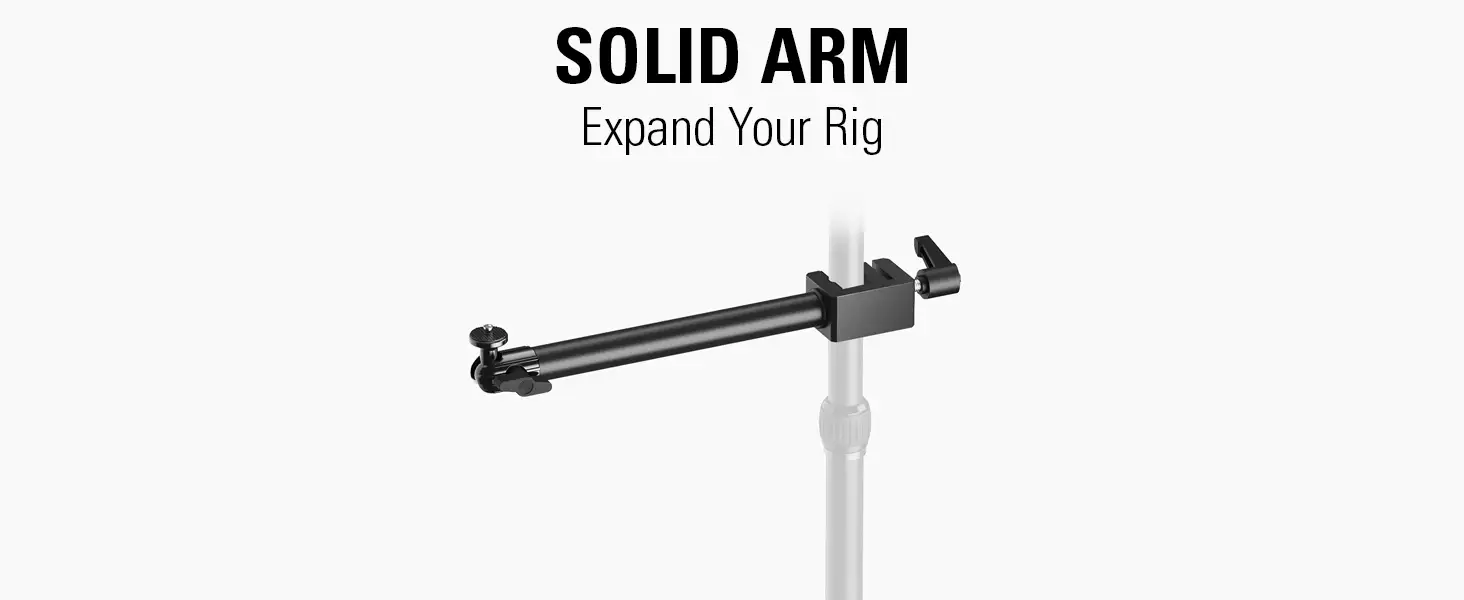
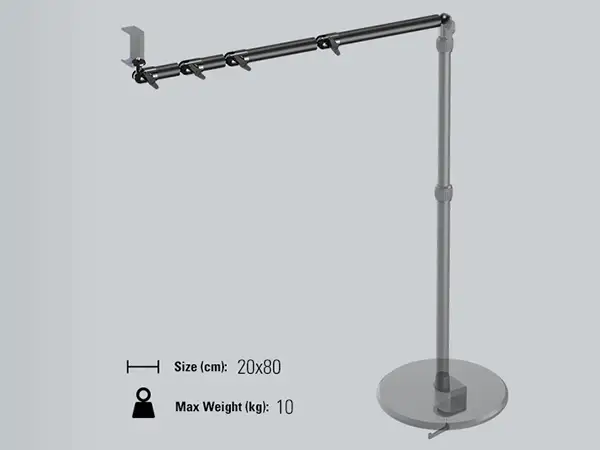
Within Elgato’s own range, the Solid Arm serves as another modular component for the Multi Mount system, aimed at stability rather than extendable reach. Compared side-by-side, the Flex Arm L offers more creative positioning due to its ball joints and four-segment configuration, whereas the Solid Arm is better for fixed, heavy-duty setups.
Third-party solutions exist but might lack the precision fit of Elgato’s proprietary system. For multi-device creators already in the Elgato ecosystem, the investment pays off in compatibility; for casual users, generic articulated arms could provide similar motion at lower cost, albeit without guaranteed integration.
Price & Value
The typical retail sits around $39.99–$49.99 new, according to Amazon UK and US listings, with resale prices on eBay ranging from $45 to $110 depending on bundle components. While affordable in isolation, needing the Master Mount and possibly other accessories increases the real-world cost.
Community tips suggest buying the Flex Arm L only if you already own—or are planning to own—the Master Mount. Secondary market deals bundling both can provide better value than piecemeal purchases. Some streaming bundles even integrate it at a discount.
FAQ
Q: Does the Flex Arm L come with a desk clamp or base mount?
A: No. It is an extension for the Elgato Master Mount or compatible systems. Multiple users found this unclear from product images, so ensure you have the base before purchasing.
Q: How much weight can it hold?
A: Official specs suggest up to 20 milligrams for accessories, but users report successful setups with DSLRs and heavier microphones, provided clamps are tightened and segments reduced as needed.
Q: Is it easy to assemble?
A: Yes. Buyers like PRMVR call assembly “straightforward.” The ball joints allow quick positioning, but securing all parts for heavier gear may require extra effort.
Q: Can it be used for overhead shots?
A: Absolutely. Big Rob Davis praised its ability to deliver “plenty of height for the right overhead view,” making it a go-to for streamers and craft demonstrators.
Q: Is it compatible with non-Elgato mounts?
A: Not directly. Proprietary design means it fits best within Elgato’s Multi Mount ecosystem. Adapters may work, but user experiences vary.
Final Verdict: Buy if you already own the Master Mount and want a sturdy, highly adjustable extension for cameras, lights, or mics. Avoid if you expect a complete mounting system out of the box. Community pro tip: scour secondary markets for bundled kits to sidestep piecemeal costs and avoid confusion over missing parts.





