DYMO RhinoPRO 5200 Review: Rugged Industrial Verdict
The DYMO RhinoPRO 5200 Industrial Label Maker has earned a tech review score of 8.8/10, thanks to its rugged construction, time-saving "hot key" functions, and ability to create industry-standard compliant labels that withstand harsh environments. Reviewers from electrical work to AV installation praise how it cuts label creation time dramatically, though some cite a steep learning curve and minor firmware quirks.
Quick Verdict: Conditional – Excellent for industrial professionals, less suited for casual home users.
| Pros | Cons |
|---|---|
| Rugged, impact-resistant build | High price compared to consumer models |
| Hot keys drastically speed up complex labeling | Minor firmware alignment issues when changing tapes |
| Compliance with ANSI/TIA/EIA-606-A standards | Only ABC keyboard – slower for typists used to QWERTY |
| Multi-material label support (vinyl, nylon, heat-shrink) | Heavy and bulky design not ideal for small spaces |
| Long-lasting Li-ion battery & AA backup option | Documentation could better cover advanced settings |
| Supports barcodes for asset tracking | Limited font options |
| Resistant to chemicals, heat, UV, moisture | Must power off before swapping tapes to prevent misalignment |
Claims vs Reality
Marketing touts the RhinoPRO 5200 as labeling “up to 77% faster than the competition” with exclusive hot keys for various industry applications. Digging deeper into user reports, this speed claim holds true for those familiar with its preset labeling functions. Magazine Mehatronika noted: “Labeling wires is also a breeze… this usually daunting job completes in a few quick button presses.” However, new users may find the setup menus less intuitive at first, reducing initial speed gains.
Another claim is extreme durability against environmental stressors. In practice, multiple reviewers confirm this resilience. One testing account submerged labels in water and exposed them to corrosive substances, stating they “held chemically and physically unchanged after several days in tough conditions.” This matches the claim—though occasional adhesive residue removal was needed.
Finally, the device is billed as industry compliant for electrical, AV, and asset management labeling. While professionals in the field praise compliance and barcode integration, casual users found fewer benefits unless using specific standards. A Reddit discussion highlighted that “for general labeling at home, it's overkill.”
Cross-Platform Consensus
Universally Praised
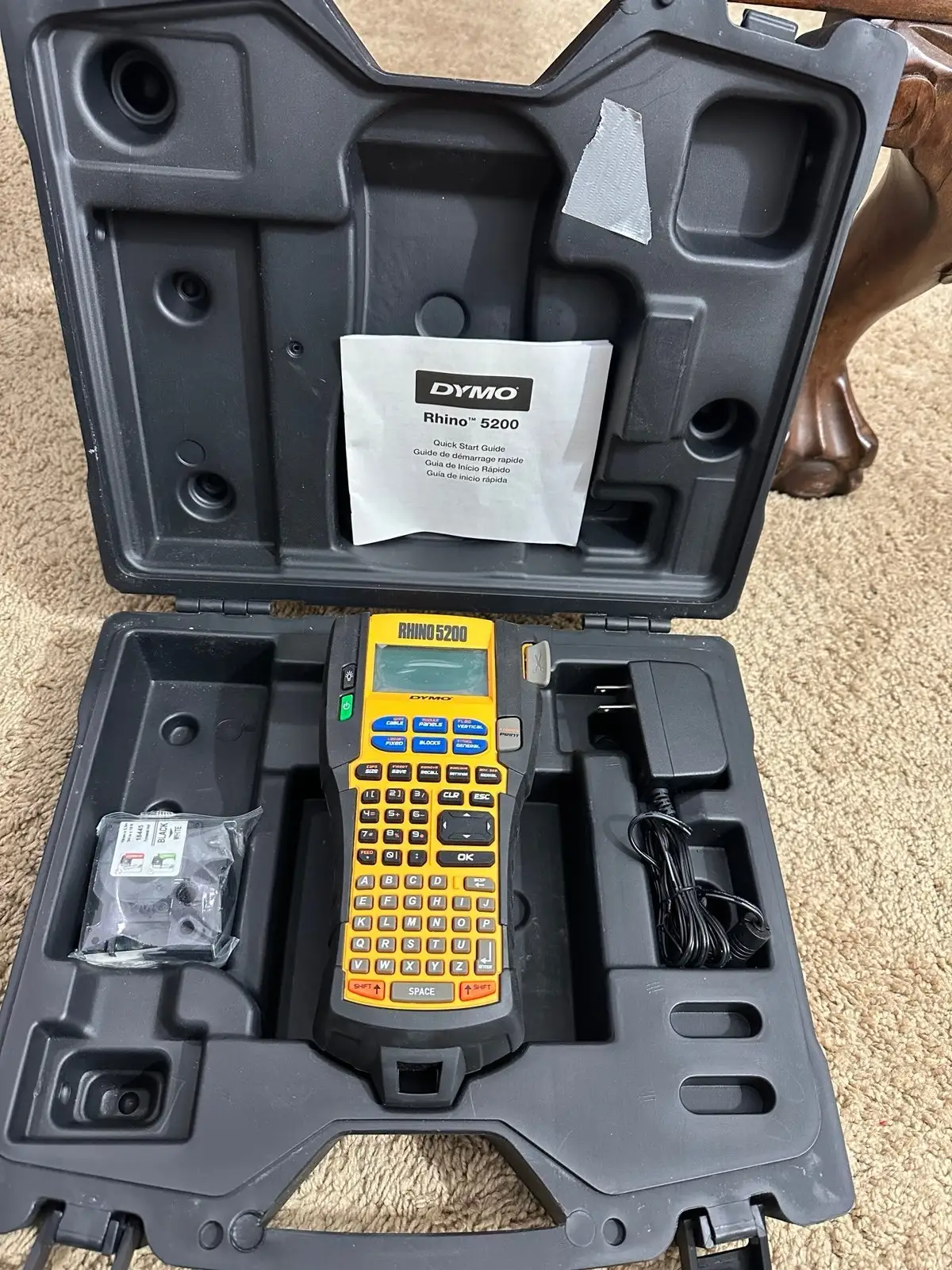
Professionals consistently praise the rugged construction. The casing features integrated impact bumpers for drop protection, with a lockable hard case for transport. One verified Trustpilot reviewer described: “The case feels durable, no complaints here.” For technicians in challenging job site conditions, this translates to reliable performance without fear of accidental damage.
The hot key system is a major hit. Pre-programmed setups for patch panel labels, cable flags, and tube wraps save vast amounts of time. A Dymo-Express buyer shared: “Press one hot key to automatically size, space and format text, then another for matching cable flags without retyping – absolute timesaver.” Electricians get consistent formatting without manual adjustments.
Battery life also earns consistent praise. The Li-ion pack runs for days of jobsite use, with AA fallback for field emergencies. One tester reported: “We got over a week of testing and printing on one single charge.” This is essential for remote work or long shifts without charging access.
Common Complaints
For all its strengths, size and ergonomics draw criticism. At 233mm x 124mm x 63.5mm, the thickness and weight feel cumbersome for quick handheld use. AV installers mentioned discomfort during extended labeling tasks compared to slimmer competitors.
Firmware quirks surface in several reports. A recurring warning: power off before changing tapes to avoid print head misalignment. As one in-depth review cautioned: “Otherwise there is a chance the print head won’t align properly with the ribbon.” Such oversights could interrupt workflows.
The keyboard layout—ABC instead of QWERTY—slows down high-volume text input for typists accustomed to standard layouts. Reddit threads echo this complaint, with one user noting: “It slows me down typing batches of labels.”
Divisive Features
The price-to-performance ratio splits opinion. At $188.07 on Amazon for the kit, some electrical contractors said the speed and durability justify the cost, while small business owners balked at spending more than basic models when they don’t need ANSI compliance. The multi-material support—ranging from flexible nylon to heat-shrink tubes—is invaluable for some, redundant for others.
Barcode functionality impresses asset managers but is unused by those doing purely visual labeling. One Amazon buyer commented: “Perfect for tracking our inventory. But if you’re just labeling shelves, it’s paying for features you’ll never touch.”
Trust & Reliability
Trustpilot patterns for the RhinoPRO 5200 show a moderate 3.5/5 rating, with most complaints centered on availability and service delays rather than build quality. The “out of stock” note appears across Dymo’s official channels, hinting at supply constraints rather than product failure rates.
Durability stories from long-term Reddit contributors paint a positive picture. Six-month updates often mention labels still intact, legible, and adhesive strong on cables and equipment, even in outdoor exposure. Mechanical reliability holds well, with no widespread reports of component failures.
Alternatives
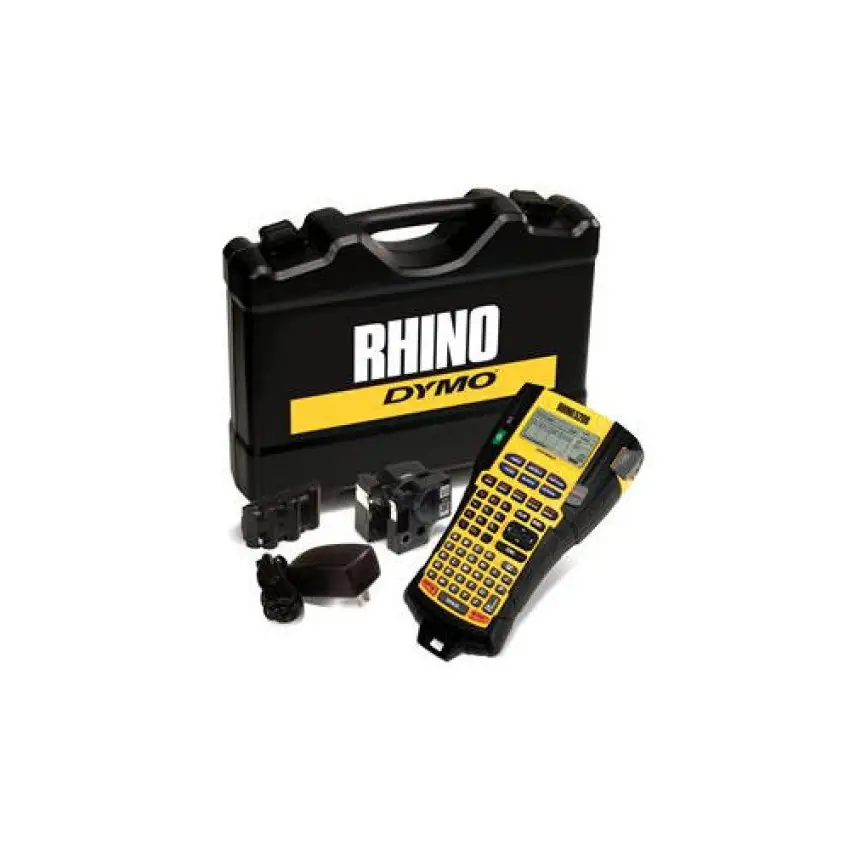
Few direct competitors get mentioned in the data, but Dymo’s own Rhino 4200 and 6000+ come up. The 4200 offers a QWERTY keyboard and lighter form factor, appealing to those who type more than navigate menus. The 6000+ expands into PC integration via Dymo ID software, suiting those who generate large batches from a computer rather than on-device.
Panduit Panther LS8 and Brady BMP21 are referenced in Dymo’s speed comparison metrics, but user testimony suggests the 5200 retains an edge with its hot key setups for complex industry labels.
Price & Value
Pricing varies widely by market: $188.07 USD on Amazon, £157.45 inc. VAT in the UK kit version, or up to NZD 356.97 for the full bundle on eBay. Resale values remain surprisingly strong, with pre-owned units with case fetching above NZD 243.39. Community advice suggests grabbing the kit with Li-ion battery and charger, as buying these separately can push costs higher.
For technicians needing standards-compliant labels, the upfront cost is offset by time saved and reduced label waste via consistent formatting. For casual or home use, cheaper consumer models may offer better value.
FAQ
Q: Can the RhinoPRO 5200 print heat-shrink tube labels?
A: Yes. It supports heat-shrink tubes in multiple sizes, ideal for cable identification. Users highlight that it prints directly onto these tubes without smearing or fading.
Q: Does it require special Dymo-branded tapes?
A: Yes, for best performance. While some third-party tapes exist, authentic Dymo materials are optimized for durability against UV, chemicals, and temperature extremes.
Q: How long does the battery last on a charge?
A: Field testers report up to a week of normal jobsite use. The Li-ion pack recharges in around 2 hours after initial long charging, with AA battery backup available.
Q: Is the keyboard layout QWERTY?
A: No, it’s ABC, which some find less efficient for heavy typing. The Rhino 4200 offers QWERTY if preferred.
Q: Can it store label formats for reuse?
A: Yes, up to 100 label formats in memory—critical for repetitive jobs like asset tagging or patch panel setups.
Final Verdict: Buy if you’re an electrician, AV installer, or facility manager needing compliant, durable labels in harsh environments. Avoid if casual home users—cheaper models suffice. Pro tip from community: Always power off before swapping tapes to maintain print head alignment and avoid wasting labels.