DYMO LabelWriter 450 Turbo Review: Fast but Flawed
Rated 7.3/10, the DYMO LabelWriter 450 Turbo Label Printer (Renewed) is praised for its speed, compact build, and thermal printing convenience, but persistent software and connectivity issues lead some users to warn: "It’s great when it works, but you’ll spend time coaxing it back online."
Quick Verdict: Conditional — Excellent for small offices and dedicated shipping setups if you can work around finicky software and OS compatibility quirks.
| Pros | Cons |
|---|---|
| Fast printing up to 71 labels/min | Frequent Windows 10/macOS driver issues |
| No ink or toner costs | Limited to DYMO label sizes |
| Compact footprint | No off switch—must unplug to power down |
| Easy label changeover | Prints only in black |
| Sharp 600x300 dpi text/graphics | Pricey genuine labels |
| Integrates with MS Word, Excel, Outlook | Can waste labels when roll runs out mid-print |
| Sleep mode for power save | Alignment/bend issues with certain rolls |
Claims vs Reality
The marketing pitch emphasizes lightning-fast output, citing speeds of up to 71 labels per minute. Reddit user feedback largely supports this for small runs, with one small retail operator noting: "Being horizontal instead of vertical, my 30334 labels print even faster — I’m done in seconds." However, multiple Trustpilot users report interrupted runs: “Mine starts printing crap randomly and wastes a ton of labels until you unplug it.” The speed claim holds only when hardware, labels, and software cooperate.
DYMO also promises "no expensive ink or toner ever" through direct thermal printing. That’s true — users save on consumables — but a wrinkle emerges in environments with chemical exposure. A Trustpilot reviewer wrote: "My Dymo is not ideal… print will fade if overexposed to chemicals in the air." Durability of printout, not just cost, becomes the deciding factor here.
Compatibility boasts are broad, listing PC and Mac integration and printing directly from Microsoft Office, QuickBooks, and other platforms. In reality, many Windows 10 users hit walls. One verified buyer recounted: “Beware — this printer does not work with Windows 10… they simply won’t fix it.” MacOS Catalina users report failed support for 64-bit apps, despite DYMO knowing about the shift for years.
Cross-Platform Consensus
Universally Praised
Across Amazon, Reddit, and Quora, speed and footprint are the most praised traits. Shipping-heavy small businesses find it transformative. A Reddit user explained that importing orders and printing labels in “three clicks” eliminated any post office line time. For Etsy sellers, being able to keep the printer tucked on a corner desk means reclaiming workspace: "Compact and stylish — sits until needed," noted a community review.
Many users appreciate easy changeover between label types. Trustpilot feedback highlights this in dual roll (Twin Turbo) setups: "It’s easy to switch between the two label sizes I routinely use." For teams alternating between address labels and shipping labels, the lack of sheet label hassles is a genuine time saver.
Cost efficiency for consumables sees universal agreement when paired with third-party rolls. Reddit users swap in “House Labels” to slash costs, noting negligible differences in quality. "No toner, no overpriced ink — you can get generic labels for $7 a roll of 1000," said one longtime user.
Common Complaints
Top complaint clusters around software — from installation to stability. Even seasoned IT users find frustration. "I’ve reinstalled two versions over 17 times… beware if running Windows 10," lamented a Trustpilot reviewer. macOS users cite app incompatibility post-64-bit updates, breaking existing workflows.
Connection instability is another sore spot. One church office reported: “We have to unplug and plug in the USB cable every time the computer goes off.” Others detail random disconnections mid-job, leading to wasted labels. These issues are most disruptive in high-volume operations where predictability matters.
Hardware quirks also feature: There’s no built-in power button, so “completely off” means unplugging from the wall. Label bending and alignment errors crop up for wider rolls. DYMO’s own genuine label prices deter bulk users, with many noting "Genuine DYMO labels are expensive, stick with the generic ones."
Divisive Features
DPI quality at 600x300 splits opinion. For most address labels, text clarity is “crystal,” but intricate graphic prints — like QR codes — can be inconsistent. Reddit feedback shows barcode reproduction issues after certain software updates.
Twin Turbo’s dual roll appeal divides as well: those running strict small-batch print jobs rave about convenience, while bulk shippers sometimes find mechanical complexity means "twice the trouble" if one side misfeeds.
Trust & Reliability
Long-term users offer split narratives. Reddit veterans boast "I’ve used the same two DYMO LabelWriters for 30 years at home" — a testament to mechanical longevity. Yet recent Trustpilot sentiment trends negative: "DYMO label printers used to be bulletproof… no longer." Reports of units failing within 60 days or sporadically “going nuts” hint at QC variance or increased sensitivity to software changes.
Scam concerns focus less on outright fraud and more on post-purchase support gaps. Several reviewers note emails to support going unanswered for over a month. Licensing changes frustrate some, with one user stating: "DYMO & stamps.com now want $17.99/month for licensing before I print anything." The shift from one-time purchase to subscription undermines trust.
Alternatives
Alternatives mentioned in community chat include the DYMO 4XL — preferred for those needing USPS, UPS, FedEx, and FBA label capabilities on larger media. One Redditor advised: "If you do eBay and Amazon, a 4XL might be better… this is older model, still good, but fixed width."
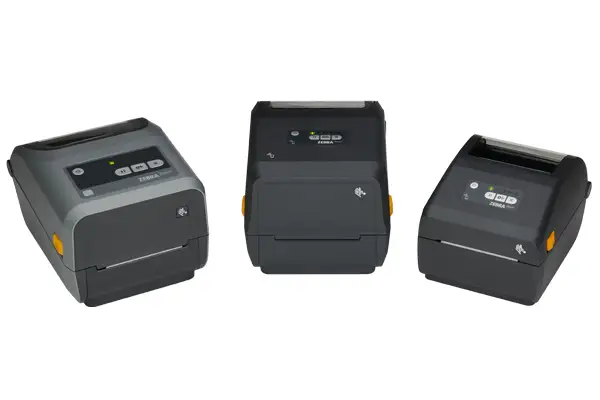
For Mac users open to tinkering, Zebra’s LP 2844 appears as a contender, albeit more difficult to set up. A refurb Zebra solution paired with synthetic labels offers chemical resistance — useful in lab environments where Turbo’s prints fade.
Price & Value
Amazon lists renewed units near $329.95, though eBay pricing reveals stark disparities — used units from $36 to $150, Twin Turbo variants trending higher. Generic label sourcing drives running costs down dramatically from $22 per 1000 to under $9. Resale remains viable given the demand in e-commerce circles, especially if the unit is confirmed compatible with buyer’s OS.
Community tips stress buying refurb through reputable sellers and testing OS compatibility before committing bulk funds. One buyer stated plainly: "Stick with generic rolls… saves tons over time."
FAQ
Q: Does the DYMO LabelWriter 450 Turbo work with Windows 10?
A: Many users report driver and connectivity issues on Windows 10. Those who succeed often apply older versions or specific patches, but DYMO has not universally resolved compatibility.
Q: Can I use non-DYMO labels?
A: Yes — most users prefer generic labels from third-party sellers like House Labels to cut costs, with negligible print quality impact.
Q: Is there a power button?
A: No. The unit must be unplugged to fully power down, though it will enter sleep mode when inactive.
Q: How durable are printed labels?
A: Standard prints hold well for everyday office use, but in chemical-heavy environments thermal prints may fade. Sealing labels can help.
Q: Can it print in color?
A: No, it’s monochrome-only due to thermal printing technology.
Final Verdict: Buy if you’re a small-business shipper or office user who values speed, compact design, and low consumable costs — and are willing to work around software quirks. Avoid if you rely on intricate graphics, require color, or need plug-and-play compatibility with the newest OS versions. Pro tip: Pair with generic labels for maximum savings and test driver stability before committing to long-term use.





