DYMO Authentic LW Large Shipping Labels Review: 7.8/10
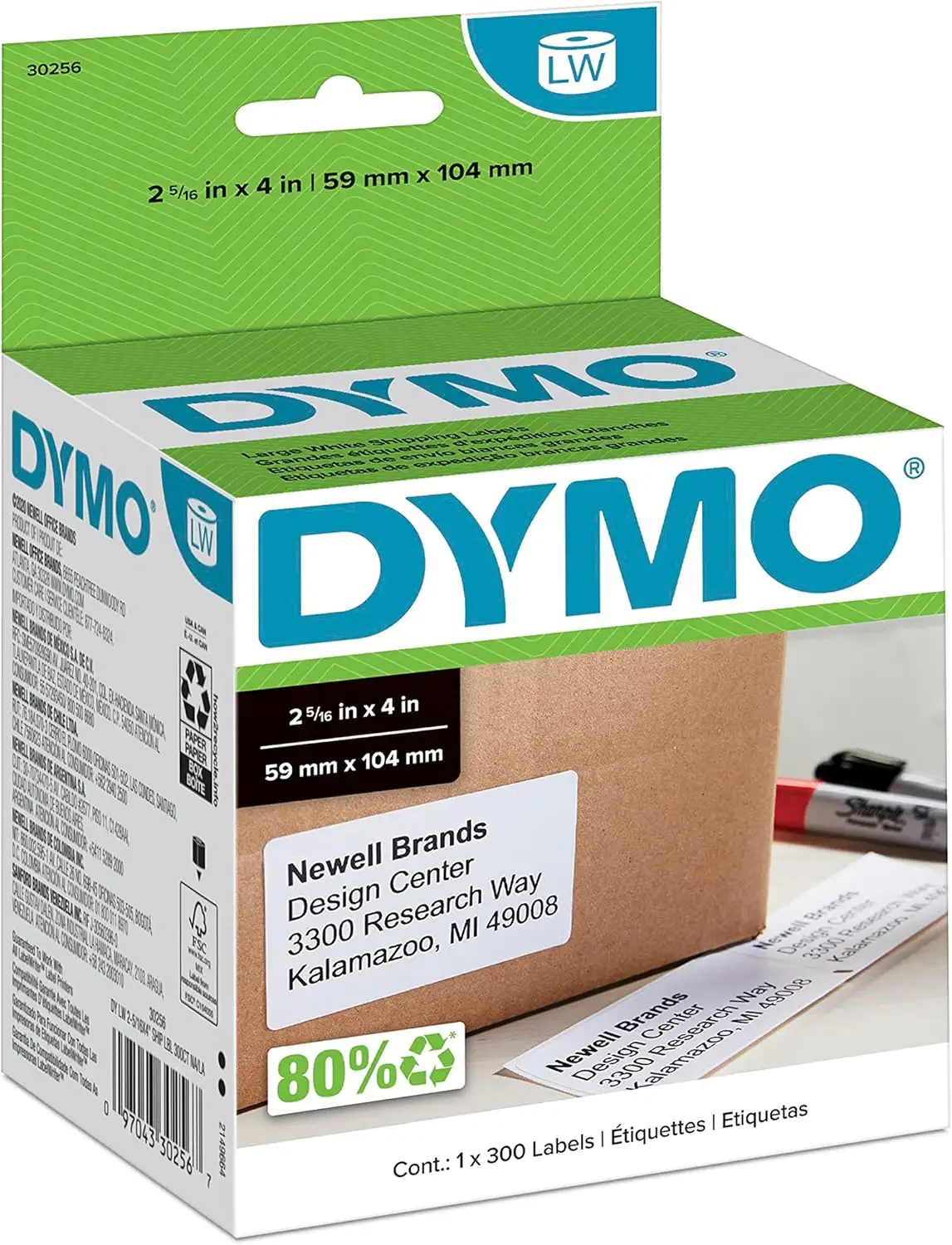
A “serious flaw with the new code system” is the kind of complaint that can overshadow everything else—even when the labels themselves are solid. DYMO Authentic LW Large Shipping Labels for LabelWriter Printers land in a strange place: strong satisfaction on Amazon’s star ratings, but pockets of frustration when people collide with activation rules, postage workflows, and the broader DYMO/Endicia ecosystem. Verdict: good labels, but the experience can depend on what you’re trying to print. Score: 7.8/10.
Quick Verdict
Yes—if you want reliable 2-5/16" x 4" roll labels for a compatible DYMO LabelWriter. Conditional—if your workflow touches postage systems, activation codes, or third-party software.
| What matters | Pros (from users) | Cons (from users) | Who it impacts most |
|---|---|---|---|
| Basic label performance | “labels work really well” (Amazon.com review) | Some workflow issues blamed on “the system, not the product” | Home shippers, small offices |
| Print reliability | “never jam for me” (Amazon.com review) | Misfeeds/jams mentioned in broader DYMO contexts | High-volume labelers |
| Adhesion | “adhere well” (Amazon.com review) | Reports of yellowing over time | Long-term storage labels |
| Postage workflows | Convenience praised: “print postage by-the-stamp” | “refund process is long” (Endicia) | Small businesses printing postage |
| Cost | Professional look seen as worth it | “the price could be better” | Bulk users watching pennies |
Claims vs Reality
DYMO’s marketing for LW shipping labels leans on predictable promises: roll-fed convenience, no-ink direct thermal printing, and smooth alignment. Digging deeper into user feedback, the “labels” and the “system around the labels” don’t always get judged together—and that’s where the story splits.
Claim 1: “Convenient… peel-and-stick… no ink or toner required.”
On the core point—direct thermal, no ink—users don’t argue much. The feedback that gets emotional isn’t about smudging or needing cartridges; it’s about whether printing fits into a broader workflow without friction. One Amazon.com reviewer framed it plainly: “labels? great! endicia postage system? not so much.” That distinction matters: for straightforward shipping labels, people tend to describe a smoother experience than for postage-related use cases.
The same reviewer who criticized the postage backend still gave DYMO credit for the physical product, writing: “dymo makes a great product. the labels work really well.” For users who just want clean, professional shipping labels from a compatible LabelWriter, the “peel-and-stick” pitch holds up in user language like “adhere well.”
Claim 2: “Packed in rolls… print one label or hundreds with ease—no waste.”
Roll format is generally treated as a time-saver, especially when compared to sheet labels. A verified Amazon.com reviewer (discussing DYMO label printing more broadly) highlighted speed and ease: “By the time I clicked the print button it is already done printing. easy to feed new labels.” That kind of comment reinforces the “print one or hundreds” idea: the system is valued for quick, repeated output.
But “no waste” isn’t universally how users experience it. One reviewer discussing postage labels noted practical loss: “you need to discard a few stamps at the beginning of the roll because of the gooey tape used,” and added: “the last stamp may be useless.” While that quote is about stamp labels rather than the 2-5/16" x 4" shipping labels specifically, it reveals a recurring theme in DYMO roll ecosystems: a minority of users experience “edge-of-roll” waste in real workflows.
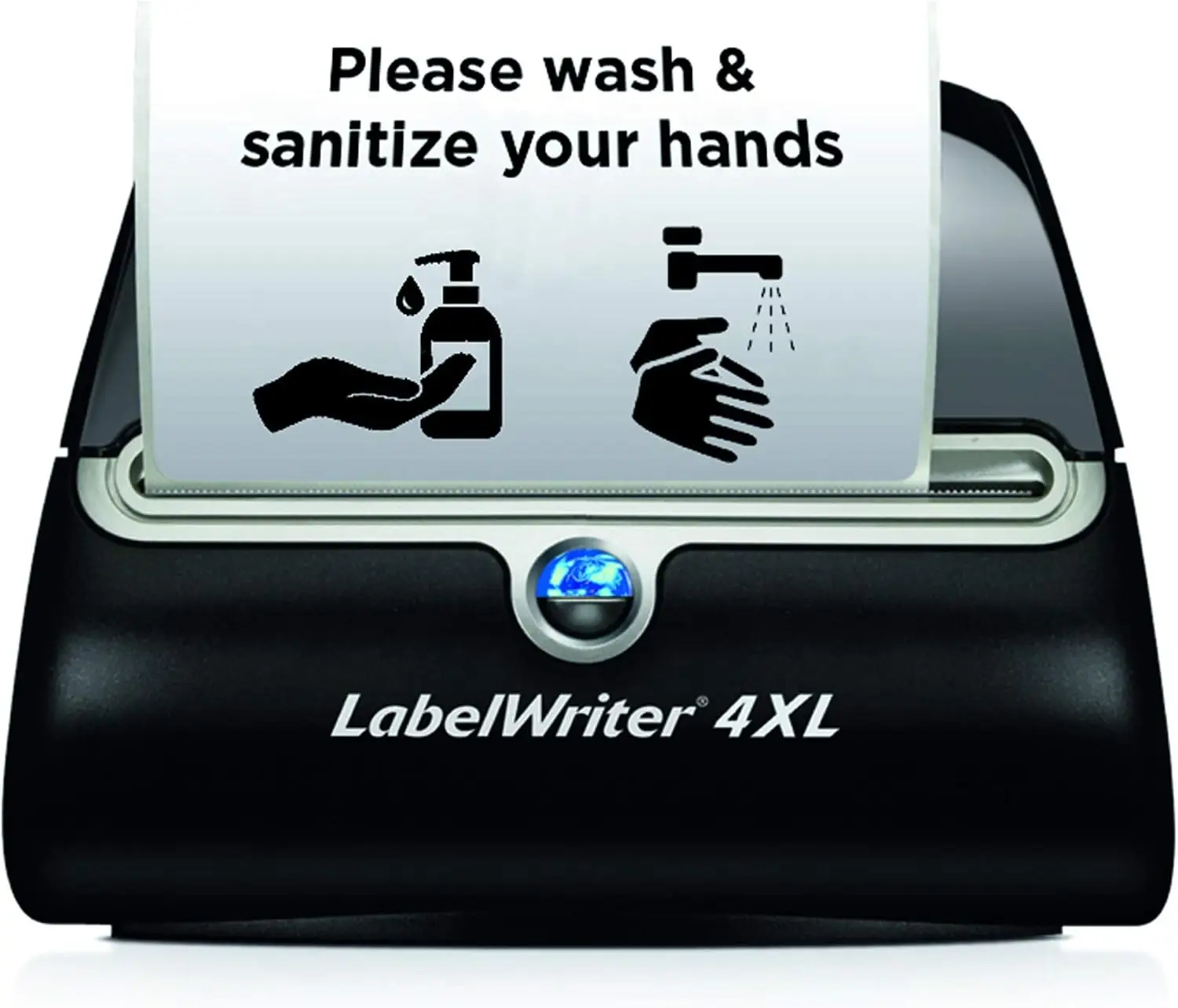
Claim 3: “Works with LabelWriter printers (450/550/5XL/4XL etc.).”
Compatibility in specs is broad, but user feedback shows that “works with my printer” can be conditional on software paths. An Amazon.com reviewer warned fellow buyers: “make sure at the dymo website that your dymo labelwriter is compatable with ‘postage’ before purchasing.” That’s a subtle but important gap: hardware compatibility and feature compatibility aren’t always the same thing, especially if you’re tying labels to postage or specific apps.
Cross-Platform Consensus
Universally Praised
The strongest positive thread is straightforward: when these labels are used for what most people buy them for—shipping labels on compatible LabelWriter printers—users talk about dependable basics rather than surprises. A recurring pattern emerged where satisfied buyers focus on adhesion, print clarity, and the convenience of roll printing, while saving their anger (if any) for the surrounding services.
Adhesion and day-to-day usability get the most “just works” language. One Amazon.com reviewer described the practical outcome: “they adhere well and never jam for me.” For a home shipper sending occasional packages, “adhere well” translates to fewer reprints and less tape reinforcement. For small office admins printing address or shipping labels in batches, that “never jam” phrasing signals less babysitting the printer.
A professional look without complexity is another repeated value point. In a longer Amazon.com review about switching from older postage/label workflows, one user emphasized the polished outcome: “don’t forget that your mailing will look more professional.” For small businesses mailing 10–30 items a month, the implication isn’t just aesthetics; it’s perceived legitimacy, fewer handwritten labels, and faster outbound processing. The same reviewer framed the tradeoff in cost terms, suggesting that for low-volume senders, the label cost can beat monthly-fee postage systems.
Convenience wins even when it costs more. Several reviews show users rationalizing the price when the workflow saves trips and time. One Amazon.com reviewer put it bluntly: “people will pay anything for convenience.” Another echoed the same theme: “there’s no such thing as a free lunch,” positioning authentic labels as part of an ecosystem that avoids subscription fees for certain services.
After those narratives, the praised themes can be summarized simply:
- Roll-based printing is described as fast and practical (“already done printing”).
- Adhesion is often described as dependable (“adhere well”).
- The “professional look” is repeatedly cited as the payoff.
Common Complaints
The loudest complaints in the dataset aren’t about the label stock failing—they’re about control: activation codes, account rules, and third-party postage processes that sit adjacent to label usage. Digging deeper into user reports, frustration spikes when people feel “locked in” or forced into a specific supply chain.
Activation codes and brand restrictions show up as a defining pain point in DYMO’s orbit. One Amazon.com reviewer titled their experience: “good labels but serious flaw with the new code system,” describing confusion over where the code was located and how theft-prone they believed packaging was. They later updated the post to clarify the code location, but their broader frustration remained: “dymo have thrown another wrench in the works.” This kind of complaint affects occasional users most—people who don’t print constantly and aren’t expecting account or code checkpoints.
Account policies and reactivation headaches amplify that friction. The same reviewer claimed: “they are now deactivating accounts that are not used for 90 days or more… what a pain!” While this is again tied to postage software rather than the 2-5/16" x 4" shipping labels themselves, it influences how some users perceive DYMO “authentic” consumables overall: not merely supplies, but a key to continued access.
Refund processes for postage mistakes can feel punitive. A frustrated Amazon.com reviewer explained a scenario where they printed postage on the wrong labels and then hit a wall: “the refund process is long and requires the stamps printed in error and the pieces you intended to mail are returned.” They concluded with a sharp line: “dymo makes a great product… but i will deal with the long lines at the po before i give another nickel… to endicia.” For small businesses, that story reads like operational risk: one workflow mistake can become a bureaucratic time sink.
Summarizing the complaint patterns:
- Activation and account policies create anxiety for infrequent users.
- Postage-related ecosystems can generate high-stakes frustration.
- “The labels are fine” is often paired with “the system isn’t.”
Divisive Features
Two themes split users into camps: price per label and ecosystem dependence.
Price is treated as either acceptable or unacceptable depending on volume. One reviewer shrugged off the math: “yes, it costs 9-10 cents per label… for me… the dymo solution works fantastic.” That’s a business owner perspective: low monthly volume, high value on speed and professional output. Another reviewer described paying more to buy directly through Endicia as worth it to avoid hassles, calling it “shady marketing tactics” but admitting the convenience mattered.
On the other side, users resent what they perceive as forced premium pricing. A blunt quote in the dataset captures the mood: “dun by the cheap rolls from generic brands ! ! ! !” Even though that line is not specific to the 2-5/16" x 4" shipping labels, it reflects the broader DIY pushback: some users prioritize cost and want freedom to choose compatibles.
Ecosystem dependence divides users who want a locked-and-working pipeline versus those who want modular tools. One Amazon.com reviewer defended DYMO’s approach by reframing it as a trade: “for those who want to use brand x labels… pay the monthly fee.” Others respond with anger at being “handcuff[ed] consumers to their brand,” calling activation requirements “maddening.” The split isn’t about whether labels print—it’s about whether users accept the rules around printing.
Trust & Reliability
Trustpilot’s tone for DYMO hardware (notably the LabelWriter 4XL printer listing) is bleak, with a low overall rating shown as 2.1/5, signaling broader dissatisfaction in the brand’s ecosystem. Digging deeper into user reports from other sources, the reliability story for labels themselves often sounds better than the reputation cloud around software policies and services.
Scam and tampering concerns appear indirectly through activation-code anxiety. One Amazon.com reviewer worried that packaging wasn’t sealed and that “any joe schmoe can pop open a box… write down the number,” later updating their understanding but still advising caution: “be sure to check that the inner bag hasn’t been opened.” That’s not a claim that counterfeits are rampant, but it is a user-derived buying tip rooted in distrust of how codes are handled.
Long-term durability feedback is mixed but specific: one Amazon.com reviewer said that after storage, “they do tend to yellow, though it doesn’t diminish usability of the product.” For archival labeling (bins, files, stored inventory), that kind of cosmetic aging can matter, even if barcodes and addresses remain readable.
Alternatives
Only a few true alternatives are explicitly named by users, and they tend to be systems rather than label brands.
For postage and mailing workflows, a recurring comparison target is Pitney Bowes. One Amazon.com reviewer described resentment toward PB costs and fees, saying they were “now cancelling the pitney bowes machine” after moving to the DYMO ecosystem. For small offices that mail regularly, that story frames DYMO labels as part of a broader cost-reduction strategy.
Stamps.com is mentioned as another path, but not warmly. The same reviewer said: “i tried them and i gave it up because their software is clumsy and they will not print on my dymo printers.” So the alternative exists, but user feedback here paints it as a poor fit for people already committed to LabelWriter hardware.
There’s also the unnamed “brand x” and “knock-off” label ecosystem. One reviewer defended DYMO by saying off-brand labels were “low quality,” while another user feedback snippet encourages buying cheaper generic rolls. The contradiction is the point: compatibility labels may save money, but some users associate them with worse adhesive or print results, while others see them as the obvious value move.
Price & Value
On Amazon UK, the product listing shows a bulk configuration with a headline price of £176.19 for “24 rolls of 130 Easy-Peel Labels (3120 labels).” That sort of bulk pack is aimed at high-throughput users—office mailrooms, frequent shippers, or businesses that want fewer reorder cycles.
User value arguments typically hinge on comparing per-label costs to monthly fees and time savings. One Amazon.com reviewer spelled out the trade: “if you print 100 labels a year it may cost about $8.80… far less than any provider’s monthly fee.” Another framed it as escaping the ongoing costs of postage meters: “instead of ~ $30 month for a pb meter… this is an incredibly cheap and convenient solution.”
Resale/market pricing signals from eBay listings show wide ranges for DYMO-compatible shipping and address labels, with both genuine and compatible options appearing. The community buying tip embedded in reviews isn’t about flipping labels—it’s about avoiding activation headaches: “buying these only from trusted online sources to ensure the code works,” and checking that packaging hasn’t been opened when codes matter.
FAQ
Q: Do DYMO Authentic LW Large Shipping Labels jam often?
A: Most direct user feedback that mentions jams is reassuring. An Amazon.com reviewer said the labels “adhere well and never jam for me.” That said, jam complaints appear in broader DYMO conversations, so reliability may depend on printer model, loading, and the software workflow used.
Q: Are these labels worth it compared to generic compatibles?
A: It depends on your tolerance for risk and your volume. Some users say off-brand labels were “low quality,” while others push the opposite direction (“dun by the cheap rolls from generic brands”). Low-volume shippers often justify authentic labels for the “professional” look and fewer hassles.
Q: Do these labels require activation codes?
A: Shipping labels themselves are typically treated as straightforward supplies, but activation-code complaints show up heavily around DYMO postage/stamp systems. One Amazon.com reviewer warned about a “serious flaw with the new code system,” and later advised checking packaging integrity. If you’re only printing shipping labels, this may not apply.
Q: Do the labels stay readable over time?
A: A long-term storage issue appears in at least one review: “after having a box a year or so they do tend to yellow, though it doesn’t diminish usability of the product.” For inventory labels stored in light or heat, that cosmetic shift may matter even if printing remains legible.
Q: Who benefits most from these 2-5/16" x 4" labels?
A: They fit best for home shippers and small offices using compatible DYMO LabelWriter printers who want quick roll printing and clean output. Users focused on workflow speed praise how fast the system feels (“already done printing”), while users tied to postage platforms report the most friction.
Final Verdict
Buy if you’re a home shipper or small business printing standard 2-5/16" x 4" shipping labels and you want a “professional” look with roll-fed convenience—one user summed it up as “labels work really well.” Avoid if your workflow depends on postage systems and you’re sensitive to activation rules or refunds; one frustrated reviewer called the process “long” and walked away from the ecosystem. Pro tip from the community: buy from trusted sources and, when codes are involved, “check that the inner bag hasn’t been opened.”





