DJI RC 2 Review: Strong Signal But Locked Software
The most surprising finding from user reports is that while the DJI RC 2 Remote Controller delivers exceptional signal strength and reliability with its new O4 transmission system, it’s also viewed as frustratingly restricted in software freedom. Across Amazon, Reddit, and specialist drone forums, the RC 2 scores a solid 8.6/10 for performance and ergonomics, but loses points for its inability to run third-party apps or livestream directly.
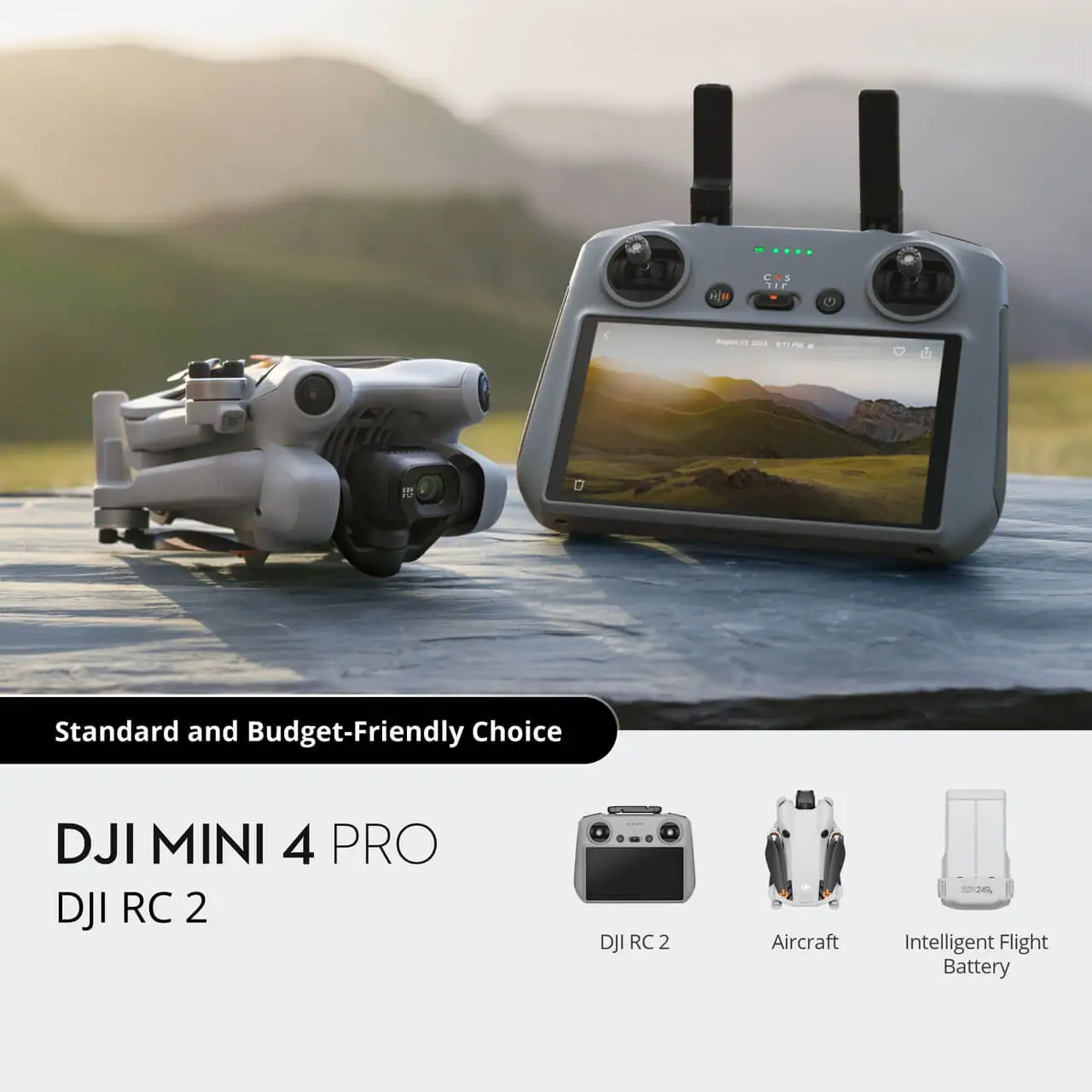
Quick Verdict: Conditional — ideal for Air 3 and Mini 4 Pro pilots who value integrated, bright displays and minimal setup, but limiting for those needing custom apps or broader compatibility.
| Pros | Cons |
|---|---|
| Excellent O4 transmission with strong range and stability | Only compatible with O4 drones (Air 3, Mini 4 Pro) |
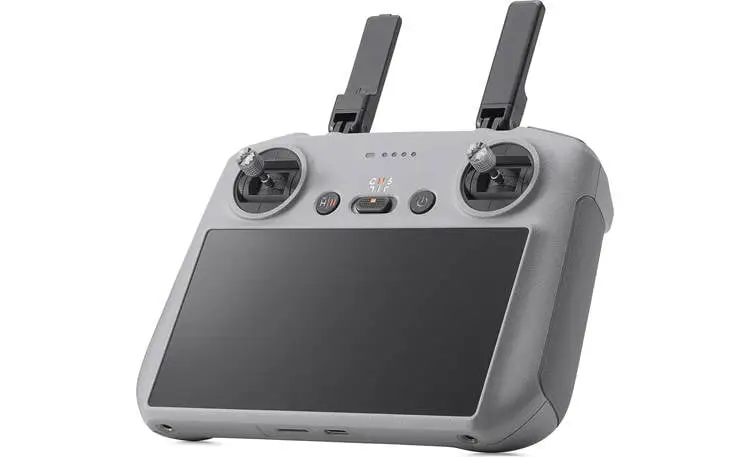
| Integrated 5.5" FHD 700-nit screen with no dimming in heat | Locked software – no third-party apps or streaming |
| Lightweight (420g) and ergonomic for long flights | External antennas make it bulkier than RC |
| Quick launch – no smartphone pairing required | Still limited to 700 nits, less than RC Pro’s 1000 nits |
| Built-in and expandable storage for screen recording | Some users report frustrating map updates without internet |
| Solid build quality, grippy sides, responsive controls | No HDMI-out casting without extra hardware |
Claims vs Reality
DJI markets the RC 2 as boasting “crystal-clear, low-latency video transmission within a 20km max range” thanks to O4 technology. Digging deeper into user feedback, range performance is indeed strong — especially in open areas. One forum pilot explained: “Launching from Fort Armistead & flying out over the Patapsco River, I maintained perfect signal for kilometers.” However, in suburban or wooded areas, several users noted range dropping to around one mile due to interference.
The brand also highlights the 700-nit integrated display as “high brightness.” While many owners agree it’s bright enough for sunny days, buyers coming from RC Pro’s 1000-nit panel were underwhelmed. As one Reddit user put it, “700 nits is very good and much brighter than your smartphone when it dims… but it’s still not RC Pro bright.”
Finally, DJI claims the powerful 8-core processor ensures “ultra-smooth app and system operation.” This is largely confirmed by owners — no one reported lag or stutter in DJI Fly. But some question why, as Reddit user nibs123 complained, “They say these features can’t be implemented since the processor isn’t up to scratch… but past older Smart Controller is?”
Cross-Platform Consensus
Universally Praised
The integrated screen is the standout feature. For travel and commercial pilots, not needing to tether a smartphone is a major win. A verified Amazon buyer noted: “Compared with standard remote controllers, RC 2 eliminates the hassle of connecting to a smartphone for flight. Simply power on and launch the app.” This reduces setup time and removes potential cable points of failure.
Signal reliability with O4 is another consistent highlight. Pilots in urban environments and over water both reported stronger, cleaner feeds than older O3 controllers. A DJI forum member explained that “with OccuSync 4 the signal strength will be much better and it should use the RC2 which has external antennas.”
Build quality and ergonomics also earn praise. Reviewers on Dronspy described the RC 2 as “absolutely no flexing or creaking… textured and slightly grippy sides that fit perfectly in the hand.” Even after extended flights, the 420g weight doesn’t cause fatigue.
The fact that the screen doesn’t dim under heat is a practical advantage over smartphones. Multiple Florida-based pilots confirmed that brightness remains stable “even in the bright central Florida sun.”
Common Complaints
The most frequent frustration is software lockdown. Users cannot install third-party apps like Litchi for advanced waypoint mapping, nor can they livestream directly to YouTube. Reddit user nibs123 vented: “Why not just open up the Android on it and let us see if it can handle it?” This limitation particularly affects mapping, survey, and content-creator workflows.
Compatibility is another sore point. At launch, RC 2 works only with Air 3 and Mini 4 Pro. Owners of older DJI drones can’t use it as a universal upgrade. One DJI forum contributor warned, “Currently, the RC 2 and RC-N2 are only compatible with the DJI Air 3 drone.”
Brightness, while praised by many, is still a sticking point for some. Pilots who use RC Pro or high-nit tablets argue that 700 nits can wash out in direct midday sun without a hood — which the RC 2’s larger antennas make harder to fit.
Finally, the inability to cast to a monitor without a USB-C to HDMI cable frustrates event and teaching pilots. As nibs123 noted, “The old Smart Controller had that feature built in… how can the controller handle sending the video through the internet but not a few meters to my TV?”
Divisive Features
The external “rabbit ear” antennas split opinion. Some see them as essential for O4’s range gains, while others dislike the added bulk compared to the sleeker original RC. Storage capacity is another — 32GB internal plus microSD expansion is great for screen recording, but a few pilots said they never use it, as they record only on the drone.
Brightness perception is also subjective. While one forum pilot insisted, “I own the original RC remote and it’s bright enough to use even in daytime,” another countered, “Many had experienced 700 nits is not enough for a bright day.”
Trust & Reliability
Reports of defective units are rare. Feedback on Amazon and DJI forums consistently describes the RC 2 as solidly built with no flex. Long-term owners of the original RC expect similar durability, with buttons and scroll wheels holding up well.
On the trust side, there’s no widespread pattern of scams or misrepresentation in official channels. However, stock shortages on DJI’s site have led to inflated prices from resellers — so buyers should verify authenticity when purchasing through eBay or third-party retailers.
Alternatives
For those needing maximum brightness and broader compatibility, the DJI RC Pro offers a 1000-nit display and works with more models, but costs significantly more and isn’t compatible with Air 3. Pilots who prefer customizable software or livestreaming often opt for the RC-N2 paired with a high-brightness tablet like the Tripltek 9 Pro, which delivers 1300 nits and runs any Android app — at the cost of bulk and setup time.
Price & Value
At the time of writing, official DJI pricing sits around USD $369, with eBay listings ranging from $427 new to lower for used. Community consensus is that bundled in a drone kit, RC 2 is excellent value; as a standalone upgrade, it’s worth it only if you fly O4 drones and value the integrated screen over flexibility.
Resale value is expected to remain strong while O4 is current, but could drop sharply if DJI releases a RC Pro 2 with O4 support.
FAQ
Q: Can I install other apps on the DJI RC 2?
A: No. Like the original RC, the RC 2 runs a locked Android system with DJI Fly preinstalled. Users cannot sideload apps without unofficial modifications.
Q: Does the DJI RC 2 support live streaming?
A: Not directly. The RC 2 lacks access to streaming apps. To live stream, you’ll need to use an RC-N2 with a connected mobile device.
Q: Is the 700-nit screen bright enough for outdoor use?
A: Most users report it’s visible in bright sun and doesn’t dim under heat, but RC Pro users or those in extreme glare may prefer a brighter display or sun hood.
Q: Which drones are compatible with the RC 2?
A: Currently only the DJI Air 3 and Mini 4 Pro (both using O4 transmission). It’s not backward-compatible with O3 drones like the Mavic 3 or Mini 3 Pro.
Q: Can I output video from the RC 2 to an external monitor?
A: Yes, but only via USB-C to HDMI cable. There’s no native wireless casting feature.
Final Verdict: Buy if you fly an Air 3 or Mini 4 Pro and want a fast, cable-free setup with excellent range and a stable, bright display. Avoid if you need third-party apps, streaming, or multi-drone compatibility. Pro tip from the community: pair it with a matte screen protector to reduce glare without sacrificing brightness.





