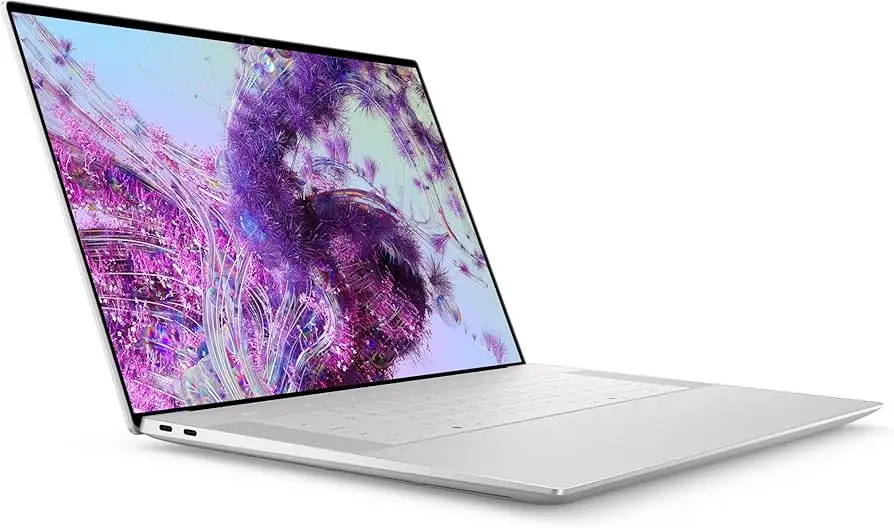
Dell XPS 16 OLED Laptop Review: Powerful but Polarizing
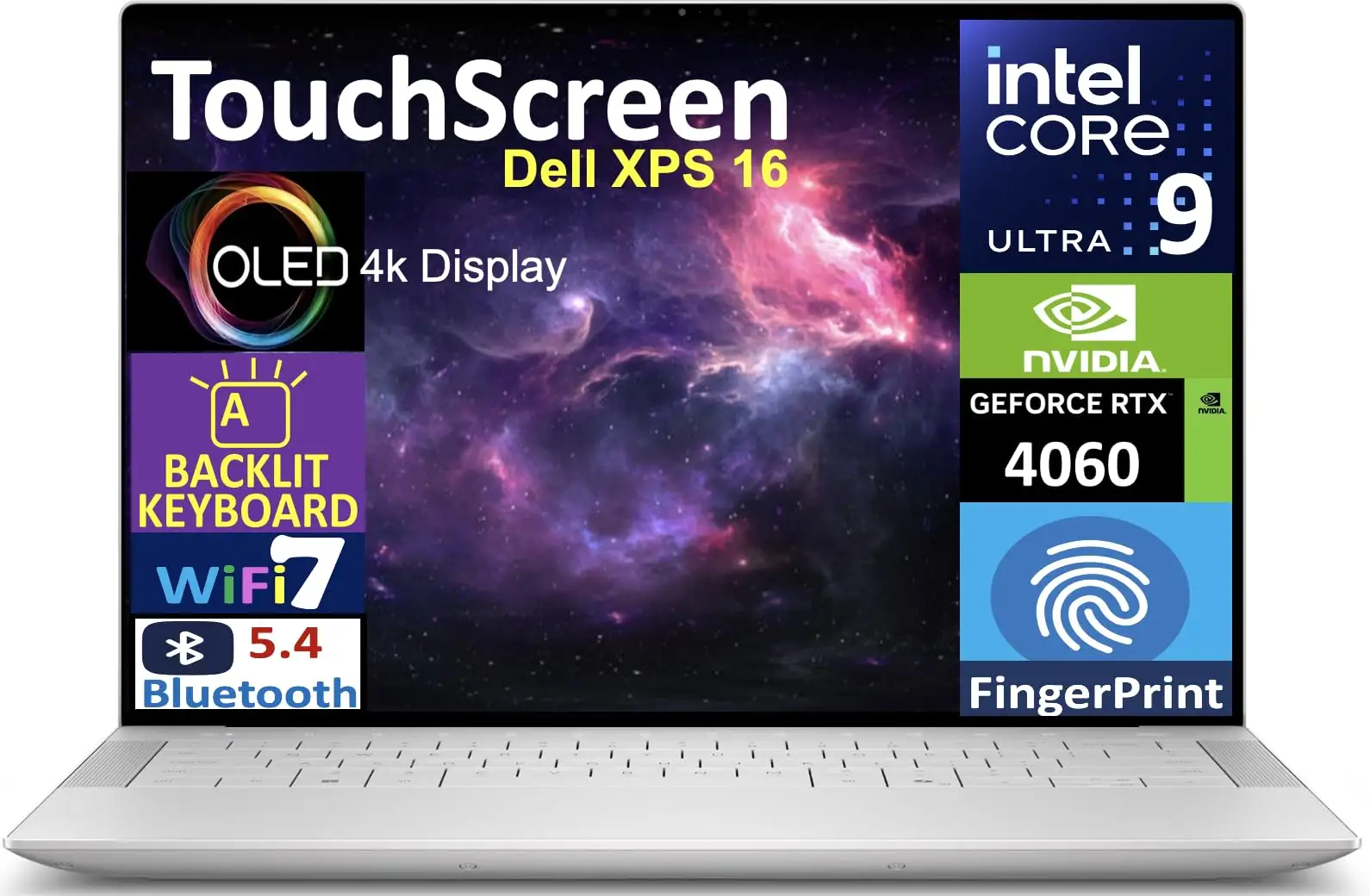
The Dell XPS 16’s stunning OLED display might be its most talked-about feature, but the user community is just as vocal about its quirks. Across platforms, the Dell XPS 16 16.3" Touchscreen Notebook (Intel Core Ultra 9) earns praise for powerhouse performance and premium build, while sparking heated debate around its keyboard and port selection. Averaging 4.4/5 stars among verified buyers and expert reviewers, it stands as a top-tier Windows alternative to the MacBook Pro — if you can live with its design trade-offs. Verdict: 8.7/10.
Quick Verdict: Conditional buy for performance-driven professionals and creatives
| Pros | Cons |
|---|---|
| Brilliant 4K OLED touch display | Limited USB ports, no Ethernet |
| Strong GPU/CPU combo for creative workloads | Polarizing capacitive touch keys / touchpad |
| Premium CNC-machined aluminum build | Heavier than some rivals |
| Long battery life for a high-spec laptop | QC concerns from some users |
| Handles gaming and productivity equally well | Loud fan, hot charger under load |
| AI-ready Copilot key and modern features | Premium pricing |
Claims vs Reality
Dell’s marketing touts “up to 28 hours” battery life with the FHD+ model and states the XPS 16 “confidently handles whatever jobs come your way” with a Core Ultra CPU and RTX graphics. While that aligns with some user experiences, the OLED model tells a different story. TechKnowable’s reviewer reported “eight to fifteen hours of use” depending on workload — far less than the advertised max. Reddit user mwq1989 countered with an exceptional claim: “Over 25 hours of browsing and streaming” — underscoring that battery life is highly mode- and configuration-dependent.
The “comfortable keyboard” claim reads differently to those who’ve used it. Tom’s Guide bluntly noted: “I can't believe they made a 16-inch laptop with a keyboard this uncomfortable,” criticizing cramped key spacing and a lack of tactile feedback on the capacitive function row. This mirrors user brob’s real-world caution: “Not a fan of the capacitive function row but don’t use it that much for it to be a deal breaker.”
As for performance claims, consensus supports Dell’s brag. Consumer Reports testing found it “among the fastest” for demanding productivity tasks, with seamless hybrid GPU switching. Reddit user rossinao confirmed, “Fast, large storage capacity. I have not had any problems!”
Cross-Platform Consensus
Universally Praised
First and foremost, that OLED panel. Reddit user lidy enthused: “Stunning visuals… vibrant colors, deep blacks, and sharp detail, perfect for both creative work and media consumption.” The 4K resolution benefits photographers, video editors, and gamers alike, with Tom’s Guide’s lab tests showing 406-nit average brightness surpassing Dell’s own spec. Even musicians notice the detail — lukeb called it “the premier Windows laptop… the OLED screen looks incredible.”
Performance is another near-unanimous win. For software developers like salimo, the machine “makes my life easy… as a Python developer, I can’t tell you how much I am able to do because of its features.” Editors and architects cite dependable power: rossinao runs heavy 3D modeling with no slowdown, while ariels praised “running the complete Adobe suite” without hiccups. The RTX 4060 and 4070 configurations handle advanced rendering and AI workloads, aided by Microsoft’s Copilot integration.
Build quality rounds out the positives. Consumer Reports testers lauded the sturdy chassis, while billy ray noted the “premium build… sleek and modern” appearance. Even six months in, mwq1989 maintained it as “the best Dell machine I have used.”
Common Complaints
A frequent frustration is port scarcity. Jimmy 23 summed up the sentiment: “It just does not have enough USB ports and an Ethernet port… but that does make it look sleek.” Professionals reliant on multiple external devices feel the squeeze, even with Dell’s included dongle.
The keyboard/touchpad design splits opinion but often skews critical. Tom’s Guide cited “frustrating touchpad” placement and cramped keys. TechKnowable struck a similar note, warning the smooth, LED-marked touchpad edges can be hard to see in bright rooms, leading to usability missteps.
Weight isn’t excessive for its class, but still catches attention. Billy ray admitted, “Downsides are the heavier weight… keyboard/touchpad takes some getting used to.” Travel power users may balk compared to a lighter LG Gram or MacBook.
Fan noise and heat crop up too. Raananf observed, “The fan is loud and the charger gets scarily hot if you charge it while using it.” And one major interruption: user unhappy reported repeated “blue screen errors” and Dell QC shortcomings — rare among most feedback but potent enough to act as buyer caution.
Divisive Features
Battery life garners both awe and skepticism. On the OLED model, heavy-load results of 8–11 hours contrast with mwq1989’s 25-hour light-use claim. Linux user tech lover documented 9-hour productivity sessions — impressive for an x86 laptop with a discrete GPU.
The capacitive function row is either innovative or unnecessary, depending on who you ask. Razer-level build lovers like brob tolerate it, while typists yearning for tactile keys may view it as a deal breaker.
Trust & Reliability
Trustpilot and Reddit patterns show mostly solid hardware reliability but occasional QC anomalies. That unhappy user’s saga — involving multiple service escalations and exchanges before switching to a MacBook — highlights Dell’s service gaps when problems do occur. Yet the majority report sustained, trouble-free ownership beyond several months.
Long-term design durability benefits from a Gorilla Glass palm rest and machined aluminum body. TechKnowable deemed it “slim and simple… making it look like a MacBook,” while Consumer Reports testers liked its resistance to glare and easy-clean OLED surface.
Alternatives
The MacBook Pro M3 Max delivers longer battery life (17+ hours) and higher raw CPU performance per Tom’s Guide, but lacks touchscreen and OLED options. Samsung’s Galaxy Book 4 Ultra trails in gaming benchmarks compared to the RTX-equipped XPS 16. For those prioritizing port diversity and lighter weight, LG’s Gram 17 Pro offers a roomier keyboard and similar battery life but lower GPU muscle.
Price & Value
Current market prices range from $2,249.99 on eBay for a new RTX 4060 model to $3,369 for RTX 4070 configurations. Open-box Best Buy units drop as low as $1,371.99, heavily appealing to budget-conscious buyers. Enthusiasts recommend timing purchases with Dell seasonal promos or clearance events; blue lion 365 advised, “If you have the budget (and catch a sale) I would suggest you seriously consider this machine.”
Resale for OLED/RTX configs remains strong due to demand among creative pros, though rapid GPU generation cycles mean a 4070 model may depreciate more quickly than CPU/GPU-light trims.
FAQ
Q: Does the Dell XPS 16 handle gaming well?
A: Yes, with the RTX 4060 or 4070, many modern titles play smoothly at 1080p using DLSS. Tom’s Guide recorded 81 fps in Shadow of the Tomb Raider, and Reddit users report enjoyable sessions in Dota 2 and creative software.
Q: How is the battery life on the OLED model?
A: OLED units average 8–15 hours depending on workload, far less than Dell’s FHD+ spec. Light use on balanced mode can extend runtime, while heavy GPU use shortens it sharply.
Q: Is the keyboard comfortable?
A: It depends on hand size and expectations. Larger hands may find the cramped spacing uncomfortable; smaller-handed users adapt more easily. The capacitive function row lacks tactile feel, which some dislike.
Q: How does it perform for Linux users?
A: Strong compatibility. Tech lover reported full function of hotkeys, audio, graphics, and Wi-Fi with Fedora 41, plus excellent battery life for a dedicated GPU laptop.
Q: Is it worth upgrading to the RTX 4070 version?
A: For heavy 3D rendering, advanced gaming, or AI workloads, yes. Otherwise, the RTX 4060 offers ample power with slightly better thermal/battery balance.
Final Verdict: Buy if you’re a performance-focused professional or creator who values OLED quality and can adapt to the keyboard/port setup. Avoid if you prioritize maximum battery life or need extensive connectivity without dongles. Pro tip from community: Seek seasonal discounts or open-box deals to mitigate the premium price, freeing budget for accessories like a mechanical keyboard.