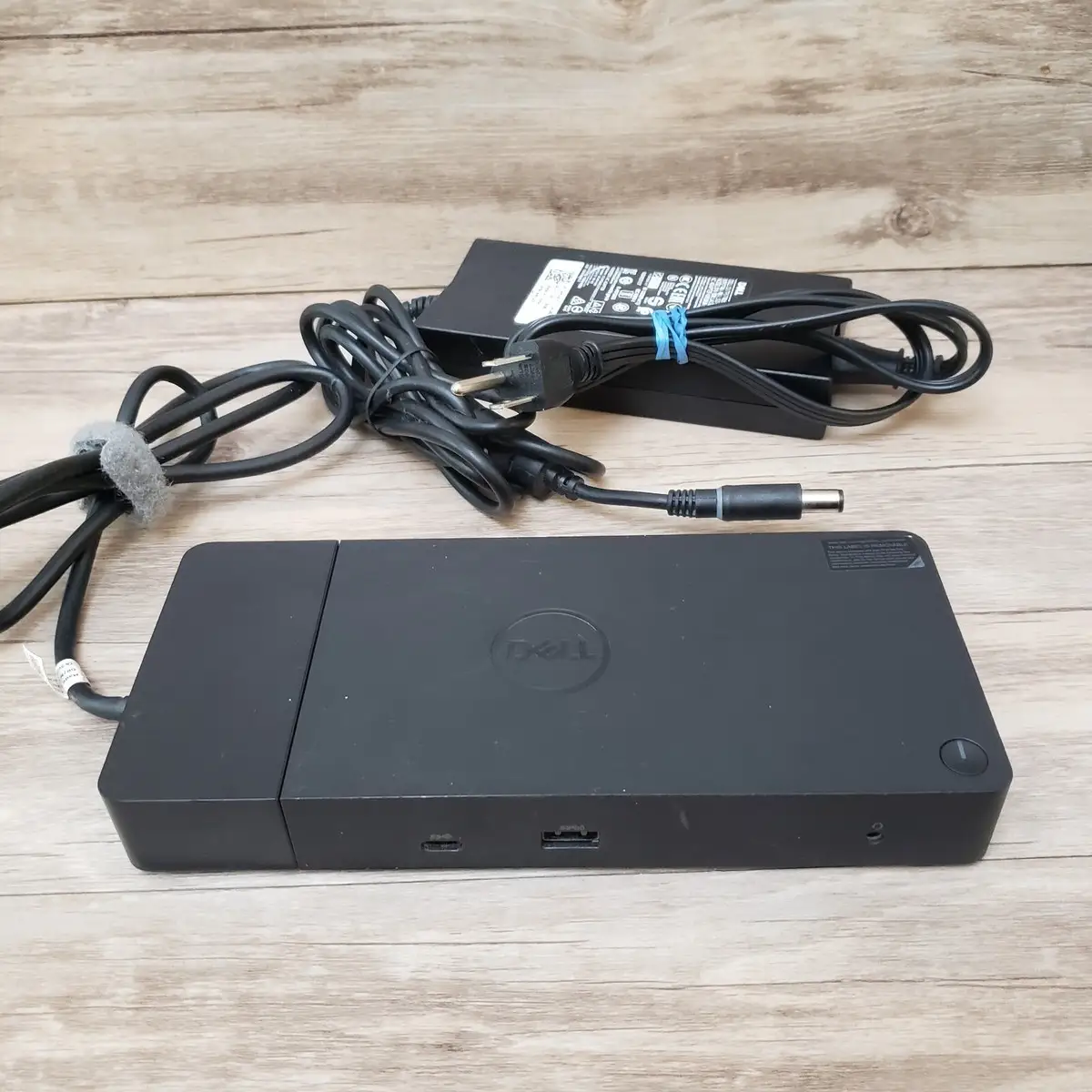
Dell WD19S Dock Review: Strong Power, Limited Compatibility
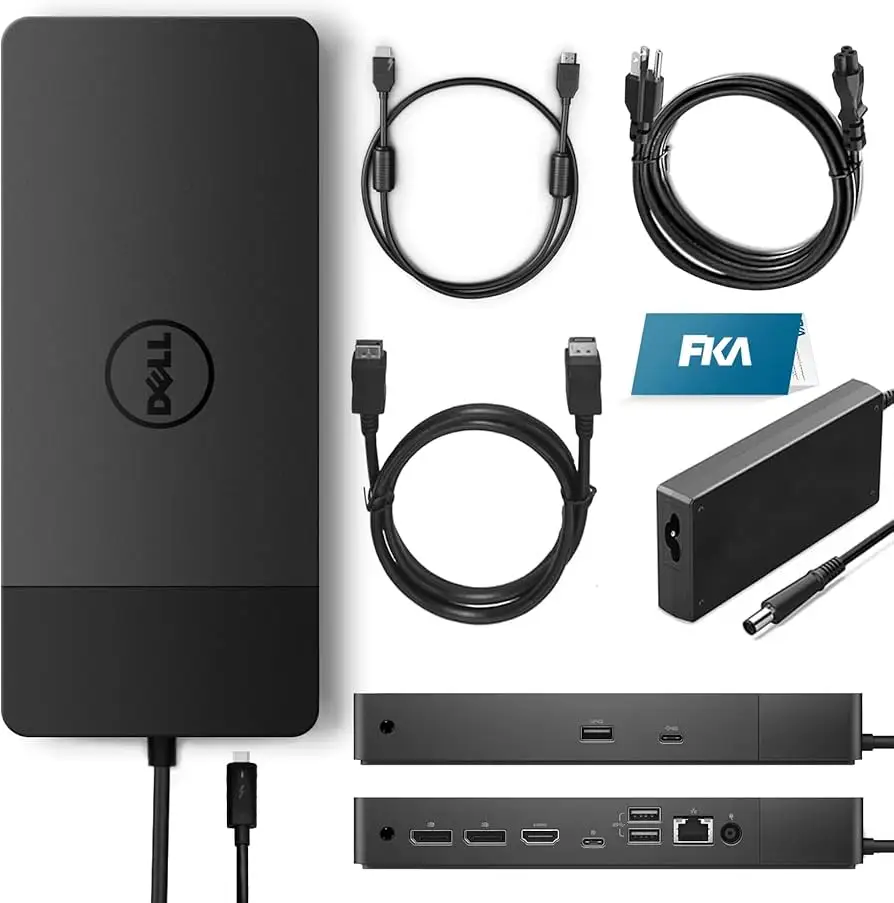
The Dell WD19S Docking Station USB-C HDMI DisplayPort Black quickly proved to be a product that delivers on connectivity and charging power—particularly for Dell laptop owners—but shows clear limitations for mixed-brand or Mac users. Across reviews, its overall performance scores a solid 8.5/10, with consistent praise for build quality, port variety, and charging speed, tempered by frustration over monitor compatibility and occasional connection quirks.
Quick Verdict: Conditional — Highly recommended for Dell ecosystem users, caution advised for multi-brand setups
| Pros | Cons |
|---|---|
| Strong 130W power delivery for Dell systems | Monitor port switching limits multi-display setups |
| Solid build quality with modular design | Occasional disconnect/reconnect issues reported |
| Fits neatly in compact workspaces | Limited HDMI + USB-C simultaneous display output |
| ExpressCharge boosts battery rapidly | Audible fan under heavy load for some laptops |
| Works well with high-res (4K) monitors | Replacement parts hard to source |
| Broad port selection | Noise issues reported with certain XPS models |
Claims vs Reality
Dell markets the WD19S as a "future-ready" modular dock with up to 130W power delivery and support for dual 4K displays at 60Hz. While this is accurate for many Dell commercial laptops, reality shifts for other manufacturers. A Staples reviewer cautioned: "Please be aware that this device will only drive 2 4K monitors… it would not drive them in their native recommended settings. I had to purchase Dell WD19TBS in order to make them work."
Another official claim is versatility—promising compatibility with laptops supporting DisplayPort over USB-C. Yet Reddit user feedback revealed limitations when pairing with MacBook Pro systems: "Only 1 external monitor can be used… multiple external monitors not working as expected" on non-thunderbolt configurations, and even DisplayLink workarounds failed for some.
Dell also highlights “ultimate connectivity,” but while this resonates with some professionals—“Everything is connected to the dock and with a single plug-in… all turns on like a symphony,” (Staples review)—others found specific port assignments restrictive. The company documentation itself warns: HDMI and multi-function USB-C displayport work in “switch” mode, meaning only one of the two can be active for video output at a time.
Cross-Platform Consensus
Universally Praised
Port variety and rapid charging appear as standout strengths. A verified Staples buyer raved: “Awesome dock that connects to my two monitors (curved 34” Alienware + 29” flat Dell) and my laptop. It works perfectly.” Reddit users noted dependable Ethernet performance, with one saying their NIC “even wakes up again when the MacBook does”, highlighting reliability for wired network setups.
For Dell commercial laptop owners, the WD19S delivers full 130W charging—valuable for power-hungry configurations. A Dell community poster described effortless setup: “It works great with my XPS 16 and my three external monitors… the dock stayed cool.” The dock’s compact footprint drew praise from multiple sources, with “perfect size for a docking station” recurring in both Staples and Trustpilot reviews.
Gamers and streamers also found tangible benefits. Staples user meta_packman67 explained: “Right out of the package it was easy to set up. I was able to plug in all of my devices (2 monitors, Alienware keyboard, cooling fan)… I still had ports open to add charger cord.”
Common Complaints
Monitor compatibility and port-switching rules are the most repeated frustrations. A Dell forums poster vented: “Connecting one monitor with USB-C and the second with HDMI is not possible… HDMI and USB-C ports work in switch mode.” Mac users were especially affected—both Reddit and Dell community threads detailing scenarios where dual monitors mirrored rather than extended.
Occasional electrical or connection noise issues also surfaced. Staples user Andrew noted: “My XPS 9530 produces an intolerable high-pitched whining/clicking noise when connected… The solution was to connect my charger as well.” Others faced intermittent docking recognition: “The computer continues to notify of the dock connecting and disconnecting all throughout my workday,” wrote Tabitha Hagan.
Replacement part sourcing is a larger systemic problem for corporate buyers. On Dell’s own forum, David in York shared a months-long struggle to find replacement USB-C cable modules, concluding it may force him to abandon Dell docks entirely if spares remain unavailable.
Divisive Features
Fan noise generated during heavy loads divides opinion—some see it as minor, others find it distracting. Alber Top called it “audible under heavy load,” whereas other users described it as staying “cool” with no thermal complaints. Similarly, while hot-swapping and plug-and-play appeals to many, a few PC users have reported rare malfunctions that require disconnecting power for a reset.
Trust & Reliability
Trust in Dell’s support ecosystem varies sharply. Staples/Trustpilot reviewers tend to rate the product highly in initial use, but Dell community threads expose weak points in aftersales parts support. The modular design promises field upgrades, yet users like David in York found it nearly impossible to purchase modules independently. This contrasts with cheaper third-party docks, which some note are easier to replace outright.
Long-term operational feedback shows relative durability in daily use. Corporate environments using multiple WD19S units reported functionality holding steady over months, provided firmware and drivers are kept up to date. However, the inability to repair accidental damage without replacing the entire dock is a persistent concern.
Alternatives
Within Dell’s ecosystem, the WD19TBS appears frequently as an alternative for users needing full dual-monitor 4K native capability. Staples customer commentary makes clear that the TBS model resolves cases where WD19S cannot deliver correct resolutions. For Mac setups requiring multiple external displays without mirroring, Reddit discussions suggest DisplayLink-enabled docks like the Dell D6000 might be more appropriate.
Price & Value
Pricing varies sharply by region and seller. On Amazon US, bundles with cables retail around $187.95 plus import fees, while Dell’s own store lists prices over $260. Resale value can remain high—open-box units on eBay fetching $114.50 to $215—and a “parts only” listing still drew buyers at $29.99, underlining demand for repair or repurposing.
Community buying tips emphasize verifying firmware compatibility before purchase, particularly for non-Dell laptops, and considering corporate volume orders through Dell to secure consistent hardware revisions.
FAQ
Q: Can the WD19S run dual monitors at 4K 60Hz?
A: Yes, but only with supported Dell laptops. Users report resolution downgrades or mirroring on mixed-brand setups, and the HDMI + USB-C ports cannot output video simultaneously.
Q: Does it work with MacBook Pro?
A: It can, but limitations apply—Reddit users note only one external monitor is recognized without DisplayLink, and even with drivers, dual monitor extension sometimes fails.
Q: Is replacement of the USB-C cable module possible?
A: Technically yes, as per the manual, but Dell forum users found sourcing the part extremely difficult, with support often suggesting full dock replacement.
Q: How noisy is the dock in operation?
A: Under normal loads, most users find it quiet. Some report an audible fan when running heavy processes, especially alongside high GPU use on power-hungry laptops.
Q: Is it plug-and-play?
A: For Dell systems, generally yes—users often report immediate functionality. For others, driver installation may be necessary, and monitor configuration can need manual adjustment.
Final Verdict
Buy if you’re a Dell Latitude, Precision, or XPS user needing reliable power delivery, compact design, and broad port availability. Avoid if you require complex dual-monitor setups on Mac or mixed-brand laptops without DisplayLink support. Community pro tip: keep firmware updated and confirm port configuration limits before purchase to avoid compatibility surprises.