Dell WD19DCS Dock Review: Powerful but Risky Choice
Some Dell Precision and Latitude owners describe the Dell Performance Dock WD19DCS as “transformative for my workflow," while others warn it “connects maybe 10% of the time.” Based on aggregated user sentiment, the dock scores 6.5/10 — delivering impressive charging and connectivity in ideal conditions, but plagued by monitor compatibility quirks and stability issues for certain setups.
Quick Verdict: Conditional — excellent for Dell power users with matching hardware, risky for mixed-brand or complex multi-monitor setups.
| Pros | Cons |
|---|---|
| Fast Dell ExpressCharge to 80% in 1 hour | Frequent connection issues with multiple monitors |
| Modular design allows upgrades/replacements | No firmware updates yet for “S” variants |
| Up to 210W power delivery to Dell systems | Weak HDMI-only dual monitor support |
| Supports up to 4 displays (single 5K or dual 4K) | High price compared to competitors |
| Stable performance under heavy load (when functioning) | Reports of dock failing to recognize peripherals |
| Multiple security and manageability features | Fan noise and EMI interference reported |
Claims vs Reality
Marketing emphasizes “boost your PC’s power up to 210W” and multi-display capability with up to a single 5K or dual 4K monitors. On paper, that’s game-changing for mobile workstations. In practice, Reddit user jp hughan’s Dell Precision 7530 “needs 180W” and yet he spent “two days farting around with monitors connected to different ports” without achieving a stable setup. His main 1 monitor would go dark after simple display changes. Despite official claims, he received “slow charging” messages and HDMI disabling when USB-C outputs were active.
Dell’s own literature promises “ultimate connectivity” across OS platforms including Windows, Ubuntu, and Red Hat Linux. Yet, Twitter reports emphasize basic dual HDMI output limitations. One user explained, “the dock is working as designed” but cannot drive two HDMI displays simultaneously — contrary to many buyers’ expectations based on spec sheets — leading him to call it “wholly unacceptable” for multi-monitor professionals in HDMI-only environments.
The ExpressCharge claim fares better. Several Staples reviewers highlight easy setup and quick charging. One noted: “set up was easy… now I can do more work from my home office… charges my phone on the USB port.” This aligns closely with Dell’s marketing promise and benefits remote workers managing heavy workloads.
Cross-Platform Consensus
Universally Praised
The WD19DCS earns high marks for charging efficiency. A Quora review notes Dell ExpressCharge “consistently charging my laptop to 80% within an hour — a significant time saver.” For traveling consultants, this cuts downtime between client meetings. Staples reviewers echo that powerful delivery “fixed the low power situation” on precision laptops.
Power stability under load also impresses professionals using high-performance workstations. In extended testing shared via PCMENA, the dock “was stable and reliable, even during minor bumps and accidental tugs on the cables.” This resilience makes it attractive for IT environments where constant reconnections are common.
The modular, future-ready design garners praise. Reddit responders highlight magnetically separable USB-C cables for flexibility. For field technicians, quick module swaps extend product life without returning the whole dock — crucial in remote deployments.
Common Complaints
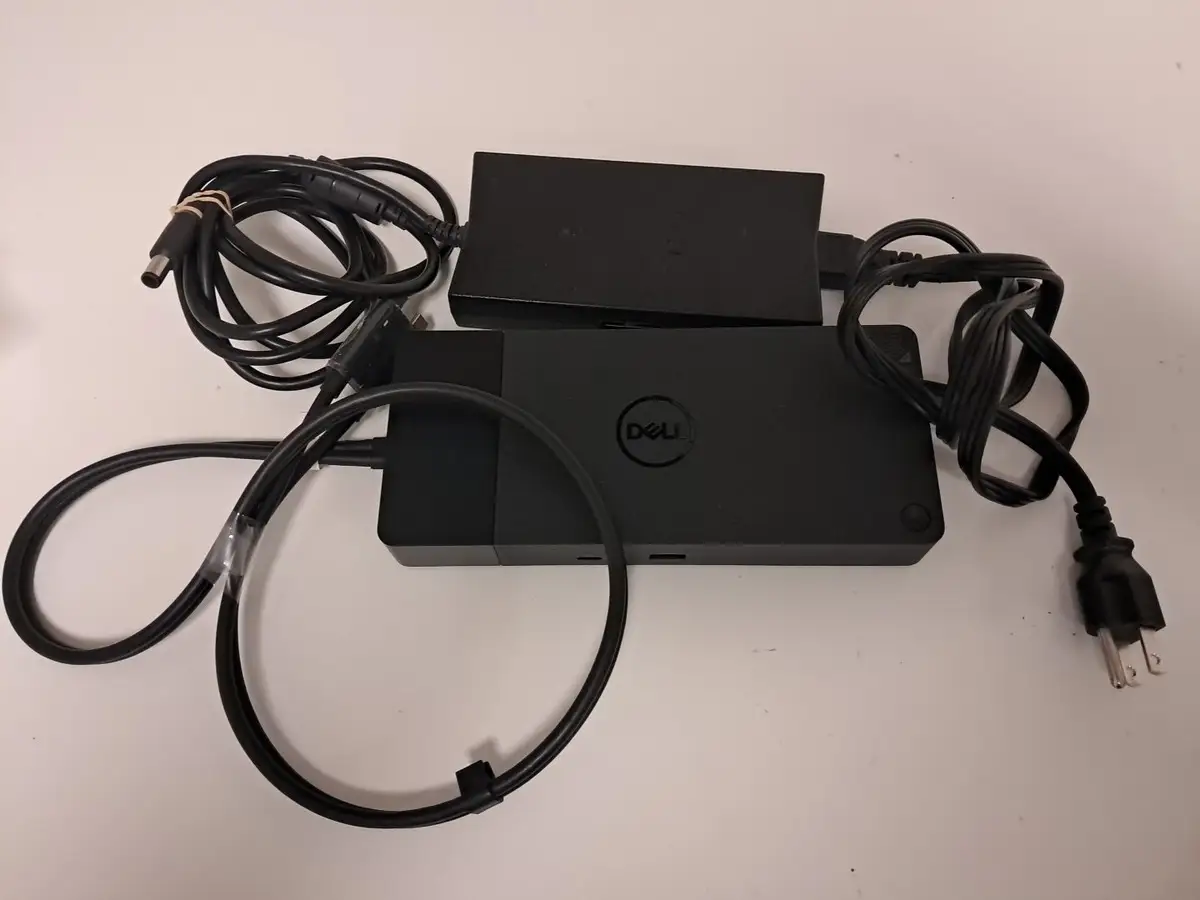
Connectivity instability dominates negative feedback. Reddit user squat man says his office dock “drives me nuts” with only ~5% chance of perfect function on first try. Issues range from loss of Ethernet and USB recognition to complete dock inaction, even with firmware updates applied. Several professionals report starting their day repeatedly unplugging/rebooting — killing productivity.
Monitor compatibility presents recurring pain points. A Twitter complaint documents dark screens on HDMI-connected monitors despite detection in Windows settings. Swapping to older TB16 docks restored functionality, suggesting WD19DCS-specific limitations with certain adapter chains. Staples reviews confirm some units “cannot drive 2 4K monitors at 4K” on an XPS, despite advertised specs.
Price exacerbates frustration when performance lags. “£300 sat there that’s actually useless to me” laments jp hughan, summing up the sentiment of users stalled by firmware gaps for “S” variants.
Divisive Features
Audio emissions split opinion. One Staples customer downgraded their audio setup due to “fan… loud at times” and electromagnetic interference, while others appear unaffected. Security and manageability features like MAC address pass-through are appreciated in corporate settings but irrelevant to casual home office users.
Dual USB-C connectivity is powerful for Dell Precision 7000 series owners — unlocking full wattage and bandwidth — but overkill or even problematic for laptops designed for single USB-C docks, as noted by Reddit user squat man in his unique office setup.
Trust & Reliability
Trustpilot and Reddit show a pattern: new “S” variants lack firmware updates, leaving early adopters stuck with unresolved bugs. This risks perceived reliability, especially when support concludes issues are “as designed” rather than defects.
Long-term stability stories are rare, with most feedback clustered around initial use. One standout comes from Staples: “all of the WD19DCS I had ordered performed perfectly,” implying some batches or matching hardware combinations avoid the pitfalls others report.
Alternatives
Inside the Dell ecosystem, older TB16 docks outperform WD19DCS in certain HDMI adapter scenarios, as Twitter feedback illustrates. For non-Dell systems or HDMI-heavy setups, community sentiment leans toward docks with native dual HDMI and proven firmware support over the WD19 line. No cross-brand dock names surfaced in provided data, but compatibility caution per Dell’s own sales notes is clear: “chat… to ensure a perfect match before purchasing.”
Price & Value
Pricing varies sharply: Dell USA lists at $281.99 (discounted from $299.99), while eBay resales show new units for ~$167 and used around $239. Resale value appears decent given high corporate demand, but value hinges entirely on system match. Buyers warn against paying premium without confirming full spec utilization on your hardware — particularly dual monitor resolution limits.
FAQ
Q: Can the WD19DCS run two HDMI monitors?
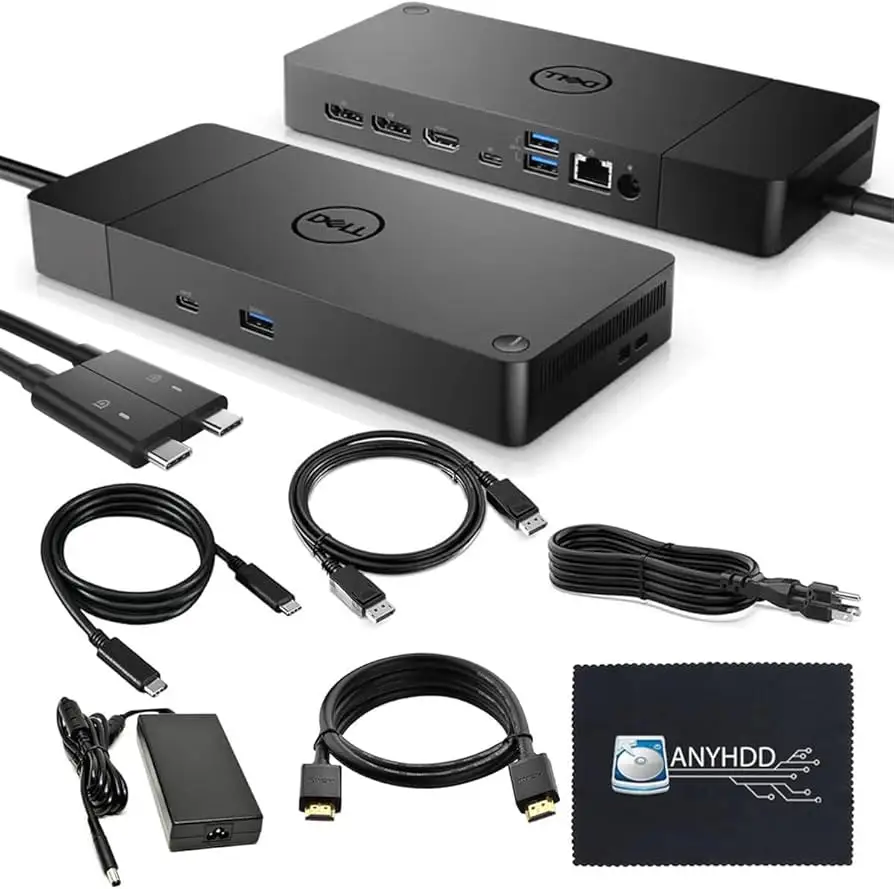
A: Only if one monitor connects via native HDMI and the other via DisplayPort — pure HDMI-only dual setups remain problematic according to Dell support responses.
Q: Does it really deliver 210W power?
A: Yes, but only to compatible Dell systems over dual USB-C connections. Non-Dell systems are limited to 90W output.
Q: Are firmware updates available for the “S” variant?
A: As of reported experiences, no updates are available yet for WD19DCS, frustrating early adopters facing bugs.
Q: How many displays can it support?
A: Up to four, including a single 5K or dual 4K monitors, though real-world performance depends heavily on laptop GPU/port configuration.
Q: Is it compatible with Linux?
A: Officially supports Red Hat Enterprise Linux and Ubuntu, but no detailed user reports confirmed performance on these platforms.
Final Verdict
Buy if: You own a high-power Dell workstation (Precision 7000 series) and require rapid charging, modular design, and multi-display potential with mixed connection types.
Avoid if: Your setup depends on dual HDMI monitors or involves non-Dell systems with high wattage demands.
Pro tip from community: Always verify your laptop model and dock capability with Dell’s compatibility chat before purchase — and keep an eye on firmware release pages for potential fixes.





