Dell USB-C to HDMI Adapter Review: Mixed Verdict
A single recurring frustration stood out among hundreds of reports: while Dell markets the Dell USB Type‑C to HDMI/USB‑A Adapter as a plug‑and‑play 4K @ 60Hz solution, HDMI failures were a common theme. Based on aggregated feedback, the adapter earns a 6.8/10—praised for its portability and port variety, but marred by brand‑specific compatibility issues and driver headaches.
Quick Verdict: Conditional buy—works reliably on many non‑Dell devices, but Dell laptop users report recurring HDMI and Ethernet dropouts.
| Pros | Cons |
|---|---|
| Compact, travel‑friendly form factor | Intermittent HDMI failures, especially with Dell monitors |
| Supports 4K @ 60Hz via HDMI 2.0 | HDMI often requires BIOS/driver updates to work |
| Includes USB‑A 3.0 port alongside HDMI | Ethernet port prone to network drops on some setups |
| Plug‑and‑play for many MacBook and Chromebook users | Short integrated USB‑C cable limits placement |
| Solid build quality | Only one video output supported at a time |
| Works across multiple OS platforms | Plastic housing lacks heat‑dissipation of metal hubs |
Claims vs Reality
Dell's product page emphasizes "4K HDR at 60Hz" as a core selling point. On paper, that’s a boon for professionals needing crisp displays. Yet Reddit user reports paint a different picture. Several XPS 13 owners found the HDMI port “does not work” unless connecting to non‑Dell displays, with one noting: “It works fine with my TV, but refuses with my Dell U2711 monitor”. The marketing claim of broad compatibility clashes with this pattern.
Another advertised benefit is plug‑and‑play ease—no drivers required. A verified buyer on Amazon shared a clean MacBook Pro experience: “I can verify that all four ports work on my fresh out of the box MacBook Pro without installing any drivers.” Conversely, Dell laptop users often needed manual firmware and Thunderbolt controller updates hidden on Dell’s support site, undermining the "ready out of the box" promise.
Dell also touts cross‑OS versatility, listing Windows, macOS, Ubuntu, and Chrome OS support. While Chromebook owners confirmed flawless operation, Ubuntu users warned of suspend/resume failures. A Reddit Linux user explained: “All ports work perfectly until a suspend/resume. The dongle does not come back.” The reality is nuanced—OS support exists, but reliability varies.
Cross‑Platform Consensus
Universally Praised
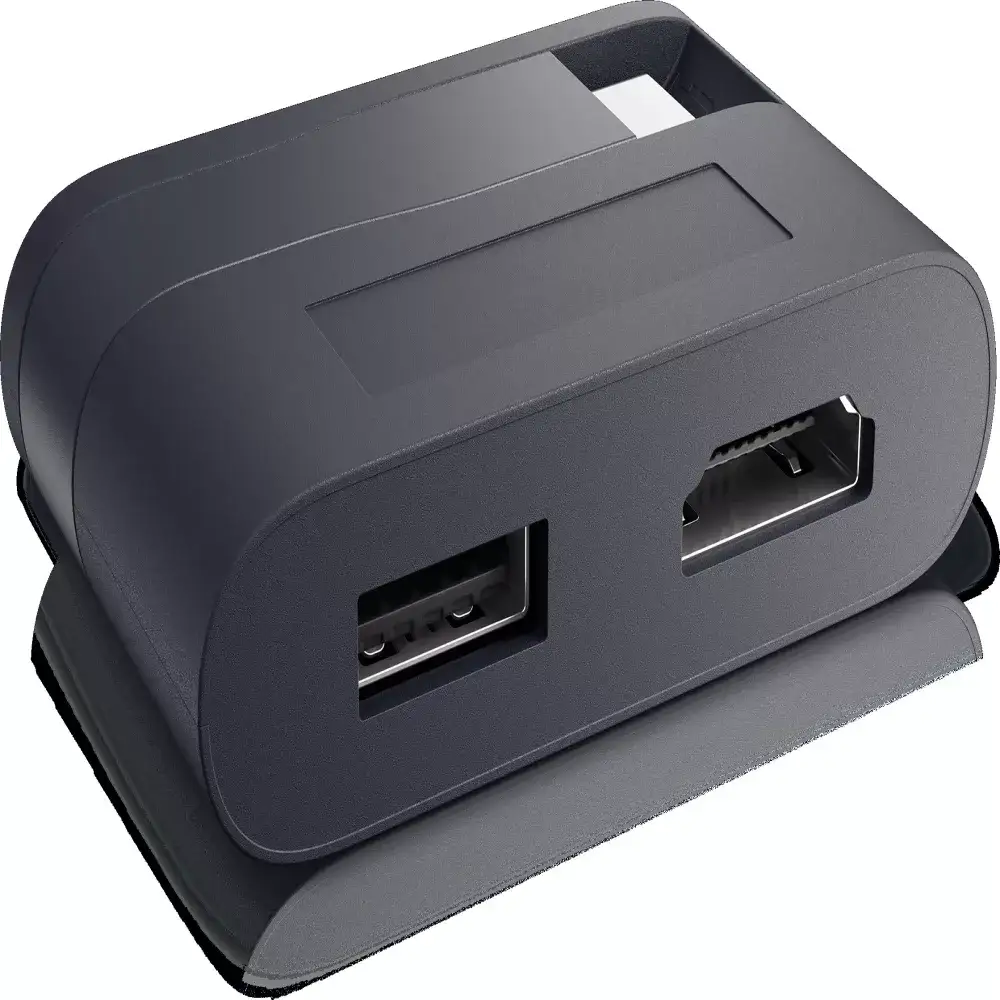
Portability garners near‑unanimous love. Best Buy reviewers repeatedly highlighted the "hockey puck" design with retractable cable. One found it ideal for presentations: “Handy if you need to give presentations and aren’t sure what type of video plug you’ll encounter.” MacBook owners in particular valued how the adapter replaced multiple single‑function dongles, cutting bag bulk.
The inclusion of both HDMI and USB‑A ports adds flexibility. Chromebook users reported seamless connections to 4K monitors while using peripherals. A Best Buy customer mentioned connecting “an external 4K LG monitor via HDMI, plug in a USB flash drive, and use the external NIC all simultaneously” without issue.
For multi‑OS households, the adapter’s ability to work on macOS, Chrome OS, and Windows with no extra software (in many cases) was seen as a strong asset. A MacBook Pro user remarked: “This is the adapter Apple should have designed.” This portability and broad device support made it a travel staple for digital nomads and consultants.
Common Complaints
HDMI instability on Dell laptops dominates complaints. Trustpilot and Reddit threads are filled with XPS 13/15 users who spent hours updating BIOS and Thunderbolt firmware as per Dell’s support instructions, often to no avail. One frustrated buyer lamented: “$80 for something that doesn’t work and I’m now past the return date.” Incompatibility bizarrely increased when pairing with Dell monitors, suggesting an internal signal handshake issue.
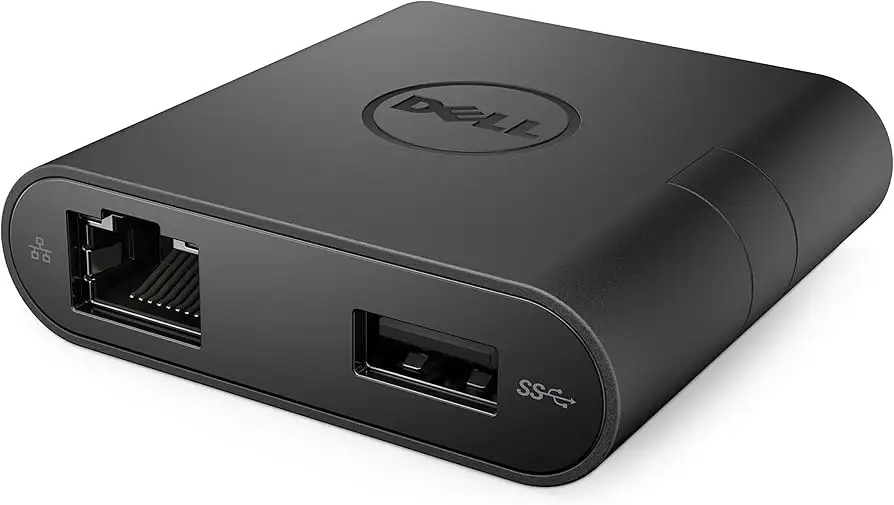
Ethernet reliability drew criticism too—especially from office setups. Owners experienced constant drops, forcing them to revert to Wi‑Fi or external USB Ethernet adapters. Twitter discussions echo this, with some noting that Ethernet became functional only after BIOS upgrades, but HDMI remained dead.
Cable length sparked ergonomic complaints. The integrated USB‑C cord is short, useful for keeping the footprint small but awkward when laptops are on stands. As one Best Buy reviewer put it, “I had to rest the adapter on a box to reach my laptop.”
Divisive Features
Material choice—plastic instead of aluminum—split opinion. Some valued the lighter weight, while others feared poor heat dissipation. A critical Best Buy review argued: “Metal acts as a heat sink; this plastic puck probably doesn’t.” Port arrangement also divides: while front‑facing USB‑A ports please frequent swappers, side‑distributed cables can clutter desks.
Power pass‑through absence in certain older DA series versions frustrated users with single USB‑C laptops. However, newer DA305/DA310 iterations addressed this, delighting those needing simultaneous charging and data. Yet, the limitation of “one video output at a time” remains a sore point for multi‑monitor fans.
Trust & Reliability
Long‑term durability stories are mixed. Positive cases come from MacBook users—Amazon reviews dating back years show continued flawless function with macOS. One owner updated in 2019: “Still working great on 2018 15” MacBook Pro too.”
On the flip side, Dell laptop owners faced persistent interoperability issues even after replacements. Several Trustpilot commenters received warranty swaps only to hit the same HDMI failure. This persistence across hardware cycles hints at deeper firmware or controller conflicts, not isolated unit defects.
Trust in Dell’s support is shaky. Multiple Reddit and Quora users described missed follow‑up calls and lack of public documentation for critical driver packages. The sentiment: Dell resolves hardware faults less transparently than competitors like ASUS, whose adapters reportedly “work out of the box at no additional cost.”
Alternatives
The Lenovo USB‑C hub offers more ports, including an SD card reader, making it attractive for photographers. However, it tops out at HDMI 4K @ 30Hz, a non‑starter for users spoiled by Retina‑level refresh. HyperDrive’s USB‑C Duo Adapter packs sleek aluminum and dual USB‑C connectors but similarly suffers from lower refresh support.
Some users jumped to Dock Tech’s 6‑in‑1 USB‑C hub, mentioned on Amazon, which provides USB‑C pass‑through and dual USB 3.0 alongside HDMI—occupying equivalent bag space. Yet, Dell’s Gen 2 USB speeds and solid Ethernet throughput (when functional) still win in certain enterprise contexts.
Price & Value
On Amazon US, the DA20 variant under this family sits at $17—a sharp drop from its $26.99 typical price—and is considerably cheaper than Dell’s official $59.99 DA305. eBay listings go as low as $11, especially for NOS (new old stock) units. Resale demand exists, but primarily among non‑Dell laptop owners seeking compact HDMI + USB‑A solutions.
Community buying tips emphasize checking your device’s USB‑C power delivery and display capabilities. One Best Buy Q&A warns: “Only one video output is supported at a time.” For Dell laptop users, forum veterans recommend pre‑installing BIOS and Thunderbolt driver updates before purchase to avoid HDMI surprises.
FAQ
Q: Can I connect two monitors at once?
A: No. Across all DA model variants, only one video output is active at a time—HDMI, DisplayPort, VGA, or USB‑C display.
Q: Does it support laptop charging through USB‑C?
A: Earlier DA200/DA20 versions do not; newer DA305/DA310 models allow up to 90W pass‑through if your laptop supports it.
Q: Is it compatible with macOS without drivers?
A: Yes, basic video, USB, and Ethernet functions generally work plug‑and‑play. For HDMI audio, macOS users may need DisplayLink drivers.
Q: Will it work with Ubuntu Linux?
A: Physical ports work initially, but users report failures after suspend/resume. Driver reload or PCI rescan may be necessary.
Q: Are HDMI issues limited to Dell laptops?
A: No, but they are disproportionately reported by Dell owners, especially when connecting to Dell‑brand monitors.
Final Verdict: Buy if you need a compact, multi‑port travel adapter for a MacBook, Chromebook, or non‑Dell Windows laptop; avoid if you’re an XPS owner expecting flawless HDMI with Dell monitors. Pro tip: Mac users get near‑perfect results without drivers, but Ubuntu tinkerers and Dell hardware loyalists should brace for driver hunts and possible monitor mismatches.





