Dell UltraSharp U4924DW Review: Powerful but Divisive
A Reddit user made a harsh assessment right off the bat: “I really had high hopes for this monitor… the deal breakers were the eye‑strain and the text sharpness.” That sentiment frames the reality for the Dell UltraSharp U4924DW 49" Curved Monitor — a powerhouse in productivity potential that earns an investigative verdict of 8.2/10, but not without caveats for certain users. Its expansive 49-inch Dual QHD IPS Black panel wins applause across finance offices, creative studios, and home setups, yet design concessions and mixed comfort reports create a divide.
Quick Verdict: Conditional — best for productivity-focused professionals with strong eyesight & space for a large display
| Pros | Cons |
|---|---|
| Expansive 49" screen replaces dual monitor setups | Eye-strain and neck movement for some users |
| Excellent color reproduction & IPS Black contrast | Lower text sharpness than 4K at similar size |
| Built-in USB-C hub with 90W charging | Lacks Thunderbolt despite premium price |
| Effective KVM & input switching | Firmware issues leading to non-functionality in rare cases |
| Sturdy stand & clean design | Stand footprint occupies significant desk space |
| Strong port selection & RJ45 2.5GbE | Requires adjustment period for the massive screen |
Claims vs Reality
Dell’s marketing touts “uninterrupted productivity” and “exceptional contrast” from its IPS Black panel. Digging deeper into user reports shows those promises are visible in practice — but not universally transformative.
For color performance, Staples buyers repeatedly confirmed Dell’s boldness: “Great monitor! Stylish screen design with excellent resolution… strongly recommend it for computing professionals.” The MincoPC/Trustpilot review similarly found the display “makes my movies, games, and work documents come alive” with vibrant hues and deep blacks. Graphic designers reportedly appreciate the 98% DCI-P3 coverage for color-critical work.
Yet Dell also points to comfort with ComfortView Plus blue light reduction and a curved panel to “reduce reflection and eye fatigue.” On this, Reddit user sam_2204 countered the perception: “You are forced to turn your head… I literally have to turn my neck 45 degrees.” For some, the very curve meant to ease use instead became a physical nuisance, especially combined with their glasses requiring objects to be directly centered to be in focus.
The “dual QHD resolution” claim aimed at replacing two 27" monitors has merit — many users in finance and administration report massive productivity boosts. But text clarity at 1440p on such a large panel caused problems. Sam_2204 noted: “Text is so blurry… especially bold text is so bad” compared to their prior 32" 4K monitor. The scaling limitations on macOS were a particular sticking point.
Cross-Platform Consensus
Universally Praised
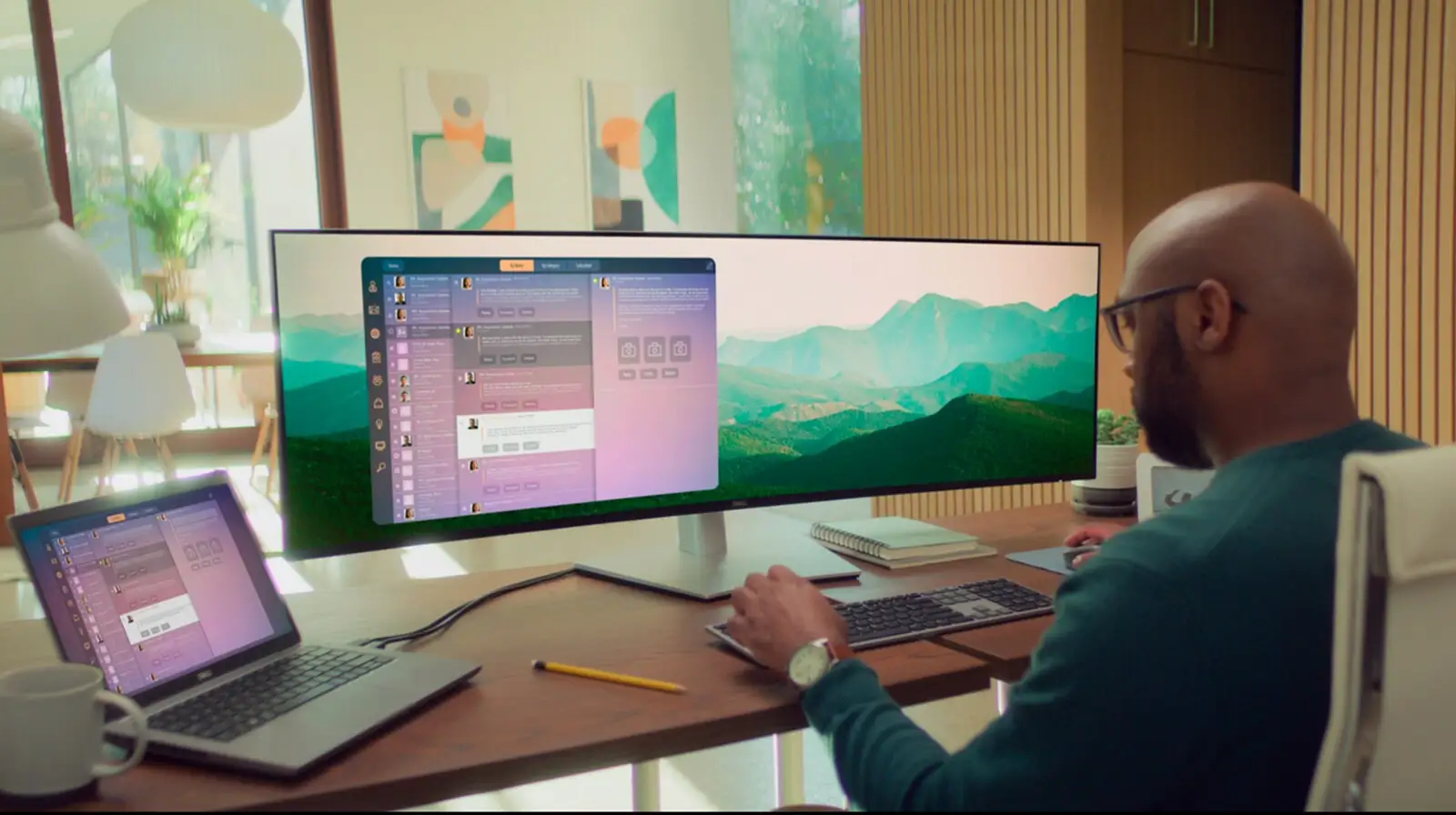
The large unified workspace is the showstopper. Staples reviewers loved replacing multi-monitor setups without bezel interruptions: “I find that work is so much easier to fit all my programs on just one monitor.” Finance professionals get to manage multiple spreadsheets side-by-side, while creative users enjoy editing timelines in full width. A verified Staples buyer called it “enormous size provides plenty of workspace, enough for three or more open windows.”
Color reproduction consistently earns approval. The IPS Black panel’s deep contrast has impressed across the board — MincoPC’s reviewer credited it with “stunning visuals” for movies and design work. Dell’s factory calibration (Delta E<2) ensures immediate use for color-sensitive tasks without post-purchase tuning.
Connectivity and KVM functionality are singled out as transformative for multi-device workloads. A Staples customer described it as “great… multiple inputs offered. The speaker is an extra bonus.” The ability to power a laptop while handling desktop input via one cable is a major relief for home office workers.
Common Complaints
Eye-strain and resolution scaling are the most cited issues, disproportionately affecting users coming from higher PPI displays. On macOS, custom scaling options are limited. Windows users fare better, but Reddit feedback warns this is “not for me” if you value text crispness over real estate.
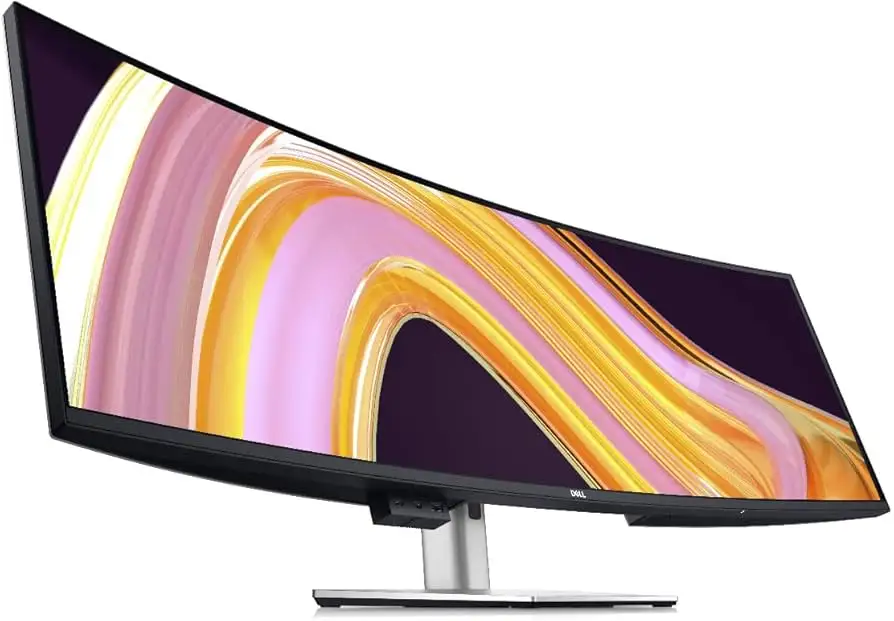
Physical ergonomics introduce challenges. The mass of the stand, necessary for stability, consumes desk depth — affecting smaller workspaces. The curve’s 3800R radius still requires head movement on tasks needing far-left or far-right screen checking.
Reliability concerns appear in isolated cases. A Staples reviewer had their unit fail within three days, enduring “40+ min with Dell tech support… replacement is refurbished, not mint in box.” Another cited “outdated firmware” as rendering the display unusable until intervention.
Divisive Features
Built-in speakers (dual 9W) split opinion. For casual listening or video calls, they suffice — one buyer called sound “fine for a desktop” — but audiophile users still opt for external setups. The same split applies to KVM functionality; a Reddit user wished for a third upstream port to juggle three systems, a niche request not likely to trouble most users.
Dell’s Display Manager software also draws divided reactions: praised for Easy Arrange window management, critiqued for requiring Rosetta translation on macOS despite Apple Silicon’s maturity.
Trust & Reliability
Patterns on Staples and Reddit point to generally strong build quality — “very sturdy… doesn’t crack or make weird noises” — but also to occasional customer service frustrations. The refurbished replacement issue is a sore point for those expecting new hardware under warranty. However, most buyers report quick, professional transactions and working units on first delivery. Long-term durability anecdotes are sparse, but second purchases from satisfied customers hint at sustained function over years.
Alternatives
Two direct competitors surface from user mentions: Samsung Odyssey G9 and LG UltraWide 38WN95C-W. The Samsung matches curvature appeal and exceeds in gaming refresh rates, but “falls short on color accuracy compared to the Dell,” according to MincoPC. The LG offers exceptional image quality in a 38-inch package, but loses on immersive span for multitasking-heavy professionals.
Price & Value
At $1,359–$1,499 USD depending on channel (Dell direct, eBay), the U4924DW sits firmly in premium territory. Community buying tips suggest monitoring seasonal Dell store sales, where bundles and 20% discounts have brought it closer to $1,000. Resale value holds thanks to its still-novel IPS Black tech and business-grade port set. Pros in design, finance, and editing get the most ROI; casual users may overpay for unused capabilities.
FAQ
Q: Can this monitor replace dual 27" displays effectively?
A: Yes — several finance and home office users say it matches or exceeds multi-monitor productivity, with no bezel interruptions and native software partitioning for multiple windows.
Q: Does the curvature actually reduce eye strain?
A: Mixed — some praise reduced reflections and comfort, while others report more head movement causing strain, especially with glasses.
Q: Is text sharpness good enough for coding or long-format reading?
A: On Windows with scaling tweaks, it’s acceptable. On macOS, some users find 1440p width results in noticeably less crisp text compared to 4K panels.
Q: How is KVM performance?
A: Smooth for two systems, according to users. Switching is fast, but a small minority desire extra upstream ports for more devices.
Q: What happens if the monitor fails under warranty?
A: Dell offers replacements, but some report receiving refurbished units rather than new, even within early failure windows.
Final Verdict: Buy if you’re a productivity professional wanting an immersive, color-accurate single workspace with versatile connectivity. Avoid if you’re sensitive to text clarity or work primarily on macOS without tolerance for resolution scaling quirks. Pro tip from the community: watch for Dell’s seasonal promotions to cut the price by up to 20%, making the investment far easier to justify.





