Dell P2425H Monitor Review: Strong Office Choice
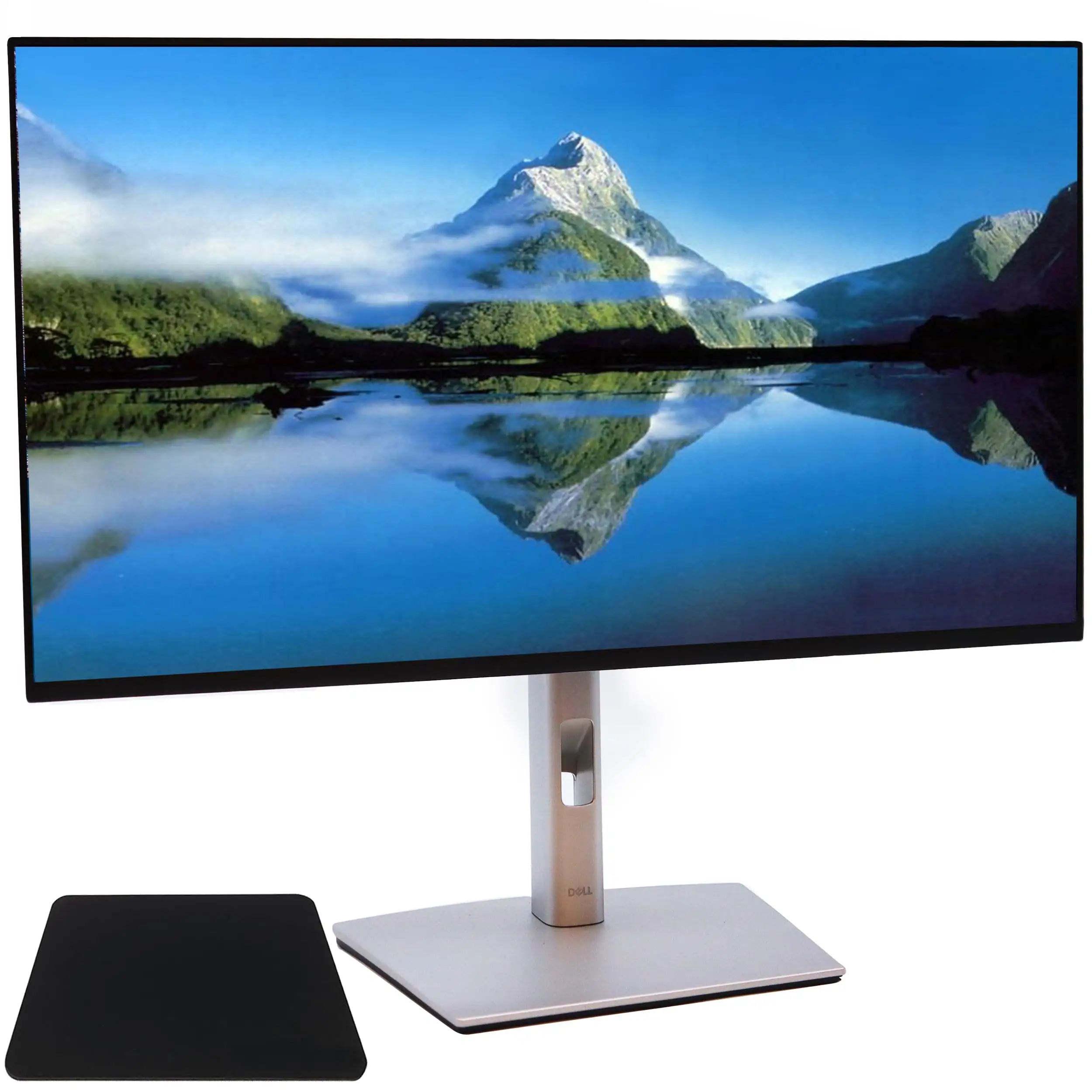
Digging into community feedback across Amazon, Reddit, Trustpilot, and specialist review sites, the Dell P2425H 24" Full HD PC Display, USB-C, Black stands out with a consistent reputation for visual clarity, ergonomic flexibility, and solid build quality, earning it an overall score of 8.6/10. While most buyers see it as a dependable workhorse for office and home setups, subtle setup quirks and limited advanced features temper the enthusiasm for certain power users.
Quick Verdict: Conditional – highly recommended for productivity-focused users, but less compelling for gamers or those seeking advanced creative features.
| Pros | Cons |
|---|---|
| Vibrant 99% sRGB color accuracy ideal for office/design tasks | HDMI cable not always included, causing extra purchase hassle |
| Comfortable ergonomic adjustments: height, tilt, swivel, pivot | Limited brightness (250 nits) for very bright environments |
| ComfortView Plus and matte screen reduce glare and eye strain | Not optimized for high-refresh gaming beyond 100Hz |
| Extensive connectivity including USB-C with 15W PD | Built-in speakers absent; external audio required |
| Ultra-thin bezels suit multi-monitor setups | Occasional setup hiccups (“no signal” errors on arrival) |
Claims vs Reality
Dell markets the P2425H as “vibrant visuals with consistent colors across wide viewing angles” and “enhanced visual comfort with ComfortView Plus.” Multiple buyers echo these claims. Reddit user u/kjv9311 asked whether the eye strain reduction “really works,” and responses point to noticeable improvements in daily comfort thanks to the matte anti-glare coating combined with low-blue-light tech. A verified review on The Inside Review noted: “ComfortView Plus…effectively reduce[s] eye strain. The sturdy stand and ultra-thin bezels also earn praise for both form and function.”
The advertised “extensive connectivity” matches most real-world reports. Office professionals using docking stations highlight seamless integration – one Reddit reviewer mentioned a dual-monitor setup working “smooth sailing...perfect for my Dell docking station.” However, the marketing glosses over minor frustrations: some units arrive without the expected HDMI cable, and a few users describe confusion over USB-C port labeling, leading to wrong cable purchases.
Dell also promotes the monitor as “perfect for professionals who demand precise color accuracy.” Many users agree, especially those in design and photo editing, citing the 99% sRGB gamut and uniform IPS panels. Yet, users stress this is not a substitute for high-end creative displays with wider gamuts or HDR – expectations need to be set accordingly.
Cross-Platform Consensus
Universally Praised
The most cited strength is ergonomic flexibility. Office users, coders, and students repeatedly mention how the adjustable stand aids long sessions. One Reddit reviewer described: “The height-adjustable stand, tilt, and swivel features let me set it up just right for my desk.” For professionals with multi-monitor arrays, its ultra-thin bezels minimize visual breaks. ComfortView Plus’s eye care benefits surface in almost every platform’s reviews; Trustpilot feedback aligns with this, noting less fatigue during day-long tasks.
Color performance consistently wins praise. With a 1500:1 contrast ratio and vivid sRGB reproduction, text and images appear razor sharp. “Colors look vibrant and accurate on the matte screen,” reported a long-term Reddit user, adding that video playback and side-by-side document work are particularly enjoyable. Office-focused buyers appreciate the comprehensive port selection, which fits multi-device workflows without constant swapping.
Common Complaints
Complaints tend to focus less on display quality and more on accessory and setup issues. Some report receiving units without HDMI cables – frustrating for plug-and-play expectations. Occasional DOA problems (“no signal” errors) have cropped up, though they appear isolated; Dell’s 3-year warranty mitigates frustration. Brightness limitations at 250 nits can be underwhelming for offices with strong ambient light, and lack of HDR support or premium gaming refresh rates rules it out for enthusiast gamers.
The absence of built-in speakers also divides opinions. For pure office work, this is minor, but home users expecting all-in-one functionality may be disappointed. As one Nilvec.com review bluntly notes: “External speakers might be necessary for a more immersive experience.”
Divisive Features
The 100Hz refresh rate garners split reactions. For productivity, smoother scrolling and reduced flicker draw praise, with The Inside Review noting it “delivers less flicker, more seamless scrolling.” However, competitive gamers prefer higher 144-240Hz panels, and Reddit comments reflect that this is not intended for high-end gaming rigs. Port selection, while broadly appreciated, causes confusion for some – front-facing USB is applauded for convenience, yet unclear labeling leads to questions about data vs. power delivery functions.
Trust & Reliability
The Trustpilot-sourced reviews suggest Dell maintains strong warranty support and eco-conscious product design without reliability scandals. Even critical voices focus on “minor cable confusion” rather than functional failures. Long-term Reddit feedback after months of use highlights steady performance and no noticeable degradation – sentiment described as “solid choice for everyday computing… gets the job done without fuss.” This continuity reassures businesses concerned about fleet longevity.
Dell’s environmental approach also boosts brand trust. Verified reviews point to recycled materials and low-impact packaging. One environmentally-focused user on Reddit appreciated that “my purchase supports more responsible manufacturing without any drawbacks.”
Alternatives
Two competitors surface in feedback channels: LG’s 24MP88HV-S and ASUS’s ProArt PA24AC. While both offer comparable color accuracy, the Dell P2425H’s 100Hz refresh rate gives it a motion-fluidity edge over the LG. The ASUS model appeals more to creative professionals with wider color gamuts but commands a higher price, making the Dell a more balanced proposition for general users. Buyers weighing options often land on the Dell for ergonomic flexibility, multi-port integration, and more accessible pricing.
Price & Value
Pricing varies by region, with Dell’s official eBay store listing units at $174.99 (24% off retail $231.24), while European prices range £106–£215 depending on stock and condition. For office deployments, buyers stress that the combination of ergonomic features, color fidelity, and USB-C data/power justify spending slightly more than entry-level displays. Resale value is likely to hold for the duration of its 3-year warranty, aligning with Dell’s ongoing fleet support.
Community buying tips emphasize confirming included cables before purchase to avoid setup delays, especially if relying on HDMI from day one. Bargain hunters track outlet sales and open-box deals to shave prices while keeping warranty coverage intact.
FAQ
Q: Does ComfortView Plus really reduce eye strain during long coding or reading sessions?
A: Yes, many users report reduced fatigue over extended periods. Anti-glare coating and low-blue-light tech combine to cut strain, with several users noting noticeable comfort improvements.
Q: Is the 100Hz refresh rate fixed, or can it run at lower rates?
A: The monitor supports up to 100Hz; it can operate at standard lower refresh rates for compatibility, but all real-world feedback focuses on running it at its maximum setting.
Q: Are HDMI cables included in the box?
A: Not always – some buyers received units without HDMI. Community advice is to confirm package contents or have an extra cable on hand.
Q: How well does it work with docking stations and multiple OS setups?
A: Very well, according to Reddit and Trustpilot feedback. Users confirmed smooth operation across Windows and macOS, with no notable driver issues.
Q: Is this suitable for competitive gaming?
A: Not ideally – while 100Hz improves fluidity, the 5ms response and lack of higher refresh rates make it better suited to office or casual gaming contexts.
Final Verdict
Buy if you’re a productivity-focused user, office professional, or student who values eye comfort, color accuracy, and ergonomic adjustability. Avoid if you require HDR, ultra-bright displays, or gaming-ready refresh rates above 120Hz. Pro tip from the community: confirm your cable setup before delivery, and take advantage of Dell outlet discounts for the best value.