Dell OptiPlex 5050 SFF Review: Compact Power, Buyer Beware
A 90-day warranty may sound reassuring, but for the Dell OptiPlex 5050 SFF Desktop Computer (Renewed), buyer experiences reveal a split between near-perfect performance and seller-dependent pitfalls. Averaging between 4.0 and 4.4 stars across platforms, this compact business-class PC delivers snappy multitasking and reliable office productivity—yet hardware mislabels and missing accessories have caught some customers off guard. Verdict: 8/10 if bought from a trustworthy refurbisher.
Quick Verdict: Conditional Buy
| Pros | Cons |
|---|---|
| Strong CPU performance (i7/i5, 7th/6th gen options) | Accessory omissions (power cables, Wi-Fi dongles) |
| Fast NVMe SSD boot and load times | Occasional mislabeling with slower SATA SSDs |
| Compact, sturdy design for small workspaces | SFF limits GPU upgrades, PSU power |
| Smooth multitasking with up to 32GB RAM | Cosmetic blemishes in some units |
| Quiet operation under load | Seller-related warranty/support issues |
| Ideal for office, media streaming, virtualization | Some BIOS/domain lockouts requiring OS reinstall |
Claims vs Reality
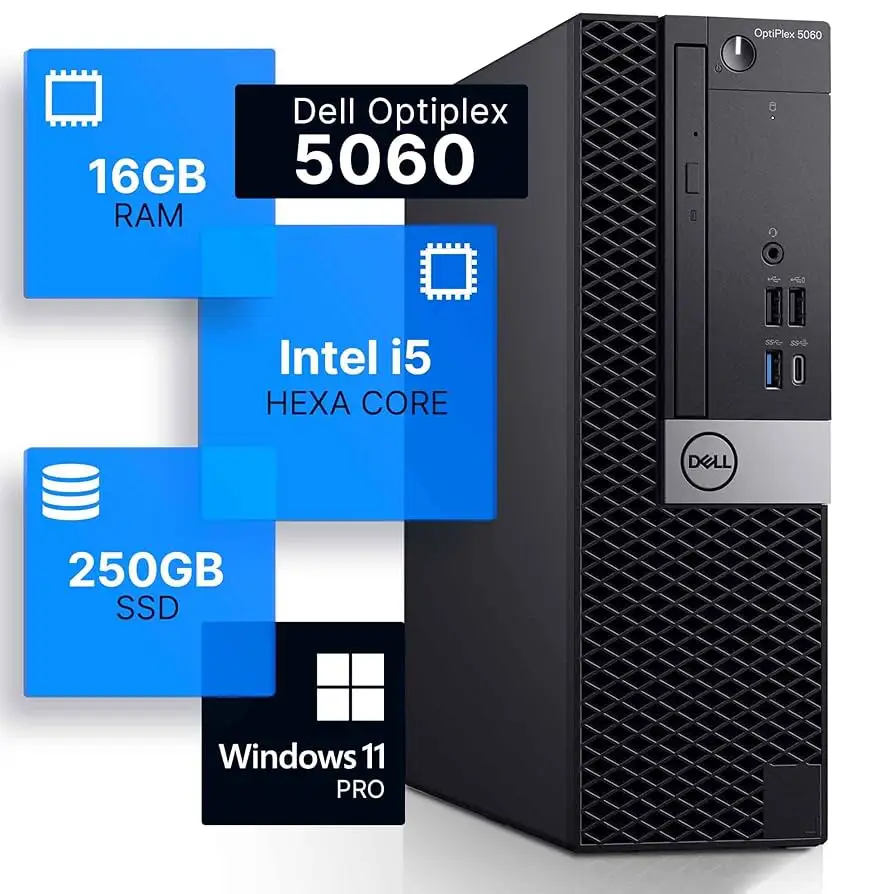
Dell markets the OptiPlex 5050 SFF as a "high-performance" business desktop with "oversized DDR4 memory" and "512GB M.2 SSD" for faster boot speeds. These claims align well with many user experiences—A verified buyer on Amazon noted: "Booted like a first-time computer… ran quietly and fast"—but the speed promise hinges on getting the advertised NVMe drive.
Digging deeper into user reports, mislabeling issues surface. One Trustpilot reviewer warned: "Came with SSD when M.2-NVMe is specified… false advertising… now I have to send it back." Several Reddit users confirmed receiving SATA SSDs instead of NVMe, with performance drops “over fivefold” in sequential reads/writes.
Marketing talks up easy integration and versatility, boasting HDMI, DisplayPort, and multiple USB options. Best Buy buyers back the port access claim, saying the machine was "set up in minutes… loaded with storage, memory, and all the necessary applications". However, Twitter/X user zacharyw cautioned: "Doesn't have WiFi or Bluetooth… had to buy a WiFi USB and plug-in speakers."
Cross-Platform Consensus
Universally Praised
Performance is where the OptiPlex 5050 consistently wins. For office professionals, the Intel Core i7-7700 and i5-7500 variants handle spreadsheet crunching, e-mail, and browser multitasking without lag. A Best Buy reviewer summed it up: "It is a powerful computer that I can work with hours without it getting slow." Virtualization hobbyists on Reddit successfully ran multiple Linux/Windows VMs, with boot times under 10 seconds on genuine NVMe storage.
Compactness is another strength—its Small Form Factor fits easily on crowded desks while maintaining a sturdy build. The quiet operation impressed media streamers and DVR enthusiasts, with one Reddit user noting it was "near-silent… perfect for Kodi, Plex, or PVR setups".
Value proposition repeatedly comes up: buyers call it “super low price” given the hardware and extras like free Wi-Fi adapters, new keyboard/mouse combos worth $25–$30. This makes it attractive for small offices and home labs needing reliable workhorses.
Common Complaints
Accessory omissions are a frequent headache. Missing power cords, absent Wi-Fi adapters, and lack of HDD caddies force buyers back into the market for parts. One Reddit account complained: "No hard drive caddy, mislabeled SSD type… cutting speeds over fivefold."
Cosmetic blemishes—scratches, chipped paint—crop up, especially from lower-tier refurbishers. More worrying are BIOS or software lockouts. Rare but severe, these included Windows installations bound to private domains, requiring clean OS reinstalls to regain functionality.
Hardware limitations frustrate gamers and upgrade enthusiasts. While SFF allows some low-profile GPU installs, the 200W PSU restricts higher-end cards. Dell’s own forums revealed a quirk: systems with all four RAM slots populated plus a PCIe card may fail to boot—likely PSU insufficiency or SMBus interference from the card.
Divisive Features
The refurbished nature splits sentiment. Many echo Best Buy’s “refurbished is like new” praise, but buyers burned by poor sellers view it as risky. A Trustpilot account called their Green Tech Computers purchase a “costly and frustrating ordeal” after warranty denial.
Wi-Fi absence divides users—some see Ethernet as fine for offices, others dislike having to source adapters. NVMe speed differences (true vs mislabeled SATA) are another contentious point—those with genuine NVMe gush over performance; those without feel shortchanged.
Trust & Reliability
Patterns from Trustpilot and Reddit suggest hardware reliability is high when sourced from reputable refurbishers. Problems, particularly with accessory inclusion and mislabeling, cluster around certain vendors. Green Tech Computers surfaces repeatedly as a trouble spot, with reports of “unhelpful support and warranty denial.”
Long-term owners have positive durability stories. As one Reddit homelab user shared: "Ran Ubuntu 22.04, Plex server, SMB… temperature steady even during prolonged use." Six-month-plus owners report stable performance, with only occasional HDD/SSD swaps to replace low-quality drives.
Alternatives
Within Dell’s lineup, the OptiPlex 7050 SFF offers similar SFF design but newer gen CPUs, potentially better RAM/GPU compatibility. However, resale market shows both models achieve comparable prices. For more GPU headroom, buyers look to OptiPlex mid-towers with 300+W PSUs, at the cost of a larger footprint.
Price & Value
Market pricing varies from ~$135 for i5 models with minimal storage to over $400 for maxed i7/64GB/dual-drive configs. eBay shows strong resale for clean, working units—proof of sustained demand. Buying tips from community: verify NVMe SSD type before completing purchase; request photos of accessories; choose refurbishers with high feedback scores.
FAQ
Q: Does the Dell OptiPlex 5050 SFF have built-in Wi-Fi?
A: Most units do not include built-in Wi-Fi or Bluetooth; buyers often add USB adapters. Check listing details—some refurbishers bundle dongles.
Q: How upgradable is the OptiPlex 5050 SFF?
A: RAM can be increased to 32GB, storage expanded with a 2.5" HDD/SSD, and low-profile GPUs installed. PSU limits heavy graphics cards.
Q: Is Windows 11 supported?
A: Yes, many owners have upgraded successfully thanks to UEFI and Microsoft certification. Verify firmware is up-to-date for smooth install.
Q: What should I inspect immediately on arrival?
A: Confirm SSD type (NVMe vs SATA), check all ports, accessories, and exterior for damage. Test boot and OS activation.
Q: How quiet is it?
A: Reports consistently praise its low noise, even under load—suitable for media streaming setups in quiet rooms.
Final Verdict
Buy if you’re a small office, home lab, or media streamer needing a compact, powerful desktop with strong multitasking and virtualization chops. Avoid if you require high-end gaming GPUs or can’t tolerate accessory hunting after purchase. Pro tip from the community: research your seller, insist on NVMe verification, and inspect all components on day one. This renewed OptiPlex can be a dependable workhorse—if sourced with care.





