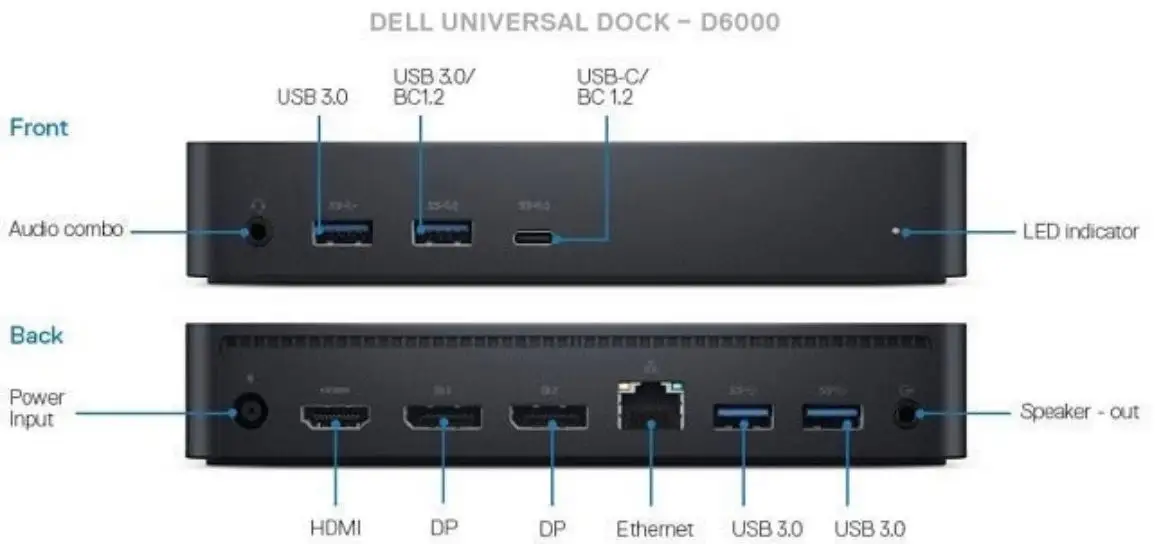
Dell D6000 Dock Review: Flexible but Flawed Verdict
Starting with a surprising user insight: many buyers say the Dell D6000 Universal Dock solves multi-monitor headaches—yet for gamers, it’s a nightmare. Across hundreds of user accounts, it scores 7.4/10: praised for flexibility and compatibility, undermined by DisplayLink compression issues and inconsistent power delivery.
Quick Verdict: Conditional buy
| Pros | Cons |
|---|---|
| Handles up to 3 displays via USB-C | Significant lag in gaming/video editing |
| Works with USB-C and USB-A laptops | 65W max power delivery—not enough for high-power laptops |
| Cross-brand compatibility (Windows/Mac/Ubuntu) | CPU load spikes with multiple high-res monitors |
| Compact footprint | HDMI and DisplayPort resolution limits for some setups |
| Easy hot-desk/hoteling deployment | Requires DisplayLink driver; without it, ports may be inactive |
Claims vs Reality
Dell markets the D6000 as a “universal” dock capable of driving up to three 4K displays over USB-C, or two 4Ks over USB-A, and charging laptops at 65W. On paper, that’s appealing: one cable for video, audio, data, and power. But digging deeper into user reports reveals a more nuanced reality.
Reddit user trackme noted: “It can run a single 1440p with no perf issues, but when running two it’s pretty noticeable.” This captures one common discrepancy—the dock can indeed connect multiple high-res monitors, but doing so via DisplayLink technology often comes with heavy CPU usage and degraded smoothness in dynamic content.
Dell also claims cross-platform compatibility. While many confirm it works “perfectly for coding, browsing and office tasks,” as one Latitude E5570 owner shared, Mac users face quirks: a Twitter reaction complained that “dual HDMI does not work on Mac… they are mirrored.” The promise of universal multi-display support doesn’t fully extend to all operating systems without compromises.
Cross-Platform Consensus
Universally Praised
Office workers and enterprise IT admins consistently praise its versatility. A verified Woot forum member said: “Great product. I replaced my awful TB-16 with this and it has been bulletproof.” This shows its reliability in environments prioritizing stability over raw performance. Hot-desk setups benefit from the mix of USB-C and included USB-A adapter, allowing old and new laptops to dock without hardware changes.
For coders, researchers, and general productivity users, the dock’s ability to maintain three extended displays via USB-C is transformative. A Reddit user explained: “I run 2x 1440p (DP) + 1x 1080p (USB-C) monitors… all on extended mode, no mirrors.” These setups enable simultaneous spreadsheets, IDEs, and video conferencing without the clutter of multiple cables.
Even MacBook M1 users—limited by native dual-monitor restrictions—reported successful triple-display setups after installing DisplayLink drivers. One Redditor advised: “You’d be looking for a displaylink dock… install the software… and you’re all set :)” For them, the dock circumvents Apple’s design choices.
Common Complaints
Gamers are the loudest critics. On Dell’s forum, one buyer lamented: “Games are unplayable!… anytime I do intense graphic stuff, same thing happens.” DisplayLink’s CPU compression strains systems when rendering fast-changing visuals, causing judder, lag, and reduced frame rates. Video editors and graphic designers report similar obstacles—any task where GPU acceleration is key underperforms because DisplayLink bypasses discrete GPUs.
Power delivery is another pain point. Officially capped at 65W, the D6000 underpowers systems designed for 90W–130W. A frustrated Inspiron 7591 owner wrote: “It doesn’t provide power… slower battery charging and probably reduced performance especially under load.” Others discovered too late that their laptops’ USB-C ports don’t support charging at all, making the dock’s PD feature useless.
Compatibility inconsistencies hurt too. The dock’s HDMI and DisplayPort outputs sometimes fall short of advertised resolutions, especially in mixed output configurations. A ThinkPad X1 user found: “1 DP in HDMI out… max resolution I can set is 2048x1152… Is this a bandwidth problem?”
Divisive Features
The choice to hardwire the dock’s main cable splits opinion. Laptop Mag’s review calls it “clumsy” and warns that a damaged cord means replacing the whole dock. Some enterprise admins actually prefer it—no chance of losing the connection cable.
Price is another divider. In enterprise quotes, the D6000’s versatility is worth the ~$200 price tag. But Reddit users often find it “overpriced at $400” compared to other DisplayLink docks. Used units on eBay sell for $30–$50, making the high new-unit price harder to justify for home users.
Trust & Reliability
On Trustpilot-style comparisons, instability over time drew caution: “Gets increasingly unstable over time” was noted in a Plugable vs Dell dock chart. Yet on Reddit and Woot forums, multiple owners report flawless functioning after more than six months, even in corporate deployments.
Dell’s enterprise audience sticks with the D6000 because “we avoided the TB-16 dock… our WD-19 docks are starting to just randomly ‘die’,” highlighting a relative durability advantage. The most frequent “reliability” issue comes from firmware—several recommend flashing the latest firmware immediately, as one Woot user warned: “Install the drivers from Dell or things get wonky.”
Alternatives
Alternatives mentioned include Dell’s WD19 and WD19TB docks, preferred for gaming or high-res multi-display without DisplayLink’s limitations, since they tap into native GPU outputs. Redditor march718 clarified: “If your system has thunderbolt 3… get the WD19TB dock if you have dual 4K displays.”
Plugable’s UD-ULTC4K is another competitor, offering HDMI-heavy outputs that suit some setups better. However, like the D6000, it requires DisplayLink management, so content-heavy workflows still see similar drawbacks.
Price & Value
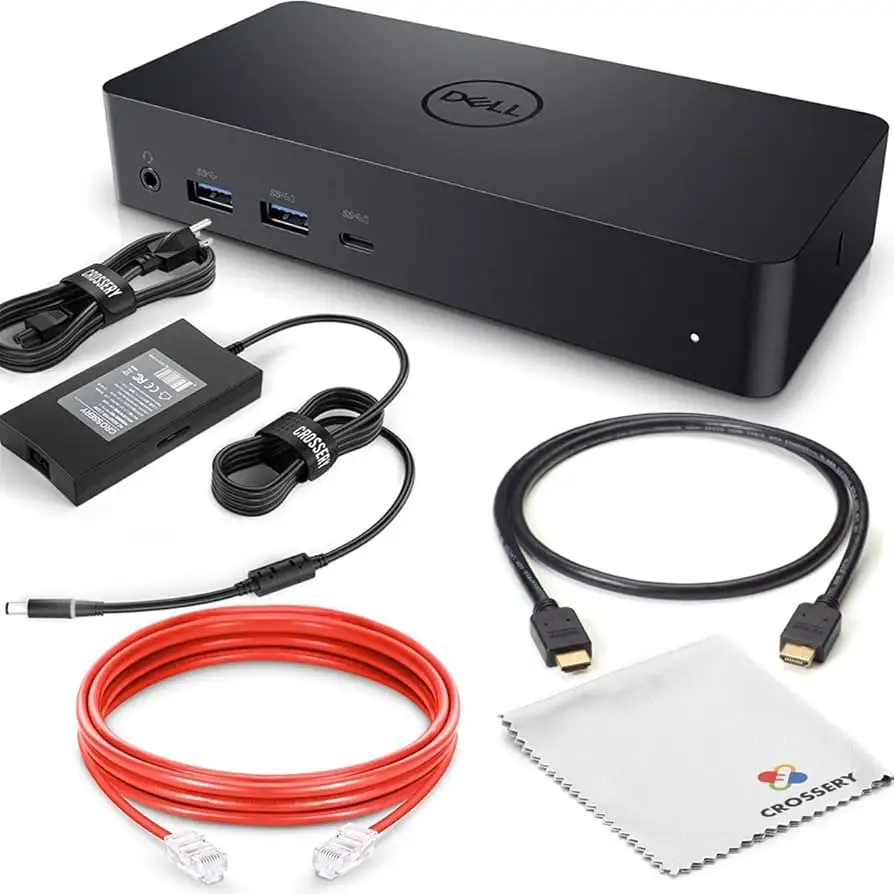
New retail pricing hovers between $200–$270, with Amazon listing $239. Used resale value is strong thanks to enterprise demand—eBay averages $30–$50 for tested units, with “new/open box” peaking over $100. Buyers recommend sourcing used if DisplayLink limitations aren’t a deterrent.
For budget-conscious buyers, community advice is clear: Used units offer 80% of the benefit for under 25% of the price, as long as you confirm the power adapter is included and the cable is intact.
FAQ
Q: Can the Dell D6000 power high-wattage laptops?
A: No, it maxes at 65W. Systems needing 90W–130W will experience slower charging or performance drops unless their original adapter is connected alongside.
Q: Does it work with Macs?
A: Yes, but dual HDMI outputs are mirrored on Mac without DisplayLink drivers. Install DisplayLink Manager to enable extended displays.
Q: Will gaming performance suffer?
A: Yes for most setups. DisplayLink’s compression adds CPU load and bypasses discrete GPUs, causing lag and judder in fast-changing visuals.
Q: Do I need special drivers?
A: For best performance, yes. Dell and DisplayLink host necessary drivers; without them, some video ports may be inactive.
Q: Can I use it without USB-C?
A: Yes, the included USB-A adapter works, but limits display count to two and removes charging capability.
Final Verdict: Buy if you’re a productivity-focused user needing multi-platform, multi-display support in a hot-desking or office environment. Avoid if your workflow is gaming, 4K video editing, or requires high-wattage charging. Pro tip from the community: source a tested used unit for under $50 and invest in quality DisplayPort cables to minimize resolution issues.