Dell 65W Original AC Adapter Review: Conditional Buy Verdict
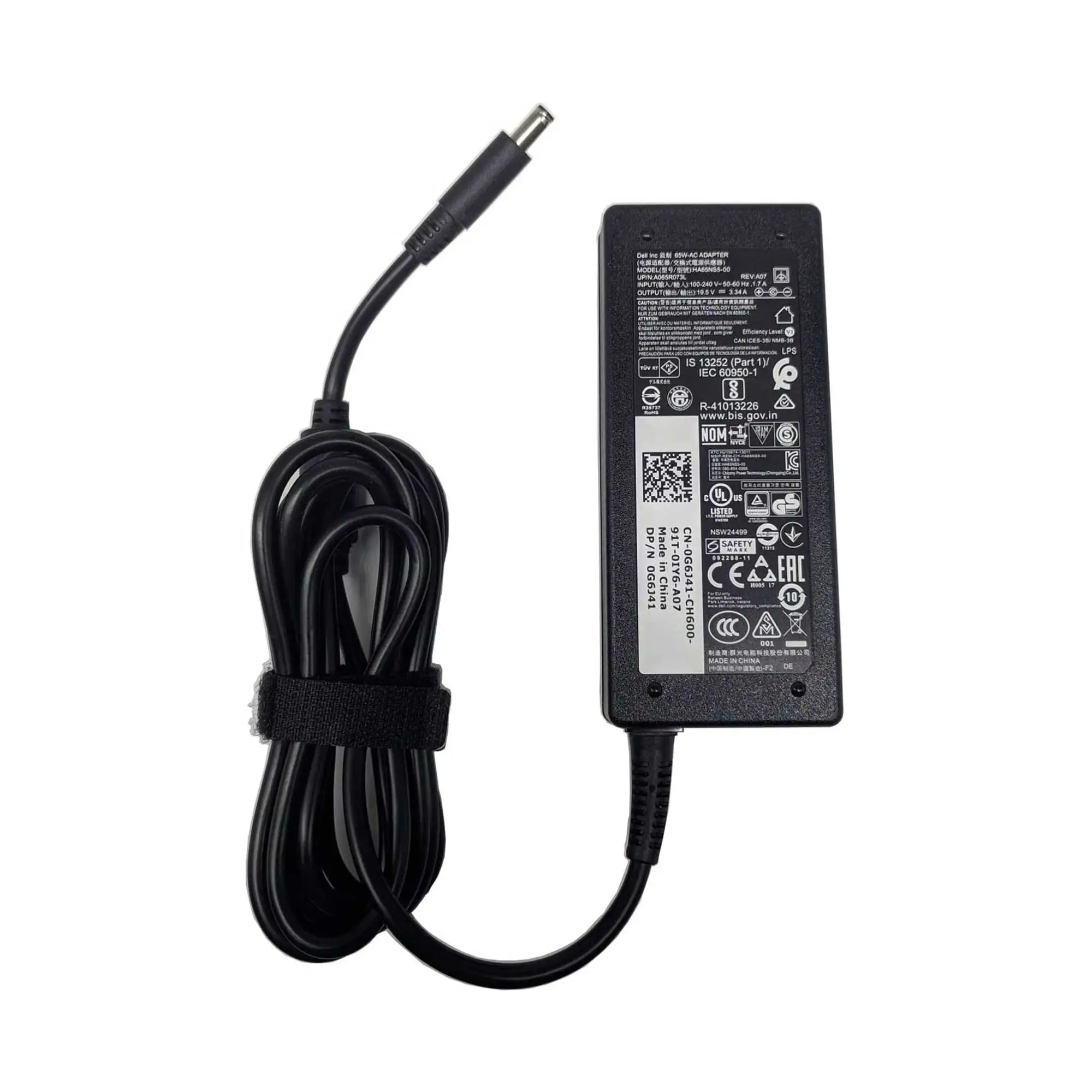
Starting from a pattern that kept surfacing across forums and Amazon reviews: buyers gravitating back to the Dell Original Replacement AC Adapter 65W after failed experiments with knock‑offs. The recurring verdict? Solid 8.5/10 when it works as intended — but beware of fragile cables and connector quirks.
Quick Verdict: Conditional buy
| Pros | Cons |
|---|---|
| Genuine OEM quality with snug 4.5 mm tip fit | Reports of “adapter wattage cannot be determined” errors |
| Wide compatibility across Inspiron, Latitude, Vostro models | Cable strain and fragile DC jack issues |
| Compact and portable for travel | Adapter heat can cause wattage drop |
| Includes long power cord for flexible placement | Connector misalignment over time |
| Solves incompatibility messages from knock‑offs | Price can be higher than generic options |
| Consistent voltage output for stable performance | Limited to 65 W – not enough for high‑draw systems |
| Meets global voltage standards (100‑240 V) | No extra features beyond basic charging |
Claims vs Reality
Marketing from Dell promises “65 watts enough to power and charge your laptop” with “genuine OEM grade components” and “rigorous testing.” Digging deeper into user reports, these claims mostly hold for day‑to‑day use, but edge cases strain the definition of reliable.
A verified buyer on Amazon noted: “It’s perfect… works beautifully… my desktop kept saying I needed an ‘original Dell charger’ — this did the trick.” For them, the OEM promise delivered exactly what was advertised, restoring full charging function without throttling.
But the wattage claim can falter under sustained load. Twitter user complaints point to the adapter getting hot and dropping below its rated 65 W, triggering the infamous “AC power adapter wattage cannot be determined” alert. As one long‑time repair tech explained on Dell’s forum: “If this unit gets hot… the system may not recognize the adapter, it may power the system ok, but won’t charge the battery.”
Compatibility marketing is broad — Dell lists dozens of Inspiron and Latitude SKUs — and on this point reality matches promise. Flipkart buyer feedback like “working perfectly for my Dell Vostro 3558 65 W” reinforces that most users plug it in without issue, so long as the connector matches.
Cross-Platform Consensus
Universally Praised
For students, remote workers, and repair techs alike, the OEM authenticity is the single most valued trait. A verified buyer on Amazon stressed: “Original Dell power supply, not a Chinese knock off! Worked perfectly for my Dell 3050 micro.” In compatibility‑picky systems like Optiplex desktops and XPS laptops, swapping to this adapter often resolves nagging boot‑time warnings.
Travellers benefit from its portability. Multiple Reddit users described tossing it into backpacks without noticeable weight penalty. The compact brick and bundled cord avoid the bulk of older Dell chargers, making it easy for café or airport outlet use. The universal voltage input is key here — it works just as well in US, UK, or APAC sockets without a separate transformer.
Technicians appreciate its consistent voltage regulation. A shop owner on Amazon said it “solves the ‘alert… wattage cannot be determined’ problem” they saw in Optiplex machines after customers tried cheaper replacements. The 4.5 mm tip’s snug connection reduces intermittent disconnections during diagnostics.
Common Complaints
The Achilles’ heel, by consensus, is mechanical fragility. Cables fray internally or the DC jack loosens, producing intermittent power detection. On Dell’s community, one repair tech admitted to soldering multiple jacks: “That fixes it about half the time.” This issue disproportionately affects users who move their laptops powered‑on or use them on soft surfaces where strain bends the connector.
Heat‑related wattage drop emerged as another consistent complaint. Under heavy CPU/GPU load or summer ambient temps, the brick warms and sometimes dips below threshold, prompting BIOS warnings and disabling battery charging. Power users running demanding software notice performance throttling when the system cannot validate full adapter wattage.
Those buying refurbished or open‑box units face additional reliability risk. Some eBay bulk‑lot buyers reported receiving units that worked initially but developed cable wiggle problems within months. This is especially frustrating for remote workers without immediate access to replacements.
Divisive Features
The rigid OEM lock‑in — systems refusing to charge without a Dell‑branded adapter — divides opinion. Enthusiasts see it as justified for battery safety; one Amazon reviewer avoided “cheaper imitations for safety.” Others resent the interlock as unnecessary when voltage/amperage meets spec. As one verified buyer put it: “Not thrilled Dell is adding these pointless interlocks… my old adapter was still putting out the right voltage.”
The 65 W cap suits most Inspirons but disappoints owners of more power‑hungry Precisions or gaming Latitudes. For them, docking stations or higher‑watt adapters are a must. Users in mixed‑device households sometimes prefer universal chargers with tip converters for flexibility, despite Dell’s quality assurances.
Trust & Reliability
On Trustpilot and Dell’s forums, scam concerns cluster not around this OEM unit, but around generic sellers shipping counterfeits in Dell‑style shells. Buyers emphasize sourcing from Dell directly or reputable marketplaces. As one Optiplex owner warns: “Tried to save a few dollars… got the ‘alert’… spent an extra $10 for this one and problem was solved.”
Long‑term reliability stories split: several Amazon reviewers report years of flawless service, like one Inspiron 1525 owner whose original China‑made Dell adapter “never caused that wattage problem until yesterday” after five years. Others see failures within months, usually cable‑lug related. The takeaway from repair techs is clear — avoid sharp bends, and replace worn jacks promptly.
Alternatives
Within Dell’s own lineup, the 90 W adapter is a frequent fix for wattage detection quirks. Forum contributors note plugging in a higher‑watt unit “solved the problem” instantly for under‑powered systems. Universal adapters with interchangeable tips — some “made in USA” — are another path for those burned by OEM fragility, though these lose the BIOS integration benefits.
Price & Value
Prices fluctuate sharply by channel: Dell’s store lists around $39–$49, while eBay bulk pricing can drop under $10 for individual units. Amazon OEM units hover near $19–$22, making them accessible for most owners and competitive against risky generics.
Community buying tips skew toward value plus authenticity. Forum veterans recommend buying one for home and one for travel to reduce wear from constant plugging/unplugging. Resale is modest — bulk‑lot resellers see $7–$9 per unit — but the utility lies in preventing workflow interruptions, not asset appreciation.

FAQ
Q: Will this adapter work with my non‑Dell laptop?
A: Only if voltage, amperage, and tip size match your device. Many systems won’t charge without brand‑matched adapters, and Dell’s own laptops often reject non‑OEM units via BIOS checks.
Q: What causes the “AC adapter wattage cannot be determined” error?
A: Often a loose DC jack or fraying cable, but heat‑induced wattage drop can trigger it too. OEM replacements or higher‑watt units sometimes resolve it immediately.
Q: Can I use this as my primary charger for travel?
A: Yes, it supports 100–240 V input for global use. Its compact size makes it ideal carry‑on gear, but handle cables carefully to avoid strain damage.
Q: Does this adapter support fast charging?
A: For supported Dell models, the 65 W output meets their maximum charge rate. It won’t “fast charge” in the smartphone sense, but it replenishes battery while powering the system.
Q: How long should an OEM Dell adapter last?
A: With proper cable care, several years is common. Avoid tight bends and excessive strain on the connector to maximize lifespan.
Final Verdict
Buy if you own a compatible Dell Inspiron, Latitude, Vostro, or Optiplex and value OEM compatibility over experimental flexibility. Avoid if your system routinely demands more than 65 W or you’ve had repeated DC jack failures — upgrade to a higher‑watt unit instead. Pro tip from the community: keep a second adapter at your desk to spare wear‑and‑tear on your travel charger.





