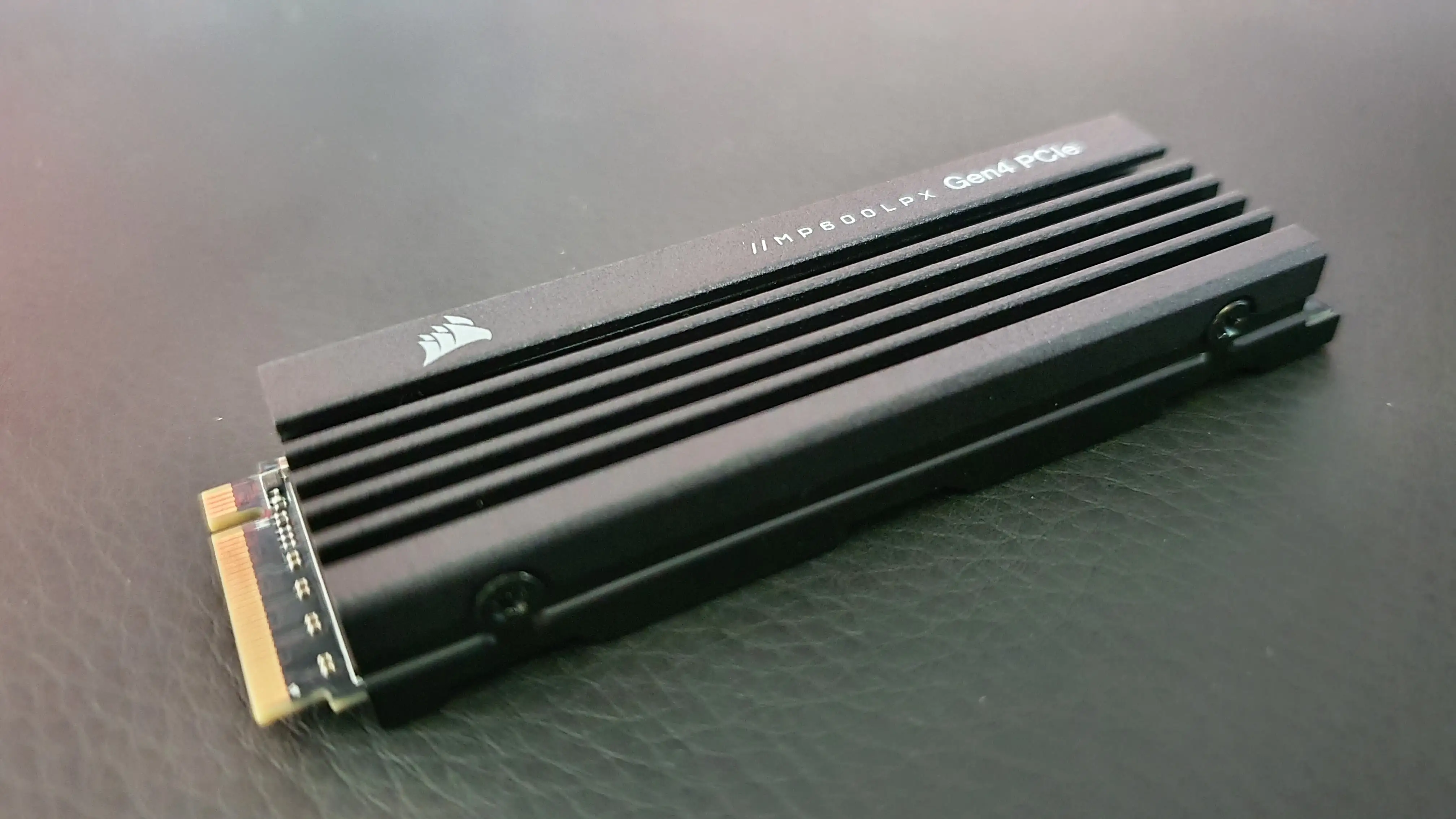
Corsair MP600 PRO LPX 2TB Review: Great PS5 Buy
“It took under 5 minutes to install”—that kind of ease-of-upgrade story shows up repeatedly around the Corsair MP600 PRO LPX 2TB M.2 NVMe SSD (for PS5), even as at least one lab review calls it “forgettable” for PC use. Verdict: a strong PS5 storage expansion pick, especially on sale — 8.6/10.
Quick Verdict
Yes—especially for PS5 owners who want a fast, low-hassle internal SSD upgrade. Real-world feedback centers on quick installation, big game-library breathing room, and a drive that “runs cool.” The biggest “but” isn’t widespread user failure reports; it’s value: third-party reviews argue performance-per-dollar isn’t special in a crowded PCIe 4.0 field, so price matters.
| What matters | What people say | Best for | Watch out for |
|---|---|---|---|
| PS5 installation | “under 5 minutes to install” (Best Buy) | First-time upgraders | Removing the right PS5 panel |
| Storage relief | “so much more room to keep games downloaded” (Best Buy) | Big libraries, frequent switchers | None commonly reported in reviews shown |
| Perceived speed | “speed is equal to the main internal nvme” (Best Buy) | Players moving games often | Lab tests may rate it “underperforms” vs peers |
| Thermals/heatsink | “runs cool” (Best Buy) | Long sessions | Some users remove heatsink for PC boards |
| Value | “great for the price got it on sale” (Best Buy) | Deal hunters | Pricing fluctuations across retailers |
Claims vs Reality
Corsair’s marketing leans hard into PS5 fit, high sequential speeds, and “keep throttling at bay” cooling. Digging deeper into the provided feedback, a recurring pattern emerged: PS5 owners largely judge this drive by convenience and day-to-day smoothness, while at least one major review outlet judges it against a broader field of high-end Gen4 SSDs and comes away unimpressed.
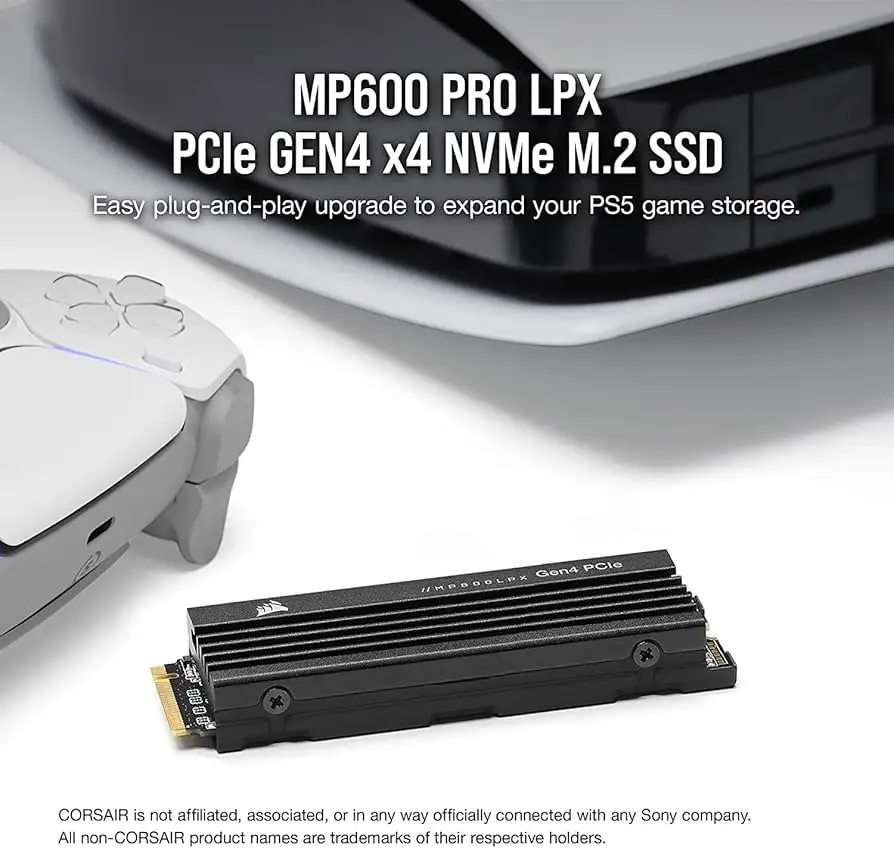
Claim #1: “A perfect fit for your PS5” (easy, compliant install).
The user stories strongly back this up. Best Buy user Joshua described the whole process—install, format, and moving games—as fast once the right console panel was identified: “it took under 5 minutes to install the ssd, then format and start moving games onto it.” That’s the kind of friction-free upgrade PS5 owners crave, especially those who bounce between large titles and hate deleting and re-downloading.
Another angle comes from family use and non-technical households. Best Buy user Jay Stew framed it in simplest terms: “was easy install for a 13 year old kid too!” In other words, the “PS5 compatible” pitch isn’t just a spec—it translates into confidence for buyers who don’t want a project.
Claim #2: “Gaming made faster” with up to 7,100/6,800 MB/s.
On-paper speed claims are prominent in the Amazon listing (up to “7,100MB/sec sequential read & 6,800MB/sec sequential write”). In real feedback, users don’t usually cite benchmarks; they describe how the console feels. Best Buy user Rob 0976 said: “its speed is equal to the main internal nvme,” which is essentially the PS5 owner’s bar: does it keep up with the internal experience?
But the data also includes a sharp counterpoint from Tom’s Hardware, which argues this model “performs poorly… when compared to similar offerings” and calls it “a forgettable high-end pcie 4.0 ssd that underperforms and runs inefficiently.” While the drive is officially positioned as a high-performance Gen4 NVMe, at least this review suggests that relative to competing PC-oriented Gen4 drives, it may not be a standout—even if PS5 users are happy with the practical result.
Claim #3: “Keep throttling at bay” with a low-profile heatsink.
A recurring pattern in buyer commentary is reassurance around thermals—often expressed simply. Best Buy user TrevorL praised it as “lightning quick, runs cool,” echoing the marketing promise. That matters most for long-session players who don’t want performance dips or stability issues mid-raid or mid-race.
At the same time, real-world use isn’t only PS5. Best Buy user Xafro described removing the heatsink for a motherboard with its own: “ended up stripping off the heatsink since the board had one built in. really responsive and worry free.” That supports the idea that the heatsink is useful but not always necessary depending on the installation environment.
Cross-Platform Consensus
Universally Praised
The most consistent praise is about getting your PS5 back—space-wise—without drama. Digging deeper into user reports, the emotional story isn’t “I gained 2TB”; it’s “I stopped playing storage Tetris.” Best Buy user Eric described the relief plainly: “this gives me so much more room to keep games downloaded and not have to delete and redownload over and over.” For players who rotate between live-service games, story epics, and whatever friends are currently playing, that’s the core value proposition.
A second theme is how fast the upgrade experience feels, from delivery to installation. Best Buy user Engineer WFH emphasized logistics and matching aesthetics: “very fast shipping… exactly what i needed to increase storage in my ps5… i went with the white one to match my console.” Even though the SSD lives inside the console, buyers still talk about color variants and the satisfaction of an “optimized for PS5” component that feels purpose-built.
Ease-of-installation stories also skew toward first-timers. Best Buy user Jay Stew made the point with a small brag: “even a kid can do it,” adding that it was “easy install for a 13 year old kid.” And Best Buy user Gearhead 2021 echoed the same no-fuss install experience: “istall very fast.” The implication for busy adults or less technical players is straightforward: this is an internal upgrade that doesn’t require a repair-shop mindset.
Finally, some buyers describe a perceived speed or responsiveness lift. Best Buy user Buddha Chief wrote that after adding the drive, “the ps5 seems to run faster.” Whether that’s placebo, faster game transfers, or simply fewer storage-management interruptions, it shows the kind of practical benefit PS5 owners actually notice.
Most repeated positives (after the stories):
- Fast, straightforward PS5 installation
- Major storage expansion that reduces deleting/redownloading
- Positive impressions of speed and “runs cool”
- Good value when bought on sale
Common Complaints
In the feedback provided, true “complaints” from everyday buyers are scarce, especially in the Best Buy set, which explicitly notes: “No significant drawbacks were reported by customers.” That absence is itself a pattern—buyers overwhelmingly talk about smooth upgrades rather than failures, DOA drives, or overheating nightmares.
Where skepticism does show up, it’s less about something going wrong and more about whether it’s the best choice in a crowded SSD market. Tom’s Hardware is blunt: “another day, another drive,” calling it “uninteresting” and arguing it “underperforms” against similar Gen4 SSDs. For PC builders who are comparing controllers, efficiency, and competing SKUs, that kind of critique matters—especially if the drive is priced like a top-tier performer.
There’s also a subtle installation learning curve that appears in otherwise positive PS5 stories: Best Buy user Joshua mentioned, “after figuring out how to remove the correct panel,” then the install was quick. For the most anxious first-time upgraders, the “hard part” may not be the SSD at all—it’s simply opening the PS5 correctly and confidently.
Recurring “watch-outs” implied in the data:
- Value depends heavily on sale pricing
- PC-centric reviewers may rate performance weaker than peers
- PS5 install can be confusing until you find the right panel
Divisive Features
A recurring split emerges between console satisfaction and PC enthusiast expectations. PS5-focused buyers describe the experience in practical terms—fast install, more games ready to play, no drama. Best Buy user G3r0n1m0 called it “a true must have” for anyone expanding storage, emphasizing effortless downloading and play.
Meanwhile, Tom’s Hardware frames the same drive as not bringing much innovation and being “only good for the ps5,” which reads like praise for console fit but a downgrade for broader use. For buyers choosing a drive they want to move between PC and PS5, that difference in framing could shape expectations: the real-world PS5 experience is strongly positive, but the enthusiast “best-in-class” conversation may point elsewhere.
Trust & Reliability
On scam concerns: the provided “Trustpilot (Verified)” data appears to be product-page/spec-style content rather than a stream of verified consumer complaints, so there aren’t clear patterns of fraud stories, account disputes, or “never arrived” reports to synthesize from it.
Longer-horizon reliability signals show up indirectly through owners describing sustained satisfaction across weeks or months. Best Buy user TrevorL reviewed it after “owned for 2 months,” calling it “built to last” and emphasizing it “runs cool.” Best Buy user Scrap kept it simple after “owned for 3 weeks”: “easy install, no complaints.” These aren’t controlled endurance tests, but they do indicate early-life stability that matters to PS5 owners who just want it to work.
Alternatives
The competitor name that shows up in user feedback is Samsung, and only in the form of personal comparison. Best Buy user TrevorL said: “i actually prefer this drive to samsung drives i’ve owned in the past.” That’s not a model-to-model benchmark; it’s a sentiment that the MP600 PRO LPX meets or exceeds their expectations versus prior Samsung ownership.
Tom’s Hardware also implies the broader alternative set: “many better options in a crowded market” and “plenty of competing products that can match or beat this drive for less money.” Since specific competing models aren’t named in the provided data, the most accurate takeaway is: buyers happy with PS5 performance still weigh deals heavily, while reviewers argue price competition is intense.
Price & Value
The pricing story is messy—and that’s exactly why value becomes a recurring theme. The Amazon listing snapshot shows a high review average (“4.8 out of 5 stars” with “2,839 reviews”), which signals strong buyer satisfaction at scale, but real perceived value often hinges on catching a discount. Best Buy user Scrap explicitly tied their satisfaction to timing: “great for the price got it on sale.” Best Buy user Joshua also called out a deal: “on sale for around $170.”
Market pricing also varies by channel. The data includes new retail pricing references and refurbished listings (Corsair’s refurbished page) as well as eBay pricing (“$169.99 free shipping” shown via an eBay seller listing). For bargain-focused buyers, these swings can decide whether the MP600 PRO LPX feels like a premium PS5 upgrade or just an average-value Gen4 SSD.
Buying tips implied by the community stories:
- Wait for a sale if you’re price-sensitive (multiple users highlight deal pricing).
- If installing in a PC, consider whether you need the built-in heatsink (some remove it).
- For PS5 owners, prioritize “with heatsink” convenience and fit.
FAQ
Q: Is the Corsair MP600 PRO LPX 2TB actually easy to install in a PS5?
A: Yes. Best Buy user Joshua said it “took under 5 minutes to install” once they found the correct PS5 panel. Another Best Buy reviewer, Jay Stew, noted it was “easy install for a 13 year old kid,” suggesting it’s approachable for first-timers.
Q: Does it feel as fast as the PS5 internal SSD?
A: Many owners say it does in normal use. Best Buy user Rob 0976 wrote that “its speed is equal to the main internal nvme.” Most feedback is experiential rather than benchmark-based, focusing on smooth play and transfers rather than measured read/write numbers.
Q: Does the heatsink help with heat or throttling?
A: Buyers often describe it as running cool. Best Buy user TrevorL said it’s “lightning quick, runs cool.” Some PC users don’t need it, though—Best Buy user Xafro said they “stripp[ed] off the heatsink since the board had one built in.”
Q: Is it a good deal at full price, or only on sale?
A: Feedback repeatedly highlights sale pricing. Best Buy user Scrap said it was “great for the price” when purchased on sale, and Best Buy user Joshua called it their best console purchase when it was “on sale for around $170.” A major review outlet also suggests it’s a “sale pickup.”
Q: Is this SSD better for PS5 than for PC?
A: It’s widely loved as a PS5 upgrade, but at least one professional review is lukewarm for broader PC competition. Tom’s Hardware called it “only good for the ps5” and said it “underperforms” compared to similar Gen4 SSDs, even while acknowledging it “runs cool.”
Final Verdict
Buy the Corsair MP600 PRO LPX 2TB if you’re a PS5 owner who wants a straightforward internal expansion that multiple Best Buy reviewers describe as fast and simple—“under 5 minutes to install”—and who’s tired of deleting and re-downloading games.
Avoid it if you’re a PC enthusiast shopping purely on top-tier Gen4 performance-per-dollar, since Tom’s Hardware argues it “underperforms” and is best treated as a “sale pickup.”
Pro tip from the community: hunt for discounts—“got it on sale, easy install, no complaints” (Best Buy user Scrap).





