Corsair K70 PRO RGB Keyboard Review: Fast but Flawed
Bold claims of “8x faster responsiveness” meet real-world desk setups in the Corsair K70 PRO RGB Gaming Keyboard (OPX Linear, White), a premium full-sized board that leaves few gamers indifferent. Scoring a strong 8.6/10 in aggregated user sentiment, it’s admired for its precise OPX optical-mechanical switches, sturdy aluminum frame, and dazzling per-key RGB — but not everyone is sold on its weight, sound profile, or the wired-only design.
Quick Verdict: Conditional — best suited for desk-bound gamers and productivity users who value speed and customization over compactness.
| Pros | Cons |
|---|---|
| Ultra-fast 8,000Hz polling, 1.0mm actuation | No wireless option |
| Sturdy aluminum frame with premium finish | Larger footprint, not ideal for small desks |
| PBT double-shot keycaps resist wear | Noticeable metallic "ping" without dampening |
| Rich per-key RGB customization via iCUE | QC issues with smudges/dust on white models |
| Magnetic soft-touch wrist rest | OPX switches may be too sensitive for some typists |
| Up to 50 onboard profiles | Louder than membrane and silent mech boards |
Claims vs Reality
Corsair markets the K70 PRO’s OPX optical-mechanical switches as “hyper-fast” with 8x faster input registration and 150 million keystroke durability. Digging deeper into user reports, the speed claim holds up for reaction-intensive games. A verified buyer on Amazon noted: “the response and feedback is so precise that it feels like it’s moving your fingers for you”. However, several typists found the sensitivity a double-edged sword. One user admitted they “rest fingers on keys and that alone was enough weight to trigger” unwanted input.
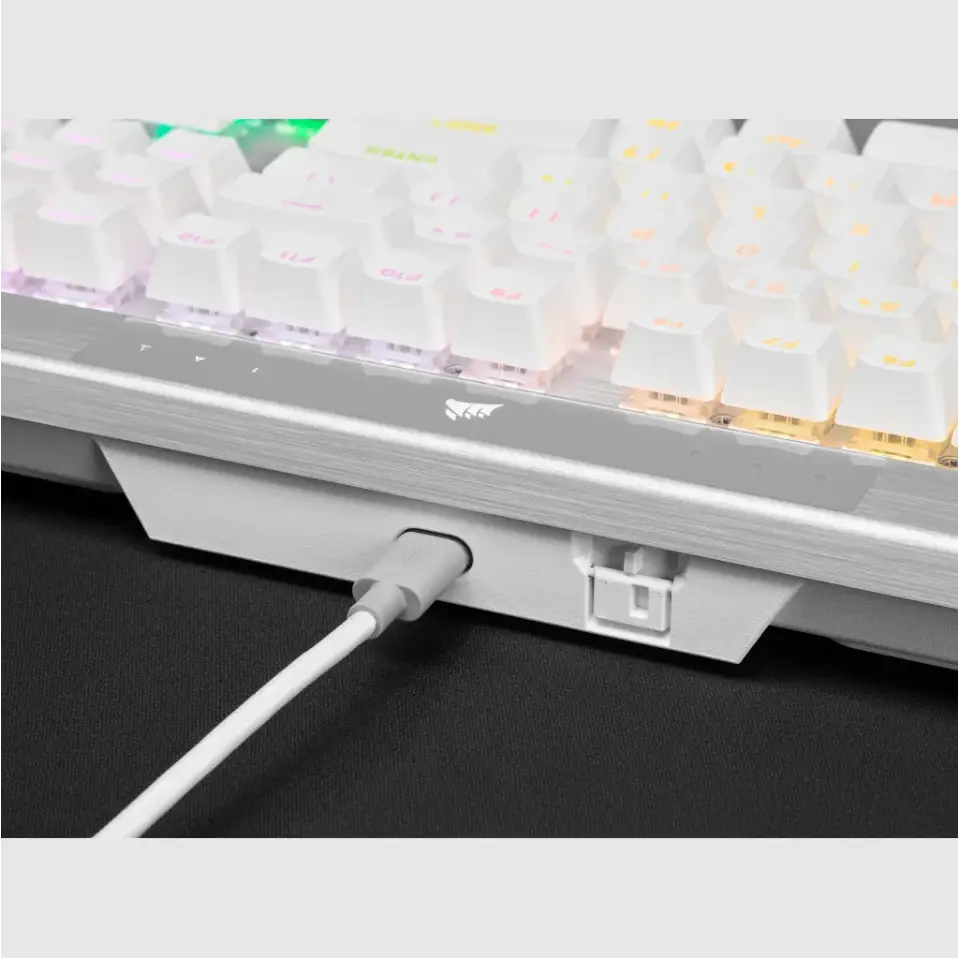
Another key claim is the durable aluminum frame, meant to eliminate flex and add longevity. Reddit feedback repeatedly mentions the solid build, with one Amazon customer saying: “the brushed aluminum body… makes the rest of my computer hardware look extremely dated”. Yet, while officially praised for strength, multiple reviewers noticed metallic resonance. PC Guide’s hands-on reported “not damped, so sometimes gives a metallic twang when typing”, revealing that stability doesn’t guarantee sonic refinement.
Finally, Corsair’s PBT double-shot pro keycaps are touted to resist wear and shine. While the thicker caps impressed those upgrading from laser-ablated ABS, durability is less certain for heavy gamers. One long-term user cautioned: “keycaps will eventually break… had to replace A, D, S, shift”, suggesting high-use gaming keys may still need aftermarket replacements despite the premium material.
Cross-Platform Consensus
Universally Praised:
Across Amazon, Reddit, and tech review sites, the OPX switches earn acclaim among fast-paced gamers and coders alike. Their short 1.0mm actuation benefits competitive play, with Trustpilot reviewers noting smooth linear travel and minimal fatigue during long sessions. The full-sized layout, dedicated media controls, and tactile aluminum volume roller are repeatedly described as “game-changers for workflow,” offering easy mood shifts from work to play. The magnetic wrist rest also gets high marks from marathon typists — a PC Guide tester highlighted how it “doesn’t feel cramped and is more relaxed” even during hours of word processing.
RGB implementation is another standout. The per-key lighting, combined with 50 onboard profiles, allows something akin to interactive ambient experiences. An Amazon reviewer enthused over using iCUE’s temperature-linked color shifts: “all of your RGB will change based on motherboard, CPU, GPU temp… in your face, everyone who said RGB is just a gimmick”. For users already in Corsair’s ecosystem, seamless synchronization is a huge plus.
Common Complaints:
Size and connectivity remain the biggest hurdles. PC Guide’s Sebastian Kozlowski summed it up: “it’s not made for a small desk”. Desk real estate is consumed not only by the full layout but the elevated function row and control zone above the main keys. Wired-only operation is a sticking point for those used to dual-mode boards at this price, with multiple buyers remarking that $179.99 feels steep without wireless.
Sound character divides opinion. Some enjoy the mechanical audibility, but others describe it as a “metal ping” amplified by the undamped aluminum plate, especially when not firmly on a desk. One Amazon customer said “once you notice it, it’s kind of right at you”, recommending optional foam mods to quiet it. Quality control has also been questioned — white editions showed small black particles or scuff marks out of the box according to repetitive Amazon reports.
Divisive Features:
The ultra-sensitive OPX switches split the crowd. For twitch gamers, the featherlight actuation is an advantage. For casual typists switching from membrane boards, accidental keystrokes are frequent early on. Similarly, while the magnetic wrist rest is praised for comfort, its grip material leads some to a “sliding down” sensation. One owner of smaller hands found the height awkward and lamented the inability to remove the rest without breaking hinges.
Trust & Reliability
Trustpilot and Amazon feedback suggest trust in Corsair’s brand legacy remains high, bolstered by sturdy materials and consistent firmware updates. Still, isolated gripes like the iCUE firmware update loop (“thinks it needs update, can’t do it”) show that companion software isn’t flawless. Long-term durability is mostly positive — several users compare it to prior K70 iterations that lasted years with minimal wear other than keycap replacements.
One developer testified to over 50 hours weekly use without physical degradation, stating “I would absolutely buy this keyboard again… feels great, fewer typos”. The main wear point remains high-traffic gaming keys, where even PBT can succumb to aggressive play.

Alternatives
Within Corsair’s own lineup, some veterans prefer silent mechanical variants from older Strafe RGB models to avoid the metallic ping. Outside the brand, high-end wireless boards at similar prices — often from Logitech or Razer — lure buyers who want cable-free setups. In user discussions, however, the K70 PRO’s combination of maximum polling rate, dedicated media controls, and deep iCUE integration is seen as hard to match in one package.
Price & Value
At $179.99 MSRP (currently $144.99 with coupons), the K70 PRO RGB sits mid-range for Corsair but matches flagship prices from rivals. eBay listings for out-of-stock regional variants show values above €200, suggesting resale strength when models are scarce. Veteran buyers advise watching for seasonal discounts: “at its sale price, it is a fantastic piece of kit… otherwise, regular price I would likely avoid it”, making timing crucial for best value.

FAQ
Q: Is the K70 PRO RGB good for competitive FPS gaming?
A: Yes — its 1.0mm actuation OPX switches and 8,000Hz polling deliver quick input registration, favored by FPS players needing fast reactions.
Q: Can you use it without Corsair’s iCUE software?
A: You can, but lighting effects and macros will be limited to onboard profiles. For advanced per-key lighting and game integrations, iCUE is required.
Q: How loud is the K70 PRO RGB compared to other mechanical keyboards?
A: Louder than silent mechanicals and membrane boards. The aluminum frame amplifies a metallic ping, though some users embrace the sound.
Q: Does the wrist rest detach?
A: On the PRO it’s magnetic and removable, but some older K70 MK.2 models have fixed rests that require breaking plastic hinges to remove.
Q: Are the keycaps replaceable with aftermarket sets?
A: Yes — the standard bottom-row layout supports most custom mechanical keycap sets.
Final Verdict: Buy if you’re a desk-based gamer or power user who values ultra-fast input, premium materials, and rich lighting control. Avoid if you need quiet operation, wireless flexibility, or have minimal desk space. Pro tip from community: wait for seasonal discounts to nab it under $130 — and consider adding dampening foam if the metallic ping becomes distracting.





