Corsair HS55 Wireless Headset Review: Comfort vs Sound
The CORSAIR HS55 WIRELESS Gaming Headset offers dual wireless connectivity at a sub-$100 price point — but the user community’s verdict lands at 7.3/10. While many buyers praise its comfort, stable wireless range, and versatile platform support, a recurring chorus of complaints over sound tuning, microphone quirks, and missing wired modes reveals a headset more “adequate” than “exceptional.”
Quick Verdict: Conditional buy — best for users prioritizing wireless flexibility over top-tier audio fidelity.
| Pros | Cons |
|---|---|
| Very comfortable, lightweight build | Bass-heavy, less detailed high end |
| Dual 2.4 GHz + Bluetooth connectivity | No wired mode (no 3.5mm or USB audio) |
| Stable wireless range up to ~50 ft | Sidetone (mic monitoring) volume too low |
| Decent battery life with fast charging | Mic can sound compressed or nasally |
| Easy platform switching | EQ presets mostly similar, limited tuning options |
| Good stereo imaging for gaming cues | Connection drops reported via dongle |
Claims vs Reality
Corsair markets the HS55 as delivering “low-latency 2.4 GHz wireless + Bluetooth® with essential all-day comfort and great sound.” On paper, that’s compelling. But digging into user reports paints a different picture.
For comfort, the lightweight 266g design has won clear praise in practice. A verified buyer on Best Buy said: “Amazing sound! Super comfortable even when wearing for long periods.” Tom’s Guide echoed this, calling it “very comfortable, even for long workdays or gaming sessions.” The weight helps, but some Reddit and Tom’s Hardware feedback noted the ear pads heat up quickly, especially in warmer climates.
The audio claim is where reality diverges most. While official specs tout “custom-tuned 50mm neodymium drivers for excellent sound quality,” Tom’s Hardware found the bass “boomy and bloated” with treble roll-off muting higher frequency detail. Best Buy buyers confirmed mixed impressions — one reviewer noted it “lacks in the bass department” compared to other headsets, while another felt bass boost mode “sounds underwater.”
Connectivity flexibility mostly holds true: users applaud seamless swapping between Bluetooth and 2.4 GHz. A Best Buy buyer wrote, “The dual connectivity function is pretty nice and it swaps flawlessly between them.” However, the headline “dual wireless” is limited — it won’t mix audio sources. Tom’s Guide clarified: “You can use both connections at the same time, but Bluetooth is limited to phone calls only when USB wireless is active.”
Cross-Platform Consensus
Universally Praised
Comfort emerges as the HS55’s strongest universal win. Its plush memory foam pads and adjustable headband fit varied head shapes without pressure points. For glasses wearers, Tom’s Hardware’s reviewer noted it “fit snugly without pressing the arms of my specs out of place.” This directly benefits gamers in marathon sessions or remote workers jumping between calls.
Wireless range stability is another across-the-board success — Corsair’s claimed 50 ft range was met or exceeded in most accounts. A Best Buy reviewer praised: “I can hear perfectly from a couple rooms away with no detectable latency.” Tom’s Guide cited “excellent USB wireless range” even a few rooms over. That’s a substantial advantage for household multitaskers who step away mid-match.
Battery performance also hit its marks for most. Even if not always at Corsair’s 24-hour maximum, buyers appreciated multi-day usability. Another Best Buy reviewer called it “great long battery life… perfect for my son.” Fast charging — 15 minutes for 6 hours use — was highlighted in multiple sources as a lifesaver during downtime.
Common Complaints
Sound tuning is the most consistent frustration, especially for critical listeners. Tom’s Hardware criticized its “warm, boomy sound signature” that sacrifices clarity. A Best Buy buyer pointed out “mic is very bad… randomly causes static… common issue.” For music playback, Tom’s Guide noted thin bass without iCUE software adjustments.
Microphone quirks are widespread. Sidetone (mic monitoring) is so quiet it’s unusable for some. A Corsair Community poster lamented: “I literally have to shove the mic into my mouth to hear myself… no resolution from Corsair in a year.” Environmental noise cancellation sometimes compresses voices unnaturally, producing a nasally tone.
Connectivity dropouts appear for a subset of users — especially with the USB dongle. One Best Buy reviewer described: “Dongle connection continuously cuts in and out regardless of settings… Bluetooth mode works most of the time.” While not universal, enough reports make this worth noting for competitive gamers who need uninterrupted audio.
Divisive Features
The dual connectivity design is polarizing. Many love the quick source switching, but others find the limitation on simultaneous audio disappointing. Tom’s Guide made clear it “can’t mix audio from the two,” which frustrates users hoping to stream music while in-game.
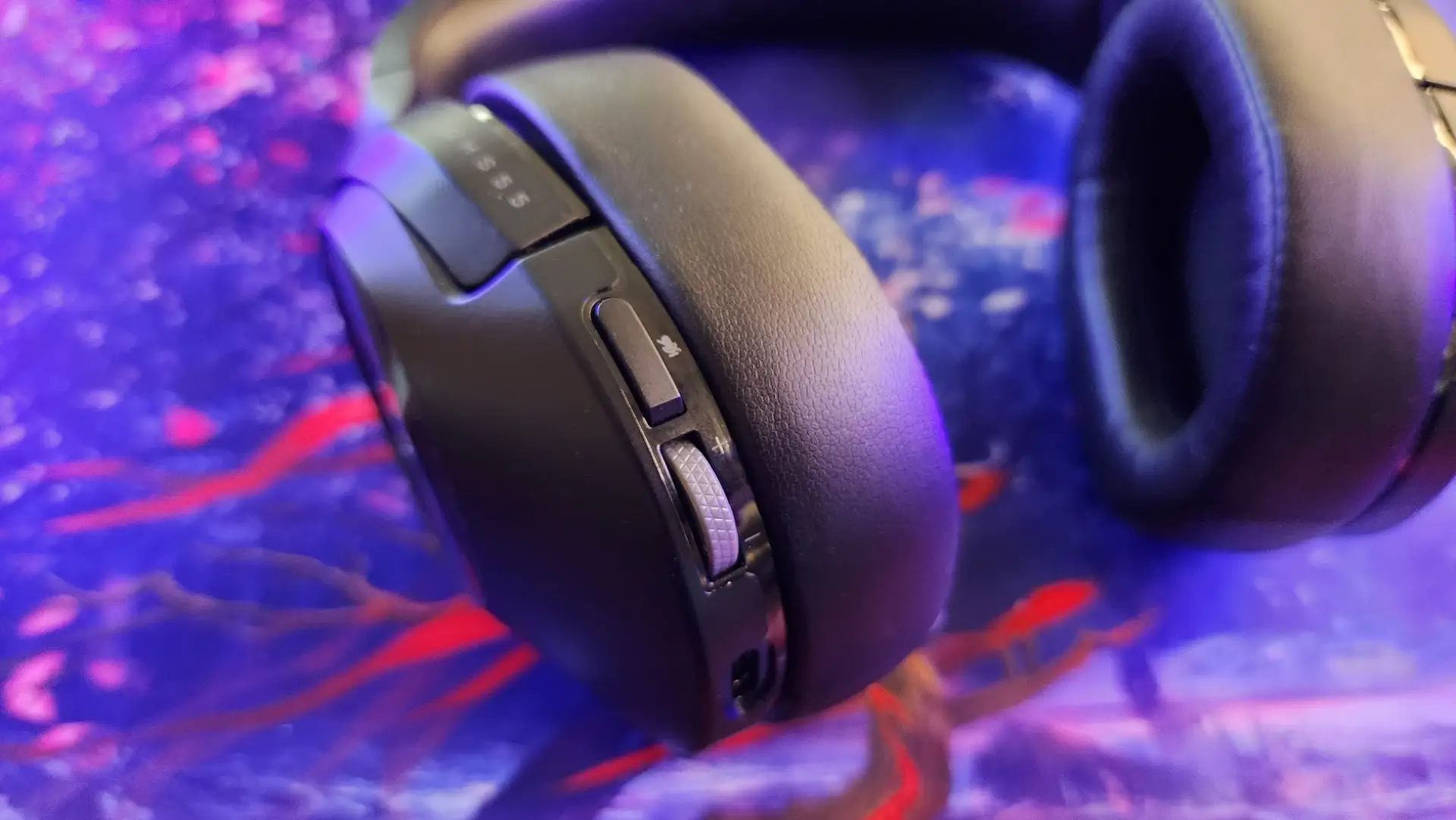
The aesthetic restraint — matte finish, no RGB — appeals to buyers preferring a “lifestyle” look. Tom’s Hardware called it “unassuming… could pass for normal headphones.” But if you crave visual flair in your gaming setup, this understated appearance may disappoint.
Trust & Reliability
Long-term durability seems solid in early reports. No widespread breaking issues emerged, though Tom’s Hardware noted that all-plastic construction makes it less robust than premium models.
Trustpilot and Best Buy reviews show some dissatisfaction with Corsair’s support responsiveness. One buyer reported mic issues and said: “Support was behind by a week and by then I had to buy a new headset to continue working.” Similarly, Corsair community posters cite unresolved sidetone complaints over a year old.
That said, the headset benefits from broad compatibility — PC, PS4/PS5, Mac, and mobile — with few reports of outright platform conflicts.
Alternatives
Community comparisons mention the Corsair HS70 Bluetooth, which can link to your phone and PC simultaneously and deliver better sound at similar pricing. Another named competitor is the Creative SXFI Air, offering USB audio and spatial sound for $100.
The SteelSeries Arctis Nova Pro Wireless was flagged for truly simultaneous input, but at a premium price far above the HS55.
Price & Value
Pricing hovers around $85–$100 new, with eBay refurbished units as low as $33.95 and “open box” listings near $67. Resale value benefits from Corsair’s brand recognition — refurbished stock includes full accessory sets and warranties.
Buying advice from one Best Buy reviewer: “Make sure to download iCUE from Corsair and create your own EQ settings — this is when this item excels.” Custom EQ can mitigate some sound flaws, increasing overall value if you invest time in setup.
FAQ
Q: Does the HS55 support simultaneous audio over Bluetooth and USB wireless?
A: No. While it can connect to both at once, Bluetooth is limited to phone calls when USB wireless is active, preventing full audio mixing.
Q: How accurate is the 24-hour battery claim?
A: Most users report 16–20 hours of typical use. Corsair’s fast-charging feature delivers ~6 hours from a 15-minute charge, which helps offset shorter-than-claimed real-world lifespan.
Q: Can the HS55 be used wired via 3.5mm or USB audio?
A: No. It supports charging-only over USB-C and has no 3.5mm jack, making it entirely wireless for audio.
Q: Is the sidetone/mic monitoring adjustable?
A: Not meaningfully. Reports indicate very low volume sidetone with no effective software fix, frustrating users who rely on self-monitoring.
Q: How does it perform for music compared to gaming?
A: Gaming cues like footsteps are clear thanks to strong stereo imaging, but musical detail — especially treble clarity — is less impressive, even with EQ adjustments.
Final Verdict
Buy if you’re a gamer or remote worker prioritizing comfortable, lightweight wireless with platform versatility and long range, and you’re willing to tweak EQ in iCUE. Avoid if you require wired fallback, strong treble clarity, or flawless sidetone performance.
Pro tip from community: Use the included USB dongle rather than relying solely on Bluetooth for optimal stability — as one Best Buy reviewer discovered, “Found said receiver and bam, like magic they were amazing.”





