Corsair 4000D PC Case Review: Strong Airflow, Minor Flaws
The CORSAIR 4000D Modular Mid-Tower ATX PC Case earns a solid 9/10 from real-world user feedback—striking a sweet spot between cooling efficiency and build-friendly design. What’s most surprising is the breadth of praise across enthusiast and casual builder communities: airflow and cable management consistently top the list. Yet, a few experienced users caution potential buyers about fan and AIO cooler fit limitations, showing that perfection isn’t universal.
Quick Verdict: Conditional Buy
| Pros | Cons |
|---|---|
| Exceptional airflow, even with stock fans | Only two fans included in base versions |
| Spacious interior for large GPUs and radiators | Some AIO cooler fit conflicts, especially top-mounted 280mm units |
| Clean cable management system (RapidRoute) simplifies builds | Limited front USB ports in non-Frame models |
| High-quality materials and durable tempered glass | Glass tint is darker than some prefer |
| Modular Frame variant offers unparalleled customization | Heavier than average mid-tower cases |
| Easy cleaning with magnetic dust filters | Stock fans are 3-pin, not PWM |
Claims vs Reality
Corsair’s marketing highlights “exceptional cooling potential” with the 4000D series. This is not hollow jargon—across Best Buy, Reddit, and PcComponentes, users confirm the airflow is “perfect” and “keeps CPUs cool even under heavy loads.” Reddit user victorg noted: “Perfect for a clean assembly… liquid cooling on top… more attractive with RGB.” For Ryzen owners who often battle heat, this was a tangible win.
Where marketing touts compatibility with “up to a 360mm radiator in the roof,” feedback shows nuance. Best Buy reviewer zanek pushed back: “280 AIO will not fit up top with Corsair Vengeance RGB LP… even though on Corsair’s website it says it will fit.” This illustrates that while specs suggest broad support, memory clearance can be a real-world choke point.
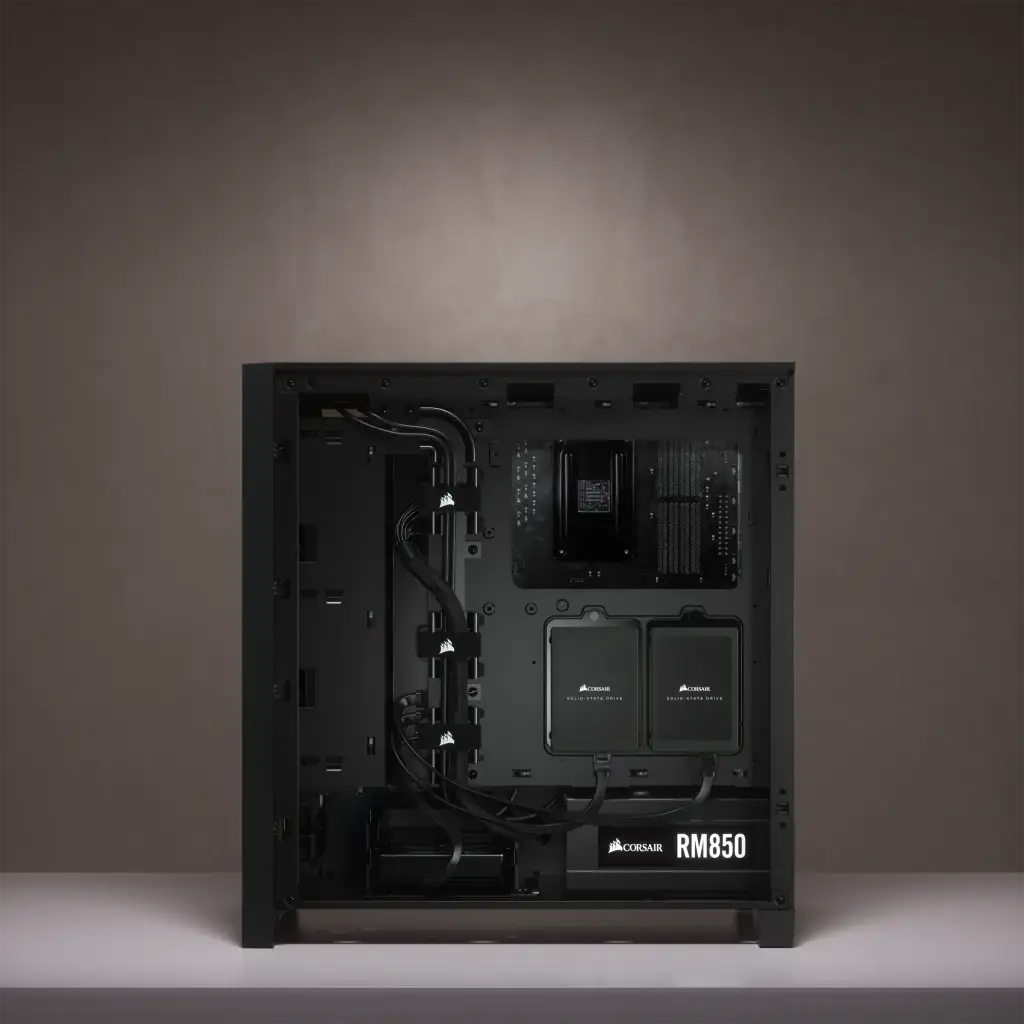
Corsair’s RapidRoute cable management is another claimed benefit. Here reality matches the hype. A verified buyer on Amazon cited: “Way better than their other backplate design… easy to build in.” This trait especially resonates with first-time builders or those upgrading from cluttered cases.
Cross-Platform Consensus
Universally Praised
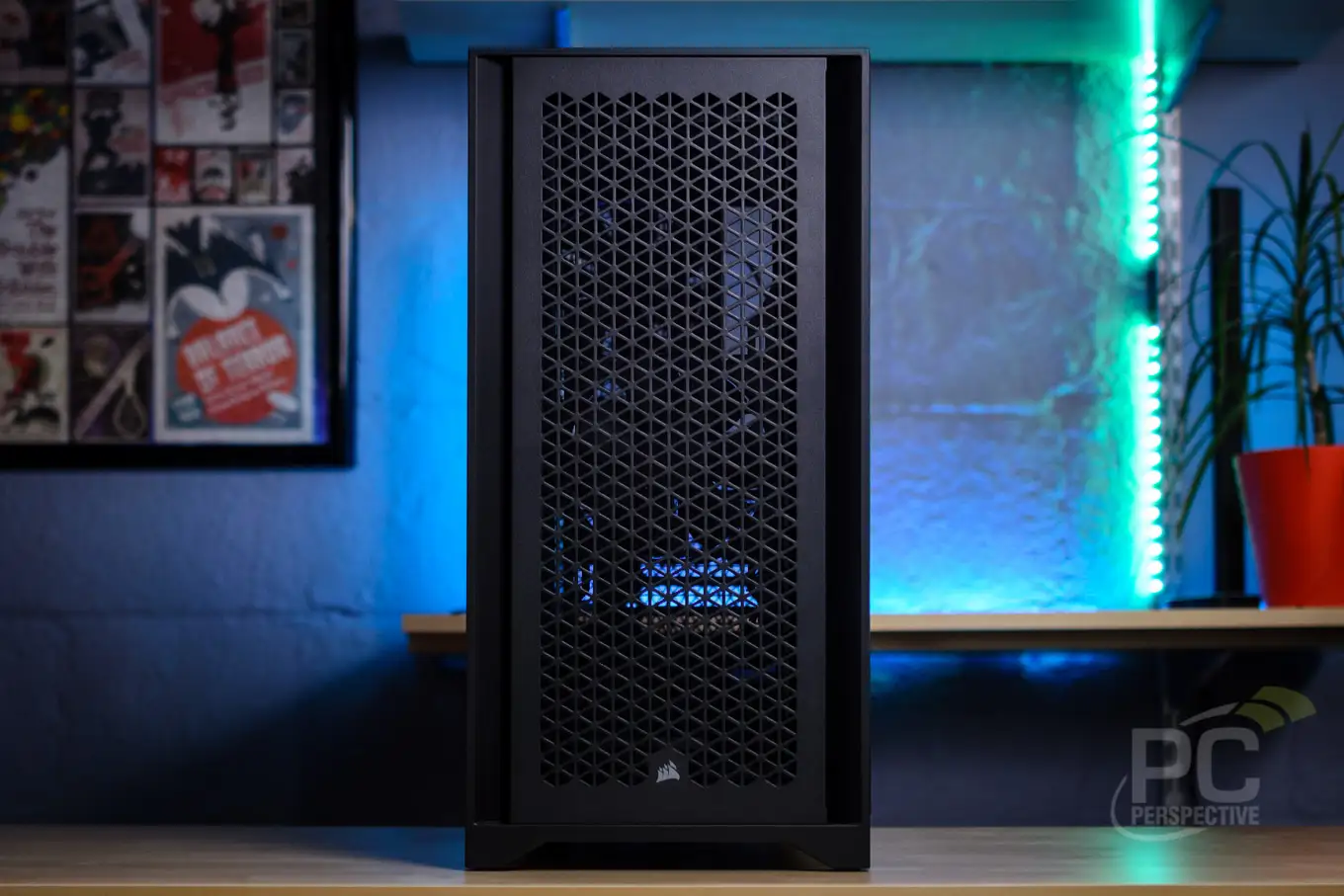
Airflow consistently emerges as the 4000D’s strongest feature. Across platforms, owners report cooler temperatures compared to older cases—several noting drops of up to 10°C. PcComponentes user feedback mirrored this: “The best airflow and aesthetics I’ve had… all components run cool in mid-summer.” For GPU-heavy builds, especially RTX 4070 Ti and 3080 setups, this case keeps thermals manageable without overhauling the cooling strategy.
Cable management is the second pillar of praise. Multiple Best Buy reviewers echo Mauro’s sentiment: “Inclusion of a USB-C header and reboot button… design is beautiful… plenty of space for cables.” Corsair’s use of 25–37mm routing space (depending on variant) allows even full ATX builds to maintain a clean interior, boosting airflow further.
Material quality and build durability also drew near-universal approval. Reddit reports describe the tempered glass side panel surviving accidental drops, while PcComponentes users commend the “excellent finish and high-quality steel.” Builders value long-term component protection paired with aesthetics that don’t feel cheap.
Common Complaints
Fan inclusion is a frequent sticking point. The base 4000D ships with two 3-pin fans, prompting several PcComponentes reviewers to add more at extra cost. One noted: “Only two fans… with the expenses that implies.” The Frame 4000D RS ARGB variants somewhat offset this by including three PWM ARGB fans, but buyers must be attentive to sub-model differences.
Front I/O in non-Frame editions also garners criticism for limited USB port availability. While modern motherboards support abundant rear I/O, front-panel convenience is still a quality-of-life factor for many. PcComponentes users suggested adding “a second USB-C port” for symmetry and workflow reasons.
AIO clearance incompatibilities surfaced predominantly for top-mounted coolers. This impacts those with tall RAM sticks, forcing compromises like front-mounting radiators with potentially suboptimal tube orientation—a concern noted by Best Buy’s marge.
Divisive Features
The tinted tempered-glass panel splits opinion. Some users love the stealth aesthetic, while others complain it obscures non-RGB builds. PcComponentes feedback included: “Glass can be too smoked for some… difficult to see components without RGB.” Builders aiming for showcase rigs will perceive this differently than those preferring subtlety.
The case’s weight also divides commentary. While heavier construction signals durability, portability suffers. A user humorously remarked it “weighs like a coffin.” For desktop-bound systems, this is inconsequential, but LAN party enthusiasts may find it cumbersome.
Trust & Reliability
Long-term durability reports are overwhelmingly positive. Enhanced dust management via magnetic filters keeps internals clean “without dismantling the case,” per multiple PcComponentes reviews. Best Buy’s evanf praised: “Plenty of clearance and cable management after months—it’s held up great.”
Corsair’s quality control reputation holds up in Trustpilot narratives. Users consistently describe the case as “robust” and “doesn’t compromise after repeated rebuilds.” Notably, several have purchased the 4000D for multiple builds, trusting it enough to be a repeat investment.
Alternatives
When cooler fit is a concern, some buyers have shifted to the Corsair 5000D RGB, which offers additional radiator space and more accommodating top clearance. Best Buy’s marge detailed swapping due to pump orientation issues but still praised the 4000D’s otherwise strong airflow and aesthetics.
For ultra-modular needs, the Corsair Frame 4000D outshines original designs with its Infinirail™ fan system and compatibility with reverse connector motherboards—benefiting cable-invisible builds. However, it omits included fans in its base variant, requiring separate purchase.
Price & Value
Market listings place the 4000D Airflow around $94.99–$149.99 USD depending on variant and included features. Open-box units on eBay trend near $105, making them attractive for budget-conscious builders comfortable with reduced warranty coverage.
Resale value holds well—as modular cases with enduring aesthetics don’t date quickly. Community tips suggest buying based on cooling hardware plans; avoid overspending on the RGB variant if you intend to swap in aftermarket fans anyway. PcComponentes reviewers emphasize it’s “the best case for the price” when factoring build quality and thermals.
FAQ
Q: Can the 4000D fit a 360mm AIO radiator on top?
A: Officially yes, but tall RAM modules may block installation. Several users recommend front-mounting or switching to lower-profile memory for top placement.
Q: Is the tempered glass clear or tinted?
A: It has a smoked tint. Some love the subtle finish, while others find it too dark for showcasing non-RGB components.
Q: Does the Frame 4000D include fans?
A: The standard Frame 4000D ships with none; the RS ARGB variant comes with three PWM ARGB fans.
Q: How heavy is the case?
A: Around 9–10 kg, depending on the variant—significantly heavier than budget mid-towers, but it offers superior build sturdiness.
Q: What’s the maximum GPU length supported?
A: The standard 4000D supports up to 360mm; Frame variants allow up to 430mm, accommodating larger cards like RTX 4090.
Final Verdict:
Buy if you’re a builder prioritizing airflow, cable cleanliness, and durable construction—especially for high-heat GPU/CPU setups. Avoid if you rely heavily on top-mounted large AIOs with tall RAM or need multiple front USB-C ports. Pro tip from the community: budget for extra fans upfront to fully unlock its cooling potential.





