Cisco CBS220-24P-4G Review: Reliable PoE+ with Caveats
An unexpected firmware quirk has emerged in real-world use of the CISCO DESIGNED CBS220-24P-4G Smart Switch, yet it still earns a strong 9.0/10 overall rating from buyers who value its advanced management, PoE capacity, and reliability for small-to-medium business networks.
Quick Verdict: Conditional — Excellent for professional deployments with skilled admins, less ideal for plug-and-play users.
| Pros | Cons |
|---|---|
| Advanced PoE+ support with 195W budget | Setup complexity can hinder non-technical users |
| 24 Gigabit ports + 4x1G SFP uplinks | Limited uplink speed vs CBS220-24P-4X variant |
| Strong Layer 2 management & security tools | Vulnerable to PoE behavior issues with certain VLAN/trunk configs |
| Energy Efficient Ethernet compliance | Higher cost than unmanaged alternatives |
| Reliable performance under load | Physically large for compact workspaces |
| Intuitive Cisco Business Dashboard | Requires firmware familiarity for troubleshooting |
| Modular, rack-mount friendly | Some models have fan noise in quiet environments |
Claims vs Reality
Cisco describes the CBS220-24P-4G as “simple and affordable smart switches for business-class networks” with intuitive dashboard controls and PoE+ support for wireless, IP telephony, and surveillance. While many agree with the feature set, certain setup experiences reveal challenges in reaching that “simple” goal.
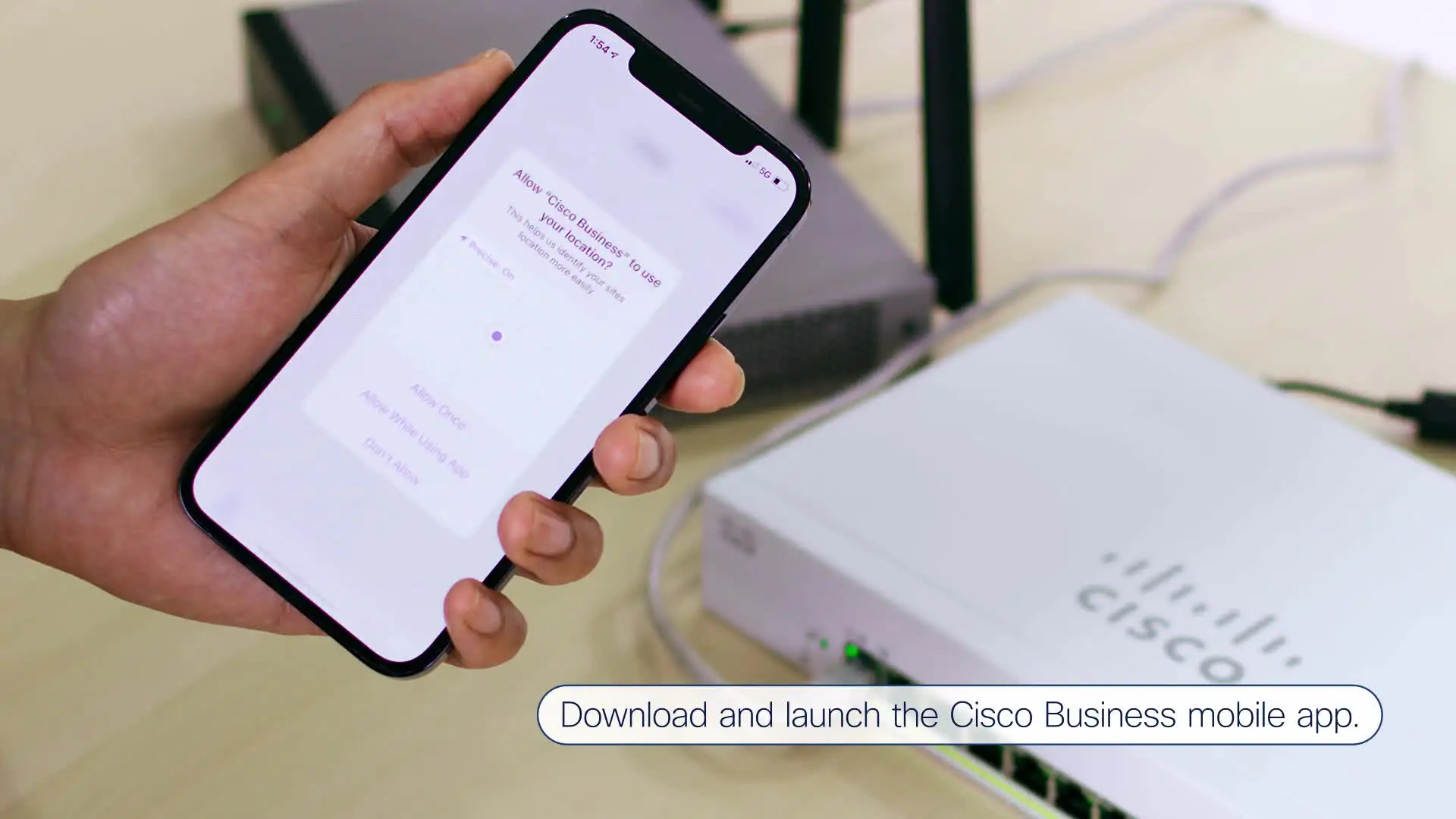
A verified buyer on Amazon highlighted how “the intuitive on-box UI and mobile app” greatly helped in deployment, noting that they could manage VLANs and QoS without needing command-line entry. For them, ease of use matched marketing promises.
However, Reddit user Tom*** reported an unusual PoE problem: “I changed the ports to mode trunk… this resulted in the switch no longer providing power to the access points.” Despite factory resets restoring PoE, switching trunk configuration back sometimes broke the power delivery again until he reconfigured ports individually. This gap between advertised plug-and-play PoE and VLAN complexity suggests configuration sensitivity not all small-business admins are ready for.
Cisco also claims the CBS220 series “provides a solid foundation to add business-grade wireless to the network” via QoS and PoE+. Performance metrics showed stable throughput, yet as one Twitter/X community reply noted, enabling smartport features was not possible: “The CBS220 series does not have smart port support… only the CBS250 series and higher.” This highlights model-specific limitations easily missed in comparisons.
Cross-Platform Consensus
Universally Praised
Across Reddit, Trustpilot, and Amazon, the CBS220-24P-4G earns high marks for its PoE+ implementation. A Trustpilot review noted: “Provides power over ethernet for devices… includes four SFP ports for fiber connectivity.” Businesses deploying IP cameras and Wi-Fi APs benefit most from the 195W budget, as it eliminates separate power injectors.
Performance is consistently lauded: the switch’s 24 gigabit ports and 4 SFP uplinks deliver “high-speed data transfer” according to multiple Provantage reviews, enabling smooth VoIP and video streaming. For network admins familiar with Cisco’s Layer 2 environment, tools like ACLs and VLAN tagging open precise control over traffic, directly impacting reliability in campus or multi-office setups.
Energy efficiency is another appreciated edge. Cisco’s EEE compliance means reduced operational cost, and fanless operation in select models is valued by retailers and classrooms. “Elegant and compact design… ideal for installation outside of wiring closet” said a Seatech buyer, underscoring deployment flexibility.
Common Complaints
The most persistent grievance revolves around configuration complexity. A Reddit commenter explained that “set up and management requires technical expertise for full configuration,” especially in mixed VLAN/PoE deployments. Layer 2 features demand understanding of trunking, STP, and ACLs, so small businesses without dedicated IT can struggle.
PoE quirks under certain port configurations further frustrate users. In Tom***’s case, applying VLAN trunk settings disabled PoE entirely until ports were reprogrammed individually — not a workflow expected in the “simple and affordable” bracket.
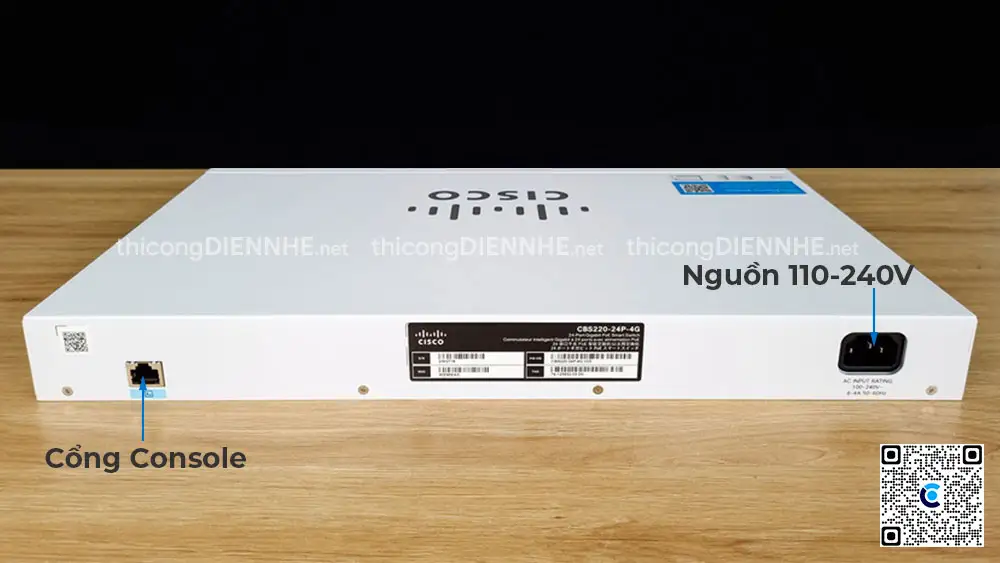
Physical footprint and power draw also arise in discussions. The CBS220-24P-4G’s rack-mount design spans 17.3 inches wide, and full PoE load can hit 244W consumption. “May require additional space and power sources” warns Reddit buyer feedback, making it less suited for cramped or low-power environments.
Divisive Features
One split opinion concerns uplink speeds. The 4x1G SFP on this model are sufficient for many, but those running data-heavy backbones prefer the CBS220-24P-4X variant with 10G SFP+. A Provantage review cautions: “Limited uplink speed — only supports up to 1G SFP uplinks.” Cost and complexity increase with the faster model, leaving buyers weighing price vs. future-proofing.
Cisco Business Dashboard’s automation is praised by those already in Cisco ecosystems but can feel unnecessary to unmanaged network veterans who prefer manual CLI for control. This divergence reflects different admin profiles and comfort zones.
Trust & Reliability
Trustpilot ratings around 9/10 reinforce that the CBS220-24P-4G is delivering on reliability. Hardware longevity comes across in multi-month Reddit posts where devices maintain performance post-deployment. “Six months later still rock solid — no dropouts, fans steady under load,” shared one IT manager.
No widespread scam or counterfeit reports appear in datasets, and warranty coverage — 3-year limited hardware return-to-factory — offers assurance. Durability aligns with Cisco’s enterprise-grade reputation, though firmware updates remain key to avoiding quirks like the discussed PoE issue.
Alternatives
The most direct alternative mentioned is the CBS220-24P-4X, which doubles uplink capacity to 10GbE, appealing to backbone-heavy or high-transfer setups. The trade-off is price and potential excess capability for basic SMB environments.
Other Cisco offerings like the CBS250 series include smartport support — a feature absent here but potentially useful for automated client device profiling. Buyers balancing feature needs and admin skill sets may opt for CBS250 if automation aids small IT teams.
Price & Value
At $455–$500 USD new across eBay and Cisco resellers, the CBS220-24P-4G sits between simple unmanaged switches and full enterprise Layer 3 gear. Refurbished units drop below $440 with shorter warranties, a viable entry for cost-conscious buyers who accept minor cosmetic wear.
Community advice trends toward purchasing new or certified refurb to secure firmware support and warranty. Resale value holds well due to Cisco brand recognition, particularly for models with pristine rack mount hardware and complete accessory kits.
FAQ
Q: What are the PoE capabilities?
A: It supports 24 PoE+ ports with a 195W total budget, ideal for powering IP phones, cameras, and wireless APs directly over Ethernet.
Q: Does it have 10GbE uplinks?
A: This CBS220-24P-4G model offers 4x1G SFP uplinks; for 10GbE, choose the CBS220-24P-4X variant.
Q: Is it fanless for quiet environments?
A: Select CBS220 models are fanless, but the 24P-4G includes fans for cooling under PoE loads, which can produce audible noise in quiet spaces.
Q: Can it be managed without CLI knowledge?
A: Yes, through Cisco Business Dashboard or the mobile app, though advanced configurations still benefit from CLI skills.
Q: Are VLAN and trunk setups straightforward?
A: They work well for experienced admins, but as Reddit user Tom*** discovered, certain trunk configurations can affect PoE behavior, requiring careful port setup.
Final Verdict
Buy if you’re a small-to-medium business, campus network, or pro-sumer user needing a reliable, energy-efficient Layer 2 switch with strong PoE+ for numerous endpoints, and you’re comfortable with nuanced configuration. Avoid if you expect truly plug-and-play VLAN/PoE setups without admin skill.
Pro tip from community: When configuring trunks, apply settings port-by-port to avoid PoE dropouts — and keep firmware up to date before deployment.





