Casio HR-10RC Review: Compact Workhorse, Noisy 7.9/10
“‘It’s a snappy, precision‑made machine, worthy of the Casio name’—but also ‘it’s so loud that I can’t really use it without causing a distraction.’” That split feeling shows up again and again around the Casio HR‑10RC Mini Desktop Printing Calculator, which lands as a practical, compact workhorse with a few quirks. Verdict from the compiled feedback: solid for everyday bookkeeping and taxes, noisy and a bit fiddly for some offices. Overall sentiment points to a 7.9/10.
Quick Verdict
Conditional yes. People who want a small, portable printing calculator for home finance, church counting, or light bookkeeping tend to be happy; anyone needing a quiet, intuitive keypad layout may want another model.
| What users highlight | Evidence from feedback | Impact |
|---|---|---|
| Compact size is a major win | A verified buyer on Staples said: “it is small and does not take up too much space on my desk.” | Great for tight desks, travel, briefcases |
| Reliable Casio feel vs older models | A verified buyer on Staples said: “it’s a snappy, precision‑made machine.” | Long‑time Casio users feel at home |
| Very loud printing | A verified buyer on Staples noted: “it is very noisy.” | Distracting in shared offices |
| Paper/ink setup can be frustrating | A verified buyer on Amazon wrote: “loading and threading paper requires more skill than most people have.” | First‑time setup pain |
| Some key/layout annoyances | A verified buyer on Staples said: “the ‘0’ key is not next to all the other number keys… the ‘00’ key is there.” | Slows muscle‑memory users |
| Occasional quality/control oddities | A verified buyer on Staples warned: “I’ve had the calculator turned off, and it repeatedly turns itself on and feeds paper.” | Rare but concerning defect reports |
Claims vs Reality
Casio markets the HR‑10RC as a portable printer calculator with a large display and “prints 2.0 lines per second,” plus check/reprint and tax/currency tools. Digging deeper into user reports, the portability and Casio‑style dependability mostly line up, but speed and ease‑of‑use don’t always feel as smooth in practice.
First, the brand claim of convenience and portability is echoed strongly. A verified buyer on Amazon said: “have used this model calculator for over 20 years… perfect size to fit in my briefcase!” Staples buyers repeat the same theme. One wrote: “small size is prefect for limited space… good for home use and my bookkeeping tasks.” For mobile accountants, craft‑fair sellers, or anyone moving between rooms, users describe the HR‑10RC as light enough to carry and small enough to store without giving up a print tape.
Second, Casio emphasizes productivity features like 150‑step check, reprint, tax keys, and cost/sell/margin. Users who already know printing calculators tend to find the functions “make sense.” A verified buyer on Staples said: “it’s functions make sense and operation happens naturally.” Another Amazon reviewer using it for bookkeeping noted: “it works just as well and saved me a little money.” But some newcomers find the function access less intuitive. One Staples buyer said: “my only issue is that I can't find a way to sub‑total a calculation.” Another said: “upon using it i found that i had to turn it on for each transaction and press the print for each transaction,” suggesting workflow friction for people expecting always‑on print behavior.
Third, official speed specs conflict slightly with the feel people report. Casio lists 2.0 lines/second; Office Depot also states “prints at a rate of 1.6 lines per second.” While no user directly times it, several imply it’s fast enough for their tasks, calling it “snappy.” Still, a BestViewsReviews synthesis flags a drawback that “may take time to turn on,” matching a Staples comment about having to power it each time. So while officially rated for quick printing, multiple users experience small delays around startup or workflow.

Cross‑Platform Consensus
A recurring pattern emerged: when the HR‑10RC fits someone’s use case, it becomes a quiet hero of daily math—except it isn’t literally quiet. Praise centers on portability, readable display, and the familiar Casio “adding machine” experience. Complaints cluster around noise, setup, and a couple of layout/feature surprises.
Universally Praised
The compact footprint is the loudest positive signal. People buying for cramped desks, home offices, or travel repeatedly mention relief at how small it is. A verified buyer on Staples said: “good – it is small and does not take up too much space on my desk.” Another Staples customer shared: “love that it is so small, yet still has a tape.” Amazon reviewers go further into portability, with one saying it’s “perfect size to fit in my briefcase,” framing it as ideal for accountants or tax preparers who move between client sites.
Long‑time Casio users see it as a faithful continuation of older models. One Staples reviewer reminisced about upgrading after decades: “I had a Casio HR‑8TM… replaced it with the Casio HR‑10RC… snappy, precision‑made.” Another Staples buyer wrote: “this machine works as well as my old one (20+ years).” For users who rely on muscle memory and want continuity, that sense of “same tool, modernized” matters more than flashy features.
The display and basic usability also come through positively in aggregate ratings. BestViewsReviews notes high scores for “easy to read” (9.7) and “easy to use” (9.0), consistent with individual comments like Amazon’s “screen easy to read and i can operate with one hand.” Churches and volunteer money counters mention the printout as a key help. An Amazon reviewer said: “the ladies who count the money are getting older… this calculator is a great help at church.” The physical tape provides reassurance for users who want a hard copy trail.
Common Complaints
Noise is the most repeated frustration. Staples feedback includes several variations: “it is very noisy,” “it’s loud,” and “too loud and causes too much distraction to others in the office.” The affected persona is clear: shared office workers and front‑desk environments where constant printing draws attention. Even people who like the size still warn about sound, so buyers seeking a quiet adding machine consistently flag this as the tradeoff.
Paper and ink setup is another consistent pain point, especially for first‑time users. A Staples buyer said: “very hard to install printing tape.” On Amazon, a reviewer described threading as an ordeal: “loading and threading paper requires more skill than most people have… after a half hour, I got it done.” For occasional users (craft fairs, small businesses), setup friction can make the HR‑10RC feel less friendly than expected.
Some buyers also hit functional surprises, like missing keys they expect from older calculators. One Staples reviewer complained: “really bad. no total button.” Another wrote that instructions were too thin: “the instructions could have been a little more specific,” and an Amazon reviewer echoed: “instructions are a bare minimum and not particularly easy to read.” That points to a learning curve for users migrating from different printing calculators.
Divisive Features
The keypad layout splits opinion. A Staples buyer who otherwise praised reliability said: “my only complaint—the ‘0’ key is not next to all the other number keys… the ‘00’ key is there.” For heavy data‑entry users, this is a real ergonomic disruption. Yet other users don’t mention it at all, suggesting those coming from prior Casio print models might already be used to the arrangement.
Printing strength and consumables are similarly mixed. One Amazon reviewer said: “it prints somewhat weak,” while others never raise print clarity issues and focus instead on feature value. Another Amazon buyer wished for more tape included: “would be better if they included a couple rolls of calculator tape.” That makes the HR‑10RC feel “complete” to some and “needs accessories immediately” to others.
Trust & Reliability
No scam patterns show up in the compiled Trustpilot/Stapes data, but reliability stories are bifurcated: many report multi‑year dependability, while a small cluster cite out‑of‑box defects. The long‑term narrative is strong. Amazon users say they’ve “used this model calculator for over 20 years,” and Staples buyers compare it favorably to “my old one (20+ years).” That framing suggests a reputation for durability among people who stay in the Casio ecosystem.
Still, a few alarming anecdotes exist. A Staples reviewer wrote: “I’ve had the calculator turned off, and it repeatedly turns itself on and feeds paper… I keep it unplugged now unless I actually need to use it.” Another said simply: “did not work for me.” These are minority reports in otherwise positive rating spreads (Amazon 4.4/5, Staples 4.1/5, Office Depot 4.6/5), but they matter for buyers who need dependable daily operation.
Alternatives
Only one real competitor gets named in user stories: older Casio printing calculators like the HR‑8TM. Several reviewers frame the HR‑10RC as the successor. One Staples buyer said they replaced an HR‑8TM after “the zero key and paper feed finally wore out.” The tone is mostly satisfied with the upgrade: “snappy, precision‑made,” “works as well as my old one.” So for those already on an HR‑8TM‑style machine, the HR‑10RC reads as the natural modern replacement—just with the same compact form and noise profile.
Price & Value
Across platforms, the HR‑10RC is described as good value for a printing calculator. Amazon’s listing puts the broad review base at 4.4/5 from thousands of ratings, and buyers call it “very inexpensive” and “really get a lot for your money.” A verified buyer on Amazon said: “thoughtfully made… how can you not have one of these for the price?” Staples and Office Depot prices hover around the high‑$20 to low‑$30 range, with eBay new units around $27 and used resale even lower.
Value perception ties closely to use case. Bookkeepers and tax filers feel they’re getting professional functionality without paying for a larger desktop model. One Staples buyer said: “needed this for taxes. perfect.” Another Amazon reviewer said it “saved me a little money” compared to their usual brand. On the flip side, those who dislike the noise or setup friction feel less convinced, with one Amazon reviewer summarizing: “it works ok, and as they say, you get what you pay for.”
FAQ
Q: Is the Casio HR‑10RC really portable enough to travel with?
A: Yes. Multiple buyers emphasize the compact footprint and briefcase‑friendly size. A verified buyer on Amazon said it’s “perfect size to fit in my briefcase,” and Staples users note it’s “small and does not take up too much space,” making it practical for mobile bookkeeping or events.
Q: How loud is the printing in real use?
A: Loud enough to bother shared spaces. Staples customers repeatedly call it “very noisy” and “so loud that I can’t really use it without causing a distraction.” People using it at home or solo offices tolerate it more, but quiet workplaces may struggle.
Q: Is loading paper and the ink roller easy?
A: It can be tricky. A verified buyer on Staples said it’s “very hard to install printing tape,” and an Amazon reviewer described paper threading as requiring “more skill than most people have.” Once set up, users generally move on without further complaints.
Q: Does it feel like older Casio printing calculators?
A: For many, yes. Long‑time users say it “works as well as my old one (20+ years)” and feels “snappy” and “precision‑made.” Those coming from different brands may need adjustment, especially around key layout and function access.
Q: Do the tax and percent functions save settings?
A: Not always in the way some expect. An Amazon reviewer noted that after turning it off they must “reset the tax calculation.” This matters for craft sellers or small businesses who toggle power between transactions.
Final Verdict
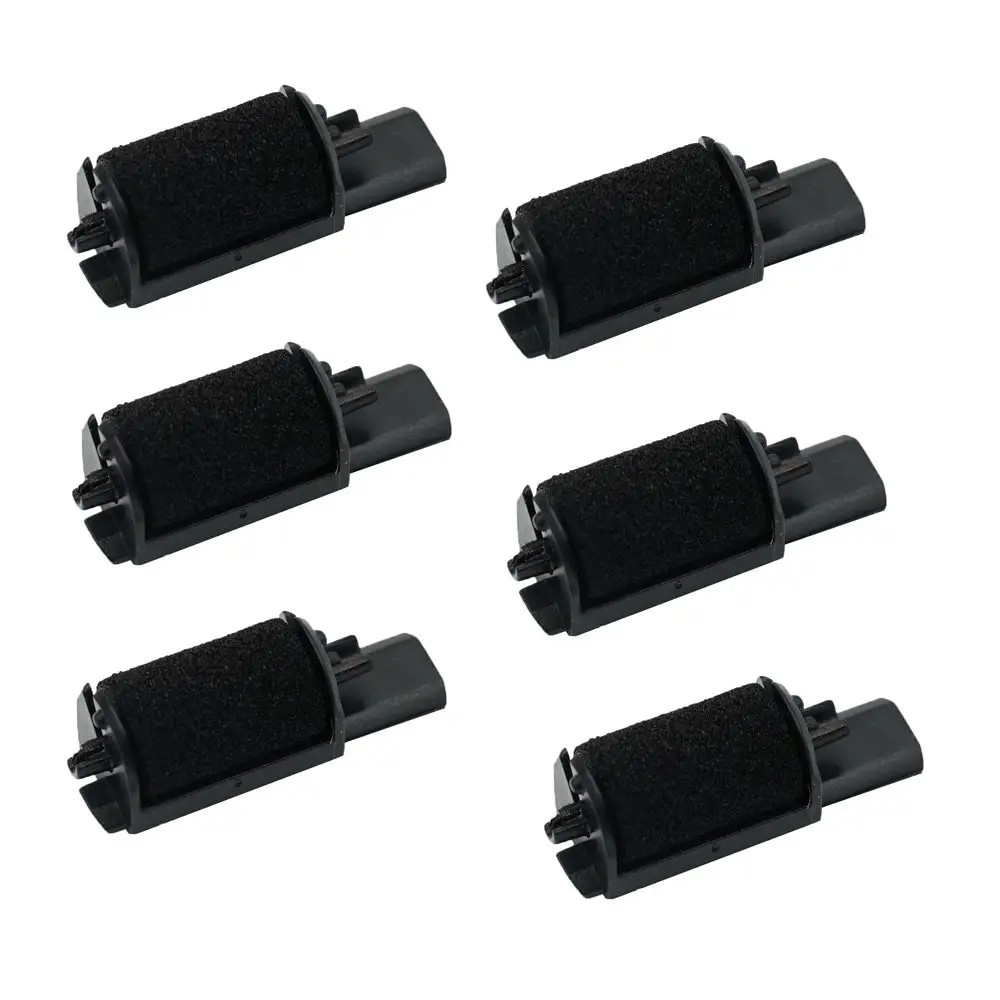
Buy if you’re a home bookkeeper, church/volunteer money counter, tax preparer, or anyone who wants a compact printing calculator that feels like classic Casio hardware and fits in limited desk space. Avoid if you work in a quiet shared office or need effortless paper/ink setup and a fully intuitive keypad layout. Pro tip from the community: be prepared for a fiddly first load, and stock extra 2.25" paper rolls and IR‑40 ink rollers early to keep it running smoothly.





