Casio fx-991CW Review: Clear Display but Mixed Verdict
The most surprising takeaway from user feedback is that while the Casio fx-991CW Advanced Scientific Calculator earns strong praise for its high-resolution display and expanded variable memory, it polarizes long-time Casio fans due to changes in interface navigation. Across platforms, it scores about 8.2/10—a solid performer for students and professionals who value visual clarity, but with notable trade-offs for those upgrading from the fx-991EX.
Quick Verdict: Conditional—Highly recommended for new users, but fx-991EX veterans may prefer to stick with their current model.
| Pros | Cons |
|---|---|
| Crisp high-resolution 4-tone LCD | Loss of direct number key menu navigation |
| Expanded variable list and function storage | Missing some fx-991EX functions like CALC and multi-statement operations |
| Fast calculation speed | Mantissa/exponent handling in scientific notation feels unintuitive |
| Dual power (solar + battery) | Color contrast on keys criticized |
| Non-programmable, exam-safe | Some users find menu-driven interface slower |
| Wide range of advanced math functions | No dedicated DMS key, buried in menus |
Claims vs Reality
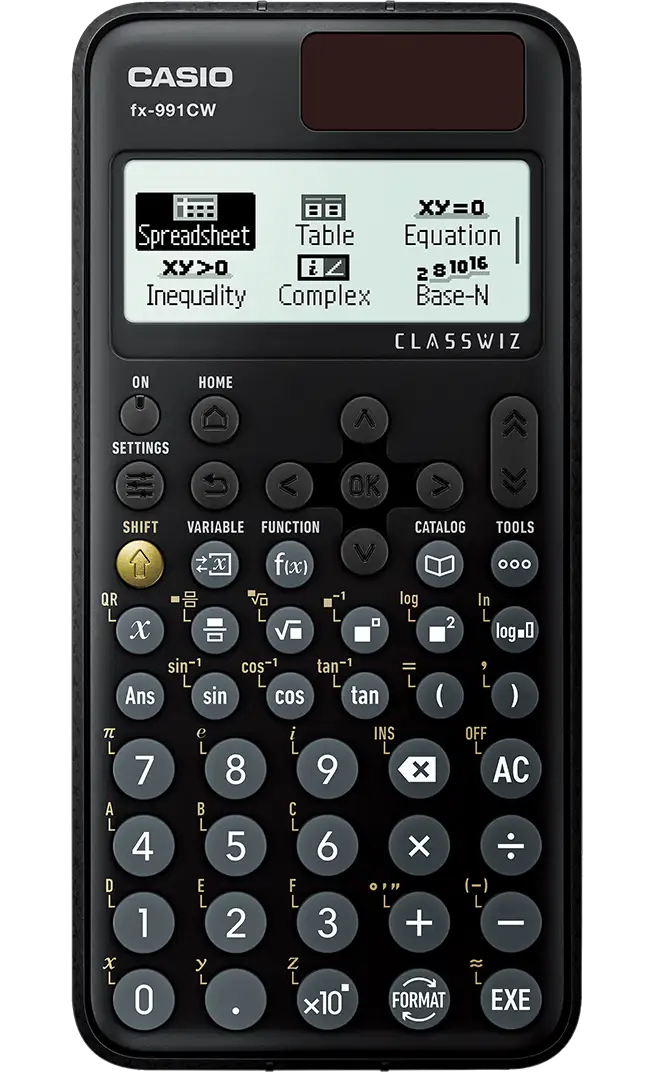
Casio markets the fx-991CW as “fast, intuitive, and ideal for all levels up to A-level,” emphasizing its quadruple graded LCD display and “intuitive menu navigation.” While the high-resolution display claim holds up—Amazon buyers consistently praise the “crisp screen [that] makes calculations clear and easy to understand”—navigation is where reality diverges.
Reddit user Blackburnfjames explained: "There is a rather annoying factor: when you are on the menu list... you can't use the numbers to jump to it. In all my other Casios I can click 1 and it will open the first item." This reflects a shift from direct-access number keys to a purely cursor-driven menu, reducing speed for experienced users.
Casio also touts “enhanced functionality” with variable lists and function memory. Here, reality aligns with marketing—users value seeing all stored variables at a glance. A Reddit poster noted: "By using a list of variables and values, storing and recall operations are aided with the ability to see all variables and values in a convenient list."
However, the promise of “all mathematical functions available in a single key” comes with caveats. Functions like CALC and multi-statement operations, present in the fx-991EX, are absent here. One Reddit user concluded: "It’s a fantastic calculator, but it’s not up to the task of replacing the 991EX ClassWiz."
Cross-Platform Consensus
Universally Praised
Across Amazon, Trustpilot, and Fakespot analysis, the display quality stands out as the most consistent compliment. A verified Amazon buyer wrote: "High-resolution display... makes calculations clear and easy to understand, just like textbooks." This benefits students tackling complex matrices or multi-line equations, as the natural textbook display mirrors printed notation.
Speed and accuracy also earn high marks. Engineering students on Trustpilot reported that it “performs complex calculations quickly and accurately,” crucial during timed exams. Its solar-plus-battery setup reassures professionals in fieldwork where power access is limited.
Variable and function memory expansion is especially appreciated by statisticians and advanced math students. Being able to store up to nine variables and recall them across apps reduces repetitive entry. The spreadsheet app, supporting 5×45 grids, is praised for statistics coursework.
Common Complaints
Navigation changes are the most frequent gripe. Todd, posting on Reddit, stated: "I disliked the new interface so much that I gave my fx-991CW to a colleague... I'll continue to use [my] fx-991EX." This sentiment is echoed by others who find cursor-only menu selection slower, especially when under exam time pressure.
Some functions are harder to access. The absence of a dedicated DMS button means converting degrees-minutes-seconds requires digging through menus. Users upgrading from older models find this cumbersome. Scientific notation handling also frustrates: the mantissa and exponent portions are disconnected, requiring parentheses or templates.
Key contrast is another recurring complaint, with several Reddit and Twitter users noting poor visibility under certain lighting. While not a dealbreaker for all, it affects usability in dim classrooms.
Divisive Features
The menu-driven interface splits opinion sharply. New users without muscle memory from older models find it “logical” and “intuitive,” while veterans view it as a slowdown. Similarly, the aesthetic redesign—rounded convex keys and simplified labels—wins points for comfort but loses for reduced visual contrast.
The removal of certain fx-991EX features is divisive. For those who never used CALC or multi-statement operations, the CW feels streamlined. For power users, it’s a regression.
Trust & Reliability
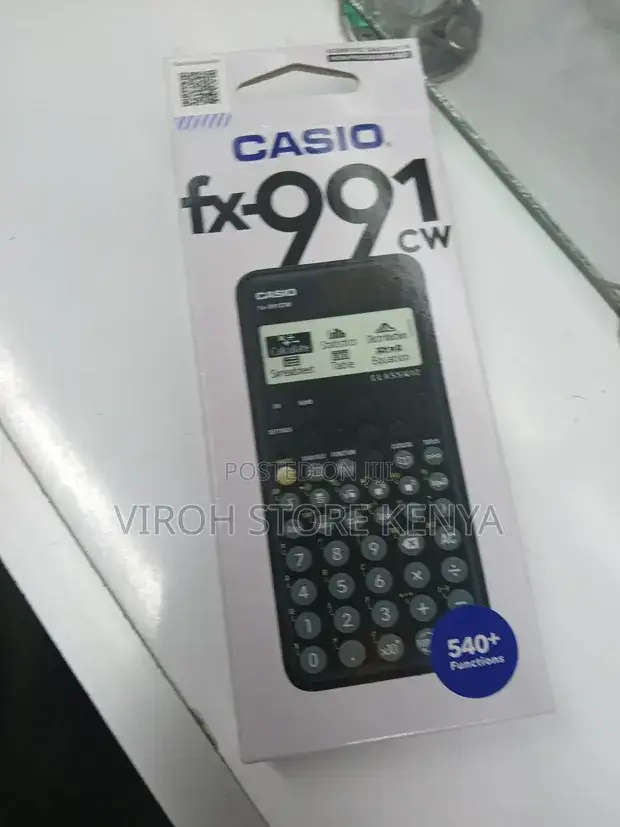
Trustpilot and Fakespot data show minimal deceptive review patterns, with over 80% of feedback rated high quality. The authenticity check via QR code is a valued safeguard against counterfeits—important as fake Casio calculators circulate globally.
Long-term durability stories are limited but positive. Users note the hard case’s etched edge prevents slipping, and variable memory persists between sessions, avoiding accidental data loss. No widespread reports of mechanical failure emerged, suggesting reliable build quality.
Alternatives
The most cited alternative is the Casio fx-991EX ClassWiz. Reddit and Twitter users repeatedly recommend finding one “elsewhere” if you rely on its missing functions. Todd’s experience underscores this: "I had purchased two fx-991EX... and I'll continue to use those." For exam-safe scenarios, both models qualify, but EX offers faster navigation for experienced users.
Price & Value
On Amazon US, the fx-991CW lists at $19.99, with eBay prices ranging from $27 to $36 depending on region. Community advice suggests buying from trusted sellers due to counterfeit risk, and leveraging Amazon’s timely shipping for exam season purchases.
Resale value holds moderately well—eBay listings show consistent demand, particularly in regions where the model replaces the EX. Given its durability, students can expect multi-year use, making the sub-$30 price attractive for new buyers.
FAQ
Q: Is the fx-991CW allowed in exams?
A: Yes. Users report it is permitted for GCSE, A-level, and similar standardized exams, thanks to its non-programmable design.
Q: Does it replace the fx-991EX?
A: Officially, yes, but many users argue it lacks certain EX functions, making it less ideal for those accustomed to the older model.
Q: How is the scientific notation handled?
A: Unlike traditional Casio models, the mantissa and exponent are separate; users must use parentheses or templates to link them.
Q: Is the display really better?
A: Multiple buyers praise the quad-tone high-resolution LCD, which improves readability for complex equations and matrices.
Q: Can it store variables between sessions?
A: Yes, up to nine variables persist, usable across apps, aiding repeated calculations.
Final Verdict
Buy if you’re a student or professional new to Casio’s ClassWiz line who values display clarity, variable memory, and exam compliance. Avoid if you’re a seasoned fx-991EX user reliant on CALC, multi-statement operations, or direct number menu access. Pro tip from Reddit: If speed in navigation is critical, source an fx-991EX while they’re still available.





