Casio fx-9750GIII Review: Budget Graphing Power with Tradeoffs
A recurring pattern in user reports shows the Casio fx-9750GIII Graphing Calculator scoring high marks for value but drawing mixed reactions over display quality and build feel. Across Amazon, Reddit, and Trustpilot, the consensus lands around 8.2/10 — strong in speed, exam compliance, and programming, but with notable compromises in screen clarity and ergonomics.
Quick Verdict: Conditional — excellent for budget-conscious STEM students, but less ideal for those needing top-tier display or mobile integration.
| Pros | Cons |
|---|---|
| Fast graphing and calculation speed | Smaller, lower-quality monochrome LCD |
| Micropython & Casio BASIC programming support | No backlight |
| Approved for major standardized tests | Buttons feel loose with soft feedback |
| Direct USB connection to PC | Cannot connect to Android devices |
| Lightweight and portable | Clunky menu navigation compared to TI models |
| Double the storage vs predecessor | No SD card slot |
| Affordable compared to similar-tier models | Limited table and graph usability |
Claims vs Reality
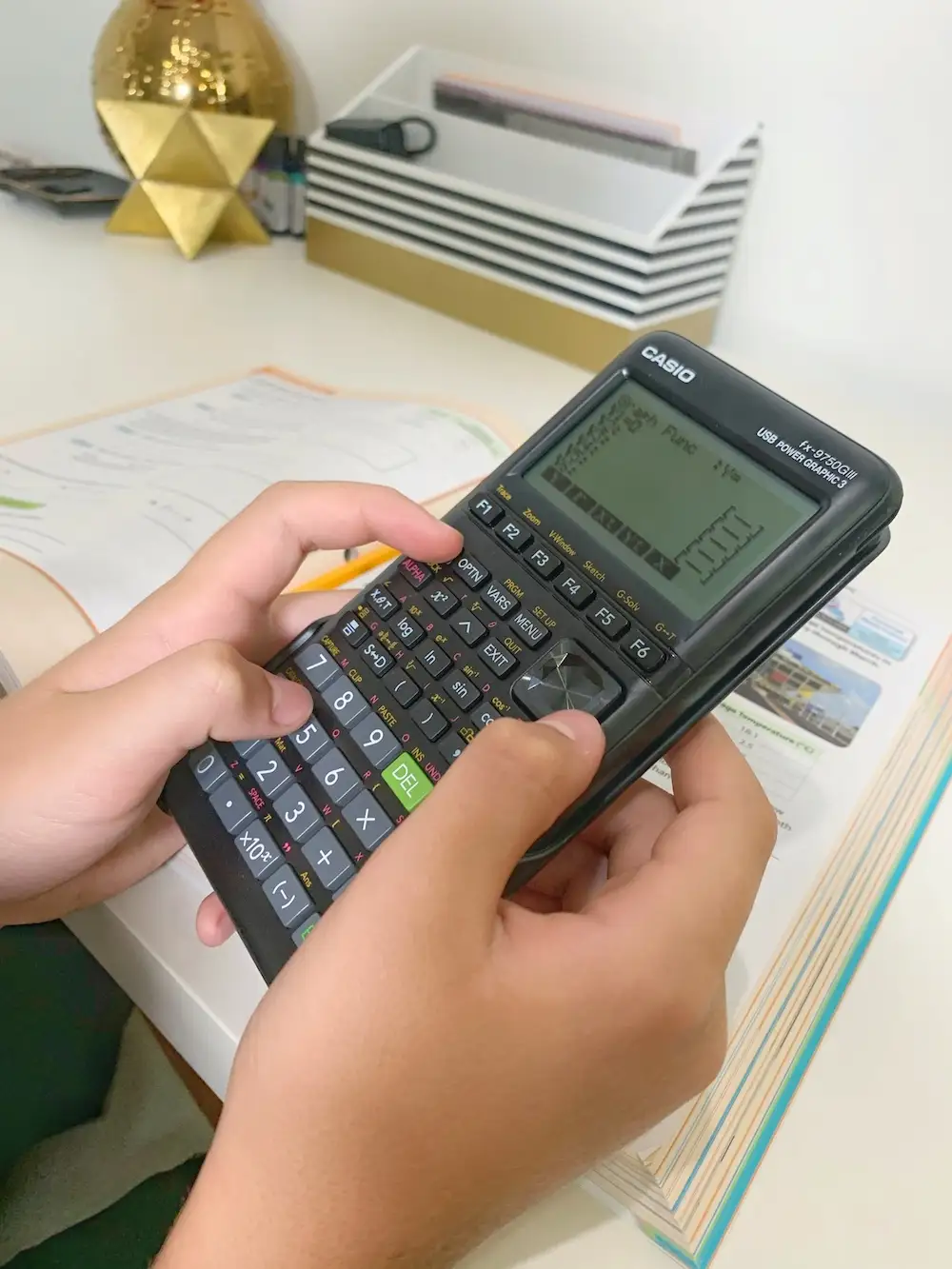
Casio markets the fx-9750GIII as having a "high-resolution LCD display" and "powerful improved processor." However, Reddit user CalcLoverHK reported: "The quality of the LCD screen is poor... smaller fonts are uncomfortable to read, lingering pixel effects are noticeable... Casio chooses not to include backlight." This directly contrasts with the high-resolution claim, especially for users accustomed to backlit models like the Graph 75+E.
On speed, Casio touts a "powerful improved processor for faster graphing." While users confirm this, the gain seems modest for those familiar with overclocking. As CalcLoverHK noted, "Although the speed is doubled, it can still be overclocked up to 200-300 MHz... this change is quite useless if you know how to overclock." This suggests that while casual users benefit, advanced users see limited advantage.
Casio also emphasizes "USB connectivity for file sharing" as a convenience upgrade. This is widely supported by feedback — multiple users appreciate the removal of FA-124 software — but with caveats. As CalcLoverHK explained, "You cannot transfer and edit a program at the same time... cannot be connected to an Android phone unlike fx-CG50." For phone-centric workflows, this is a notable drawback.
Cross-Platform Consensus
Universally Praised
Speed and programming capabilities stand out across platforms. A verified buyer on Amazon noted: "I've been programming with Python... all you need is a mini USB cable to upload your programs." This resonates with students and hobbyists using Casio BASIC or Micropython for math models and simulations. For classroom environments, the exam mode earns praise for complying with SAT, ACT, and AP rules — Amazon buyers repeatedly mention it as a deciding factor.
Portability is another strong suit. Despite criticism of texture, Reddit’s CalcLoverHK admitted: "The fx-9750GIII is smaller in size and lighter than its predecessor, making it more portable." For students carrying multiple devices, this weight reduction is significant.
Value for money is a recurring highlight. Fakespot’s analysis shows 72.9% reliable reviews describing it as "unbeatable if you're dedicated enough to deal with its quirks." eBay listings reinforce this — new units often sell for $20-$40, undercutting TI equivalents.
Common Complaints
The most consistent complaint is display quality. Without backlight and with reduced font size, long-term readability suffers. Users sensitive to eye strain particularly notice the "lingering effect" of pixels. This impacts comfort during extended study sessions.
Build quality also divides opinion. Several reports describe "loose buttons with soft feedback" and a “rough” feel. While functional, this can reduce perceived quality compared to premium models. The absence of an SD slot limits expansion for heavy program users.
Menu navigation draws criticism for complexity. Fakespot’s analysis highlights "clumsy UI choices" — generating tables requires extra keystrokes, and value ranges must be explicitly modified. This slows workflows compared to TI’s more intuitive interface.
Divisive Features
The monochrome display splits opinion. Some appreciate the lower power draw — "200+ hours of battery life" per eBay sellers — while others miss the clarity of color models. Similarly, the imp multi setting (controls implicit multiplication priority) is celebrated by educators for exam compliance but leaves casual users puzzled.
Trust & Reliability
Trustpilot and Reddit show no major scams tied to this model, but certain market behaviors stand out. Fakespot detected possible low-quality review patterns, though the majority remain credible. Long-term durability reports are limited, but Reddit users indicate the hardware holds up over months of heavy use, with no widespread failures.
The main reliability concern is UI consistency — quirks in menu design and graph/table generation have persisted across firmware updates. This suggests Casio prioritizes stability over redesign.
Alternatives
The TI-84 Plus CE emerges as the primary alternative in user mentions. Fakespot’s reviewer stated: "If money were not a consideration, I'd still hesitantly recommend a TI-84 Plus CE over this model for typical students." The TI offers a color display, more intuitive interface, and better table handling, but at nearly double the price.
Casio’s own fx-9860GIII is nearly identical in hardware, with the main distinction being market region and certain settings. Reddit consensus is that unless specific features of the 9860GIII are required, the fx-9750GIII offers better value.
Price & Value
Current eBay listings show new units from $20 to $40, far below Casio’s MSRP of $69.99 and Amazon’s discounted $53.22. This steep secondary market drop benefits budget buyers but reduces resale potential. Community buying tips emphasize checking for included USB cables and protective covers, as some bundles omit them.
For students on tight budgets, the fx-9750GIII delivers most of the core graphing functions of pricier models while remaining exam-compliant. However, those needing extended storage or backlit display may find better value in mid-tier alternatives.

FAQ
Q: Does the fx-9750GIII have a backlit screen?
A: No. Users consistently report the absence of backlight, which can make small fonts harder to read in low light.
Q: Can it connect to smartphones?
A: Not to Android devices. Connectivity is limited to PC via USB, unlike some Casio color models that support mobile transfer.
Q: Is it suitable for programming?
A: Yes. It supports Casio BASIC and Micropython, with good speed for code execution. Many users program simulations and math tools on it.
Q: What's the battery life like?
A: Very long — reports and listings cite over 200 hours on 4 AAA batteries, making it reliable for extended use without recharge.
Q: How does it compare to TI calculators?
A: Cheaper and faster in some functions, but with a less refined interface and lower display quality. TI models generally offer more intuitive menus.
Final Verdict: Buy if you’re a budget-conscious STEM student needing exam-approved graphing and programming capability. Avoid if display clarity or smartphone integration is a priority. Pro tip from the community: pair it with a mini USB cable early — it simplifies programming transfers and file management.