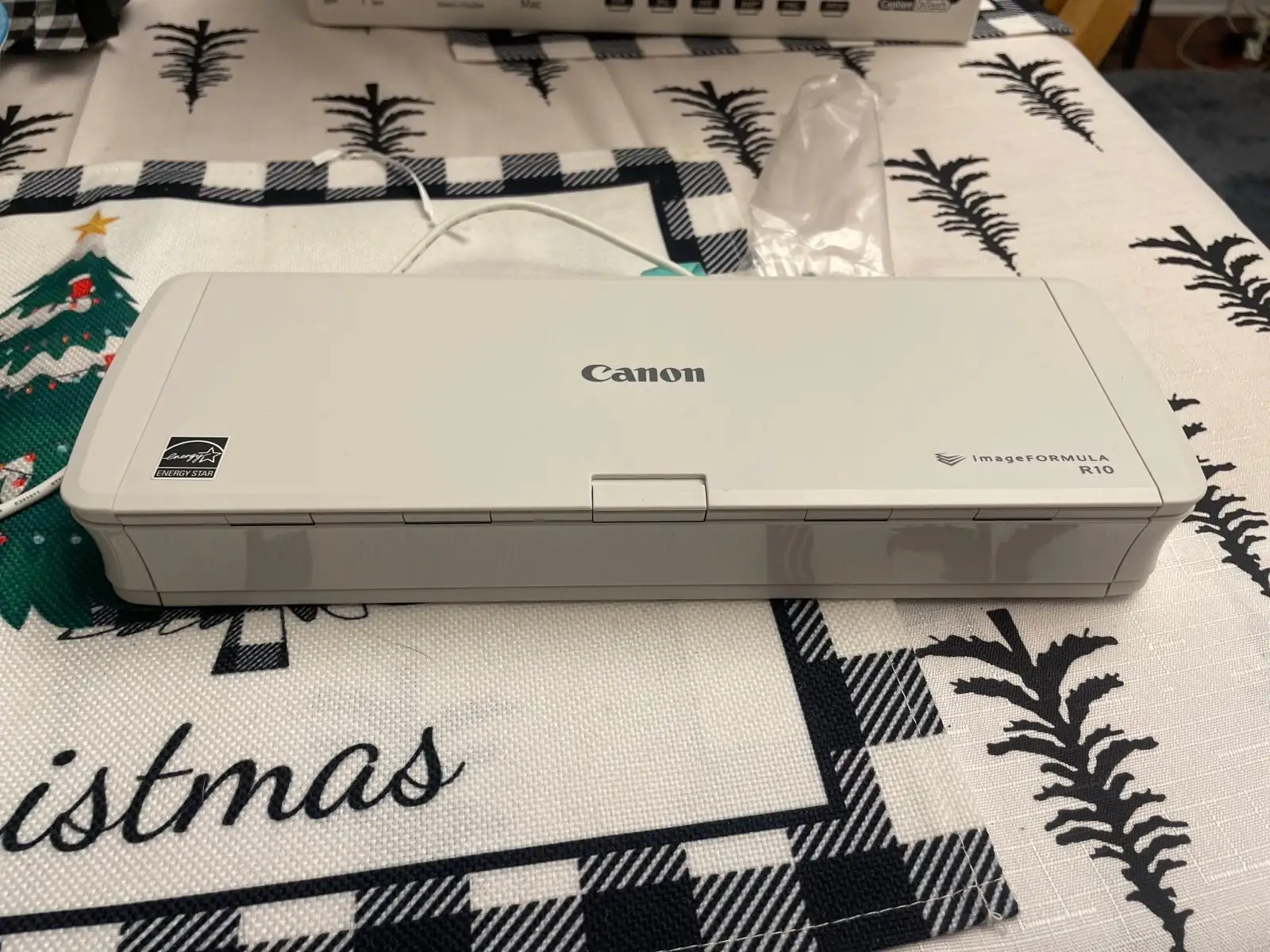
Canon R10 Scanner Review: Portable Duplex Performance
The surprise with the Canon imageFORMULA R10 Portable Document Scanner is how often real users say it “just works” straight out of the box — no drivers, no fuss — a rarity for scanning hardware. Across Amazon, Best Buy, Reddit, and Trustpilot, the R10 earns praise for portability, duplex capability, and built-in software, though consistent concerns surface around paper feeding quirks and its dated micro‑USB connection. Based on aggregated sentiment, it lands at a solid 8.5/10 for mobile professionals, home office users, and anyone needing quick, on‑the‑go document digitization.
Quick Verdict: Conditional — highly recommended for portable, small‑batch scanning; less ideal for heavy, high‑volume workflows.
| Pros | Cons |
|---|---|
| True plug‑and‑play — no software installation required | Occasional multi‑sheet grabs and paper jams |
| Compact, lightweight, USB‑powered design | Dated micro‑USB connector, no USB‑C cable included |
| Single‑pass duplex scanning saves time | No wireless or mobile device connectivity |
| Built‑in, intuitive CaptureOnTouch Lite software | No output tray; requires space to catch pages |
| Handles varied media (receipts, cards, legal docs) | Software doesn’t auto‑launch on all systems |
| Good scan quality up to 600 dpi | Slows noticeably at highest resolution |
Claims vs Reality
Canon markets the R10 as a “quick and easy document scanning without any software or driver installation” solution. On this point, user reports across Best Buy and Trustpilot confirm the plug‑and‑play experience. A Best Buy customer, “shae,” recounted: “Once connected to my laptop, the software and updated automatically popped up… within 5 minutes the scanner software was updated, scanning application loaded, and scanner ready for use.” However, several Mac users noted that the auto‑launch fails without adjusting system settings or using a powered USB hub.
Another bold claim is “single‑pass double‑sided scanning with 20‑sheet feeder capacity.” While the R10 does execute duplex scans in one motion, multiple buyers have experienced feeding issues. The IT Pro review flagged “occasionally grabbed multiple sheets and stopped with paper jam errors,” a sentiment echoed on Trustpilot where one verified user said pages “sometimes get caught or not feed properly.” This means the 20‑sheet ADF works, but may require manual attention for mixed or thin paper types.
Finally, Canon touts “high‑quality imaging” leveraging camera tech. At standard resolutions (200–300 dpi), customers agree results are crisp. A Best Buy reviewer “bren” described “incredibly crisp and high dpi images… better than my all-in-one printer can do with its ADF.” At 600 dpi, however, multiple reports warn of slower speeds and occasional over‑dark scans.
Cross‑Platform Consensus
Universally Praised
The standout feature is portability. Mobile professionals — from notaries to field researchers — appreciate that the R10 fits in a laptop bag and runs entirely off USB power. Best Buy reviewer “dnottingham4” called it “quite impressive in use… built‑in software folder opens and allows one to run the scanning software” without installation. Trustpilot feedback underscores that no external power brick means one less thing to carry.
Single‑pass duplex scanning is another crowd‑pleaser. For users processing contracts, IDs, or multi‑page forms, scanning both sides at once is a time‑saver. A verified Trustpilot reviewer noted “the ability to scan both sides… saves time and effort, which is a significant advantage.” Best Buy’s “bren” highlighted the dedicated card slot: “It scanned both sides of my driver’s license in one go, and holy cow is that handy!”
Built‑in CaptureOnTouch Lite software earns consistent praise for simplicity. “Mr Wilson” said it “was extremely user friendly… not too advanced to be difficult, but also had more advanced features like skew correction.” The fact that profiles are stored on the device itself means settings follow the scanner between computers — a boon for those using multiple workstations.
Common Complaints
Paper feeding reliability is the top frustration. Reports of the ADF grabbing multiple sheets, failing to detect thin paper, or skewing scans are common. Best Buy’s “craigb” detailed: “Often grabs entire stack instead of single page… every piece of paper or card scanned… always ended up skewed.” While the software can correct mild skew, severe misfeeds still require rescans.
Connectivity limitations are another sticking point. The use of micro‑USB feels outdated in 2024, especially for MacBook users who must carry adapters. Reviewer “all about tech” called the connector “not forward thinking” and wished for a USB‑C cable in the box. The absence of Wi‑Fi or mobile scanning support means it’s tethered to a computer.
Minor but recurring complaints involve the software not auto‑launching on some systems, particularly macOS with autoplay disabled. Users must manually open the scanner’s virtual drive to start the app.
Divisive Features
The lack of an output tray divides opinion. Some see it as a non‑issue for small batches, while others find catching pages cumbersome. IT Pro noted “you’ll need to leave some space in front to catch your documents.”
Scan speed perceptions vary. For light users, 12 ppm feels fast; for those used to office‑grade devices, it’s slow. “Wsohn” described it as “not anywhere near as fast as my ScanSnap but… not super slow.” High‑resolution scans slow to ~1 ppm, which can frustrate photo archivers.
Trust & Reliability
Trustpilot sentiment suggests minimal deception in reviews, with Fakespot noting over 80% high‑quality feedback. Long‑term durability stories are positive, especially regarding the build quality given its lightweight profile. Reddit product pages and Best Buy reviews from owners using it for months report consistent performance when cleaning rollers and being mindful of paper type. However, some caution about the longevity of the micro‑USB port with frequent travel use.
Alternatives
Several users compared the R10 to Fujitsu’s ScanSnap series. While ScanSnap models often offer faster speeds and wireless features, they are bulkier and pricier. Reviewer “bren” emphasized that the R10 “isn’t designed to perform like primary workstation scanners” but excels in portability. Some replaced older Canon ImageCLASS all‑in‑ones with the R10 specifically for duplex portability, trading higher throughput for mobility.
Price & Value
On eBay, used units sell between $60 and $80, with new retail prices historically around $159–$227. Community advice leans toward buying new if portability and duplex are must‑haves, but used can be a strong value given the device’s solid build. Sellers note quick resale, indicating steady demand in the portable scanner segment.
FAQ
Q: Can the Canon R10 scan directly to the cloud?
A: Not natively. The built‑in software only saves locally, but you can set a synced cloud folder (e.g., OneDrive, Dropbox) as the destination.
Q: Does it work with Chromebooks or tablets?
A: No. It requires Windows or macOS. There’s no mobile OS or wireless support, so it won’t work with Chromebooks, iPads, or Android tablets.
Q: How well does it handle receipts or small documents?
A: Very well, according to multiple users. Adjustable guides and a straight‑path feed make it adept at receipts, though very thin paper may require careful feeding.
Q: What’s the maximum paper capacity in the feeder?
A: Canon rates it at 20 sheets, but user feedback suggests loading fewer sheets reduces misfeeds and skew issues.
Q: Is it good for photo scanning?
A: It’s not intended for glossy photo paper, but some users report acceptable results for casual photo digitization at 300–600 dpi.
Final Verdict: Buy if you’re a mobile worker, home office user, or student needing fast duplex scanning in a compact, USB‑powered package. Avoid if you require flawless high‑volume feeding or wireless/cloud integration. Pro tip from the community: load fewer sheets than the max ADF capacity for smoother, straighter scans.