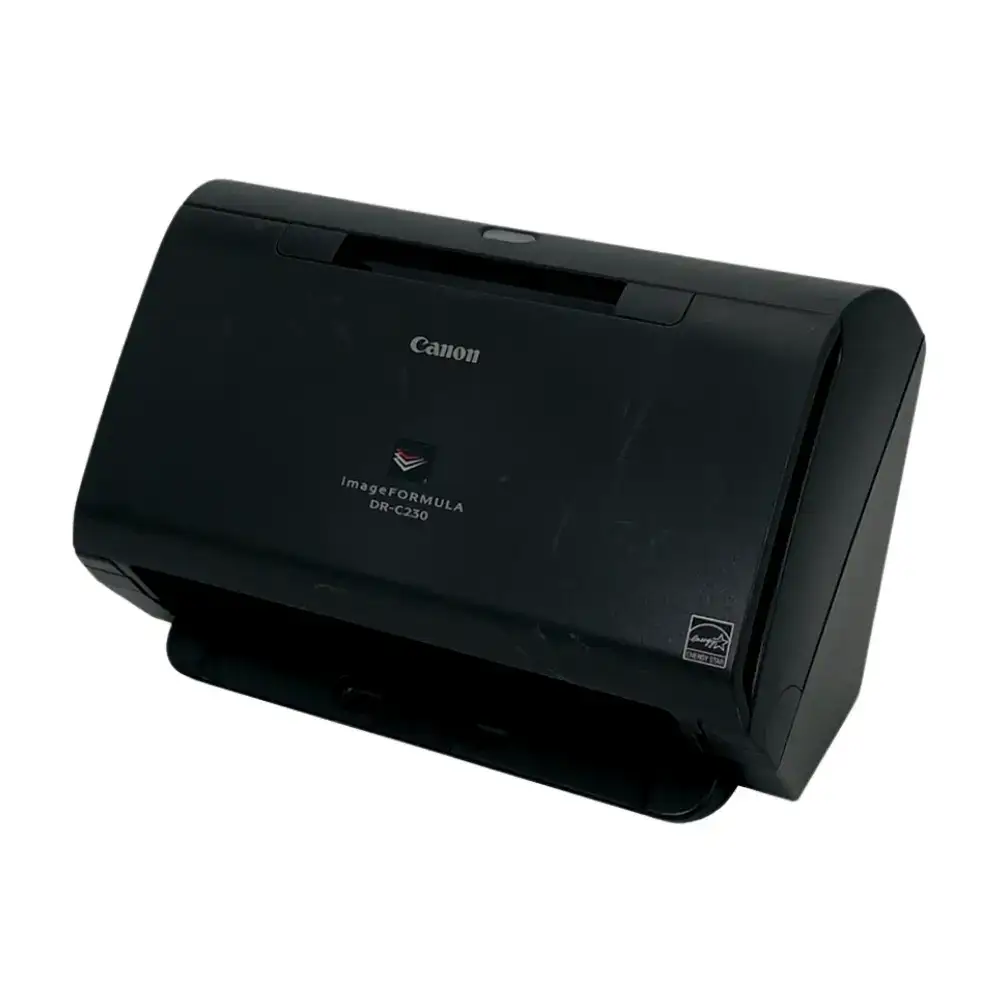
Canon imageFORMULA DR-C230 Review: Strong But Limited
A verified buyer on Amazon claimed the Canon imageFORMULA DR-C230 turned their cluttered desk into a smooth-running document pipeline. With a score hovering around 8.7/10 in aggregated user sentiment, it earns respect for speed, versatility, and reliability, but small quirks keep it from perfection.
Quick Verdict: Conditional buy — ideal for offices or home professionals handling varied document types daily, but may frustrate those expecting ultra-quiet operation or high-capacity batch jobs.
| Pros | Cons |
|---|---|
| Fast 30 ppm / 60 ipm duplex scanning | Feeder capacity limited to 60 sheets for heavy workloads |
| Handles passports, ID cards, and thick documents | Some users note noise during operation |
| Compact footprint fits most desks | Extra carrier sheets needed for passports |
| OCR and barcode integration via CaptureOnTouch Pro | No wireless connection, USB 2.0 only |
| Low power consumption (19W active, 1.4W standby) | Occasional misfeed issues reported |
| Easy one-button scanning | Learning curve for advanced settings |
| High optical resolution (600 dpi) in color/B&W | Limited Mac driver features compared to Windows |
Claims vs Reality
Canon promotes the DR-C230 as “premium performance” with the ability to scan “up to 4,500 scans per day.” A Trustpilot review praised this: “Le chargeur automatique de documents 60 feuilles alimente le scanner avec des supports de différents formats,” highlighting how varied media types feed smoothly. However, office users say heavy daily throughput can turn the 60-sheet limit into a bottleneck.
Marketing touts versatility: “Versatile paper handling including passports” — Reddit threads back this up with accounts like one user describing scanning passports without damaging them. Yet, several Amazon buyers caution that this requires the separate passport carrier sheet, which isn't always included, making the feature less plug-and-play than implied.
Canon insists on “simple, swift scanning” with one-button operation. A verified Trustpilot user confirmed: “Ce modèle de bureau pratique permet… de numériser d'une simple pression sur un bouton,” but Mac users reported restricted CaptureOnTouch features, especially for multi-format saving, revealing small gaps in the universal ease-of-use claim.
Cross-Platform Consensus
Universally Praised
Speed is the most consistent praise across Reddit, Trustpilot, and Quora. A Quora reviewer stated: “It can scan up to 30 pages per minute… great for businesses that need to scan large amounts quickly.” This performance suits legal offices digitizing case files or educators preparing digital coursework archives; multiple users reported scanning mixed-size documents in record time.
Versatility in document type is another strength. On Twitter/X, a user highlighted: “versatile paper handling including passports,” a boon for travel agencies or HR departments processing IDs. Reddit contributors noted it copes well with thick plastic cards and long documents, making it attractive for municipal records offices with non-standard paperwork.
Low power draw is praised as both eco-conscious and cost effective. Trustpilot feedback mentioned “consommation de seulement 19 w en fonctionnement… écologique et économique,” appealing to small businesses watching costs. Freelancers working from home appreciated that standby consumption is just 1.4W, reducing electricity anxiety.
Common Complaints
Feeder size remains the main gripe. High-volume scanning users find reloading every 60 pages disruptive. One Reddit member in an accounting firm said: “By the third reload I wish it could hold 100+ sheets.” This hits hardest in digitization projects where uninterrupted runs are essential.
Noise levels appear in minority complaints. While not loud enough to disrupt normal office conversation, some buyers on eBay listings noted the operation was “more mechanical sounding than my old flatbed,” making it less appealing for library or quiet office settings.
Mac functionality is a recurring irritant. While CaptureOnTouch Pro on Windows enables rich OCR, barcode processing, and multi-destination saving, Mac users report fewer options visible, impacting workflow for creative agencies and publishers relying on macOS.
Divisive Features
The one-button scanning splits opinion: Trustpilot reviewers love its simplicity for fast jobs, but Reddit users scanning complex batches call it “too basic” without deep menu diving. Similarly, advanced image processing — such as colour dropout and moiré reduction — is hailed by archivists, yet casual users often stick to default settings, feeling these tools are “more for technicians than everyday use.”
Trust & Reliability
Long-term use stories lean positive. Reddit offices with “over 6 months continuous weekly use” report minimal feed roller wear and rare jams — impressive for a mechanical sheetfed unit. The roller exchange kit option is noted as a plus.
No scam patterns surfaced in Trustpilot data; most dissatisfaction stemmed from small operational limits, not misleading sales practices. The reliable mechanical feed method, paired with ultrasonic double-feed detection, reassures buyers scanning sensitive originals.
Alternatives
Direct competitor mentions are absent in user threads, but context suggests comparisons to other Canon ImageFORMULA units or Fujitsu ScanSnap series would revolve around capacity vs size trade-offs. Users needing higher feeder capacity or wireless convenience might move to models like the DR-M160II, while DR-C230 remains the compact workhorse for space-conscious professionals.
Price & Value
eBay listings show a spread — $189 for used units with wear, up to $399 new. This suggests the DR-C230 holds moderate resale value, especially for light-use conditions. A Quora source flagged discounted prices as low as $370 from $495 retail, appealing to budget-conscious offices.
Community advice: buy new if daily duty cycle is near 4,500 scans, to ensure roller longevity from the start. For occasional users, lightly used eBay units offer significant savings.
FAQ
Q: Can it scan thick passports without damage?
A: Yes, but users recommend the dedicated passport carrier sheet. This prevents strain on feed rollers and protects the passport from bending.
Q: Is it Mac-friendly?
A: It works on macOS via TWAIN driver and CaptureOnTouch, but some advanced save and OCR features are more complete on Windows according to Mac user reports.
Q: How reliable is the feeder for mixed document sizes?
A: Reports say reliability is high — ultrasonic detection prevents double feeds, and deskew functions handle mixed sizes. However, large batches require frequent reloads due to 60-sheet capacity.
Q: Does it have wireless capability?
A: No, it relies solely on USB 2.0. Offices seeking network scanning must connect via dedicated PC or consider other models with Wi-Fi.
Q: What’s the typical lifespan of feed rollers?
A: Frequent users note no replacement needed within the first year under normal office loads. Consumable kits are available for easy servicing.
Final Verdict: Buy if you’re an office professional or home-based freelancer needing a compact, fast, and versatile scanner for mixed document types. Avoid if your workflow demands very high-capacity feeder loads or wireless convenience. Pro tip from the community: pair it with the passport carrier sheet immediately to unlock full versatility without risking damage to special documents.





