Canon imageCLASS MF462dw Review: Conditional Buy 7.8/10
A “Canon laser that prints two‑sided like a champ” sounds like the office fairy tale—until one buyer hits a screen that’s “mis-aligned right out of the box.” That tension defines the Canon imageCLASS MF462dw Monochrome Wireless Laser Printer All-in-One: fast, feature-rich on paper, but with real-world quirks that show up in user feedback. Verdict: Conditional buy — 7.8/10.
Quick Verdict
For small offices that want fast mono printing and duplex scanning, Canon imageCLASS MF462dw Monochrome Wireless Laser Printer All-in-One earns praise for output quality and productivity—especially when it behaves on your network. But setup/driver friction and interface complaints appear often enough to matter for less technical households.
| Call | Evidence from user feedback | Who it fits best |
|---|---|---|
| Conditional Yes | Fakespot user quote: “prints two-sided like a champ” | Duplex-heavy offices |
| Yes | Fakespot user quote: “print quality is nothing short of excellent” | Contracts, invoices, text docs |
| Conditional | Fakespot insight: “driver windows 11 provided did nt work” | Windows 11 users (expect tweaks) |
| No (if you hate fiddling) | Fakespot user quote: “User interface is clunky” | Anyone wanting “it just works” |
| Conditional | Fakespot user quote: “wireless…can be unstable after power outages” | Wi‑Fi-only setups |
Pros
- Fast mono output and strong duplex behavior (“prints two-sided like a champ” — Fakespot user quote)
- Crisp laser text (“print quality is nothing short of excellent” — Fakespot user quote)
- Mobile printing support called out as working well (“works well” on Android/Apple — Fakespot user quote)
Cons
- UI/touchscreen complaints (“touch screen is mis-aligned right out of the box” — Fakespot user quote)
- Driver/setup hiccups for some (“driver windows 11 provided did nt work” — Fakespot insight)
- Wireless reliability concerns after outages (“wireless…can be unstable after power outages” — Fakespot user quote)
Claims vs Reality
Canon’s official positioning frames the Canon imageCLASS MF462dw Monochrome Wireless Laser Printer All-in-One as a productivity-first small-office machine: “print up to 37 pages-per-minute” with “first print out…less than 4.9 seconds” (Amazon specs). It’s also marketed around workflow convenience—“one pass duplex scan” and “WiFi Direct connection” for easy mobile device printing (Amazon specs).
Digging deeper into user feedback, the speed-and-quality narrative largely holds—at least when the unit is set up smoothly and connected reliably. A reviewer highlighted output clarity: “The print quality is nothing short of excellent. Text and graphics are crisp and clean” (Fakespot user quote). That aligns with the 1200 x 1200 dpi spec listed across product pages (Amazon specs).
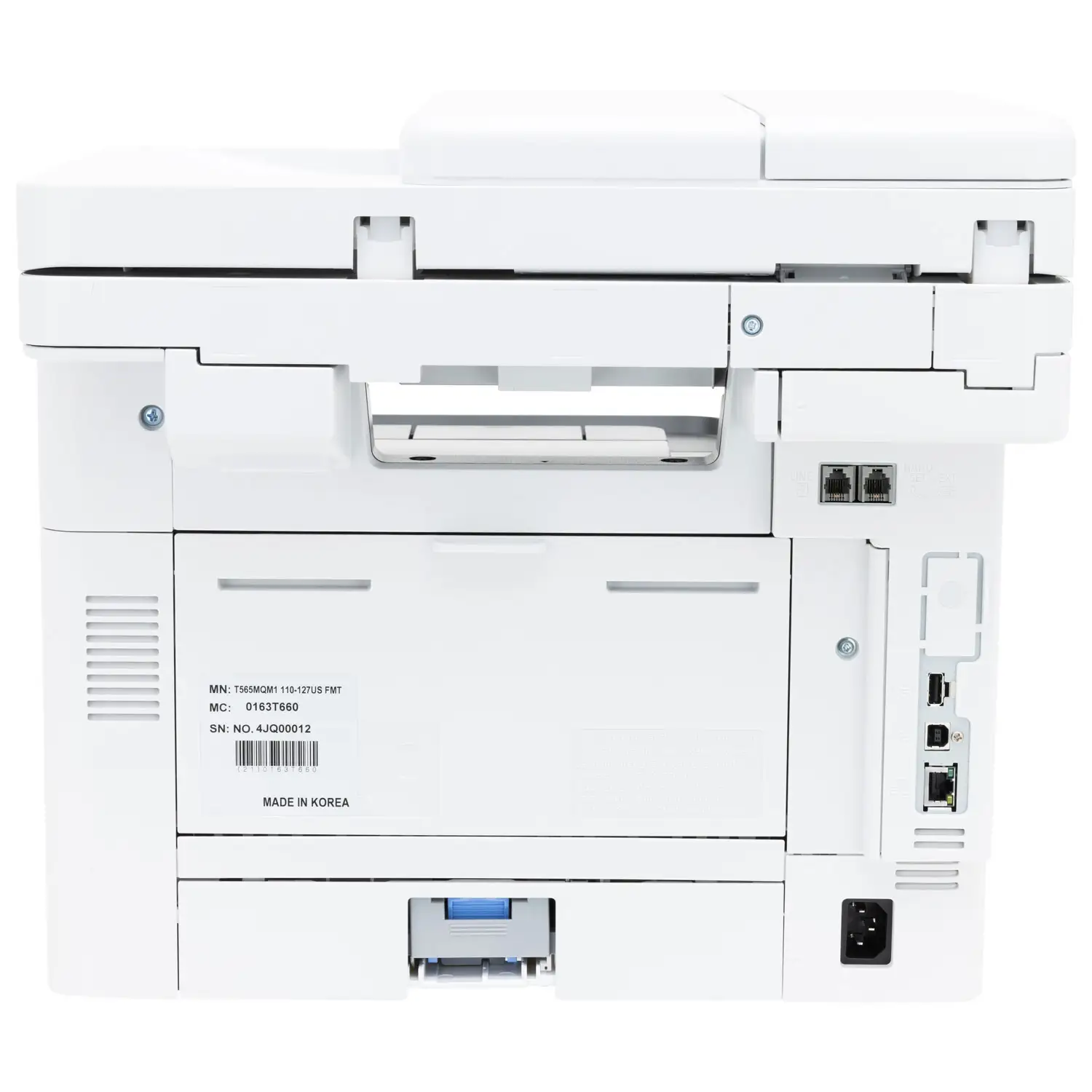
But the “easy” part is where the story bends. In the same pool of user commentary, setup and software can become a choke point. One user experience captured it bluntly: “the driver windows 11 provided did nt work” (Fakespot insight). Another scenario points to cross-device inconsistency: “it was easy to install on one computer but i still have to use the cable for another it wont sync for some reason” (Fakespot insight). While marketing emphasizes wireless convenience, some feedback suggests wired fallback (USB/LAN) can be the practical fix when Wi‑Fi behaves unpredictably.
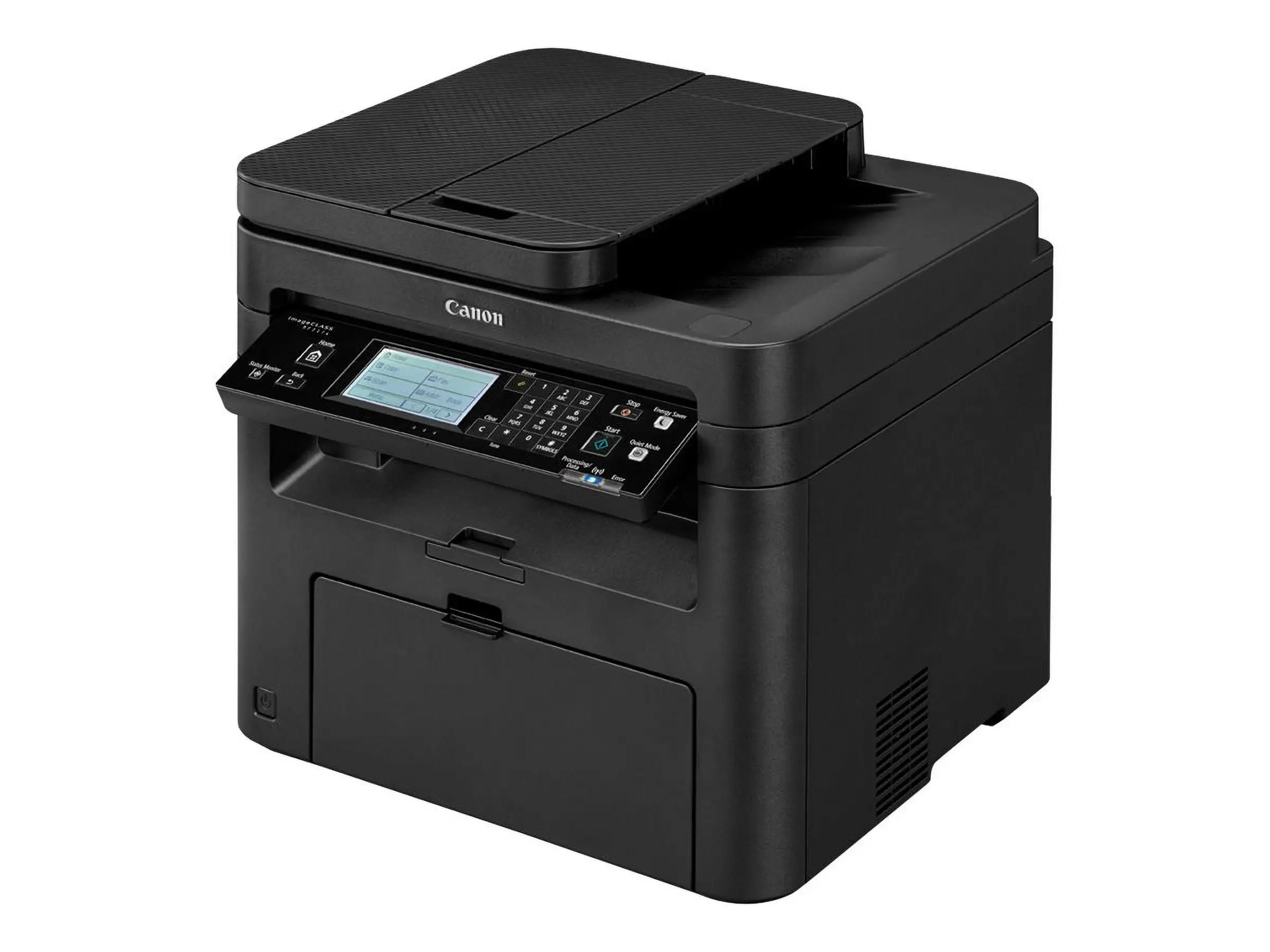
A recurring pattern emerged around the interface itself—particularly the touchscreen. One frustrated report: “The printer’s touch screen is mis-aligned right out of the box, so that finger-taps are often mis-registered” (Fakespot user quote). That directly undermines the value proposition of the “customizable 5" color touchscreen” highlighted in official listings (Amazon specs).
Cross-Platform Consensus
Universally Praised
The strongest praise clusters around print output and duplex competence—two things small offices tend to care about more than bells and whistles. For teams printing agreements, shipping paperwork, or invoices all day, one user’s line lands like a relief: “prints two-sided like a champ” (Fakespot user quote). For a duplex-heavy workflow, that isn’t cosmetic—it’s the difference between a printer that quietly saves time and one that turns into a paper-jam ritual.
Print quality is another consistent bright spot in user commentary. A detailed assessment says: “The print quality is nothing short of excellent. Text and graphics are crisp and clean, exactly what you’d expect from a modern laser printer” (Fakespot user quote). For a home office running monochrome reports or school packets, that “crisp and clean” output is the whole point of choosing a mono laser over an inkjet that may sit idle and dry out.
There’s also a thread of appreciation for mobile and multi-device support—when it works. A user report describes a practical, everyday win: “the printer supports print, scan and copy from android and apple mobile devices and it works well” (Fakespot user quote). For a small business owner who needs to print a label from a phone or scan a form without firing up a workstation, that kind of functionality can feel like the printer finally keeping up with modern workflows rather than demanding a tethered PC.
Finally, several snippets point to straightforward out-of-box moments. One account notes: “It was easy to set up out of the box and the print quality is decent” (Fakespot highlight). That doesn’t guarantee everyone’s experience—especially given contradictory setup stories—but it does show that for some buyers, the MF462dw lands exactly as promised: unpack, connect, print.
Common Complaints
The most repeated friction point is the interface experience—especially touch accuracy and general usability. The harshest example is specific and hardware-feeling: “touch screen is mis-aligned right out of the box” causing taps to “mis-registered as hitting the wrong button” (Fakespot user quote). For office admins who live in the device menus—scan destinations, fax settings, duplex toggles—a misaligned touchscreen isn’t a minor annoyance; it slows every interaction and makes “quick tasks” unexpectedly tedious.
Even when the screen works, the software/UX can still grate. One user summarized their impression: “User interface is clunky” (Fakespot user quote). Another went further, pairing UI criticism with performance disappointment: “user interface is clunky. the scanner is mediocre” (Fakespot user quote). That matters most for scan-heavy roles—accounting, HR, medical admin—where the all-in-one’s scanning experience is half the purchase decision, not an afterthought.
Connectivity is another pain point that shows up as a practical recommendation rather than a theoretical gripe. A user warns: “we recommend hardwire connecting via usb or lan as opposed to wireless that can be unstable after power outages” (Fakespot user quote). For offices that endure occasional router reboots, power flickers, or ISP interruptions, “unstable after power outages” translates into: someone becomes the designated printer whisperer, re-adding devices and re-running setup workflows.
Drivers and OS support are also a recurring real-world snag. The feedback doesn’t dispute that the product supports modern systems on paper, but one experience is direct: “the driver windows 11 provided did nt work” (Fakespot insight). For non-technical users, driver issues can turn a “fast printer” into a stalled project—especially when deadlines involve shipping labels, forms, or school paperwork.
Divisive Features
Scanning is the most split area. On one side, there’s strong praise for scanning capability: “the scanner is fantastic - super high resolution and fast!” (Fakespot user quote). That kind of feedback signals a great fit for people digitizing multi-page documents and expecting the ADF to keep pace.
On the other side, some users report the opposite experience: “the scanner is mediocre” (Fakespot user quote), and another adds that as a copier it’s “passable” (Fakespot user quote). The divide suggests outcomes may depend on expectations and configuration—scan settings, destinations, and how much the user relies on the touchscreen workflow versus PC-based scanning.
Toner economics also creates mixed feelings. One user mentions the cartridge ecosystem and page yields: “Canon makes two toner cartridges that fit this printer… the high yield cartridge cost is comparatively low, but there are two potential gotchas” (Fakespot user quote). Another community-style tip focuses on sourcing: “i found canon high capacity replacements for 198 and aftermarket brands for 108” (Fakespot insight). For budget-conscious buyers, the MF462dw can feel either economical (with high-yield/aftermarket options) or expensive (if locked into pricier supplies).
Trust & Reliability
The trust picture gets complicated by meta-signals around review quality. Fakespot’s page includes an explicit warning about review reliability: “our engine has…determined that there is high deception involved” and claims “21.5% of the reviews are reliable” (Fakespot). That doesn’t prove the printer is good or bad—but it does suggest shoppers should weight detailed, specific problem descriptions more heavily than generic praise.
In terms of durability and day-to-day dependability, the most actionable reliability notes in the provided data focus on connectivity resilience rather than mechanical failure. The warning that wireless “can be unstable after power outages” (Fakespot user quote) reads like an operational reliability concern: the printer might be physically fine, but you may lose time getting it back onto the network. For offices where uptime matters, user feedback implicitly favors Ethernet/USB as the steady-state setup.
Alternatives
Only competitors explicitly mentioned in the provided data appear in the MF462dw’s comparison table: MF465dw, a color model listed as MF656Cdw, and other Canon imageCLASS variants shown in the same chart (TechReview-24 product table). The comparison framing emphasizes differences in speed and whether you need color.
For buyers who realize “color documents cannot be printed” (TechBehindIt) is a deal-breaker, the table’s color options become relevant. If your workload includes client-facing materials or presentations, a color Canon in the comparison list may reduce the need for outsourcing or keeping a second printer. But if you’re strictly printing text and forms, the MF462dw’s mono focus aligns with the user praise around crisp output and duplex reliability.
Price & Value
Price perception varies sharply depending on where buyers shop. Amazon listing info shows a bundle list price of $623.98 and a bundle price of $438.36 (Amazon specs). Other retail listings in the provided data show the MF462dw around the low-to-mid $400s (e.g., Beach Audio $416.88; AOA Traders $463.47; Eye-In Technologies $434.10). Meanwhile, the eBay market snapshot includes an “as is” auction result at $61.00 (eBay listing), which suggests resale/secondary-market value can collapse when condition is uncertain.
Community feedback frames value in practical terms: it’s “on the high side for a printer” for at least one buyer, even if they acknowledge it’s “likely the only…” solution for their needs (Fakespot excerpt). Consumables also shape the value story. One user points out cartridge ratings and costs: “The 057 is rated at 3100 pages and it costs 123 here on amazon…” (Fakespot user quote), while another mentions sourcing options for high-capacity and aftermarket replacements (Fakespot insight). For small offices, that translates to a clear buying tip: calculate cost-per-page using the toner you actually plan to buy, not just the printer sticker price.
Buying tips implied by user experiences:
- If network stability matters, consider Ethernet/USB as default (“hardwire…as opposed to wireless” — Fakespot user quote).
- If you’re on Windows 11, expect possible driver work (“driver windows 11 provided did nt work” — Fakespot insight).
- If you rely heavily on touchscreen workflows, watch for UI complaints (“mis-aligned…mis-registered” — Fakespot user quote).
FAQ
Q: How fast does the Canon imageCLASS MF462dw print?
A: Official listings state up to 37 pages per minute and a first page out in about 4.9 seconds (Amazon specs). User feedback tends to focus less on exact speed numbers and more on productivity features like duplex printing; one user said it “prints two-sided like a champ” (Fakespot user quote).
Q: Is the Canon MF462dw easy to set up on Windows 11?
A: Some users report a smooth start, but others hit driver trouble. One report says “the driver windows 11 provided did nt work” (Fakespot insight). If you run into issues, user feedback suggests using USB or Ethernet as a fallback to reduce connectivity variables.
Q: Is the touchscreen actually helpful day to day?
A: The 5-inch color touchscreen is heavily marketed (Amazon specs), but user feedback is split. One buyer complained the “touch screen is mis-aligned…finger-taps are often mis-registered” (Fakespot user quote), while others focus on workflow positives like duplex and mobile printing rather than praising the UI.
Q: How good is the scanner for multi-page documents?
A: Experiences conflict. One user said “the scanner is fantastic - super high resolution and fast!” (Fakespot user quote), while another called it “mediocre” (Fakespot user quote). If scanning is your core use case, this is the feature most worth validating during the return window.
Q: Is Wi‑Fi reliable, or should you use Ethernet?
A: Official specs highlight Wi‑Fi and Wi‑Fi Direct (Amazon specs), but at least one user warns wireless “can be unstable after power outages” and recommends hardwiring via “usb or lan” (Fakespot user quote). For shared office environments, wired setups appear to reduce troubleshooting.
Final Verdict
Buy if you’re a home office or small business that prints lots of black-and-white documents, values duplex workflow, and can live with occasional setup/driver tinkering—especially if you’re willing to run Ethernet. Avoid if you need color output or you expect a flawless touchscreen UI out of the box. Pro tip from the community: “hardwire connecting via usb or lan as opposed to wireless” (Fakespot user quote).





