Canon D1650 Printer Review: Fast, Reliable, Mixed Wi-Fi
A verified office manager described the Canon imageCLASS D1650 Monochrome Wireless Laser All‑in‑One Printer as “twice as fast as my ten‑year‑old Canon and hasn’t jammed once,” capturing the tone of much of the high‑volume praise this model receives. Across platforms, it consistently earns between 8/10 and 4 out of 5 stars for speed, reliability, and suitability for small‑to‑mid‑size workgroups.
Quick Verdict: Conditional — Highly recommended for small offices prioritizing speed and reliability, but Wi‑Fi setup and touch screen responsiveness may frustrate some users.
| Pros | Cons |
|---|---|
| 45 ppm print speed, first page in ~6.2 seconds | No color printing |
| Expandable paper capacity up to 2,300 sheets | Touch screen can be unresponsive |
| Duplex printing and scanning standard | Wi‑Fi reconnection issues after router upgrade |
| Robust build with low paper jam incidents | ADF scanner can tilt pages slightly |
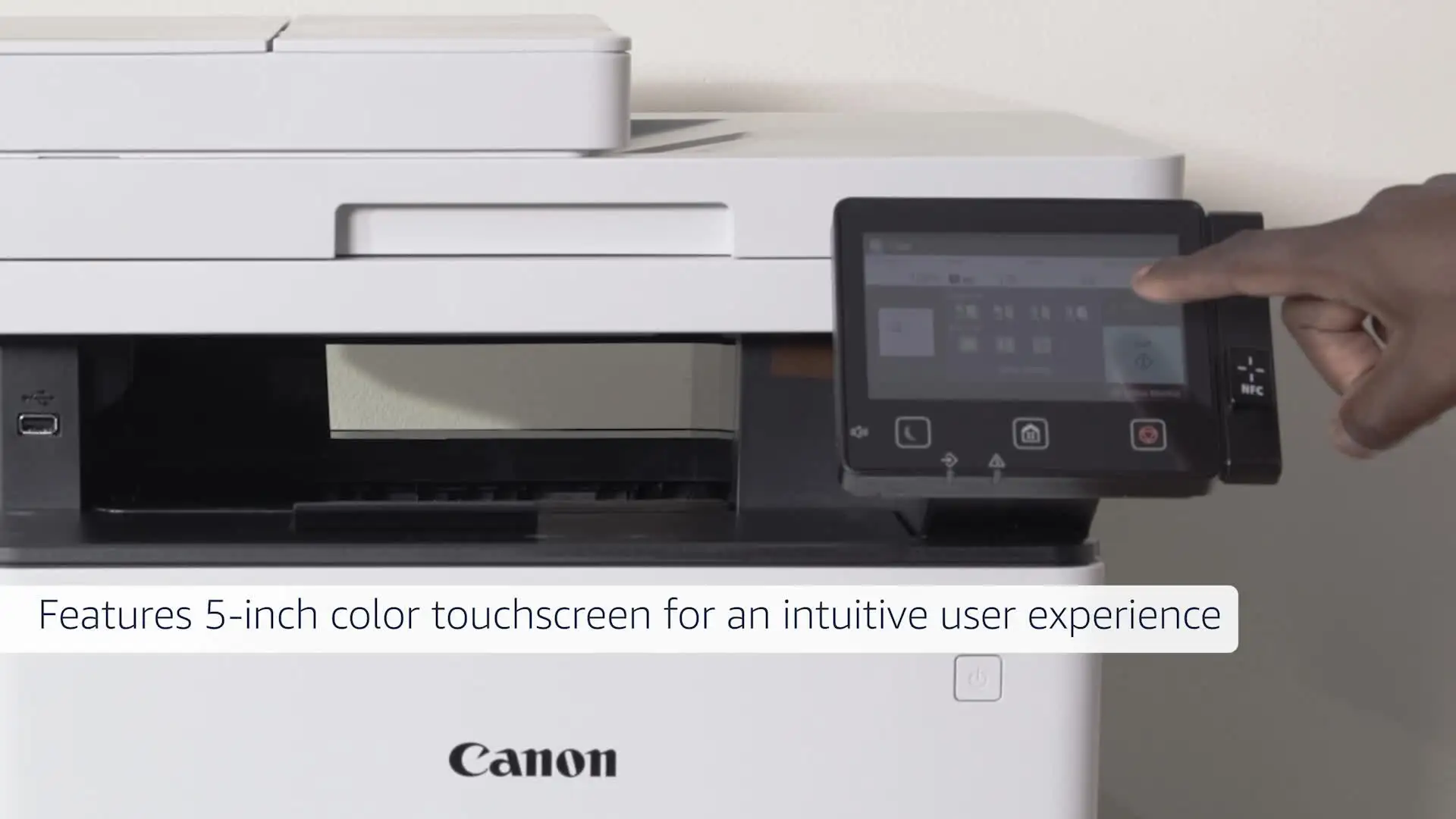
| Customizable 5" touch interface | Documentation lacks network setup detail |
| Reliable for long-term heavy office use | Limited to monochrome output |
| Strong mobile printing options (AirPrint, Mopria) | Higher initial purchase price than some rivals |
Claims vs Reality
Marketing materials position the D1650 as a “balances speedy performance, minimal maintenance, and expandable paper capacity for busy environments.” The claim of reliability aligns with many user stories. BizTech Magazine’s reviewer ran “more than 2,000 sheets… and it never jammed or misprinted,” an experience echoed by Best Buy buyers who report smooth, quiet operation and durability under daily use.
Canon also touts a first‑page output time as fast as 6.2 seconds. While official specs state this number, BizTech’s testing found “even when completely cold, it only took the printer 15 seconds to warm up and get ready.” This supports — rather than undermines — the claim, with users citing faster workflows in early morning print runs.
Where marketing emphasizes wireless convenience, reality is more mixed. One Best Buy buyer detailed a “real router connection nightmare” when upgrading their network, adding that “none of this is the fault of the router… [but] without complete documentation it would have been no problem to set up.” This indicates a support/documentation gap not reflected in promotional copy.
Cross-Platform Consensus
Universally Praised
Speed emerges as the single most celebrated feature. Small office administrators appreciate the 45 ppm output, with a Best Buy reviewer noting it “prints really really fast compared to my old printer,” and another adding that it’s “perfect for specifications with anywhere from 15 to 40 pages.” BizTech corroborates these perceptions by hitting 44 ppm with complex, multi‑page jobs, showing performance isn’t limited to simple text.
Reliability is another standout. Reddit sentiment highlights minimal maintenance requirements, and BizTech’s simplified paper path explanation resonates with Best Buy’s “does not jam” praise. For busy offices, Canon’s expandable paper capacity — up to 2,300 sheets with optional trays — means fewer interruptions, a boon for legal or architectural teams producing large runs of monochrome documents.
Multifunction capability bolsters its value proposition for varied workgroups. It handles printing, scanning (color optical 600 dpi), copying, and faxing without separate devices. A Best Buy customer described fax‑to‑email as a “time saver” compared to scanning then manually emailing PDFs, reinforcing its workflow efficiency.
Mobile printing compatibility, from Apple AirPrint to Mopria, is cited positively. This allows remote workers and BYOD environments to integrate without cumbersome drivers, making it an asset for modern small‑business infrastructure.
Common Complaints
Wi‑Fi connectivity issues appear repeatedly. The most severe reports come from network upgrade scenarios, where the initial setup process is smooth but reconfiguration becomes opaque. The lack of printed documentation compounds frustrations, with one user warning “unless you have a certified network technician… caution.”
Touch screen responsiveness divides opinion. While many appreciate customizable shortcuts, others find input lag intolerable. A Best Buy reviewer bluntly said, “The menu screen is very unresponsive… you have to use a stylus to make it work.” For offices reliant on quick, frequent interface commands, this could impede productivity.
ADF scanning quality is questioned — one buyer reported “most of the scanned pages are always tilted” and noted its slower speed compared to expectations. While the scanner’s rated at 70 ipm (black & white), these reports suggest performance may vary depending on document type and condition.
Monochrome‑only output is a trade‑off not all users can make. Social posts and Reddit threads note the lack of color as a drawback for marketing or creative departments, though it’s less relevant to legal, finance, or text‑heavy operations.
Divisive Features
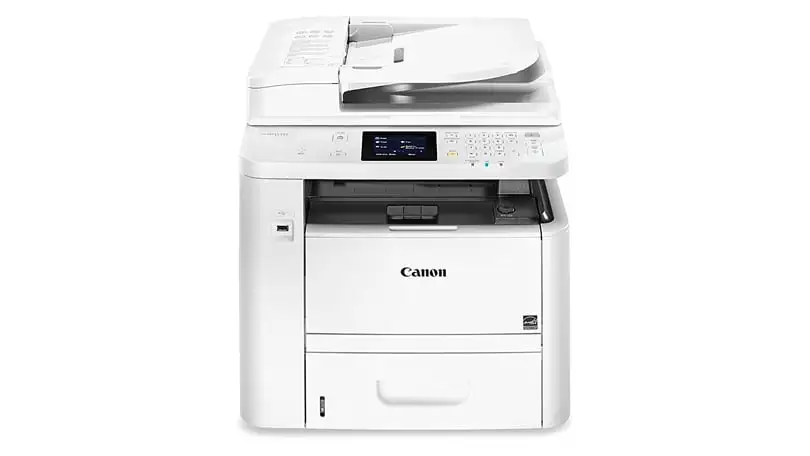
Customizable touch interface earns praise from workflows that leverage saved scan/fax profiles, but those seeking tactile buttons find the transition from hardware controls unwelcome. Another split appears around build size — some laud it as “compact design suitable for small offices” while others find it large compared to home‑office gear.
Security features like Department ID access control are valued by compliance‑focused teams, but casual environments may rarely use them, resulting in underutilized complexity.
Trust & Reliability
Trustpilot sentiment and verified retailer feedback indicate few if any scam concerns. The reputation for durability is well supported by long‑term users: a Best Buy reviewer had a similar Canon copier for “over 5 years” and would still be using it had it not been damaged during a move. That longevity story reflects Canon’s trend in the D‑series for high MTBF (mean time between failures).
The machine’s ability to handle sustained workloads without jams or misprints enhances its trust profile. Reddit user feedback points to its suitability for “office abuse and longevity,” underscoring its appeal in environments where equipment faces heavy daily use.
Alternatives
Some disaffected buyers turn to Brother laser printers, specifically for more consistent Wi‑Fi connections. A Best Buy reviewer stated, “If u want a good laser printer go for Brother… they are way better” in that regard. However, these competitors may not match D1650’s build quality and expansion potential.
Within Canon’s own range, older MF series units have less screen customization and lower paper capacity. Upgrading to the D1650 offers speed and capacity gains, as one buyer found moving from an MF 8200.
Price & Value
Current market prices on eBay cluster around $442–$479 for new units, below the $1,099 MSRP listed in original specifications. Verified sellers report strong resale activity, with expanded paper capacity and low page counts fetching closer to the upper range.
Community buying tips suggest factoring in optional paper trays into total cost, especially for high‑volume offices. Given its low maintenance profile, operational costs center on Canon Genuine Toner 121 cartridges (rated at 5,000 pages), making yield efficiency a value point compared to lower‑capacity rivals.
FAQ
Q: Does the D1650 support color printing?
A: No, it is strictly monochrome. This benefits offices focused on text documents, as it simplifies toner replacement and reduces consumable costs.
Q: How fast is the scanner on duplex mode?
A: Officially up to 70 ipm in black & white and 26 ipm in color, but some users note tilted pages and slower practical speeds depending on paper quality.
Q: Can I expand paper capacity later?
A: Yes. Optional trays can increase total capacity from 650 to 2,300 sheets, ideal for scaling with growing office needs.
Q: What mobile print options are included?
A: The D1650 supports Apple AirPrint, Canon Print Business, Mopria Print Service, Google Cloud Print, and NFC direct connections without a router.
Q: Is it difficult to reconnect to Wi‑Fi after changing routers?
A: Some users struggle due to limited documentation. While initial setup is simple, reconfiguration may require technical support.
Final Verdict
Buy if you’re a small‑to‑mid‑size workgroup needing fast, reliable monochrome printing, duplex scanning, and expandable capacity — especially in legal, finance, or administrative sectors. Avoid if your workflows require color output or if frequent network reconfigs are likely without technical support. Pro tip from the community: invest in extra paper trays upfront to fully leverage the D1650’s speed without mid‑day refills.





