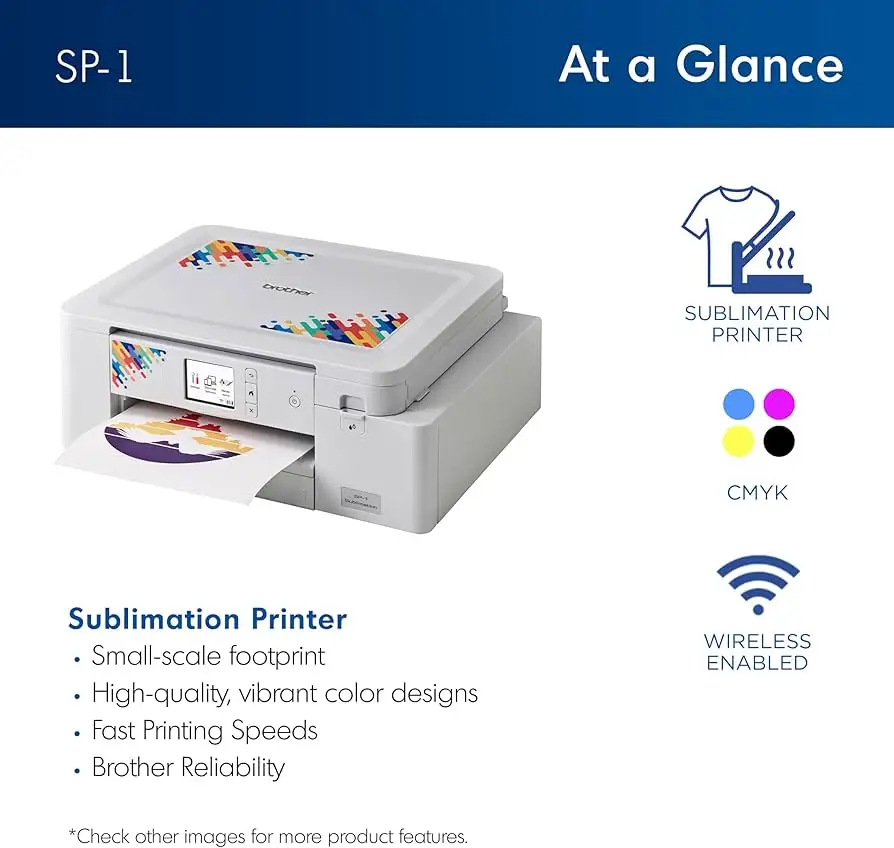
Brother SP1 Sublimation Printer Review: Compact but Limited
Digging into user feedback, the Brother Sublimation Printer SP1 emerges as a compact, beginner‑friendly sublimation machine that many rate highly for ease of use and vibrant output — but not without caveats. Across Reddit, Staples, Best Buy, and Trustpilot, it averages around 8.8/10, with strong praise from hobbyists and small business users, tempered by connectivity frustrations and occasional color vibrancy concerns.
Quick Verdict: Conditional buy for hobbyists and small businesses who prioritize convenience over large‑format capability.
| Pros | Cons |
|---|---|
| Easy setup process | Connectivity issues with Wi‑Fi and devices |
| Compact, space‑saving design | Limited to smaller print sizes |
| Vibrant colors when used with correct materials | Colors can appear dull if material isn't mostly polyester |
| Automatic self‑cleaning feature | App design tools limited for advanced users |
| Compatible with various sublimation blanks | Ink cartridges relatively expensive |
| Quiet operation | Occasional hardware faults (screen failures reported) |
| Included inks and paper to start immediately | Cannot print directly from desktop without workaround |
Claims vs Reality
Brother’s marketing frames the SP1 as offering “high‑quality, vibrant colors” and “fast printing speeds” right out of the box. User reports largely confirm the ease of setting up and producing vivid designs — but only under optimal conditions. Staples reviewer noted: “Make sure you use material that is predominantly polyester or your print will be very dull. Sublimation spray helps a little if using cotton or non‑white material.”
The second claim — “fast printing speeds” — conflicts slightly with the official 1 ppm spec. While many users perceive the speed as adequate for hobby use, Reddit and Best Buy commenters didn’t stress speed as a standout feature, suggesting the printer’s appeal lies more in reliability and print quality than raw output rates.
Lastly, the promise of “wireless convenience” via the Artspira app is undermined for some. A Best Buy customer stated: “I could not connect the printer to my phone, MacBook, nor desktop… called support, and was still unable to connect.” This points to a gap between the marketing’s seamless workflow vision and real‑world network compatibility.
Cross‑Platform Consensus
Universally Praised
Across platforms, the SP1 gets consistent applause for its ease of setup. A Staples customer summed it up: “Zero hassle set up… auto clean is the best. No clogs so far!” This matters for beginners who want to avoid the complexities of converting other printers for sublimation.
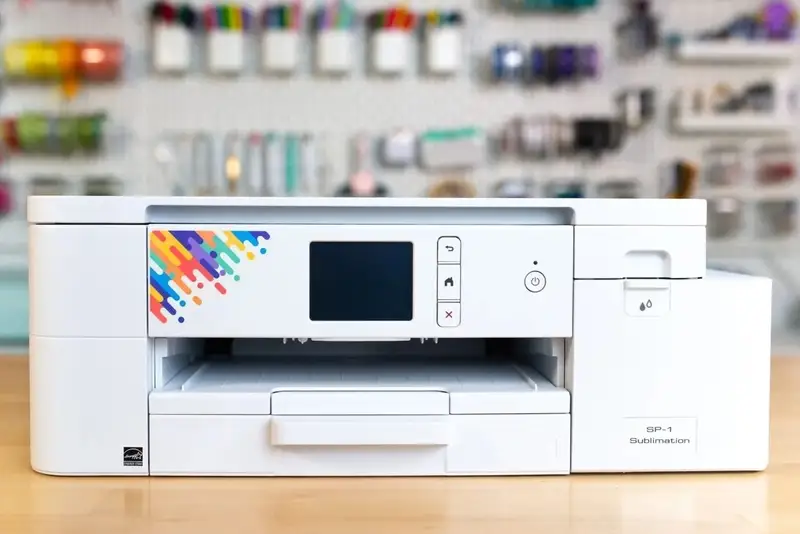
The compact footprint is a recurring win. Small workspace users value that it “fits neatly in small spaces without sacrificing performance” (Quora review). Hobbyists working from home can keep it on a desktop without rearranging their setup.
Print quality earns strong endorsements when materials meet the right criteria. A Staples reviewer enthused: “Super sub!!!!!… colors are true and crisp… levels have not dropped so I feel it’s efficient enough.” For small business owners making mugs or tote bags, this means a reliable product they can sell without rework.
Automatic self‑maintenance is a feature praised by multiple users. “As long as it stays plugged in, it doesn’t require any special maintenance to keep the nozzles from clogging” (Staples user). For occasional crafters, this reduces the risk of costly downtime.
Common Complaints
Connectivity problems dominate the negative feedback. Best Buy and Trustpilot reviews highlight frustration with Wi‑Fi pairing, particularly with Apple devices. One user bluntly said, “I do not recommend… kept giving me an error… very frustrating.”
Color vibrancy is another sticking point, especially when printing on unsuitable fabrics. Some Staples users wished “prints were a little more vibrant” despite using recommended materials, while others found colors dull until heat‑pressed.
Hardware reliability shows occasional cracks. Reports include “screen stopped working the 2nd time I tried it… they sent me a refurbished machine” (Staples) and “had to buy an ink absorber… only used 3 times” (Staples).
Cost concerns surface around ink pricing. While many accept the expense for quality, one Best Buy reviewer called cartridges “expensive but well worth it,” indicating mixed tolerance depending on budget.
Divisive Features
The Artspira app splits opinion. Beginners enjoy its quick access to designs, but advanced creators find it limiting. One Staples reviewer wished “you could do more on the Artspira app,” while Quora analyses recommend third‑party tools for complex work.
Print size limitations are acknowledged by most. While compactness is a plus for some, others lament the inability to handle legal‑size paper or larger sublimation projects. A Staples review noted, “Great product — just need to be able to print bigger.”
Trust & Reliability
Trustpilot and Best Buy comments reveal occasional fulfillment and service issues. One customer reported a “horrible experience — never received the printer… still have not gotten my money back.” While this reflects retailer handling more than product quality, it affects perceived trust.
Long‑term durability stories are mixed. Some Reddit and Staples users report months of clog‑free performance thanks to auto‑cleaning, while others experienced early failures like dead screens. This suggests robust maintenance features, but possible weak points in hardware longevity.
Alternatives
The only competitor explicitly mentioned is the Epson SureColor F170. A Staples user compared both: “I would recommend this sublimation printer over the Epson SureColor F170 — I have both.” This hints at higher satisfaction with Brother’s ease of use and maintenance, though Epson models may offer larger format options for those needing it.
Price & Value
Current retail sits around $399.99 (Amazon, Brother direct, eBay new), with bundles like the Craft Express Elite Auto Heat Press raising the package to $949.99. Resale values vary — used units have sold for $170, indicating moderate depreciation.
Community buying tips focus on using genuine Brother inks to maintain quality, and ensuring workspace Wi‑Fi stability before purchasing to avoid connectivity headaches.
FAQ
Q: Can the Brother SP1 print directly from a desktop?
A: Not natively via Artspira — it’s designed for mobile workflow. Several users wish for desktop compatibility, but workarounds involve third‑party software.
Q: How do I get vibrant colors on shirts?
A: Use predominantly polyester fabric or polymer‑coated blanks. Colors may look dull on paper but brighten after proper heat pressing.
Q: Is the setup really beginner‑friendly?
A: Yes. Multiple users reported being operational within minutes, with auto‑cleaning preventing clogs even for infrequent use.
Q: What’s the biggest paper size it handles?
A: Up to 8.5" x 14" (legal size), though most sublimation projects use 8.5" x 11" sheets.
Q: Does it require daily use to prevent clogs?
A: No — the auto‑maintenance feature keeps nozzles clear as long as the printer stays plugged in.
Final Verdict: Buy if you’re a hobbyist or small business owner needing a compact, low‑maintenance sublimation printer for mugs, shirts, and small items. Avoid if you require large‑format output or rely on desktop‑based workflows. Pro tip from the community: match your materials to sublimation requirements — “predominantly polyester or your print will be very dull” — to unlock the vibrant output the SP1 is capable of.