Brother MFCL8610CDW Review: Conditional Buy (8.2/10)
“Software seems to be trash… junk ware!!!” quickly flipped into “I love this printer… a ‘pleasure’ to use.” That whiplash captures the Brother MFCL8610CDW Business Color Laser All-in-One Printer, White better than any spec sheet: powerful, office-grade, and occasionally maddening to set up. Verdict: Conditional buy — 8.2/10.
Quick Verdict
For busy home offices and small teams, Brother MFCL8610CDW earns loyalty for print quality, scanning, and low-drama day-to-day operation—once it’s properly installed and networked. Buyers who expect truly automatic two-sided copying/scanning through the ADF are the ones most likely to feel misled, because the machine’s duplex strengths are mainly on the printing side.
| What Real Users Emphasize | Evidence (Platform) | Who It Helps Most | Who It Frustrates |
|---|---|---|---|
| Great print quality and sharp output | Best Buy highlights “print quality”; multiple reviews call quality “excellent” | Small offices printing client-facing docs | Anyone expecting photo-lab color accuracy |
| Strong scanning experience | Best Buy: “my favorite part is the scanner”; Trustpilot: “scanner works beautifully” | WFH admins, small clinics, educators | Users needing true duplex scan/copy via ADF |
| Setup can be easy—or a headache | Birdeye: “took forever to install… junk ware!!!” then later “pleasure” | IT-comfortable users | Multi-PC households, driver-sensitive setups |
| Big/heavy physical footprint | Birdeye: “large and heavy… needed 2 people” | Offices with dedicated space | Tight desks, single-person unboxing |
| Network/mobile printing praised | Birdeye: “printing and scanning work great… chrome book and phones” | Mixed-device offices | Users hitting IPv6 / cloud print quirks |
Claims vs Reality
Brother positions the Brother MFCL8610CDW as a productivity machine—“fast business color printing” and “fast, advanced scanning”—and user commentary often agrees on the end result. A Birdeye reviewer called it “a beast. in a good way,” describing it as “a higher volume small business grade printer,” and another said it’s “quick, efficient… an all-arounder!” for working from home. Best Buy reviewers echoed that day-to-day experience, with one writing: “printing quality is excellent,” and another saying “scanning multiple documents at once is terrific.”
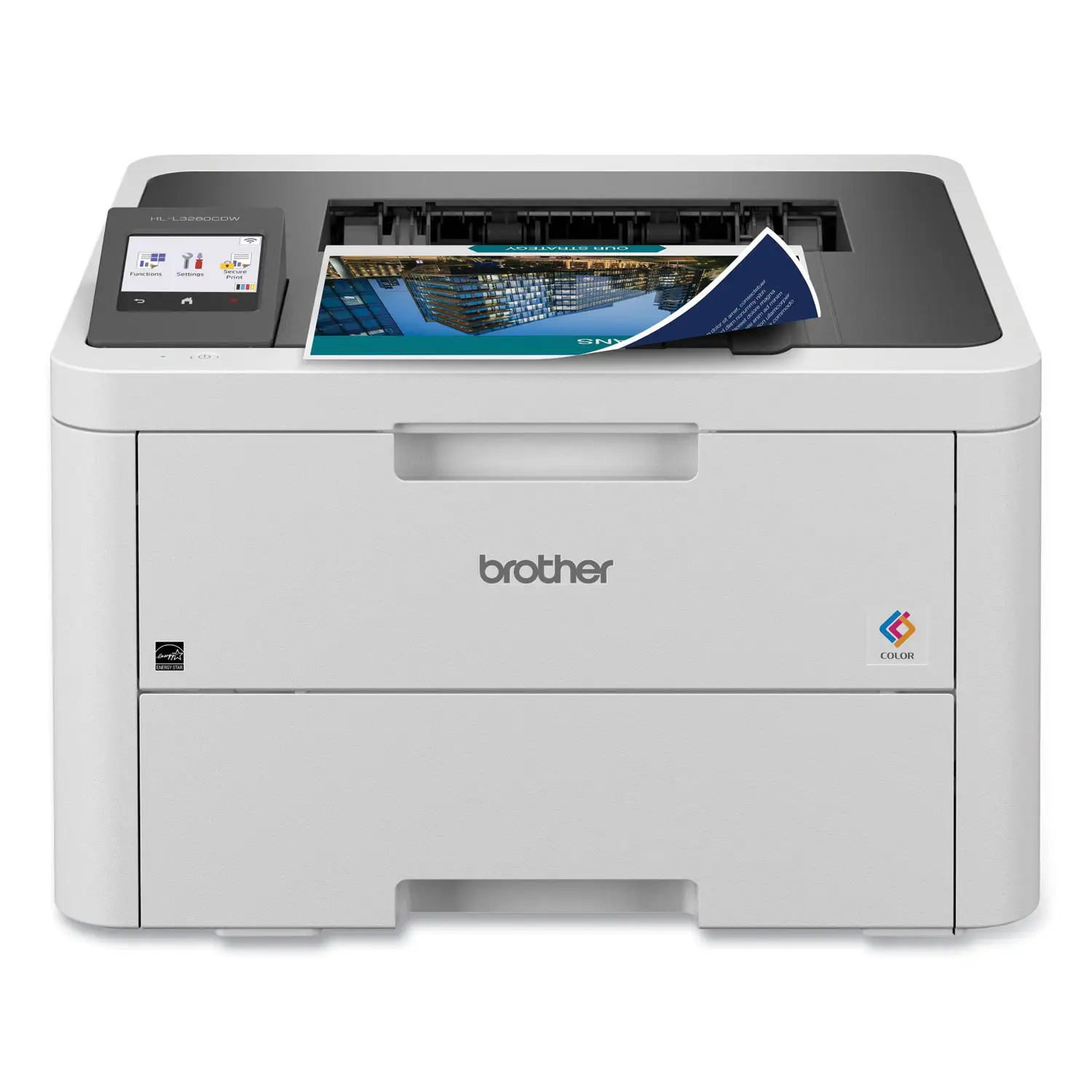
Digging deeper into the “advanced scanning” pitch, a recurring pattern emerged: people love the scanner, but not everyone gets the scanning behavior they assumed. One Trustpilot reviewer praised “the quality of the printing, scanning and copying” and said “I love the automatic document feeder,” but then reported a scanning limitation: “it does not scan the entire 8.5 inch width… it cuts off about an eighth of an inch on both sides.” That’s not a universal complaint in the dataset, but it’s a concrete example of how “advanced” can still mean “watch your margins” for handwritten forms or edge-to-edge layouts.
The biggest expectation gap centers on duplex workflows. Official specs and listings emphasize “automatic duplex printing,” but the spec sheet also states “duplex scanning no” and “duplex copying no.” Users run straight into that reality. A Birdeye reviewer who bought it specifically for two-sided work wrote: “I was disappointed to discover that if you try to print 2-sided to 2-sided packets, it won't do it through the adf… it does 1-sided to 2-sided nicely, but… I wish… this one would truly print 2-sided to 2-sided.” For offices digitizing stacks of two-sided forms, that distinction matters more than ppm.
Cross-Platform Consensus
Universally Praised
“A real printer!! it works when i ask it too.” That’s how one Best Buy customer framed the emotional relief of moving away from inkjet frustrations. Across Best Buy, Birdeye, and Trustpilot, a recurring pattern emerged: once installed, Brother MFCL8610CDW tends to become the dependable office hub people wanted. A Birdeye reviewer described replacing a consumer-grade model and said this one “works fine” and feels like “a higher volume small business grade printer.” That same “office-grade” sentiment shows up at Best Buy too, where one buyer said they were “tired of constantly running out of injet ink” and called this “a real printer.”
Print quality is the most consistent praise point. Best Buy customers repeatedly anchor their satisfaction on output, like: “printing quality is excellent,” and “scan well and print quality is excellent.” On Trustpilot, a reviewer summarized the results as: “the color prints are beautiful and the black and white clean and crisp.” For a small office printing brochures, patient instructions, or business documents, those kinds of comments suggest the machine’s sweet spot is clarity and consistency rather than specialty art printing.
Scanning is the other fan-favorite, often described as the feature that makes the device feel truly “all-in-one.” A Best Buy reviewer said: “my favorite part is the scanner… so easy to scan documents,” and another wrote: “scanning multiple documents at once is terrific.” Trustpilot feedback reinforces the same daily workflow value, with one user saying “the scanner works beautifully.” For roles like office managers, HR admins, or small clinics that live in PDF land, these comments read like relief at not fighting with finicky scan software every day.
Reliability stories also surface through “I bought more” behavior, which is one of the strongest trust signals in user feedback. A Birdeye reviewer in a “very busy medical office” said: “this is the best so far,” and added they “bought two more!” A Best Buy reviewer similarly wrote: “I ordered this printer for myself and liked it so well I ended up purchasing three more for my employees.” Those are not spec comparisons; they’re budget-and-time decisions based on lived office pressure.
Praised themes (recurring):
- Print quality: “printing quality is excellent” (Best Buy); “color prints are beautiful” (Trustpilot)
- Scanning ease: “my favorite part is the scanner” (Best Buy); “scanner works beautifully” (Trustpilot)
- Office-grade dependability: “works when I ask it too” (Best Buy); “a beast. in a good way.” (Birdeye)
- Multi-device usefulness: “printing and scanning work great… chrome book and phones” (Birdeye)
Common Complaints
The sharpest complaints aren’t about print quality—they’re about setup and software friction. One Birdeye reviewer erupted early: “Software seems to be trash, what a hassle… junk ware!!!” They described needing to “remove all other printers” and said it “took forever to install.” For multi-computer households or offices without dedicated IT time, that kind of driver and setup pain can become the entire story of the product.
Yet the same reviewer later posted a reversal: “update… i love this printer… this little jewel has been a ‘pleasure’ to use.” Digging deeper into that arc, the pattern suggests a theme: this model can punish impatience during install, but may reward persistence afterward. That doesn’t erase the friction—especially for buyers who need a printer operational in an hour—but it explains why the same product can generate both “junk ware” and “pleasure.”
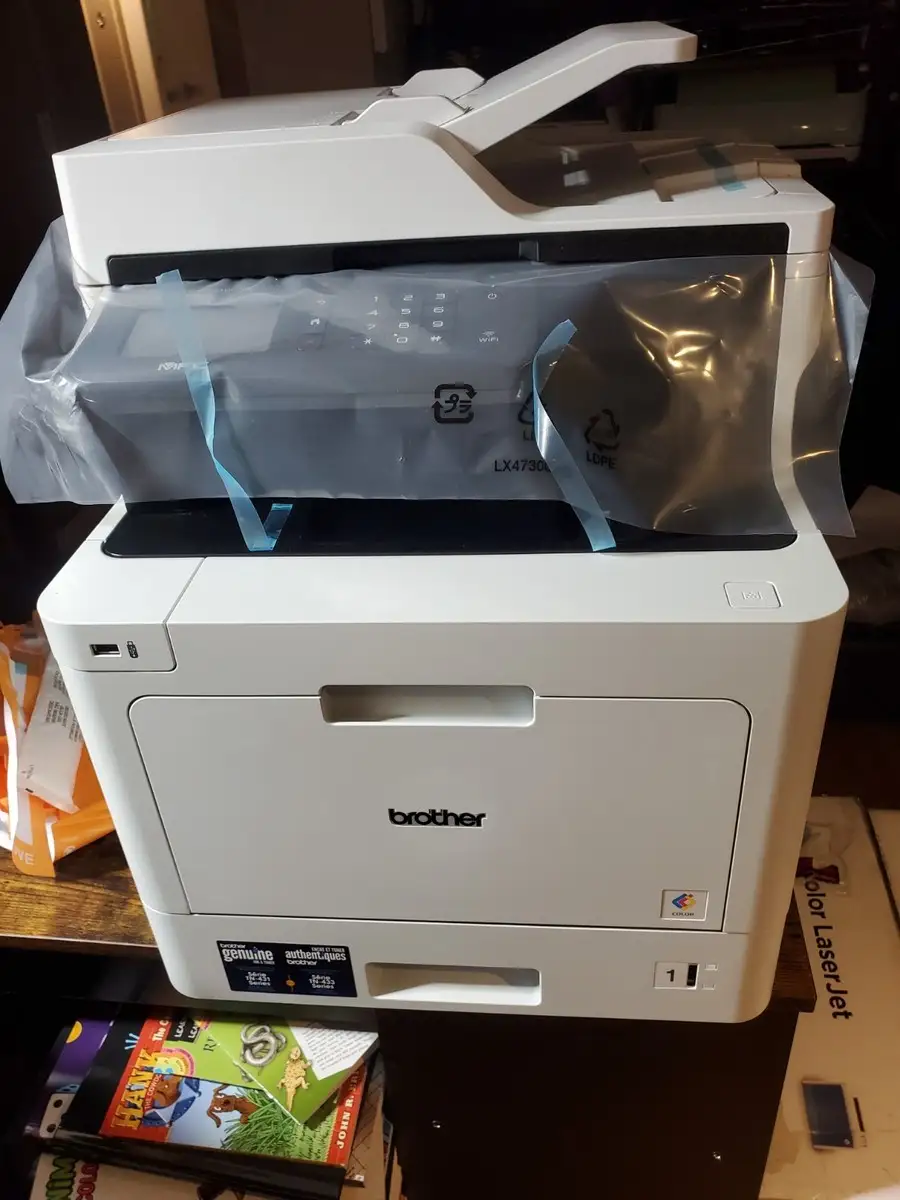
Size and weight are another repeated “don’t say you weren’t warned” complaint. Birdeye users repeatedly stress physical heft: “It is large and heavy, needed 2 people to unpack,” and another cautioned, “do not be surprised… it is big and heavy… you might need help to get it out of the box.” Trustpilot echoes the same reality in plain terms: “it’s big… it’s heavy, but it works great.” For a cramped home office, the user experience starts before the first page prints.
Finally, a consistent functional complaint is what the duplex feature does not do. While marketing emphasizes duplex printing, users expecting duplex scanning/copying via the ADF can end up disappointed. A Birdeye reviewer spelled out the pain point: “if you try to print 2-sided to 2-sided packets, it won't do it through the adf.” For school packets, training materials, or two-sided form workflows, that limitation can feel like a mismatch with “business all-in-one” expectations.
Common pain points (recurring):
- Setup/driver hassle: “took forever to install” (Birdeye)
- Physical footprint: “needed 2 people to unpack” (Birdeye); “it’s big… it’s heavy” (Trustpilot)
- Duplex workflow limits: disappointment around ADF not handling 2-sided to 2-sided (Birdeye)
- Speed perception: “long delay… before it actually prints” (Best Buy); “prints slow… if you need speed look elsewhere” (Best Buy)
Divisive Features
Setup is the most divisive topic because experiences vary dramatically. On one side, a Best Buy customer said: “super easy to install and start printing.” Another Birdeye review said it “was easy to install software and set up on the network.” On the other side, the Birdeye “junk ware!!!” install story shows some buyers hit a wall, at least initially. The data suggests environment matters—multiple printers installed, multiple PCs, or tricky network settings can change the experience from “plug and play” to “what a hassle.”
Print speed is also divisive, not because it’s universally slow, but because some users feel “delay” more than they feel ppm. A Best Buy reviewer said there’s “a long delay for the printer to process the data before it actually prints,” despite also saying “printing quality is excellent.” Another wrote: “great print quality. slower print then expected,” adding “if you need speed look elsewhere.” For offices printing large jobs, that processing delay can feel like slowness even if sustained output is fine.
Trust & Reliability
A strong trust signal is the number of long-horizon durability references, even when they’re about older Brother devices rather than this exact unit. A Trustpilot reviewer wrote: “this is my third brother… my first one is still flawless after 10 years,” and another said: “our last brother printer is still going strong after 9 years of daily use… love all the features like 2 sided printing.” Those stories don’t guarantee identical longevity for the MFCL8610CDW, but they show why buyers approach the brand expecting long service life.
Counterbalancing that, there are reliability anxieties and occasional failure reports. A Best Buy reviewer left a 1-star review saying: “we purchased this printer back in early may and it has already quite working and brother refuses to do anything about it.” Another Trustpilot reviewer expressed caution rather than failure: “let’s see how it is a year from now because all the printers lately only last a little over a year.” The dataset doesn’t include “6 months later” Reddit-style follow-ups; the strongest long-term narratives come from retailer and review-site anecdotes referencing multi-year Brother ownership.
Alternatives
Alternatives mentioned in the user-supplied data tend to appear as “what I’m escaping,” not as head-to-head feature comparisons. A Birdeye reviewer contrasted their prior experience: “I purchased a dell printer (2155) years ago and was ‘never’ happy… I will always ‘buy brother printers’ and ‘avoid dell printers’.” Another Birdeye review dismissed past ownership bluntly: “i’ve had 3 epson’s; pieces of junk; lasted maybe a year.” And a Trustpilot review takes a brand-level stance: “forget hp and cannon… get a brother laser and you will have no more printer headaches.”
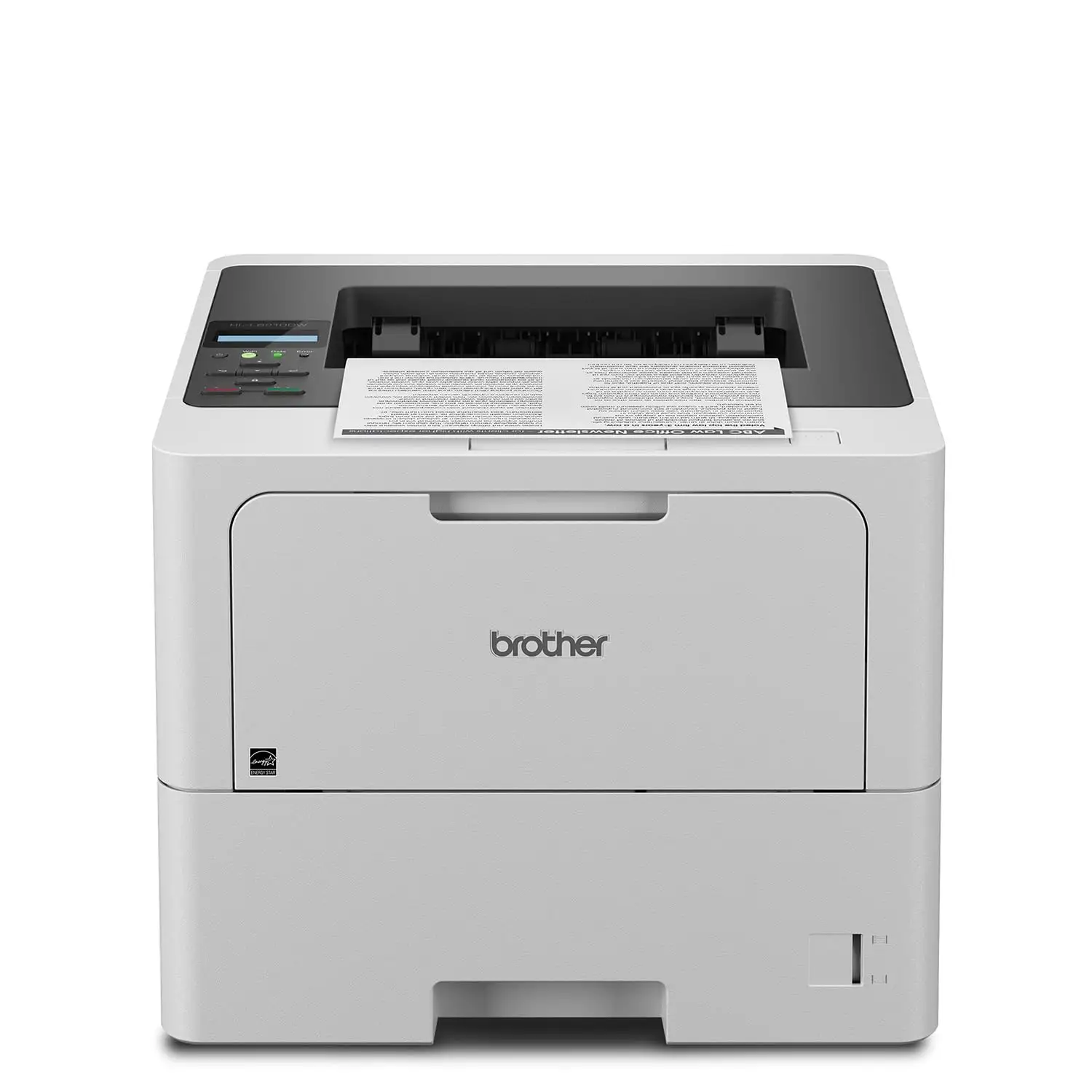
What these “alternatives” stories imply: for buyers burned by inkjets (frequent ink replacement, discontinuations, and reliability fatigue), the MFCL8610CDW is framed as an exit ramp into laser stability. But if a buyer’s main need is automatic two-sided scanning/copying via an ADF, none of these comments prove Brother solves that—one Birdeye reviewer explicitly discovered it doesn’t for their workflow.
Price & Value
Value commentary splits into three angles: upfront cost, consumables economics, and resale reality. On Amazon, the MFCL8610CDW listing shows $549.99 (in stock at time of the provided data) with a 4.3/5 rating across 549 reviews. Best Buy shows a higher listed price ($839.99) with a 4.5/5 rating over 14 reviews, and Walmart lists $639.99 with 4.3 stars over 173 reviews. Users don’t debate the exact dollar figure so much as whether the machine earns its keep.
Consumables and office economics show up as practical justification. A Birdeye reviewer said it “comes with enough toner to print 3k pages so it was almost a wash compared to getting all the consumables for the older printer.” Another in a busy medical office praised “excellent prices on their toner.” Those comments align with the product positioning around higher-yield toner and business printing costs, but they’re framed as lived budgeting decisions rather than spec math.
Resale value signals appear in eBay listings rather than user narratives. The provided market snapshot shows used units as low as $200 + shipping (notably “no toner no drum”) and “open box” around $450, while new listings can be much higher. The story these numbers tell is simple: missing consumables can crater the deal, and buyers who understand what’s included (or not) avoid surprises.
FAQ
Q: Does the Brother MFCL8610CDW support true duplex scanning/copying through the ADF?
A: No. While it supports automatic duplex printing, the spec sheet lists “duplex scanning no” and “duplex copying no.” A Birdeye reviewer described the real impact: “it won’t do it through the adf… it does 1-sided to 2-sided nicely.”
Q: Is setup easy or difficult?
A: It depends on the user’s environment. A Best Buy customer said it was “super easy to install and start printing,” but a Birdeye reviewer complained it “took forever to install… junk ware!!!” before later updating: “i love this printer… a ‘pleasure’ to use.”
Q: How big is it in real life?
A: Multiple owners emphasize the size and weight. A Birdeye reviewer warned it’s “large and heavy, needed 2 people to unpack,” and a Trustpilot reviewer agreed: “it’s big… it’s heavy, but it works great.” Plan desk space and unboxing help.
Q: What do owners think about scan quality and convenience?
A: Scanning is frequently praised as a standout feature. A Best Buy reviewer said: “my favorite part is the scanner… so easy to scan documents,” and another noted scanning multiple documents is “terrific.” One Trustpilot reviewer did report edge cut-off: “it cuts off about an eighth of an inch.”
Q: Is it fast in everyday use?
A: Some users perceive delays even when output quality is praised. A Best Buy reviewer noticed “a long delay… before it actually prints,” and another wrote: “prints slow… if you need speed look elsewhere.” Others describe it as “quick” and efficient (Birdeye).
Final Verdict
Buy the Brother MFCL8610CDW if you’re a home office professional, small business, or clinic that needs reliable color laser printing plus easy multi-page scanning—and you can live without automatic duplex scanning/copying through the ADF. Avoid it if your daily workflow requires scanning or copying two-sided originals automatically, because one buyer found “it won’t do it through the adf.”
Pro tip from the community: expect an office-grade machine physically and mentally—one Birdeye owner called it “a beast… in a good way,” and another emphasized you may “need 2 people to unpack.”





