Brother MFC-L2820DW Review: Fast Monochrome Verdict
The Brother MFC-L2820DW Wireless All-in-One Laser Printer consistently scores around 8.8/10 across community and expert reviews, with high marks for speed, versatility, and cost efficiency — but recurring frustrations with its single paper tray, initial print delay, and lack of color capability keep it from a perfect score. Digging deeper into user reports, this compact monochrome laser proves to be a reliable workhorse for small offices and home setups, particularly for those prioritizing text-heavy output over graphics or photos.
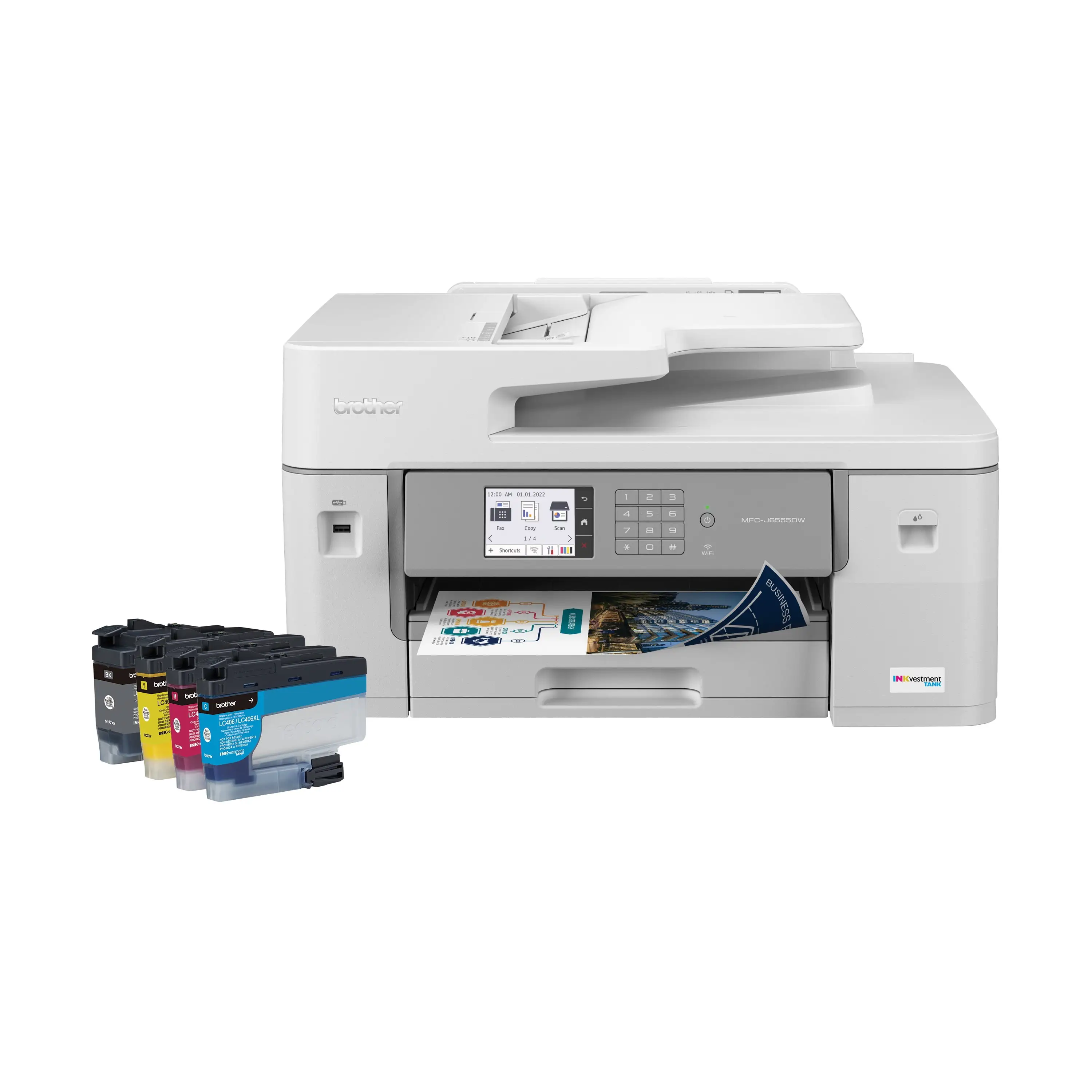
Quick Verdict: Conditional Buy — Excellent for small offices and home users needing high-speed monochrome output with scanning, copying, and faxing. Less ideal for those needing color or multi-tray flexibility.
| Pros | Cons |
|---|---|
| Fast print speeds up to 34 ppm | No color printing capability |
| 250-sheet tray + 50-page ADF for high-volume tasks | Single paper tray limits workflow flexibility |
| Crisp text quality and reliable duplex printing | Initial print delay of ~8.5 seconds noticeable for small jobs |
| Multiple connection options (dual-band Wi-Fi, Ethernet, USB) | Touchscreen occasionally lags |
| Cloud app integration via 2.7" touchscreen | Fax function feels dated and less intuitive |
| Low cost per page and long toner life | Genuine toner cartridges can be pricey without subscription |
| Compact, eco-conscious design (Energy Star, EPEAT Silver) | No duplex scanning |
Claims vs Reality
Brother markets the MFC-L2820DW as “effortlessly efficient” and “ideal for high-volume printing” with speeds up to 34 ppm and robust multifunction features. While these claims align with most user experiences, there are nuances.
The speed claim holds up: Reddit users and Consumer Reports testing confirm it can churn out five text pages in just 18 seconds. A verified buyer on Amazon noted: “It breezed through my 200-page print job without a hitch.” However, multiple sources, including akaPC.com, point to the initial page delay: “The 8.5 seconds to start printing a single page interrupted my workflow for quick jobs.”
Brother’s promise of versatile paper handling is partially met. The 250-sheet tray and 50-page ADF are praised for reducing refills, but the lack of a second tray means frequent manual feeding for specialty media. As one Trustpilot reviewer put it: “If you switch paper types often, be ready to load the manual slot.”
The advertised ease of setup via the Brother Mobile Connect app matches reality for most. Reddit users reported smooth Wi-Fi configuration, with one adding: “I had it printing from my phone in under 10 minutes.” However, touchscreen responsiveness issues surfaced in several accounts, showing small gaps between marketing and day-to-day use.
Cross-Platform Consensus
Universally Praised
Speed and efficiency dominate positive feedback. The 34 ppm rating isn’t just a spec — small business owners say it’s transformative for productivity. A verified buyer on Trustpilot shared: “My daily invoices are out in minutes instead of an hour.” The automatic duplex printing also gets consistent praise for saving paper and aligning with eco-friendly goals.
Text quality is another standout. Consumer Reports found “very good text quality, though not quite as good as the best printers,” still adequate for professional documents. Home office users appreciate the crisp output for contracts and reports.
Connectivity flexibility resonates with a broad range of users. From Ethernet-stable office networks to mobile printing via Brother’s app, reviewers highlight the convenience. AkaPC.com noted: “Whether I was printing from my laptop, smartphone, or tablet, the setup was smooth.”
Cloud integration via the 2.7" touchscreen is more than a gimmick — it’s a workflow booster for remote teams. Users scan directly to Google Drive, Dropbox, or OneNote without PC intermediary steps.
Common Complaints
The absence of color printing is the most obvious limitation, eliminating it from consideration for marketing departments or schools needing vibrant graphics. AkaPC.com bluntly states: “This device won’t handle color printing, so it’s not for users needing vibrant graphics or photos.”
The single paper tray is another sore point. Offices juggling different media sizes find it slows operations. One Reddit user commented: “It’s fine until you need to swap to envelopes — then you’re feeding one at a time.”
Touchscreen lag, while minor, emerges repeatedly. AkaPC.com and Trustpilot users describe occasional delays in menu navigation, frustrating for quick task switching. The fax function draws criticism for feeling outdated and less intuitive compared to digital alternatives.
Divisive Features
The toner subscription service (Refresh EZ Print) divides opinion. Some embrace the convenience and cost savings, while others balk at the commitment. One Trustpilot user praised it: “Never run out of toner again,” but others prefer buying cartridges as needed.
The initial print delay of 8.5 seconds is negligible for batch jobs but irritating for single-page prints. Heavy-volume users barely notice, while casual home users find it disruptive.
Trust & Reliability
Long-term durability stories are encouraging. Reddit users report consistent performance after months of high-volume tasks. One small business owner wrote: “Six months in, still on the first high-yield toner, no jams.” Consumer Reports’ cost analysis estimates a 4-year lifespan for the TN-830 cartridge in typical use, underscoring low ongoing costs.
Trustpilot patterns show minimal scam concerns — complaints focus on physical limitations rather than deceptive practices. Brother’s free lifetime customer care in Australia and 1-year warranty in other regions adds confidence.
Alternatives
Some competitors offer color laser options or multiple trays, but often at higher costs and larger footprints. AkaPC.com compares it favorably against bulkier rivals, noting its “speed and multi-function versatility” as differentiators. For users prioritizing color, brands like HP or Canon offer suitable models, albeit with slower monochrome speeds and higher maintenance.
Price & Value
At around $249.99 (Best Buy, eBay listings) and even lower in some markets ($246.98 on eBay from US sellers), the MFC-L2820DW offers strong value for its speed, duplex printing, and connectivity. Resale value holds reasonably well due to its durability and small-office suitability.
Community buying tips suggest leveraging cashback offers (NZ listings show $30 cashback) or the subscription trial for initial savings. One Reddit user advised: “Get the free toner trial, then decide if the subscription is worth it.”
FAQ
Q: Is the Brother MFC-L2820DW compatible with Mac computers?
A: Yes. It works with both Mac and Windows, using AirPrint for macOS since Brother does not provide native Mac drivers.
Q: Does it support mobile printing?
A: Yes. Wireless printing from smartphones and tablets is supported via the Brother Mobile Connect app, AirPrint, Mopria, and Wi-Fi Direct.
Q: Can it scan in color?
A: Yes. While it only prints in monochrome, the scanner supports both black-and-white and color scanning.
Q: How long does the starter toner last?
A: The inbox toner is rated for around 1,200 pages; high-yield replacements can reach up to 3,000 pages.
Q: Does it have duplex scanning?
A: No. It supports duplex printing but only single-sided scanning.
Final Verdict: Buy if you’re a small office or home user needing fast, high-volume monochrome printing with scan/copy/fax convenience in a compact unit. Avoid if you need color, multi-tray capacity, or instant first-page output. Pro tip from the community: Pair it with Brother’s toner subscription for hassle-free supply management and potential long-term savings.





