Brother HL-L2460DWXL Review: Great Prints, Wi‑Fi Risk
“Have to unplug and replug the router every time I need a copy.” That single Best Buy line captures the most consistent tension around the Brother HLL2460DWXL Laser Printer: when it’s connected, it feels like a low-drama workhorse—but getting (and keeping) Wi‑Fi can be the make-or-break detail. Verdict: Conditional buy for print-only black-and-white needs, especially if you can use Ethernet. Score: 8.2/10.
Quick Verdict
The Brother HLL2460DWXL Laser Printer is a strong pick for people who want fast, crisp black-and-white printing and duplex in a compact footprint—provided your network setup doesn’t become the main project. Best Buy reviewers repeatedly praised quick setup and reliable day-to-day output, while a smaller but pointed set of complaints centers on wireless setup friction and connection stability.
A recurring pattern emerged in user stories: office/teacher/home users who print forms and documents love the “no frills” laser experience, but anyone depending on finicky Wi‑Fi or needing scanning/copying can feel misled if they didn’t realize it’s print-only.
| Decision | Evidence from users |
|---|---|
| Buy? | Conditional (best if you can use Ethernet or have strong Wi‑Fi) |
| Best for | Home office forms, teachers, occasional big print runs |
| Main upside | Fast, crisp monochrome + auto duplex + compact size |
| Main risk | Wireless setup/connection headaches for some users |
| Not for | Anyone needing scan/copy/fax built in |
Claims vs Reality
Marketing claim #1: “Easy to set up, connected/mobile printing.” Digging deeper into user reports, setup can be incredibly fast for many buyers—when Wi‑Fi behaves. A verified buyer on Best Buy wrote: “Not only was this printer set up and running in under 10 minutes, but it prints seamlessly from both my phone and my laptop.” Another echoed the simplicity from a less tech-confident perspective: “A doddering old man, I successfully set this up in five minutes.”
But the gap shows up in the minority of users who hit connection issues. One Best Buy reviewer summarized their frustration: “I like it… but it doesn't connect to wifi immediately… have to unplug and replug the router every time I need a copy.” Another described an even harsher experience: “I spent an hour trying to get the wifi to work… even though it said connected… it couldn't be found on any of my 3 computers.”
Marketing claim #2: “Fast printing (up to 36 ppm) and duplex productivity.” Here, feedback aligns well with expectations: users who moved from inkjets often framed it as a speed and cost sanity upgrade. A verified buyer on Best Buy said they chose it after getting tired of ink costs and reported: “So far it's good.” In a Reddit thread about home use and occasional large volumes, Reddit user continue*** described why they favored Brother lasers for stop-and-go lifestyles: “I'm gone for three months, come back home and need to print a ream… my brother does it time after time.”
Marketing claim #3: “High yields / lower costs with XL toner in-box.” Official listings emphasize large in-box toner yields (for the XL model, Amazon and Brother USA describe up to ~4,200 pages included). However, user feedback in the provided data doesn’t include many detailed “I got X pages” stories for the XL specifically; the stronger real-world narrative is about avoiding inkjet cartridge churn. A verified buyer on Best Buy framed the value proposition bluntly: “Way better than hp… their subscription only cost you 0.89 cents for 25 pages… best printer i ever bought.”
Cross-Platform Consensus
Universally Praised
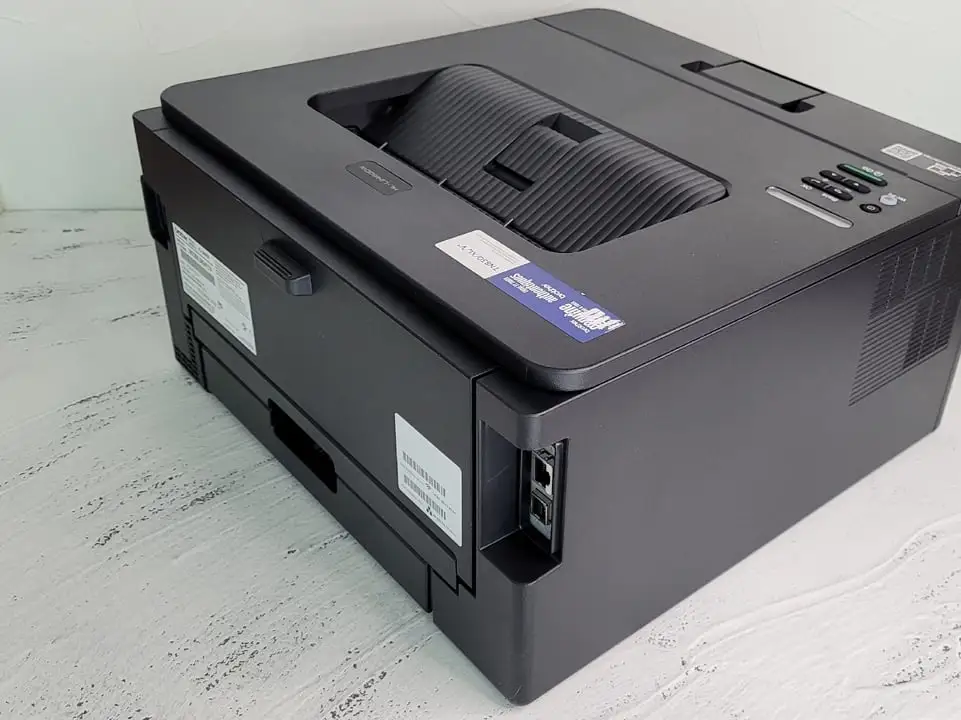
“It does just what I need” is the most common emotional tone in Best Buy feedback, especially from home office users who want a print-only laser that doesn’t dominate desk space. A recurring pattern emerged: compact footprint plus day-one usability drives satisfaction. One verified buyer on Best Buy wrote: “This printer was easy to set up and a great size.” Another focused on minimal hassle: “Super easy to set up, printed my first doc within 10 mins. So far so good.”
Print quality and the “laser reliability” story show up repeatedly when people compare it to inkjets. For users printing text-heavy documents—teachers, home office admins, and anyone who prints forms—the printer’s crisp monochrome output is treated as a baseline expectation it largely meets. A verified buyer on Best Buy said: “Works perfectly. Good quality print. Set up was very easy.” Consumer Reports’ lab commentary (not a user review, but a third-party evaluation included in your data) states it prints “black-and-white text with excellent quality,” which mirrors the satisfaction tone in retailer feedback.
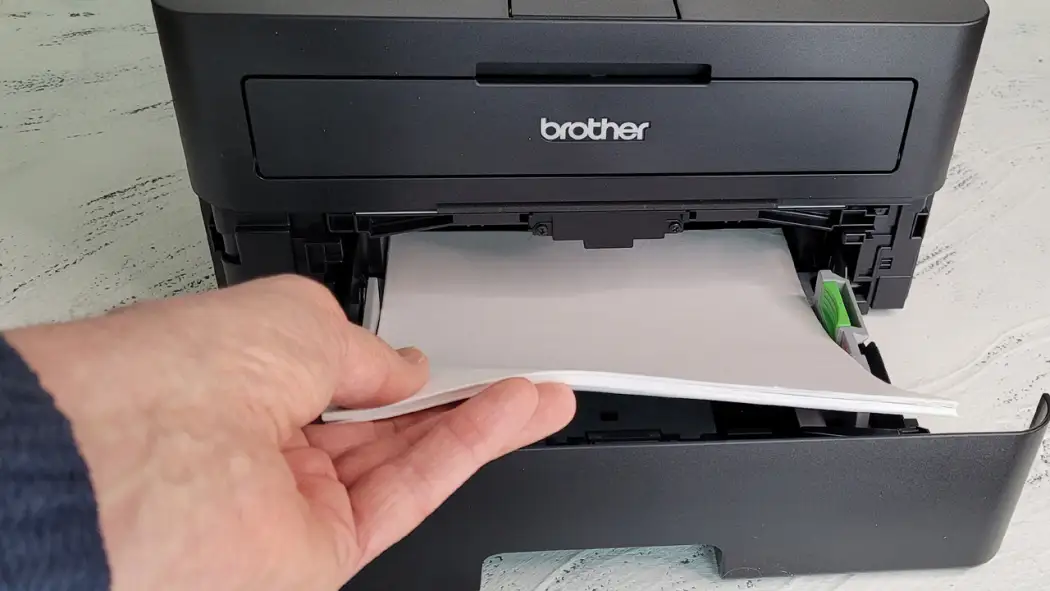
Duplex printing also lands as a practical, real savings feature for people printing lots of worksheets or multi-page packets. A verified buyer on Best Buy highlighted the productivity angle: “I like the fact it supports duplex printing and I can print via my phone… and I prefer a wired ethernet connection… very happy.” That “wired ethernet” note is telling: some of the happiest users appear to sidestep Wi‑Fi entirely.
From Reddit, long-term durability is part of the Brother laser brand narrative, especially for intermittent heavy printing. In the home-use thread, Reddit user continue*** described a decade of dependable use: “Ten years on my color laser… come back home and need to print a ream… my brother does it time after time.”
Common praise themes (from user feedback):
- Quick setup for many: “set up… under 10 minutes”
- Small footprint: “a great size… smaller footprint”
- Reliable monochrome output: “works perfectly… good quality print”
- Duplex helps save paper: “supports duplex printing”
Common Complaints
Wireless setup and stability is the most consistent pain point, and it disproportionately affects users who expect “it just connects” out of the box. Digging deeper into user reports, the frustration isn’t only the connection dropping—it’s the experience of navigating setup using limited onboard controls. One verified buyer on Best Buy described “the extremely slow two arrow system” for manual Wi‑Fi entry, then added that even after “connected,” it “couldn't be found on any of my 3 computers.”
Even when Wi‑Fi works initially, some users describe it as unreliable or slow to reconnect, which matters most for occasional printers (the exact audience lasers often target). A verified buyer on Best Buy wrote: “It doesn't connect to wifi immediately… have to unplug and replug the router every time I need a copy.” For someone who prints infrequently, that kind of ritual turns “low-maintenance laser” into “high-friction device.”
Another recurring complaint is expectation mismatch: this is a print-only machine, and some buyers realized too late they wanted an all-in-one. One verified buyer on Best Buy admitted: “It is only a printer not a copier or scanner and i wanted a multi-function machine, but that was my error.” Another similarly noted: “Didn't realize that there were no scan, copy or fax applications.”
Finally, one detailed Best Buy complaint raised an output-preference issue—specifically, difficulty printing very light/low-opacity material. The reviewer wrote: “I often need to print very light things at about 20% opacity, and this prints so dark… and there's no way to adjust it.” That’s not a common chorus in the dataset, but it’s a high-impact issue for users printing faint proofs, draft watermarks, or specific graphic styles.
Most repeated pain points (from user feedback):
- Wi‑Fi setup friction and instability
- Print-only limitation surprises some buyers
- Niche complaint: output “too dark” for low-opacity needs
Divisive Features
Wi‑Fi is the divisive line: some users praise how quickly they’re printing from phones and laptops, while others describe hour-long setup battles. A verified buyer on Best Buy celebrated cross-device printing: “It prints seamlessly from both my phone and my laptop.” Meanwhile, another wrote: “I spent an hour trying to get the wifi to work.”
The subscription toner program is similarly split. Some see it as convenience and savings; others view it as unnecessary or bundled pressure. Best Buy’s summary notes that “the toner subscription service is convenient,” but also that “some customers have experienced difficulties with the wireless setup,” which can make subscription-driven “always connected” messaging feel less reassuring when connectivity is the weak link.
Trust & Reliability
The strongest trust signal in the provided dataset comes from longevity stories rather than formal warranty terms. In that Reddit home-use discussion, Reddit user continue*** described an experience that’s all about coming back after long gaps and still being able to print heavy batches reliably: “I'm gone for three months, come back home and need to print a ream… my brother does it time after time.” That kind of narrative matters for home offices that don’t print daily but need predictable output when deadlines hit.
On the flip side, the “trust” risk isn’t scam reports here—it’s the risk of a buyer feeling tricked by expectations: buying it assuming scanning/copying exists, or buying it for “easy Wi‑Fi” and then dealing with fragile connections. Brother’s brand response on Best Buy also shows the company engages with complaints and directs users to support, but the emotional cost of troubleshooting still lands on the buyer: “We’d like an opportunity to help… please contact us directly…”
Alternatives
Only competitors explicitly referenced in the provided data can be compared here. ShopSavvy’s TLDR review suggests considering the Brother HL‑L2405W if you want “similar features but possibly better reliability in wi‑fi connectivity.” That’s not a user quote, but it reflects the central tradeoff users describe: strong laser fundamentals versus wireless quirks.
For buyers cross-shopping older or different printer types, the most common “alternative” users talk about is simply leaving inkjets behind. A verified buyer on Best Buy said: “I got tired of paying huge amounts for replacing ink cartridges in my old hp all-in-one… decided to go with this printer.” In other words, for many shoppers the real alternative is “any inkjet I’m done with,” and the Brother laser wins by being cheaper-per-stress, not because it replaces an all-in-one feature set.
Price & Value
Price signals vary by listing and market, but user sentiment frames value around avoiding ink costs and getting fast duplex printing in a small box. Best Buy lists the non-XL HL‑L2460DW at $159.99 in your data, while Amazon shows the XL model at $199.99. For resale/market pricing, eBay listings show new units around the mid-$140s to $160 range in the snapshots provided, indicating there’s an active market at or below big-box pricing.
For buyers printing occasional large volumes, the “value” argument often becomes emotional: the printer that works when you need it is worth more than the cheapest option. Reddit user continue*** framed that reliability as the entire point: “No inky printer will leap back into acceptable performance, but my brother does it time after time.”
Buying tips from community feedback are more implicit than explicit: if Wi‑Fi is your weak spot, prioritize Ethernet (users who mention wired connections tend to sound happier). A verified buyer on Best Buy said: “I prefer a wired ethernet connection… very happy.” That suggests a practical path to maximizing value: treat Wi‑Fi as optional, not required.
FAQ
Q: Is the Brother HLL2460DWXL a good home office printer for black-and-white documents?
A: Yes—if you only need printing. Best Buy reviewers repeatedly praise quick setup and reliable black-and-white output, like “Works perfectly. Good quality print.” Reddit users also highlight “print a ream” reliability after long gaps. If you need scanning/copying, this model can disappoint.
Q: How reliable is Wi‑Fi on the Brother HLL2460DWXL?
A: It depends on the user. Some Best Buy buyers report effortless setup—“set up and running in under 10 minutes”—while others describe major issues: “I spent an hour trying to get the wifi to work” and even needing to “unplug and replug the router.” Ethernet may reduce frustration.
Q: Does it scan or copy?
A: No. Multiple Best Buy reviewers note it’s “only a printer not a copier or scanner,” and some buyers realized too late they wanted an all‑in‑one. If you need scanning, plan on a separate scanner device or choose a different printer category.
Q: Is duplex printing actually useful in real life?
A: Yes, especially for teachers and home offices printing packets, forms, and reports. Users praise duplex for saving paper and hassle, with one Best Buy reviewer highlighting “supports duplex printing.” It’s most beneficial for anyone regularly printing multi‑page black-and-white documents.
Q: Can print output be adjusted for very light/low-opacity documents?
A: Some users struggle here. One Best Buy reviewer complained that light content prints “so dark” and said “there's no way to adjust it.” Most feedback focuses on crisp text quality, but if you rely on faint proofs or low-opacity graphics, that report suggests caution.
Final Verdict
Buy the Brother HLL2460DWXL Laser Printer if you’re a home office user, teacher, or form-heavy household that wants fast duplex black-and-white printing in a compact footprint—and especially if you can lean on Ethernet. Avoid it if you need scan/copy built in or if your workflow depends on ultra-reliable Wi‑Fi with zero troubleshooting.
Pro tip from the community: go wired if you can. As one verified buyer on Best Buy put it, “I prefer a wired ethernet connection… very happy.”





