Brother ADS-4700W Review: Fast but Flawed Scanner
The Brother ADS-4700W Professional Desktop Scanner earns a solid 8.6/10 from aggregated user feedback — praised as a fast, versatile workgroup scanner with strong cloud integration, but dogged by complaints about its automatic document feeder (ADF) reliability in some setups.
Quick Verdict: Conditional — ideal for small-to-midsize offices with high scanning volumes, but not without paper-handling quirks.
| Pros | Cons |
|---|---|
| Fast duplex scanning up to 40ppm / 80ipm | ADF misfeeds and jams reported by multiple users |
| Large 4.3" intuitive color touchscreen | Setup difficulties for cloud accounts (Google Drive, etc.) |
| Strong OCR accuracy down to 5–6pt fonts | Infeed struggles with small or irregular items like receipts |
| Excellent cloud destination support | Only supports 2.4GHz Wi-Fi, no 5GHz connectivity |
| Secure multi-user profiles & shortcuts | Initial software learning curve described as cumbersome |
| Robust build quality with 80-sheet ADF | Some networking sync delays on startup |
| Broad driver compatibility (Win/Mac/Linux) | Lacks deeper macOS feature parity in bundled software |
Claims vs Reality
Brother advertises “fast and reliable duplex scanning at 40ppm with an 80-sheet ADF”. In practice, speed claims largely hold up. IT Pro testers found duplex color scans of 50 statements reaching 44–46ppm at 300dpi, slightly exceeding quoted figures. A Staples buyer enthused: “scans at 40 ppm, so scans really fast…the screen is large enough to navigate menus easily.”
However, the “reliable” part shows cracks for certain users. A verified Staples customer complained: “fast scans but…document feeder very problematic…even as few as 3 or 4 pages frequently jam.” This pattern recurs in reports of folded receipt corners or multi-sheet grabs, meaning reliability hinges on document prep.
Cloud convenience is another key claim: Brother promotes easy direct scanning to platforms like SharePoint, Dropbox, and Google Drive. While many reviewers confirm robust cloud support, setup isn’t always “simple.” One frustrated Staples customer said: “I have spent nearly 8 hrs trying to connect my Google Drive…with Epson receipt scanners I was set up in a few minutes.” Digging deeper, these hurdles often involve authentication codes and account linking at the device.
Cross-Platform Consensus
Universally Praised
Speed and OCR accuracy stand out. PCMag clocked 43.3ppm simplex and 84.7ipm duplex and praised “error-free searchable text down to 5 points”. This accuracy matters for legal professionals, accountants, and archivists handling fine-print contracts. A mobile notary on Staples shared: “Saves lots of time…contractors require scanning signed documents before leaving the table.”
Cloud and network flexibility earns broad approval. IT Pro highlighted “best cloud support—simple to set up accounts”. Brother Mobile Connect lets remote staff pull scans directly to phones, a boon for distributed teams. Reddit specs reveal its 25 network scan profiles and 56 customizable shortcuts, giving workgroups personalized panels that speed repetitive workflows.
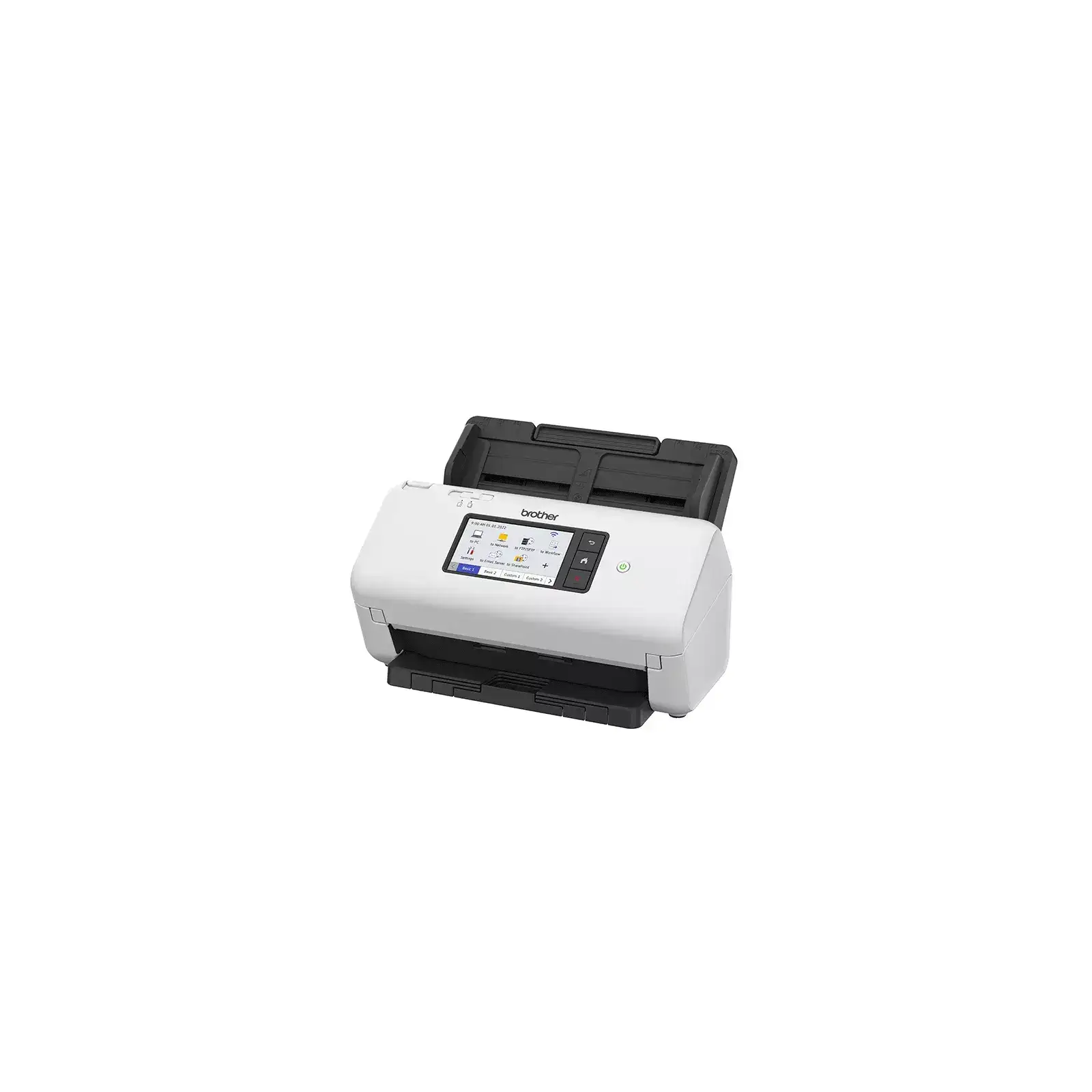
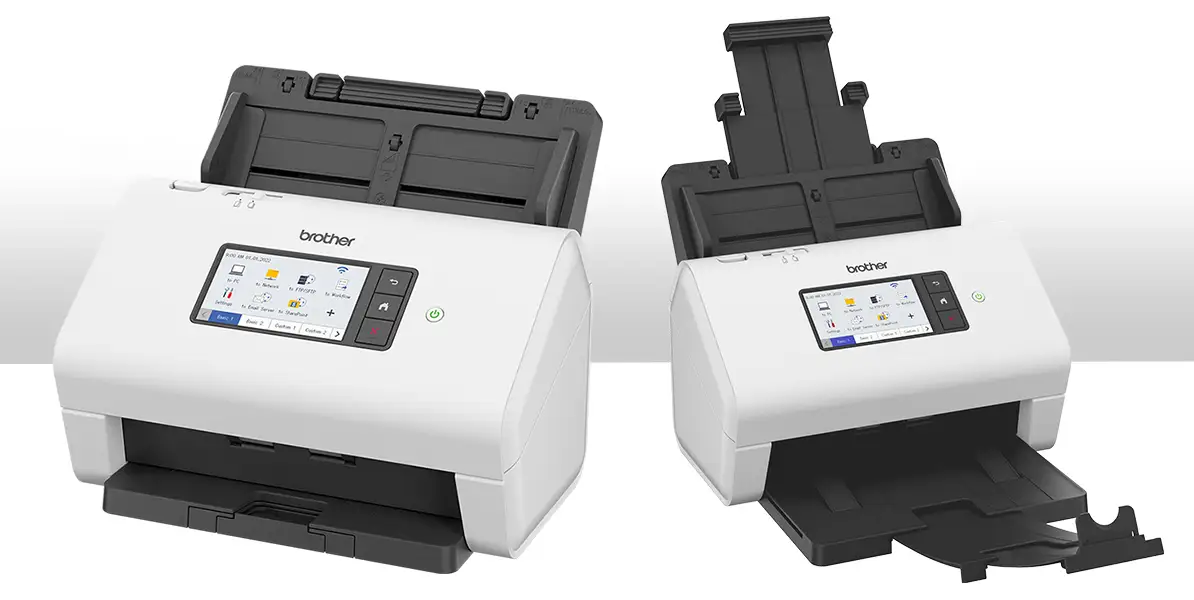
The 4.3” intuitive touchscreen is universally beloved. A Staples reviewer declared: “so easy my parents can use it…touchscreen simple to guide through.” Multiple sources praised the walk-up convenience of sending documents to network PCs without extra clicks.
Common Complaints
ADF reliability tops the complaint list. Staples has recurring mentions of small receipts folding, thick stacks misfeeding, or false “no paper” errors. “It chewed and skewed my papers,” reported one user who returned it and bought a different Brother model. These issues disproportionately impact industries scanning varied media — couriers, healthcare admins, or finance with mixed-size batches.
Cloud account setup confusion frustrates non-technical users. The Google Drive linking process, requiring portal registration and device input of PIN codes, was too complex for some. Those expecting plug-and-play like consumer-grade scanners found themselves consulting manuals or tech support.
Networking quirks also surfaced: delays in Wi-Fi sync on startup, and the lack of support for 5GHz networks. IT Pro noted “supports only 2.4GHz networks”, which might bottleneck scans over busy office WLANs.
Divisive Features
The bundled software suite — including Kofax Power PDF and PaperPort — divides opinion. Power users praise its OCR and batch indexing; casual users find it “too many utilities to tweak settings” (Staples). While PCMag enjoyed Kofax’s archiving capabilities, others prefer lighter, integrated tools.
Touchscreen shortcut depth impresses tech-savvy workgroups but can overwhelm novices. Setting 56 shortcuts under multiple tabs is a dream for admins, but a learning curve for occasional scanners. This gap explains why some call it “perfect for business” while others stick to default functions.
Trust & Reliability
Long-term durability gets decent marks. Provantage’s sentiment score of 9/10 cites “reliable paper handling” when maintained. The CIS cleaning alarm and easy ADF access help prevent prolonged downtime — Reddit documentation shows Brother baked in separation switches and ultrasonic multifeed sensors to keep throughput high.
However, isolated stories suggest unit variance. One Staples buyer received “new with dust…large streak on scanned copies”, hinting at QA lapses or storage issues. The weighty build and professional security features inspire trust among IT admins, but consumer buyers should purchase from reputable sources to avoid open-box or mishandled units.
Alternatives
Two frequently mentioned rivals — Fujitsu ScanSnap iX1600 and Epson DS-790WN — shape buyer decisions. PCMag positions ADS-4700W as a “direct competitor to the iX1600…Fujitsu remains the best choice for small office” due to slightly smoother software. Epson’s DS-790WN matches cloud breadth and beats feed capacity (100-sheet ADF), but has similar speed.
Brother ADS-4900W is the internal upgrade: +20ppm faster and beefier daily cycle, but at ~$230 more. Budget-conscious SMBs opt for ADS-4700W when high-volume isn’t daily.
Price & Value
Market prices hover between $425–$500 (Trovaprezzi, eBay), undercutting the higher-tier ADS-4900W and premium Fujitsu units. Used units dip below $300, though warranty lapses quicken risk. Given the three-year warranty from some vendors and broad driver support, ADS-4700W retains respectable resale value for businesses replacing fleets.
Resellers note that open-box models can save 10–15%, but demand scrutinizing ADF mechanics before purchase. Businesses scanning >6,000 pages/day should consider stepping up a tier; lower volume offices get better ROI here.
FAQ
Q: Does the ADS-4700W support direct scanning to USB drives?
A: Yes. Multiple ports enable direct scanning to flash drives without a PC, in formats like PDF, JPEG, and TIFF, streamlining ad-hoc jobs.
Q: How accurate is the OCR?
A: PCMag found zero errors down to 5pt Arial and 6pt Times New Roman, making it reliable for contracts or archival work.
Q: Can it handle mixed media in one batch?
A: Yes, via its separation switch and multifeed sensor, though small or irregular items may need manual feeding to avoid jams.
Q: Is macOS feature support equal to Windows?
A: While core TWAIN drivers work, some bundled tools like Kofax PaperPort have reduced feature sets or require separate installs.
Q: What’s the daily duty cycle?
A: Rated at 6,000 scans/day, with an 80-sheet ADF designed for steady office workflows.
Final Verdict
Buy if you’re a small-to-midsize office needing fast duplex scanning, strong OCR, and broad cloud integration. Avoid if your workloads are dominated by fragile media or if you require seamless 5GHz Wi-Fi. A pro tip from the community: fan or straighten stacks before loading to minimize jams, and invest time in setting up shortcuts — it pays off in speed later.





